
1. Úvod
Thank you for choosing OMIKA Globe Outdoor String Lights. This manual provides essential information for the safe and efficient use of your new string lights. Please read these instructions carefully before installation and operation, and retain them for future reference.
These connectable 66ft 120LED crystal ball lights are designed for both indoor and outdoor decorative purposes, offering 24 color options and various dynamic modes via remote control.
2. Co je v krabici
Po otevření balení se prosím ujistěte, že jsou všechny níže uvedené komponenty přítomny a nepoškozené:
- 2 x Globe String Lights (66ft total, 120 LEDs) with connector
- 2x Dálkové ovladače
- 1 x napájecí adaptér (29V)
- 1 x Uživatelská příručka

Figure 2.1: Package Contents Diagram. This image displays the two string light sets, two remote controls, the power adapter, and the connector included in the package.
3. Specifikace
| Značka | OMIKA |
| Číslo modelu | MKR-PL-26 |
| Délka položky | 66 Feet (2 sets of 33ft) |
| Počet světelných zdrojů | 120 LEDs (60 LEDs per 33ft string) |
| Typ světelného zdroje | LED |
| Zdroj napájení | Elektrický kabel (29V napájecí adaptér) |
| Wattage | 3.6 wattů |
| Světlá barva | Multicolor (24 colors, warm white) |
| Speciální funkce | 128 dynamic modes, timer (4H/6H/8H), memory function, speed adjust, IP65 waterproof, USB powered (via adapter), remote control. |
| Úroveň odolnosti proti vodě | IP65 Waterproof (lights only, adapter is not waterproof) |
| Typ materiálu | Plast |
| Typ ovladače | Dálkové ovládání (infračervené) |
| Počet baterií | 1 C battery required (included for remote) |
4. Pokyny k nastavení
- Rozbalte komponenty: Carefully remove all items from the packaging. Inspect the string lights, power adapter, and remote controls for any visible damage.
- Connect String Lights (Optional): If you are using both 33ft string lights together, connect the end of the first string to the beginning of the second string using the provided end-to-end connector. Up to 4 sets can be connected for a total length of 132ft (240 LEDs).
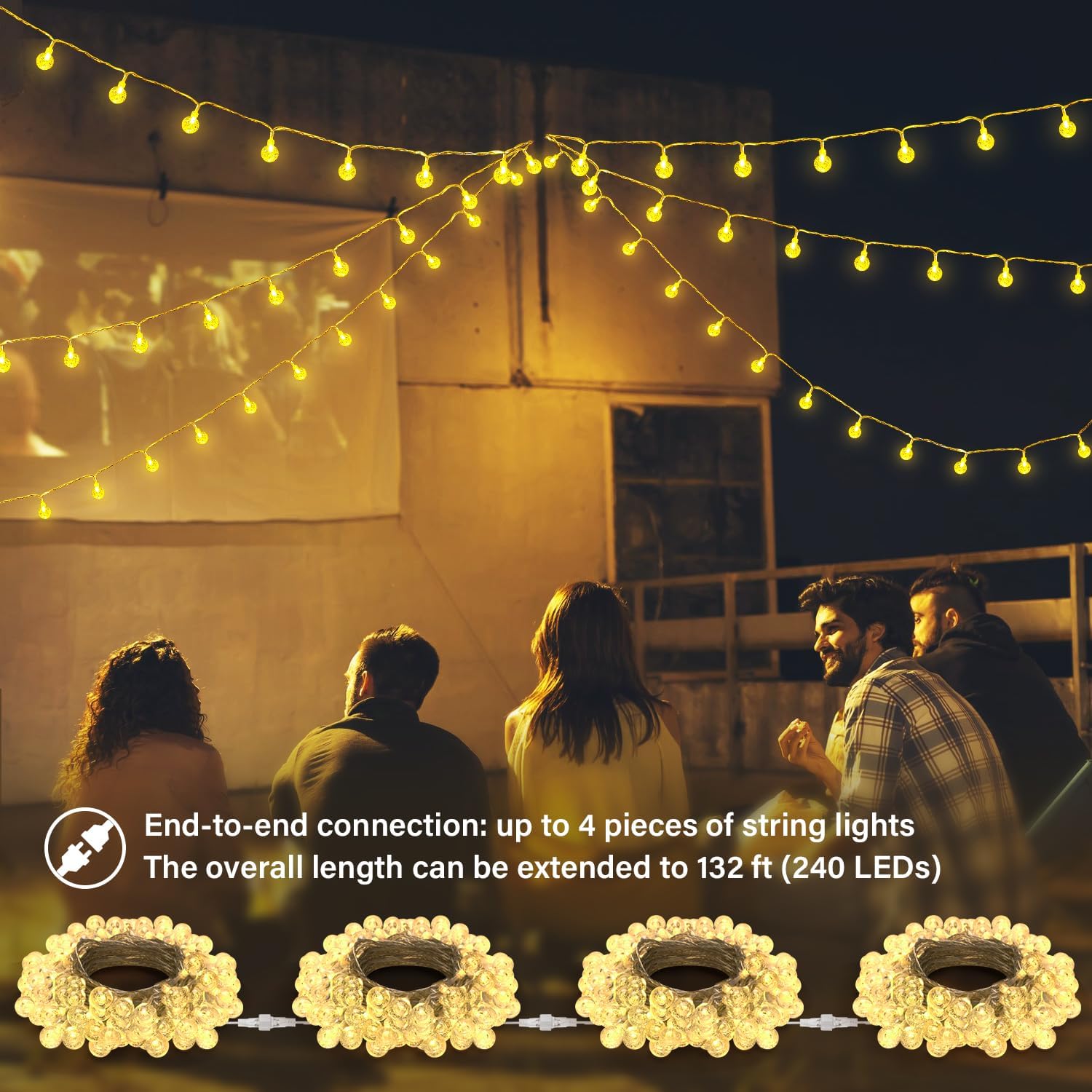
Figure 4.1: End-to-End Connection. This image illustrates how to connect multiple string light sets to extend their total length.
- Připojte napájecí adaptér: Attach the power adapter to the main string light connector. Ensure the connection is secure.
Video 4.1: Connecting the Power Adapter. This video demonstrates the process of connecting the string lights to the power adapter and plugging it into an outlet.
- Umístění: Position the string lights in your desired indoor or outdoor location. The lights themselves are IP65 waterproof, suitable for outdoor use. Important: The power adapter is NOT waterproof and must be protected from water and moisture.

Figure 4.2: Waterproof Rating. This image shows the string lights in an outdoor, rainy environment, highlighting that while the lights are waterproof, the power adapter requires protection from water.
- Zapnutí: Zapojte napájecí adaptér do standardní elektrické zásuvky.
5. Návod k obsluze
Your OMIKA Globe String Lights are controlled using the included remote control. Ensure the remote's battery is installed correctly.

Figure 5.1: Remote Control Layout. This image illustrates the various buttons and functions available on the remote control.
5.1 Funkce dálkového ovládání
- ON/OFF: Stisknutím zapnete nebo vypnete světla.
- Výběr barvy: Choose from 16 single colors and 8 mixed colors using the color palette buttons.
- Nastavení jasu: Use the "Brightness +/-" buttons to increase or decrease the light intensity.

Figure 5.2: Brightness Levels. This image demonstrates the adjustable brightness settings of the string lights.
- Dynamické režimy: Select from 128 dynamic modes, including FADE, JUMP, IN WAVES, STROBE, TWINKLE, ASYN FADE, ASYN JUMP.
Video 5.1: Dynamic Modes Demonstration. This video showcases various dynamic lighting modes and color changes controlled by the remote.
- Nastavení rychlosti: Adjust the speed of dynamic modes using the "SPEED +/-" buttons.
- Funkce časovače: Set the lights to automatically turn off after 4, 6, or 8 hours. Press the corresponding button (4H, 6H, 8H). The lights will then turn on for the set duration and off for the remaining time in a 24-hour cycle.
- Funkce paměti: The lights will remember the last selected setting (color, mode, brightness, timer) when turned off and will resume that setting when turned back on.
5.2 Obecné tipy pro použití
- Ensure a clear line of sight between the remote control and the receiver on the string lights for optimal performance.
- The 29V power adapter provides a safe and stable current output.
- The crystal ball design of the LEDs provides a unique decorative effect.

Figure 5.3: Crystal Globe LED. A detailed view of one of the 1-inch crystal globe LED bulbs.
6. Údržba
- Čištění: Disconnect the power before cleaning. Wipe the lights gently with a soft, damp tkanina. Nepoužívejte agresivní chemikálie nebo abrazivní čisticí prostředky.
- Skladování: When not in use for extended periods, carefully coil the string lights and store them in a cool, dry place away from direct sunlight.
- Power Adapter Protection: Always ensure the power adapter is protected from water and extreme weather conditions, as it is not waterproof.
- Výměna žárovky: LED žárovky jsou integrované a nelze je vyměnit uživatelem.
7. Řešení problémů
| Problém | Možná příčina | Řešení |
|---|---|---|
| Světla se nerozsvítí. |
|
|
| Dálkové ovládání nereaguje. |
|
|
| Some bulbs are not lighting up or show incorrect colors. |
|
|
| Světla blikají nebo se chovají nepravidelně. |
|
|
8. Záruka a podpora
8.1 Záruka výrobce
OMIKA provides a 180denní omezená záruka for this product from the date of purchase. This warranty covers manufacturing defects and malfunctions under normal use. It does not cover damage caused by misuse, accidents, unauthorized modifications, or improper installation.
8.2 Zákaznická podpora
If you encounter any issues or have questions regarding your OMIKA Globe Outdoor String Lights, please contact our customer support team. We are committed to providing reliable quality and thoughtful care.
For support, please refer to the contact information provided on the product packaging or the official OMIKA webmísto.