
DACOM H11
Uživatelská příručka k otevřeným Bluetooth sportovním sluchátkům DACOM Airwings H11
Model: H11
1. Úvod
Thank you for choosing the DACOM Airwings H11 Open-Ear Bluetooth Sport Headphones. These headphones are designed to provide a comfortable and safe audio experience for active lifestyles, featuring open-ear air conduction technology, IPX6 waterproofing, and dual-microphone noise reduction. This manual will guide you through the setup, operation, and maintenance of your new headphones.

Image 1.1: The DACOM Airwings H11 Open-Ear Bluetooth Sport Headphones in green.
2. Důležité bezpečnostní informace
- Do not submerge the headphones in water, despite their IPX6 rating.
- Nevystavujte sluchátka extrémním teplotám (horkým nebo nízkým).
- Do not disassemble, repair, or modify the product. This may cause damage, electric shock, or fire.
- Uchovávejte mimo dosah dětí a domácích zvířat.
- Používejte pouze dodaný nebo certifikovaný nabíjecí kabel.
- Be aware of your surroundings when using the headphones, especially during outdoor activities, as the open-ear design allows ambient sound to be heard.
3. Obsah balení
Zkontrolujte prosím balení, zda neobsahuje následující položky:
- DACOM Airwings H11 Open-Ear Bluetooth Sport Headphones
- USB nabíjecí kabel
- Uživatelská příručka
4. Konec produktuview
Seznamte se s různými částmi vašich sluchátek:

Obrázek 4.1: Detailní view of the headphone components, including the microphone, power button, LED indicator, USB charging port, and volume controls.
- Vypínač: Used for powering on/off, play/pause, and answering/ending calls.
- Tlačítko hlasitosti +: Increases volume, also used for next track.
- Tlačítko hlasitosti: Decreases volume, also used for previous track.
- Mikrofon: For voice calls and voice assistant.
- LED indikátor: Zobrazuje stav napájení, párování a nabíjení.
- USB nabíjecí port: Pro nabíjení sluchátek.
5. Nastavení
5.1 Nabíjení sluchátek
Před prvním použitím sluchátka plně nabijte.
- Connect the USB charging cable to the headphone's charging port and a power source (e.g., computer USB port or wall adapter).
- LED indikátor ukáže stav nabíjení.
- Plné nabití trvá přibližně 2 hodiny a poskytuje až 15 hodin přehrávání.

Image 5.1: The headphones are IPX6 waterproof and offer 15 hours of playtime on a single charge.
5.2 Párování Bluetooth
Připojení sluchátek k zařízení:
- Ujistěte se, že jsou sluchátka vypnutá.
- Press and hold the Power Button for approximately 3 seconds until the LED indicator flashes blue and red, indicating pairing mode.
- Na svém zařízení (chytrý telefon, tablet, počítač) povolte Bluetooth a vyhledejte dostupná zařízení.
- Select "DACOM H11" from the list of devices.
- Po připojení bude LED indikátor pomalu blikat modře.
5.3 Připojení dvou zařízení
The DACOM Airwings H11 supports simultaneous connection to two Bluetooth devices.
- Spárujte sluchátka s prvním zařízením, jak je popsáno v části 5.2.
- Vypněte Bluetooth na prvním zařízení. Sluchátka se znovu přepnou do režimu párování.
- Spárujte sluchátka s druhým zařízením.
- Znovu povolte Bluetooth na prvním zařízení. Sluchátka by se měla automaticky připojit k oběma zařízením.
- When one device is in use (e.g., watching a movie on a tablet), the other device (e.g., phone) will automatically pause its audio if a call comes in.

Image 5.2: The headphones can connect to two devices simultaneously, such as a tablet and a smartphone.
6. Návod k obsluze
Sluchátka jsou vybavena fyzickými tlačítky pro snadné ovládání:

Obrázek 6.1: Konecview of button functions and operations.
| Funkce | Operace |
|---|---|
| Zapnout | Long press MFB Button for 3 seconds |
| Vypnout | Long press MFB Button for 3 seconds |
| Přehrát/Pozastavit | Press the MFB Button |
| Předchozí skladba | Long press "-" Button for 2 seconds |
| Další píseň | Long press "+" Button for 2 seconds |
| Zvýšení hlasitosti | Short press "+" Button |
| Snížit hlasitost | Short press "-" Button |
| Přijmout/ukončit hovor | Press the MFB Button during a call |
| Odmítnout hovor | Press and hold the "-" Button for 2 seconds |
| Wake up Voice Assistant (Siri) | In connected standby state, long press MFB Button for 2 seconds |
| EQ Toggle (Dynamic/Standard Mode) | In listening state, 2 clicks on MFB Button |
| LED Running Light On/Off | Four clicks on MFB Button |
| Resetovat | In charging state, long press MFB Button for 5 seconds |
6.1 Nošení sluchátek
The open-ear design ensures comfort and awareness of your surroundings. The flexible silicone ear hooks provide a secure fit.

Image 6.2: The open-ear design sits comfortably without entering the ear canal, featuring skin-friendly silicone and a flexible memory titanium alloy frame.
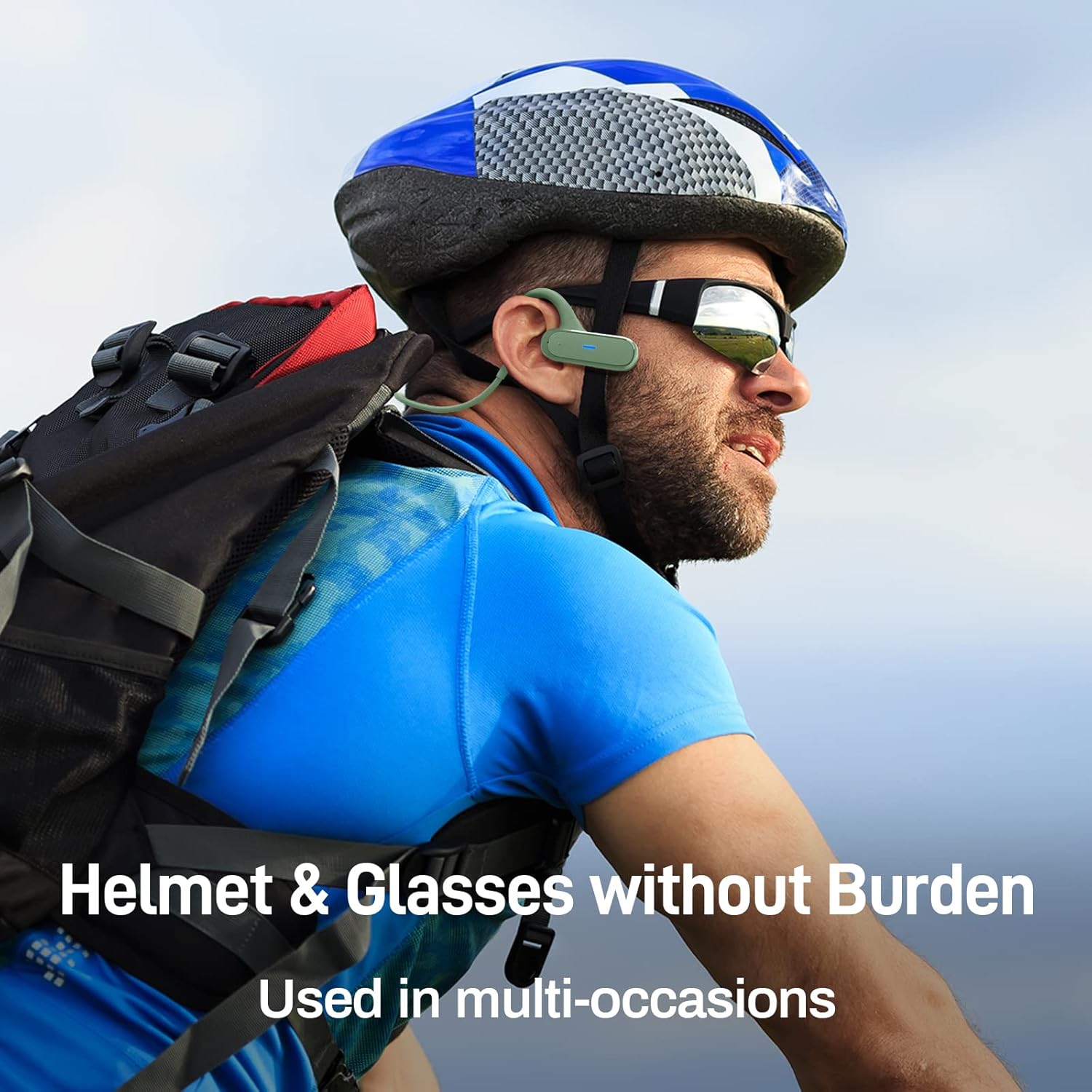
Image 6.3: The headphones are designed to be worn comfortably with helmets and glasses, suitable for various activities.
7. Údržba
7.1 Čištění
- Sluchátka otřete měkkým, suchým hadříkem.
- K čištění nepoužívejte agresivní chemikálie nebo abrazivní materiály.
7.2 Vodotěsnost (IPX6)
The headphones are IPX6 waterproof, meaning they are protected against powerful water jets. This makes them suitable for use during light rain and sweating.
- Neponořujte sluchátka do vody.
- Ujistěte se, že je kryt nabíjecího portu bezpečně uzavřen, aby byla zachována vodotěsnost.
- If the headphones get wet, wipe them dry before charging.

Image 7.1: The headphones feature an IPX6 waterproof design, including a waterproof Type-C charging interface, to protect against sweat and light rain.
7.3 Skladování
- Sluchátka skladujte na chladném a suchém místě mimo dosah přímého slunečního záření.
- Avoid storing them in places with extreme temperatures or high humidity.
8. Řešení problémů
| Problém | Možné řešení |
|---|---|
| Sluchátka se nezapínají | Ujistěte se, že jsou sluchátka nabitá. Připojte je ke zdroji napájení a zkuste to znovu. |
| Nelze spárovat se zařízením |
|
| Žádný zvuk nebo nízká hlasitost |
|
| Přerušované připojení |
|
| Mikrofon nefunguje |
|
9. Specifikace
| Funkce | Detail |
|---|---|
| Značka | DACOM |
| Název modelu | Airwings H11 |
| Technologie připojení | Bezdrátové (Bluetooth) |
| Technologie bezdrátové komunikace | Bluetooth |
| Form Factor | Otevřené ucho |
| Materiál | Silicone, Memory Titanium Alloy |
| Hmotnost položky | 20 gramů |
| Speciální funkce | Foldable, IPX6 Waterproof, Dual-Mic Noise Reduction, Physical Buttons |
| Složení baterie | Lithium-polymer |
| Nabíjecí baterie | Ano |
| Prázdno | Až 15 hodin |
| Doba nabíjení | Přibl. 2 hodin |
| Pohotovostní doba | Až 300 hodin |
| Kompatibilní zařízení | Laptop, Car Audio System, Mobile Phone |
| Zahrnuté komponenty | USB kabel |
10. Záruka a podpora
DACOM products are manufactured to the highest quality standards. For information regarding warranty coverage, technical support, or customer service, please refer to the warranty card included with your product or contact your local retailer/distributor. You may also visit the official DACOM webstránky pro další pomoc.
Ask a question about this manual
Ask about setup, troubleshooting, compatibility, parts, safety, or missing instructions. Manuals+ will review the question and use this page’s manual context to help answer it.