
1. Úvod
This manual provides detailed instructions for the installation, operation, and maintenance of your Walfront IP32 LCD Screen Solar Controller. This display unit is designed to provide real-time monitoring and control for compatible solar charge controllers, ensuring efficient management of your solar power system. Please read this manual thoroughly before use to ensure proper functionality and longevity of the product.
2. Konec produktuview
The Walfront IP32 LCD Screen is an industrial-grade display unit crafted from durable ABS material, designed for robust performance in various environments. It features a simple two-button interface for easy navigation and data viewing. When connected to a compatible solar controller, it draws power directly, eliminating the need for an additional power source.

Obrázek 2.1: Úhlové view of the Walfront IP32 LCD Screen Solar Controller with its connection cable.
Klíčové vlastnosti:
- Průmyslový design: Suitable for diverse outdoor and indoor applications.
- Odolný materiál ABS: Ensures extended product lifespan.
- Simple Two-Button Operation: Intuitive 'SELECT' and 'ENTER' buttons for user-friendly control.
- Přímé napájení: No external power required when connected to a compatible controller.
- Zobrazení dat v reálném čase: Provides clear, real-time monitoring of your solar system's operational data.
Aplikace:
This LCD display is versatile and can be used in various solar power system setups, including:
- Domácí solární systémy
- Industrial Solar Installations
- Solar Charging Stations
- Solar-Powered Street Lighting
- Agricultural Solar Applications
- Research and Development Solar Projects
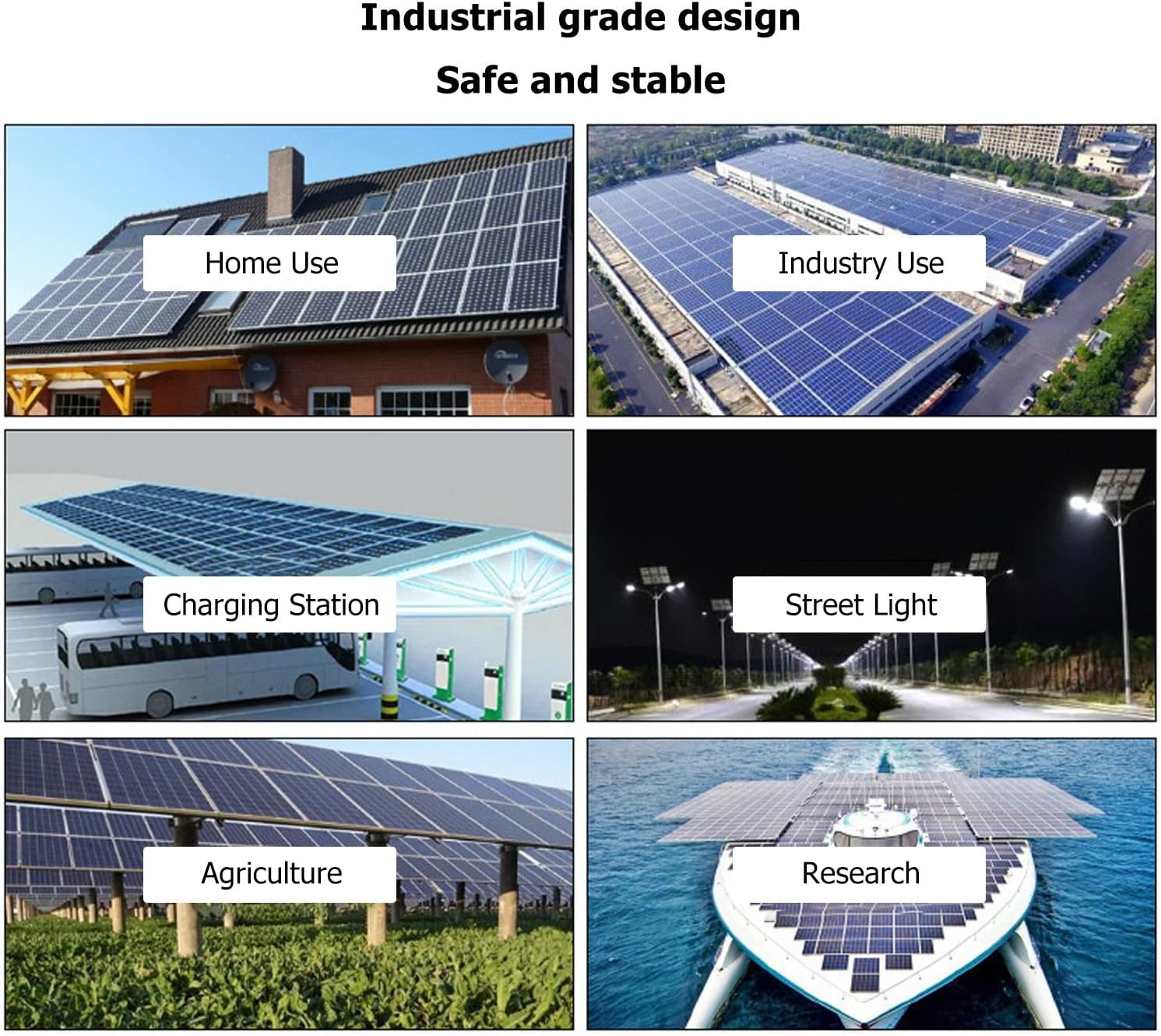
Obrázek 2.2: Příkladamples of environments where the solar controller display can be utilized.
3. Specifikace
| Parametr | Hodnota |
|---|---|
| Typ položky | Solar Controller LCD Display |
| Materiál | ABS |
| Vstupní objemtage | 5V-12V |
| Spotřeba energie v pohotovostním režimu | <0.03W |
| Spotřeba energie při provozu | <0.04W |
| Pevná přenosová rychlost | 9600 bps |
| Komunikační režim | TTL |
| Typ rozhraní | PH2.0 |
| Provozní teplota | -35 ℃ až 65 ℃ |
| Úroveň ochrany | IP32 |
| Nadmořská výška | ≤3000 m |
| Adaptation Models | MC2420N10, MC2430N10, MC2440N10, MC2450N10, LC100 |
| Rozměry | 5.51 x 5.12 x 1.57 palce (balení) |
| Hmotnost položky | 4.7 uncí / 134 gramů |
4. Pokyny k nastavení
Follow these steps to properly connect your LCD display to a compatible solar charge controller:
- Prepare the Controller: Ensure your solar charge controller is powered off or disconnected from all power sources (solar panels and battery) before connecting the display unit. This prevents potential damage during installation.
- Locate the Interface Port: Identify the PH2.0 communication interface port on your compatible solar charge controller. Refer to your controller's manual if unsure.
- Connect the Display Cable: Carefully insert the PH2.0 connector of the LCD display cable into the corresponding port on the solar controller. Ensure a firm and secure connection.
- Mount the Display (Optional): The display unit can be mounted using the integrated mounting holes. Secure it in a location that allows for easy viewing and access to the buttons.
- Zapnutí: Reconnect the battery and then the solar panels to your solar charge controller. The LCD display will power on automatically, as it draws power directly from the controller.

Obrázek 4.1: Přední strana view of the display unit, showing the connection cable.
Note: The display unit does not require a separate power supply. It receives power directly from the connected solar charge controller.
5. Návod k obsluze
The Walfront IP32 LCD Screen features a simple two-button interface for navigation and selection:
- Tlačítko VYBRAT: Používá se k procházení různých obrazovek nebo možností nabídky.
- Tlačítko ENTER: Used to confirm a selection or enter a specific menu.

Image 5.1: Close-up of the 'SELECT' and 'ENTER' buttons for operation.
Viewing System Data:
Once connected and powered on, the display will show real-time operational data from your solar charge controller. Use the VYBRAT button to navigate through various data screens, which may include:
- Baterie Voltage
- Nabíjecí proud
- Vybíjecí proud
- Solární panel svtage
- Teplota
- Accumulated Charge/Discharge Energy

Image 5.2: The LCD display provides a clear, real-time view of the solar system's operational data.
Úprava nastavení (pokud je to relevantní):
Some compatible solar controllers allow for parameter adjustments directly through the connected display. If this functionality is supported by your controller, use the VYBRAT button to navigate to the settings menu and the ENTER button to confirm changes. Refer to your specific solar controller's manual for detailed instructions on adjustable parameters.
6. Údržba
The Walfront IP32 LCD Screen is designed for low maintenance. Adhering to the following guidelines will help ensure its continued performance:
- Čištění: Jemně otřete obrazovku a casins měkkým, suchým nebo mírně damp hadříkem. Nepoužívejte abrazivní čisticí prostředky, rozpouštědla ani agresivní chemikálie, protože by mohly poškodit displej neboasing.
- Podmínky prostředí: While the display has an IP32 protection level, it is recommended to protect it from direct heavy rain or prolonged exposure to extreme moisture. Ensure operation within the specified temperature range of -35℃ to 65℃ and altitude of ≤3000m.
- Integrita připojení: Periodically check the PH2.0 connection cable to ensure it is securely attached to both the display and the solar controller. Loose connections can lead to intermittent data display or functionality issues.
- Vyhněte se fyzickému dopadu: Protect the display from strong impacts or drops, which could damage the screen or internal components.
7. Řešení problémů
If you encounter issues with your Walfront IP32 LCD Screen, refer to the following common troubleshooting steps:
- Displej se nezapíná:
- Ensure the solar charge controller is properly powered on and functioning.
- Check the PH2.0 connection cable for secure attachment at both ends.
- Verify that the display is compatible with your specific solar controller model.
- No Data or Incorrect Data Displayed:
- Confirm the cable connection is secure and undamaged.
- Ensure the solar controller is operating correctly and receiving input from solar panels and battery.
- The communication baud rate (9600bps) is fixed; ensure your controller is configured to communicate at this rate if adjustable.
- Tlačítka nereagují:
- Gently press the buttons to ensure they are not stuck.
- If the display is unresponsive, try disconnecting and reconnecting the display cable to reset it.
If these steps do not resolve the issue, please contact Walfront customer support or your retailer for further assistance.
8. Záruka a podpora
For information regarding product warranty, returns, or technical support, please refer to the documentation provided with your purchase or contact your retailer directly. You may also visit the official Walfront store for additional resources and contact information: