
1. Úvod
Thank you for choosing the ieGeek 5MP Outdoor Security Camera ZS-GQ4. This manual provides detailed instructions for setting up, operating, and maintaining your camera to ensure optimal performance and security. Please read this manual thoroughly before use and retain it for future reference.
Bezpečnostní opatření
- Ujistěte se, že je kamera instalována na stabilním místě, aby nedošlo k jejímu pádu.
- Používejte pouze dodaný napájecí adaptér, abyste předešli poškození.
- Nevystavujte fotoaparát extrémním teplotám ani korozivnímu prostředí.
- Keep the camera lens clean for clear image quality.
- Avoid direct exposure to sunlight for prolonged periods.
2. Konec produktuview
Obsah balení
- ieGeek 5MP Outdoor Security Camera (ZS-GQ4) x1
- Napájecí adaptér x1
- Screws and Anchors x3
- Positioning Sheet x1
- Uživatelská příručka x1
Klíčové vlastnosti
- Rozlišení 5MP Ultra HD: Captures clear and detailed images.
- Podpora dvoupásmové Wi-Fi: Compatible with both 2.4GHz and 5GHz WiFi networks for stable connectivity.
- 360° otáčení/naklápění/zoom (PTZ): Offers horizontal 355° and vertical 90° rotation for comprehensive coverage.
- Automatické sledování: Detects and tracks human movement, returning to its original position after tracking.
- Pokročilé noční vidění: Provides up to 25 meters of clear night vision, with options for black & white or full-color night vision using built-in IR and LED lights.
- Detekce lidského pohybu: Reduces false alarms by focusing on human shapes.
- Automatic Deterrence: Features audible alarms, flashing lights, and sound/light alarms to deter intruders.
- Flexibilní možnosti úložiště: Supports up to 128GB MicroSD card (sold separately) and cloud storage (free 6-second clips for 1 week with auto-overwrite).
- Obousměrný zvuk: Vestavěný mikrofon a reproduktor pro komunikaci v reálném čase.
- Kompatibilita Alexa: Control surveillance areas using voice commands.
- IP66 Odolnost proti povětrnostním vlivům: Určeno pro venkovní použití za různých povětrnostních podmínek.

Figure 1: ieGeek 5MP Outdoor Security Camera ZS-GQ4 and power adapter.
Video 1: Konecview of ieGeek 5MP Outdoor Security Camera features, including 5MP resolution, dual-band WiFi, and smart functions.
3. Nastavení
3.1 Instalace karty MicroSD
To store recordings locally, install a MicroSD card (up to 128GB, sold separately) into the camera. Ensure the camera is powered off before inserting or removing the card.
Video 2: Demonstration of how to correctly insert a MicroSD card into the camera.
3.2 Montáž fotoaparátu
The camera can be wall-mounted. Use the included positioning sheet to mark drill holes, then secure the camera with the provided screws and anchors. Ensure the camera is positioned to cover your desired surveillance area.

Figure 2: The camera mounted on a wall, illustrating its 360-degree pan and tilt capabilities.
3.3 Připojení napájení
Connect the camera to a power outlet using the supplied power adapter. The camera will power on automatically.
3.4 Instalace aplikace a počáteční nastavení
- Stáhněte si ieGeek kamera app from your smartphone's app store (iOS/Android).
- Zaregistrujte si účet a přihlaste se.
- Klepnutím na tlačítko „+“ přidáte nové zařízení.
- Follow the on-screen instructions to connect the camera to your 2.4GHz or 5GHz WiFi network. This typically involves scanning a QR code displayed on your phone with the camera.
- Po připojení můžete kameru pojmenovat a spustit živý přenos viewIng.
Video 3: A quick guide demonstrating the initial setup process, including app connection and QR code scanning.
4. Návod k obsluze
4.1 Živě View a ovládání PTZ
Otevřete aplikaci ieGeek Cam a vyberte kameru pro přístup k živému přenosu. view. You can use the on-screen controls to pan (horizontal 355°) and tilt (vertical 90°) the camera lens to adjust the viewúhel.
4.2 Režimy nahrávání
The camera supports three recording modes:
- Nepřetržité nahrávání 24/7: Zaznamenává nepřetržitě a přepisuje nejstarší data.tage když je úložiště plné.
- Záznam události: Nahrává pouze při detekci pohybu.
- Plánované nahrávání: Záznamy se pořizují v časech určených uživatelem.
Recordings can be saved to a MicroSD card or to the cloud. Free cloud storage provides 6-second event clips for one week, with automatic overwriting.
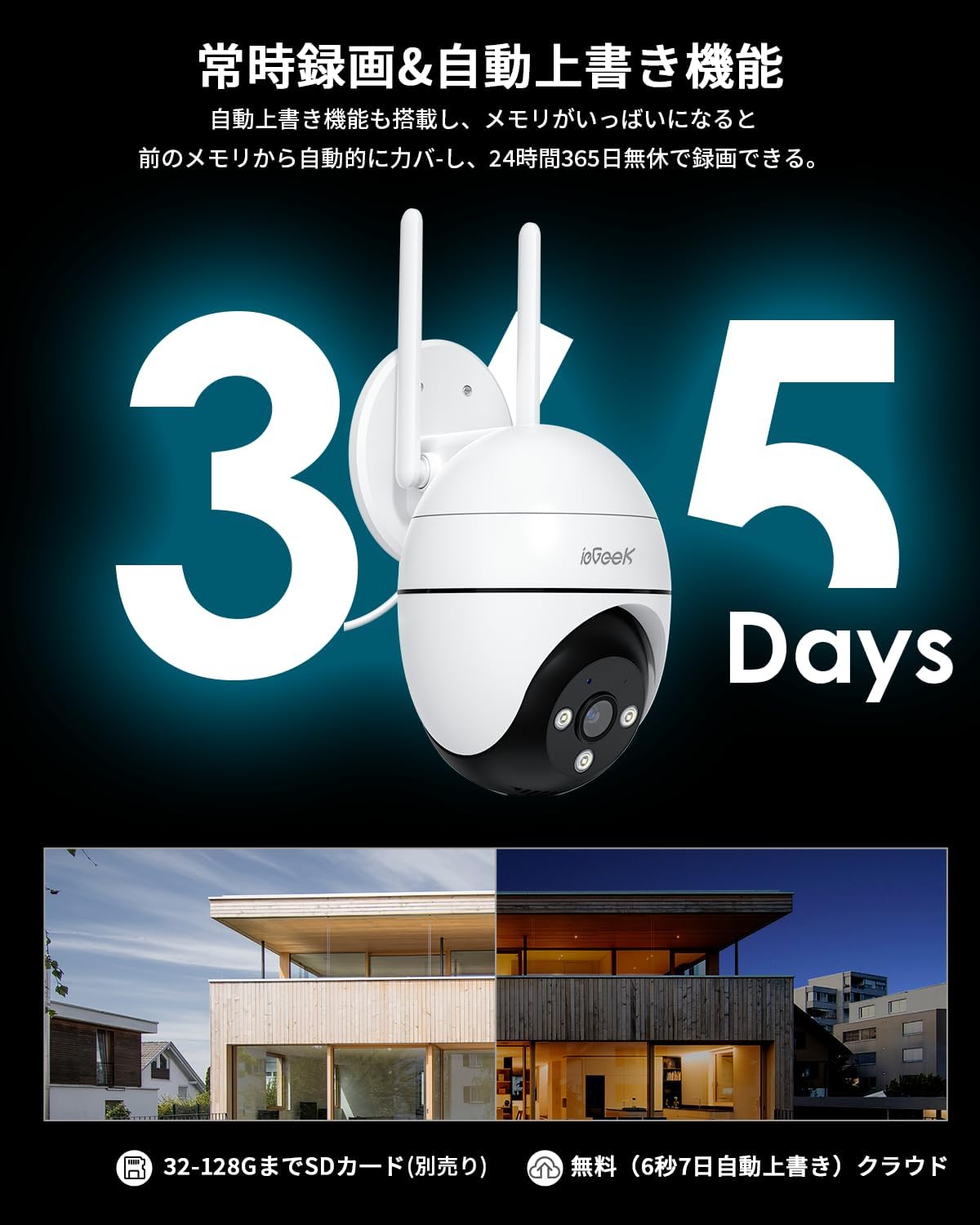
Figure 3: Illustration of 24/7 recording and automatic overwrite functionality.

Figure 4: Customizable recording modes, including motion-activated and continuous recording.
4.3 Detekce pohybu a upozornění
The camera features high-precision human detection, reducing false alarms by 90%. When motion is detected, you will receive push notifications on your smartphone. The camera can also activate audible alarms, flashing lights, or a combination of both to deter potential intruders.
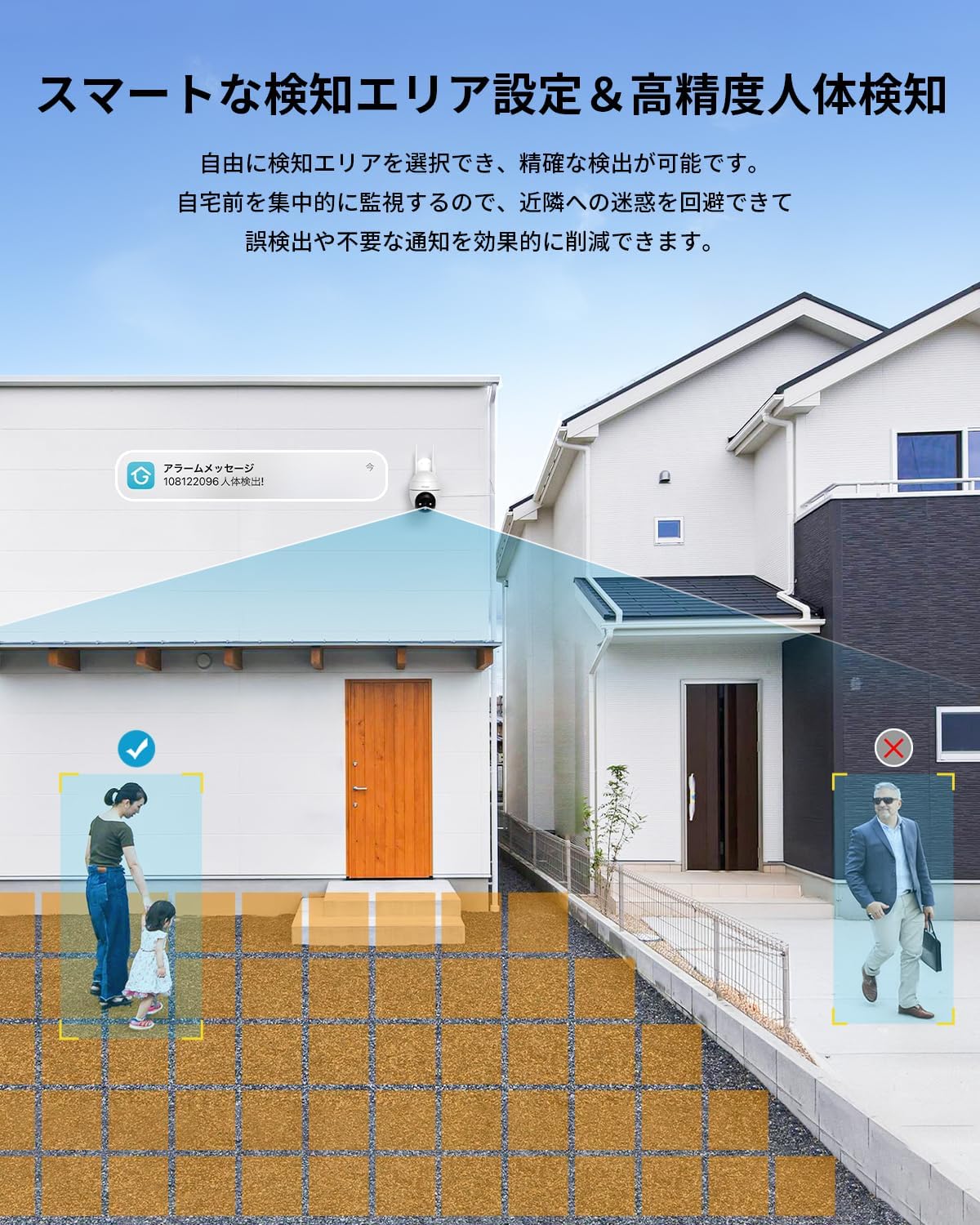
Figure 5: Setting up smart detection areas and the effectiveness of human detection.

Figure 6: The camera's automatic tracking feature following a detected person.

Obrázek 7: Přample of a push notification from the ieGeek Cam app.
4.4 Noční vidění
The camera automatically switches to night vision in low-light conditions. It features both infrared (black & white) and full-color night vision, utilizing 3 IR lights and 3 LED lights to illuminate up to 25 meters.
Video 4: A time-lapse video demonstrating the camera's night vision capabilities, transitioning from day to night.

Figure 8: Comparison of night vision range, highlighting the camera's 20m effective range.
4.5 Obousměrný zvuk
The built-in microphone and speaker allow for two-way communication. You can speak through the app to anyone near the camera and hear their responses.

Figure 9: A user interacting with the two-way audio feature via the smartphone app.

Figure 10: Multiple family members can view současně s kamerou.
4.6 Integrace s Alexou
Kamera je kompatibilní s Alexou. Můžete použít hlasové příkazy k… view the camera feed on compatible Alexa-enabled devices, such as
Ask a question about this manual
Ask about setup, troubleshooting, compatibility, parts, safety, or missing instructions. Manuals+ will review the question and use this page’s manual context to help answer it.