
1. Úvod
This instruction manual provides detailed guidance for the assembly, operation, and maintenance of your Fenge 23.6 Inch Monitor Stand. Please read this manual thoroughly before use to ensure proper setup and to maximize the benefits of the product.
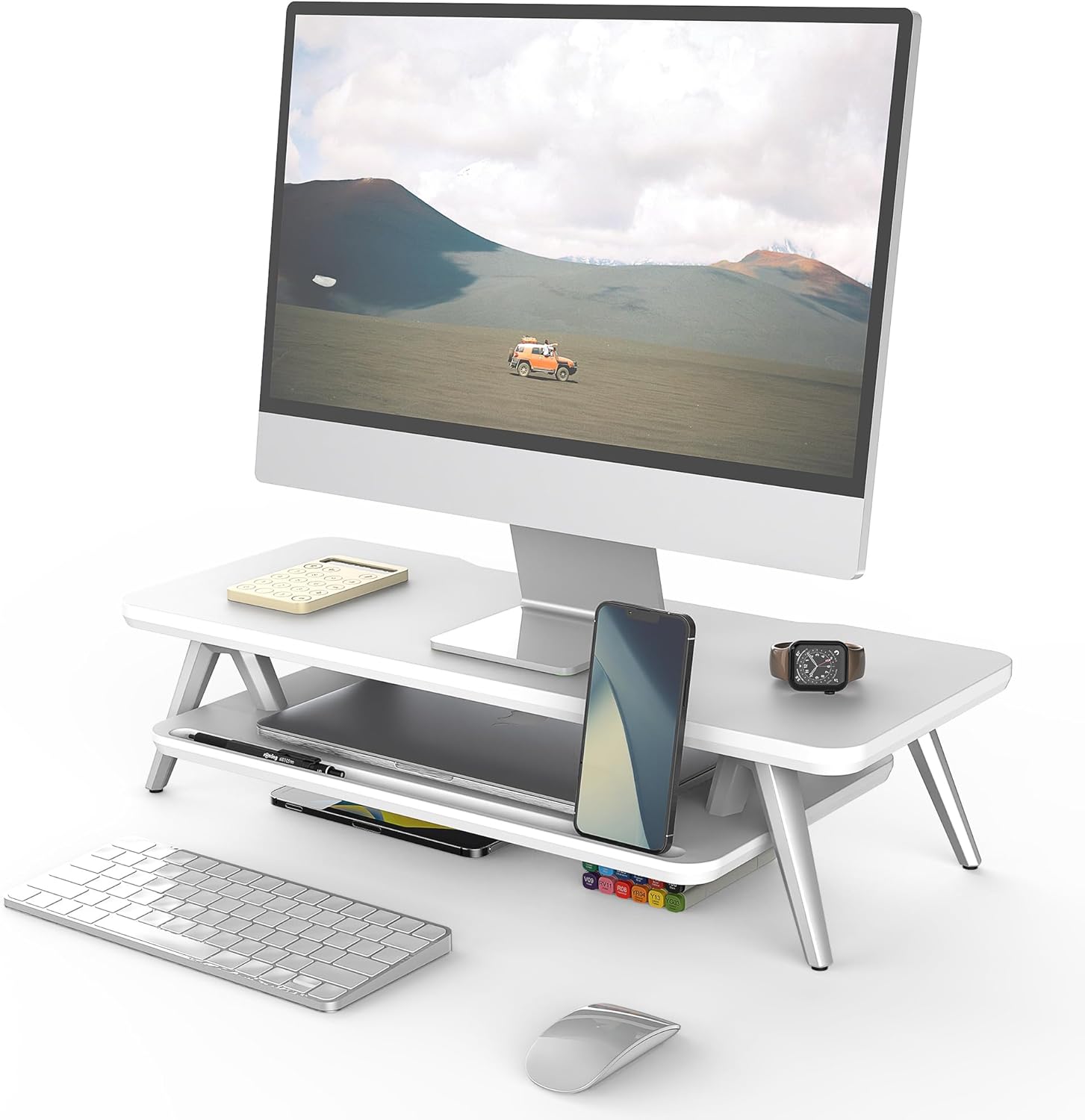
Image 1: Fenge 23.6 Inch Monitor Stand in a typical desk setup.
The Fenge Monitor Stand is designed to elevate your monitor to an ergonomic viewing height, reducing neck and shoulder strain. It also offers integrated storage solutions and cable management features to help maintain an organized workspace.
2. Důležité bezpečnostní informace
- Ensure all components are securely fastened before placing any items on the stand.
- Nepřekračujte maximální nosnost 66 kg.
- Udržujte malé části mimo dosah dětí, abyste předešli nebezpečí udušení.
- Nevystavujte stojan nadměrné vlhkosti nebo přímému slunečnímu záření.
- Umístěte stojan na stabilní, rovný povrch, aby se nepřevrátil.
3. Obsah balení
Ověřte, zda balení obsahuje všechny následující komponenty:
- Horní panel (1x)
- Spodní police (1x)
- Aluminum Feet (4x)
- Rubber Pads (4x)
- Montážní materiál (šrouby, imbusový klíč)
- Návod k použití (tento dokument)
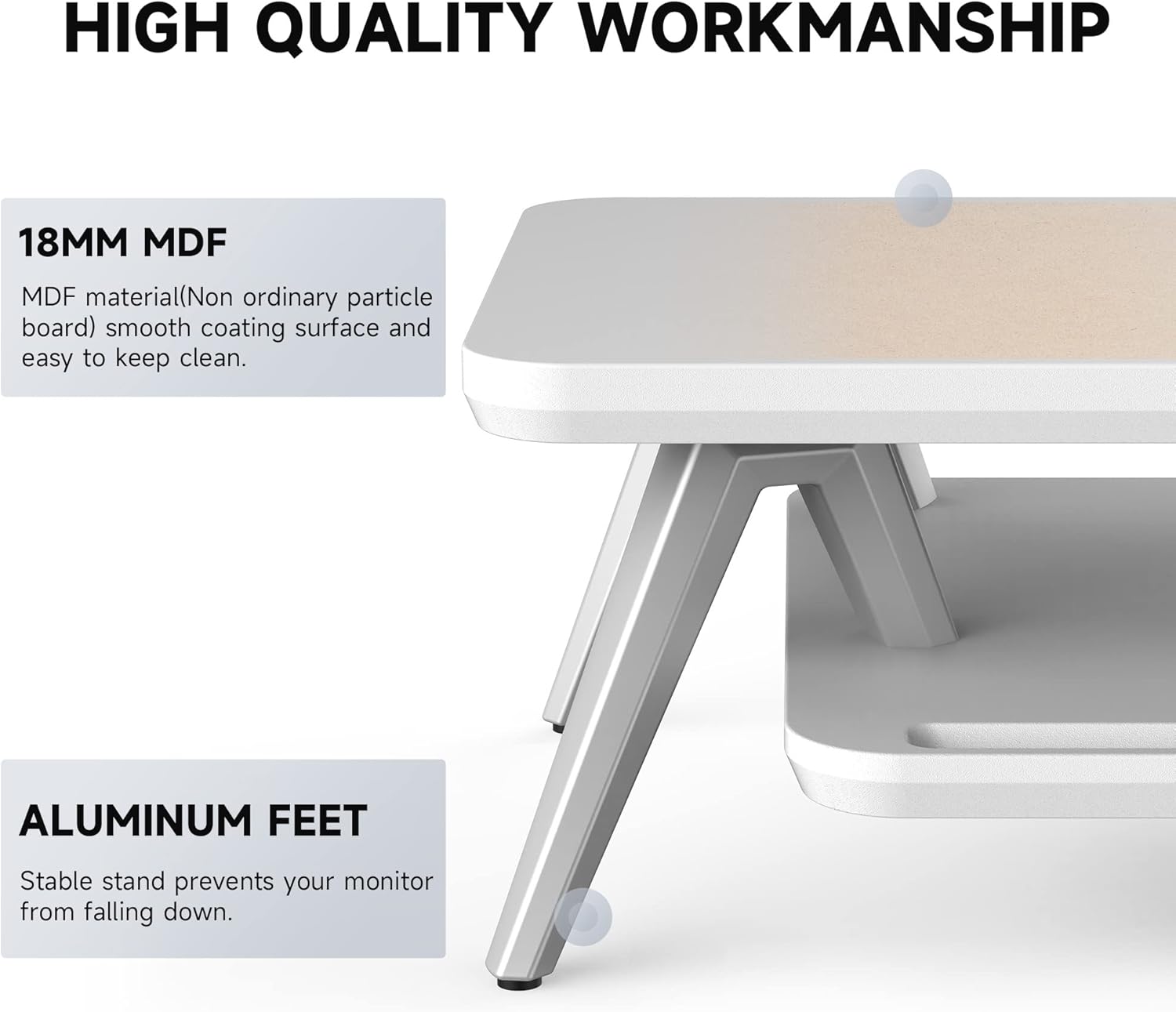
Image 2: Components of the Fenge Monitor Stand, highlighting the MDF panel and aluminum feet.
4. Montážní návod
Assembly typically takes 5-8 minutes. Follow these steps:
- Attach the Aluminum Feet: Securely fasten the four aluminum feet to the underside of the top panel using the provided screws and Allen wrench. Ensure they are tightly secured for stability.
- Instalace spodní police: Slide the bottom shelf into the designated slots on the aluminum feet. The shelf should fit snugly.
- Aplikujte gumové podložky: Attach the four rubber pads to the bottom of the aluminum feet. These pads prevent scratching your desktop and enhance stability.
- Závěrečná kontrola: Verify that all connections are secure and the stand is stable before placing your monitor or other items on it.
Video 1: This video demonstrates the assembly process and highlights the functional design of the Fenge monitor stand.
5. Použití a funkce
5.1 Ergonomický design
The Fenge Monitor Stand elevates your screen by 5.7 inches, promoting a comfortable viewing angle and helping to prevent neck and shoulder discomfort during prolonged use.

Image 3: Visual representation of ergonomic benefits, including desktop organization, monitor elevation, and cervical spine health.
5.2 2-Tier Desktop Organizer
The stand features a two-tier design with high-capacity compartments, allowing you to store office accessories, notebooks, and other supplies, keeping your desktop tidy and clutter-free.

Obrázek 4: Detailní view of the storage compartments, ideal for organizing desk essentials.
5.3 Správa kabelů
Integrated cable management slots help route and organize your cords, preventing tangles and maintaining a clean aesthetic.

Image 5: Illustration of the cable management system, keeping cords organized and out of sight.
5.4 Phone/Tablet Slot
A dedicated slot is provided for holding your smartphone or tablet, keeping it upright and easily accessible while you work.

Image 6: The monitor stand featuring its M-type stable structure, phone/tablet slot, and cable management trough.
Video 2: This video showcases the Fenge monitor stand in various desk setups, demonstrating its organizational capabilities and aesthetic appeal.
6. Péče a údržba
- Čištění: Otřete stojan měkkým hadříkemamp tkanina. Vyhněte se abrazivním čisticím prostředkům nebo agresivním chemikáliím, které mohou poškodit povrch.
- Utírat prach: Regularly dust the surface with a dry, lint-free cloth.
- Inspekce: Pravidelně kontrolujte všechny šrouby a spoje, zda jsou pevně utažené. V případě potřeby je dotáhněte.
7. Řešení problémů
- Stojan je vratký:
- Ujistěte se, že jsou všechny šrouby utaženy.
- Zkontrolujte, zda je stojan umístěn na rovném a stabilním povrchu.
- Check that the rubber pads are correctly installed on all four feet.
- Obtížnost sestavení:
- Refer to Section 4: Assembly Instructions and review the steps carefully.
- Ujistěte se, že pro každý krok používáte správný hardware.
- Pokud problémy přetrvávají, kontaktujte zákaznickou podporu.
8. Specifikace
| Funkce | Detail |
|---|---|
| Značka | Fenge |
| Model | 23.6 Inch Monitor Stand |
| Materiál | Technické dřevo (MDF) |
| Barva | Bílý |
| Rozměry produktu (D x Š x V) | 23.6 x 11 x 5.7 palce |
| Hmotnost položky | 11 libry (5 kg) |
| Kapacita zatížení | 66 libry (30 kg) |
| Montáž Vyžadována | Ano |
| Typ dokončení | Lakované |
| UPC | 694743169188 |

Image 7: Technical drawing showing the dimensions and load capacity of the monitor stand.
9. Záruka a podpora
For warranty information or customer support, please refer to the product packaging or contact Fenge customer service directly. Keep your purchase receipt for any warranty claims.