
HP EliteOne 840 G9
Uživatelská příručka k počítači HP EliteOne 840 G9 All-in-One
Model: EliteOne 840 G9 (69S91UT#ABA)
1. Úvod
This manual provides essential information for the safe and efficient use of your HP EliteOne 840 G9 All-in-One Computer. Please read this manual thoroughly before operating the device and retain it for future reference. It covers setup, operation, maintenance, and troubleshooting.
2. Bezpečnostní informace
Dodržujte následující bezpečnostní opatření, abyste předešli poškození zařízení nebo zranění:
- Ensure the computer is placed on a stable, flat surface to prevent tipping.
- Do not block ventilation openings. Maintain adequate space around the device for proper airflow.
- Používejte pouze napájecí adaptér dodaný se zařízením.
- Chraňte zařízení před tekutinami a nadměrnou vlhkostí.
- Nevystavujte zařízení extrémním teplotám nebo přímému slunečnímu záření.
- Disconnect the power cable before cleaning or if the device will be unused for an extended period.
3. Obsah balení
Ověřte, zda jsou v balení přítomny všechny položky:
- HP EliteOne 840 G9 All-in-One Computer
- Napájecí adaptér a kabel
- Klávesnice
- Myš
- Dokumentace (včetně této příručky)
4. Komponenta přesview
Familiarize yourself with the main components and ports of your HP EliteOne 840 G9 All-in-One Computer.
4.1 Přední View

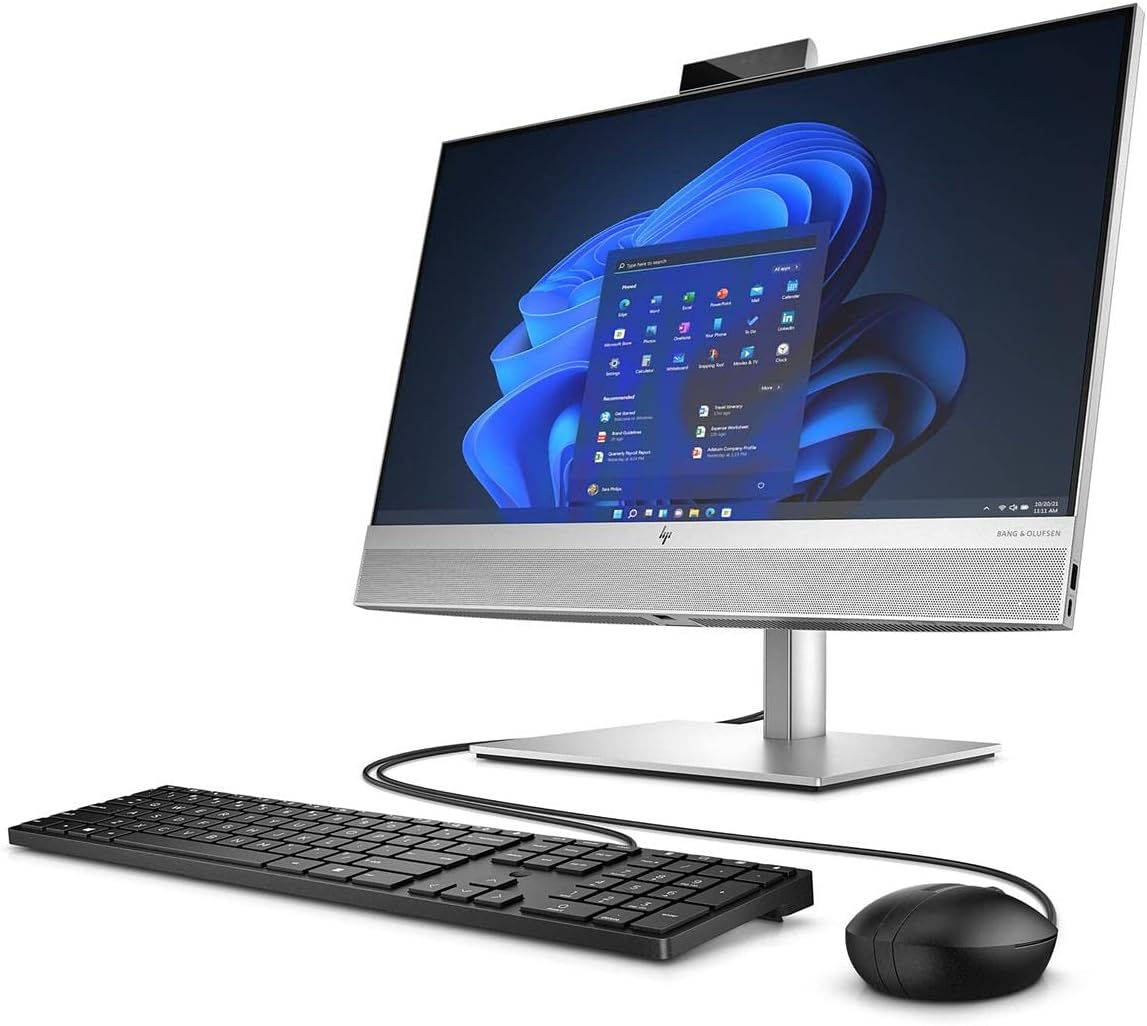
Obrázek 4.1: Přední view of the HP EliteOne 840 G9 All-in-One Computer, displaying the 23.8-inch Full HD screen, integrated webcam at the top, and Bang & Olufsen speakers at the bottom. A wired keyboard and mouse are connected.
4.2 Zadní a boční Views
Obrázek 4.2: Zadní strana view of the HP EliteOne 840 G9, highlighting the connectivity ports on the back panel and side. These typically include USB ports, video output ports, and an Ethernet port.

Obrázek 4.3: A different angle of the rear and side of the HP EliteOne 840 G9, providing a clearer view of the stand mechanism and additional port locations.
The HP EliteOne 840 G9 features a 23.8-inch Full HD display, an integrated webcam, and various ports for peripheral connectivity. The stand provides stability and allows for screen angle adjustments.
5. Nastavení
Follow these steps for the initial setup of your All-in-One computer:
- Rozbalení počítače: Carefully remove the computer and all accessories from the packaging. Place the computer on a sturdy, flat surface.
- Připojení klávesnice a myši: Connect the wired keyboard and mouse to the available USB ports on the back or side of the computer.
- Připojte napájení: Plug the power cable into the power adapter, then connect the adapter to the power input port on the back of the computer. Plug the other end of the power cable into a grounded electrical outlet.
- Zapnutí: Press the power button, usually located on the side or bottom bezel of the display. The computer will start and guide you through the initial Windows 11 setup process.
- Dokončete instalaci Windows: Follow the on-screen instructions to configure Windows 11, including language, region, network connection, and user account creation.
6. Návod k obsluze
6.1 Zapnutí/vypnutí
- Zapnutí: Stiskněte tlačítko napájení.
- Vypnout: V systému Windows klikněte na tlačítko Start a poté vyberte Napájení > Vypnout.
- Restartovat: V systému Windows klikněte na tlačítko Start a poté vyberte Napájení > Restartovat.
- Spát: V systému Windows klikněte na tlačítko Start a poté vyberte Napájení > Režim spánku.
6.2 Používání systému Windows 11
Your HP EliteOne 840 G9 comes pre-installed with Windows 11. Navigate the operating system using the connected keyboard and mouse. The Start menu provides access to applications, settings, and system functions.
6.3 Displej a zvuk
- Nastavení jasu displeje: Use the function keys on your keyboard or the display settings within Windows to adjust brightness.
- Ovládání zvuku: Adjust volume using the keyboard's media keys or the volume icon in the Windows taskbar. The integrated Bang & Olufsen speakers provide high-quality audio.
6.4 WebPoužití kamery
Integrovaný webcam can be used for video conferencing and other applications. Ensure proper lighting for optimal video quality. Privacy settings for the webcam can be managed within Windows settings.
7. Údržba
7.1 Čištění
- Obrazovka: Použijte měkký hadřík, který nepouští vlákna dampOpláchněte vodou nebo čističem obrazovek. Nestříkejte čistič přímo na obrazovku.
- Podvozek: Otřete měkkým, suchým hadříkem. Nepoužívejte abrazivní čisticí prostředky.
- Větrání: Periodically check and gently clean the ventilation openings to prevent dust buildup, which can affect performance.
7.2 Aktualizace softwaru
Pravidelně aktualizujte operační systém Windows a ovladače, abyste zajistili optimální výkon a zabezpečení. Služba Windows Update je dostupná prostřednictvím nabídky Nastavení.
7.3 Zálohování dat
Pravidelně zálohujte důležitá data na externí disk nebo cloudové úložiště, abyste předešli jejich ztrátě.
8. Řešení problémů
Tato část se zabývá běžnými problémy, se kterými se můžete setkat.
8.1 Bez napájení
- Ujistěte se, že je napájecí kabel bezpečně připojen k počítači i k elektrické zásuvce.
- Ověřte funkčnost elektrické zásuvky zapojením jiného zařízení.
- Zkontrolujte napájecí adaptér, zda nevykazuje viditelné poškození.
8.2 Problémy se zobrazením
- Pokud je obrazovka prázdná, ujistěte se, že je počítač zapnutý a není v režimu spánku.
- Upravte jas displeje.
- If an external monitor is connected, ensure the correct display output is selected in Windows settings.
8.3 Peripheral Not Responding
- For wired devices (keyboard, mouse), ensure they are securely plugged into the correct USB ports. Try a different USB port.
- Restartujte počítač.
- Check device drivers in Windows Device Manager.
8.4 Pomalý výkon
- Zavřete nepotřebné aplikace běžící na pozadí.
- Ujistěte se, že systém Windows a ovladače jsou aktuální.
- Zkontrolujte, zda neobsahuje malware nebo viry.
- Zajistěte dostatek volného místa na SSD disku.
9. Specifikace
Key technical specifications for the HP EliteOne 840 G9 All-in-One Computer:
| Funkce | Specifikace |
|---|---|
| Název modelu | EliteOne 840 G9 |
| Číslo modelu položky | 69S91UT#ABA |
| Procesor | Intel Core i5-12500 Hexa-core (6 Core) 3 GHz (12th Gen) |
| BERAN | 16 GB DDR5 SDRAM |
| Skladování | 512 GB M.2 PCI Express NVMe SSD |
| Zobrazit | 23.8" Full HD (1920 × 1080) |
| Grafický koprocesor | Grafická karta Intel UHD 630 (integrovaná) |
| Operační systém | Windows 11 |
| Rozměry (DxŠxV) | 19.5 x 15.6 x 7.9 palce |
| Hmotnost položky | 12.71 libry |
| Barva | Černý |
| Typ optické mechaniky | BD-R |
| UPC | 196548574346 |
10. Záruka a podpora
Informace o záruce a technickou podporu naleznete v dokumentaci dodané s produktem nebo navštivte oficiální stránky podpory HP. website. HP provides resources for troubleshooting, driver downloads, and service options.
Informace o podpoře obvykle najdete na adrese www.hp.com/support.
Ask a question about this manual
Ask about setup, troubleshooting, compatibility, parts, safety, or missing instructions. Manuals+ will review the question and use this page’s manual context to help answer it.