
1. Úvod
Thank you for choosing the fojep Wireless Earbuds BX28. These earbuds are designed to provide a high-quality audio experience with advanced features for daily use and sports activities. This manual will guide you through the setup, operation, and maintenance of your new earbuds.

Figure 1.1: fojep Wireless Earbuds BX28 with charging case. The earbuds feature an ergonomic design with earhooks for a secure fit, and the charging case has an LED digital display.
2. Obsah balení
Prosím, ověřte, zda jsou v balení přítomny všechny položky:
- fojep Wireless Earbuds (Left and Right)
- Nabíjecí pouzdro s digitálním LED displejem
- Nabíjecí kabel USB typu C.
- Náušníky (3 velikosti: S, M, L)
- Uživatelská příručka
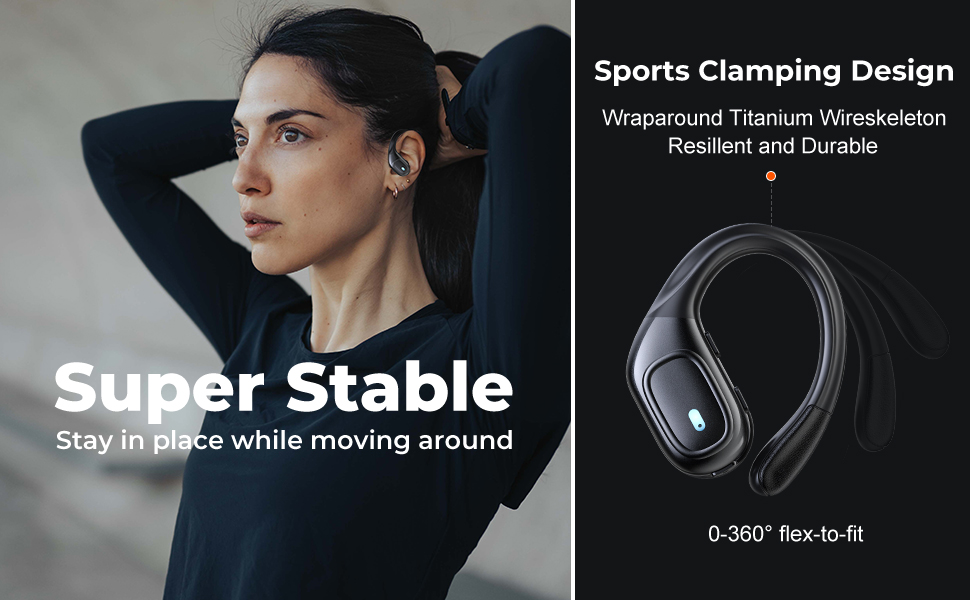
Figure 2.1: Illustration of the items included in the fojep BX28 earbud package, showing the earbuds, charging case, charging cable, and various eartip sizes.
3. Nastavení
3.1 Nabíjení sluchátek a pouzdra
Before first use, fully charge the earbuds and the charging case. The charging case features an LED digital display that shows the battery percentage of the case and individual battery status bars for each earbud.
- Place both earbuds into the charging case. Ensure they are correctly seated; the indicator lights on the earbuds will illuminate.
- Připojte nabíjecí kabel USB typu C k nabíjecímu portu na pouzdře a druhý konec k napájecímu zdroji USB (např. síťový adaptér, USB port počítače).
- The LED display on the charging case will show the charging progress. A full charge typically takes approximately 1.5-2 hours.

Figure 3.1: The charging case displays the battery percentage for the case and individual charge levels for the left and right earbuds. The earbuds offer up to 7 hours of playtime, extended to 75 hours with the charging case.
3.2 Párování se zařízením Bluetooth
The fojep BX28 earbuds feature one-step auto pairing for convenience.
- Otevřete nabíjecí pouzdro. Sluchátka se automaticky zapnou a přejdou do režimu párování.
- On your device (smartphone, tablet, laptop), activate Bluetooth.
- Hledat available Bluetooth devices. Select "BX28" ze seznamu.
- Po připojení uslyšíte potvrzovací tón a sluchátka budou připravena k použití.
The earbuds will automatically reconnect to the last paired device when removed from the case, provided Bluetooth is enabled on the device.
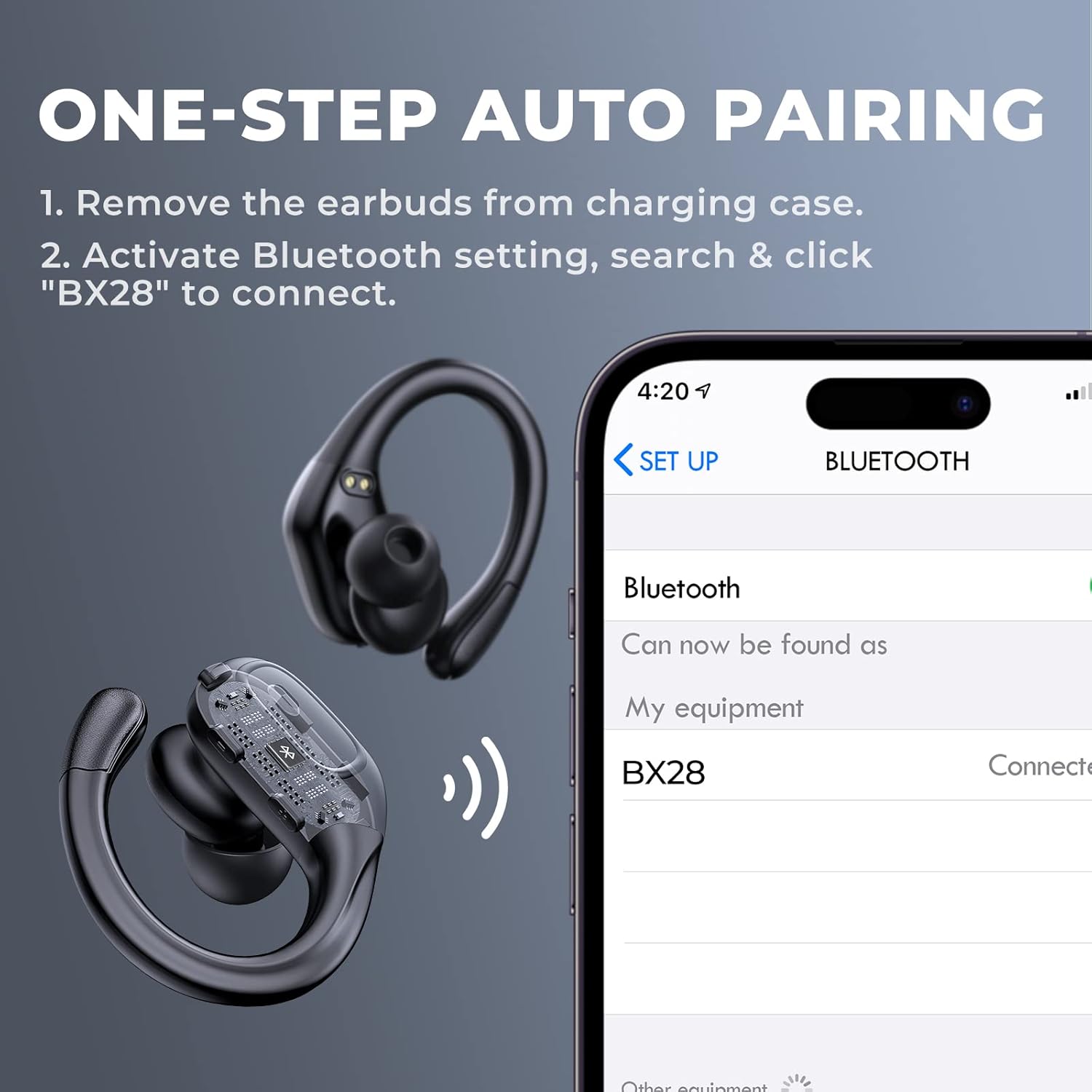
Figure 3.2: Visual guide for the one-step auto pairing process. Simply remove the earbuds from the charging case, and they will appear as "BX28" in your device's Bluetooth settings for connection.
3.3 Nošení sluchátek do uší
For optimal sound quality and comfort, choose the correct size eartips and adjust the earhooks.
- Select the eartips (S, M, L) that provide a snug and comfortable fit in your ear canal. A good seal enhances bass response and noise isolation.
- Gently place the earbud into your ear, ensuring the earhook wraps securely around the back of your ear. The earhooks are flexible for a customized fit.

Figure 3.3: The ergonomic design of the fojep BX28 earbuds, featuring flexible earhooks and multiple eartip sizes (S/M/L) to ensure a comfortable and secure fit, especially during sports activities.
4. Návod k obsluze
The fojep BX28 earbuds feature intuitive touch controls on each earbud. The controls are mirrored on both earbuds, allowing for single-earbud use.
4.1 Ovládací prvky přehrávání hudby
| Akce | Levé sluchátko | Pravé sluchátko |
|---|---|---|
| Přehrát/Pozastavit | Jedno klepnutí | Jedno klepnutí |
| Další píseň | N/A | Dvojité klepnutí |
| Předchozí skladba | Dvojité klepnutí | N/A |
| Zvýšení hlasitosti | N/A | Trojité klepnutí |
| Snížit hlasitost | Trojité klepnutí | N/A |
4.2 Call Management Controls
| Akce | Levé sluchátko | Pravé sluchátko |
|---|---|---|
| Přijmout hovor | Jedno klepnutí | Jedno klepnutí |
| Ukončit hovor | Jedno klepnutí | Jedno klepnutí |
| Odmítnout hovor | Dlouhé stisknutí (2 sekund) | Dlouhé stisknutí (2 sekund) |
4.3 Hlasový asistent
Activate your device's voice assistant (Siri, Google Assistant, etc.) by performing a specific tap gesture.
| Akce | Levé sluchátko | Pravé sluchátko |
|---|---|---|
| Aktivujte hlasového asistenta | Dlouhé stisknutí (2 sekund) | Dlouhé stisknutí (2 sekund) |
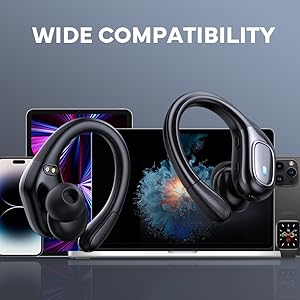
Figure 4.1: Detailed diagram of the touch controls for both left and right fojep BX28 earbuds, illustrating functions for music playback, call management, and voice assistant activation.
5. Údržba
Proper maintenance ensures the longevity and optimal performance of your fojep Wireless Earbuds BX28.
5.1 Čištění
- Pravidelně čistěte sluchátka, zejména náušníky a nabíjecí kontakty, měkkým, suchým hadříkem, který nepouští vlákna.
- Pro odolnou špínu lehceampOmyjte hadřík vodou nebo jemným, neabrazivním čisticím prostředkem. Zabraňte nadměrné vlhkosti.
- Nepoužívejte agresivní chemikálie, alkohol ani abrazivní materiály.
- Před vložením sluchátek zpět do nabíjecího pouzdra se ujistěte, že jsou zcela suchá.
5.2 Skladování
- Pokud sluchátka nepoužíváte, uložte je do nabíjecího pouzdra, aby byla chráněna a zůstávala nabitá.
- Skladujte na chladném a suchém místě mimo dosah extrémních teplot a přímého slunečního záření.
5.3 Vodotěsnost (IPX7)
The earbuds are rated IPX7 waterproof, meaning they can withstand submersion in up to 1 meter of water for 30 minutes. This makes them suitable for sweat resistance, rain, and splashes.
- Poznámka: Nabíjecí pouzdro je NE vodotěsné. Nevystavujte nabíjecí pouzdro vodě.
- Po kontaktu s vodou nebo potem se ujistěte, že jsou sluchátka před vložením zpět do nabíjecího pouzdra zcela suchá, abyste zabránili poškození nabíjecích kontaktů.

Figure 5.1: The fojep BX28 earbuds are IPX7 rated, providing protection against rain, sweat, and splashes, making them suitable for various activities.
6. Řešení problémů
If you encounter issues with your fojep Wireless Earbuds BX28, refer to the following common solutions:
| Problém | Možná příčina | Řešení |
|---|---|---|
| Sluchátka se nepárují/nepřipojují | Bluetooth off, earbuds not in pairing mode, interference, previously paired device. |
|
| Funkční pouze jedno sluchátko | Low battery, not properly paired, earbud not connected to each other. |
|
| Nízká hlasitost nebo špatná kvalita zvuku | Incorrect eartip size, earwax buildup, low device volume, poor connection. |
|
| Nabíjecí pouzdro se nenabíjí | Faulty cable, power source issue, dirty charging port. |
|
7. Specifikace
| Funkce | Detail |
|---|---|
| Číslo modelu | BX28 |
| Verze Bluetooth | V5.3 |
| Hrací doba sluchátek | Až 7 hodin (na jedno nabití) |
| Celková doba přehrávání (s nabíjecím pouzdrem) | Až 75 hodin |
| Hodnocení voděodolnosti | IPX7 (pouze sluchátka) |
| Kontrolní metoda | Dotykové ovládání |
| Mikrofon | Built-in, CVC Noise Cancelling |
| Nabíjecí port | USB Type-C |
| Materiál | Plast |
| Barva | Tmavě černá |

Figure 7.1: The fojep BX28 earbuds utilize advanced Bluetooth 5.3 technology, offering improved connection stability and efficiency compared to older versions.

Figure 7.2: The fojep BX28 earbuds are widely compatible with various Bluetooth-enabled devices, including smartphones, tablets, laptops, and smartwatches.
8. Záruka a podpora
fojep products are designed with quality and reliability in mind. For warranty information and customer support, please refer to the following:
- Záruka: Specific warranty terms and duration may vary by region and retailer. Please retain your proof of purchase for warranty claims.
- Zákaznická podpora: If you experience any issues or have questions not covered in this manual, please contact fojep customer support through the platform where you purchased the product (e.g., Amazon Message Center).
- Online zdroje: For the latest information, FAQs, and additional support, visit the official fojep store page on Amazon: fojep Amazon Store.
Your satisfaction is important to us. We are committed to providing excellent service and support.