
1. Úvod
This manual provides essential information for setting up, operating, maintaining, and troubleshooting your HP 17 Laptop, Model 17t. Please read these instructions carefully to ensure proper use and longevity of your device.
2. Co je v krabici
- HP 17 Laptop (Model 17t)
- 45 W napájecí adaptér Smart AC
- Vestavěné HD Webcam with integrated dual-array digital microphones (integrated into laptop)
3. Konec produktuview
The HP 17 Laptop features a 17.3-inch HD+ touchscreen display, powered by a 12th Gen Intel Core i7-1255U processor. It includes 64GB DDR4 RAM and a 2TB PCIe NVMe M.2 Solid State Drive for high performance and ample storage. Key features include Wi-Fi 6 connectivity, a backlit keyboard, and a fingerprint reader for enhanced security.
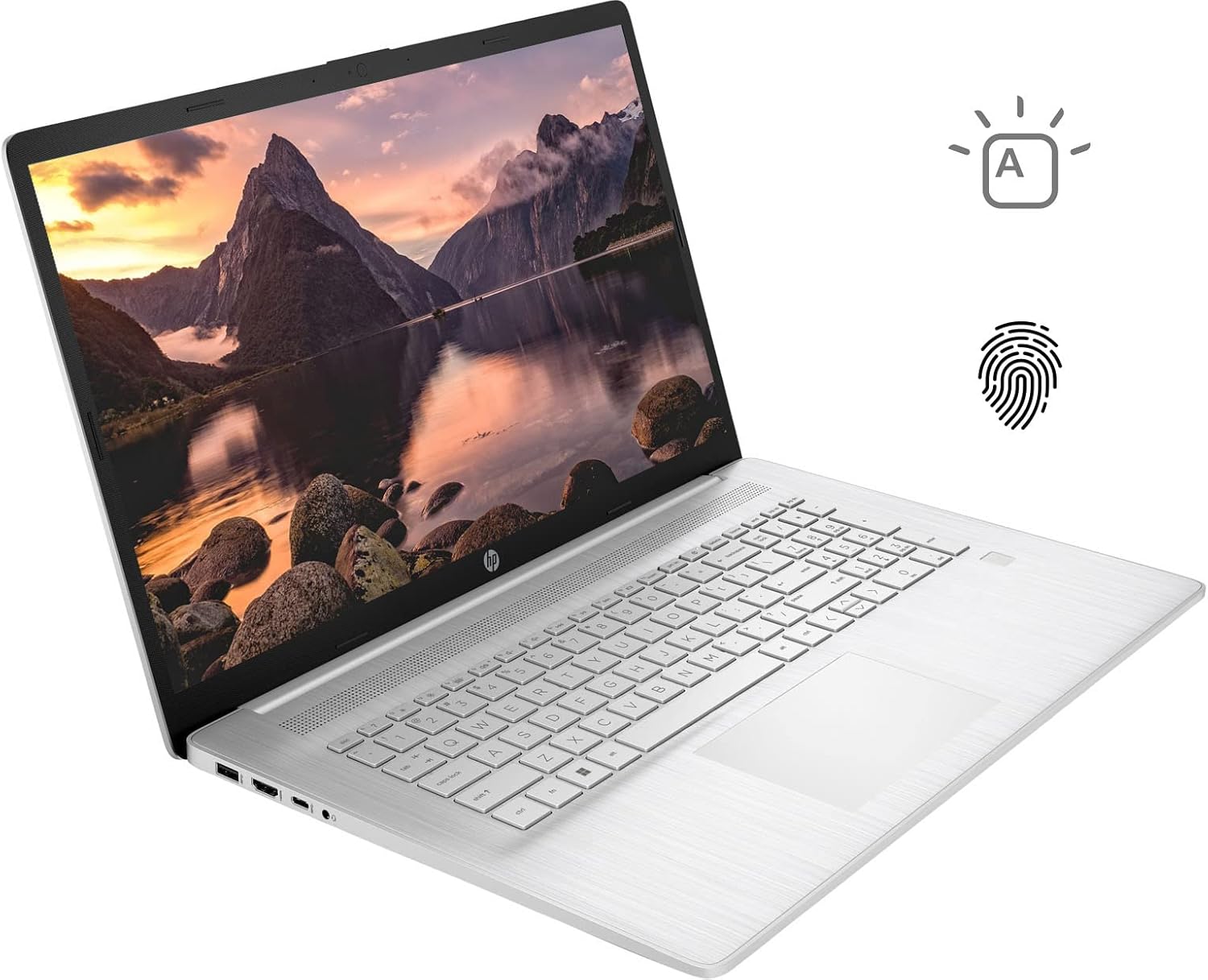
Figure 3.1: HP 17 Laptop with screen displaying a landscape image and keyboard visible.
3.1. Porty na levé straně
The left side of the laptop provides essential connectivity options.
- Port USB typu A: Pro připojení USB zařízení.
- Port HDMI: Pro připojení k externím displejům.
- Port USB Type-C: Pro přenos dat a připojení kompatibilních zařízení.
- Kombinovaný konektor pro sluchátka/mikrofon: Pro audio vstup a výstup.

Figure 3.2: Left side of the HP 17 Laptop, detailing the USB Type-A, HDMI, USB Type-C, and headphone/microphone combo ports.
3.2. Porty na pravé straně
The right side of the laptop includes additional ports and indicators.
- Napájecí konektor: Pro připojení síťového adaptéru.
- Kontrolka nabíjení: Zobrazuje stav nabíjení.
- Port USB typu A: Pro připojení USB zařízení.

Figure 3.3: Right side of the HP 17 Laptop, showing the power connector, charging indicator, and USB Type-A port.
4. Nastavení
4.1. Počáteční zapnutí
- Connect the 45 W Smart AC power adapter to the power connector on the right side of the laptop and then to a power outlet.
- Otevřete víko notebooku.
- Stiskněte tlačítko napájení, které se obvykle nachází v pravém horním rohu klávesnice.
- Postupujte podle pokynů na obrazovce a dokončete nastavení systému Windows 11 Home, včetně jazyka, regionu, síťového připojení a vytvoření uživatelského účtu.
4.2. Připojení periferií
Use the available USB ports (Type-A and Type-C) to connect external devices such as a mouse, external keyboard, or USB storage devices. The HDMI port allows connection to an external monitor or TV.
5. Ovládání notebooku HP 17
5.1. Funkce dotykové obrazovky
The 17.3-inch HD+ display supports touch input. You can interact with Windows 11 and applications directly using your fingers for navigation, scrolling, and selection.
5.2. Backlit Keyboard
The keyboard features backlighting for use in low-light conditions. To toggle the backlight, press the F4 key. Repeated presses may cycle through different brightness levels or turn the backlight off.
5.3. Čtečka otisků prstů
For enhanced security and quick login, configure the integrated fingerprint reader through Windows Hello settings. Access these settings via Nastavení > Účty > Možnosti přihlášení.
5.4. Bezdrátové připojení
The laptop supports Wi-Fi 6 and Bluetooth 5.2. To connect to a Wi-Fi network, click the network icon in the taskbar, select your desired network, and enter the password if required. Bluetooth devices can be paired via Nastavení > Bluetooth a zařízení.
5.5. Webcam and Microphones
Integrovaný pevný disk webcam and dual-array digital microphones are suitable for video conferencing and online communication. Ensure privacy settings are configured correctly in Windows to control application access to the camera and microphone.
6. Údržba
6.1. Čištění
- Obrazovka: Lehce používejte měkký hadřík, který nepouští vlákna dampOpláchněte vodou nebo čističem obrazovek. Vyhněte se agresivním chemikáliím.
- Klávesnice a šasi: Use a soft, dry cloth. A can of compressed air can help remove dust from between keys.
- Před čištěním se ujistěte, že je notebook vypnutý a odpojený od sítě.
6.2. Péče o baterie
- Vyhněte se extrémním teplotám.
- For optimal battery life, avoid constantly keeping the laptop at 100% charge or letting it fully discharge frequently.
- Pokud notebook delší dobu nepoužíváte, skladujte jej částečně nabitý (kolem 50 %).
6.3. Aktualizace softwaru
Pravidelně kontrolujte a instalujte aktualizace systému Windows prostřednictvím Nastavení > Aktualizace systému Windows. Also, ensure HP drivers and firmware are up to date using the HP Support Assistant application or HP's official webmísto.
7. Řešení problémů
7.1. Notebook se nezapne
- Ujistěte se, že je síťový adaptér bezpečně připojen k notebooku i k funkční zásuvce.
- Check the charging indicator light on the right side of the laptop. If it's not lit, try a different outlet or adapter if available.
- Proveďte tvrdý reset: Odpojte síťový adaptér, stiskněte a podržte tlačítko napájení po dobu 15 sekund, poté znovu připojte adaptér a zkuste zařízení zapnout.
7.2. Problémy se zobrazením
- Bez displeje: If the laptop powers on but the screen remains black, try connecting an external monitor via HDMI to check if the issue is with the laptop's internal display.
- Dotyková obrazovka nereaguje: Restart the laptop. If the issue persists, check for updated display drivers or run Windows Troubleshooter for hardware and devices.
7.3. Problémy s připojením k Wi-Fi
- Ujistěte se, že je v nastavení systému Windows povolena Wi-Fi.
- Restartujte router a modem.
- Spusťte Poradce při potížích se sítí ve Windows.
- Aktualizujte ovladače bezdrátového adaptéru.
8. Specifikace
| Název modelu | HP 17t Notebook |
| Zobrazit | 17.3" HD+ (1600 x 900) BrightView Dotyková obrazovka |
| Procesor | 12th Gen Intel Core i7-1255U (10 Cores, up to 4.70 GHz) |
| Grafika | Grafická karta Intel Iris Xe (integrovaná) |
| BERAN | 64 GB DDR4 |
| Skladování | 2TB PCIe NVMe M.2 SSD |
| Operační systém | Windows 11 Home |
| Bezdrátové připojení | Wi-Fi 6 (2x2), Bluetooth 5.2 |
| Porty | 1x USB Type-C (5Gbps), 2x USB Type-A (5Gbps), 1x HDMI 1.4b, 1x Headphone/Microphone Combo |
| Klávesnice | Backlit Keyboard, Numeric Keyboard |
| Zabezpečení | Čtečka otisků prstů |
| Fotoaparát | Vestavěné HD Webcam with dual-array digital microphones |
| Baterie | 3článková lithium-iontová prizmatická baterie s kapacitou 41 Wh |
| Napájecí adaptér | 45 W napájecí adaptér Smart AC |
| Hmotnost | 5.25 libry (přibližně 2.38 kg) |
| Rozměry (DxŠxV) | 15.78 x 10.15 x 0.78 palců (přibližně 40.08 x 25.78 x 1.98 cm) |
| Barva | Stříbro |
9. Záruka a podpora
Informace o záruce naleznete v dokumentaci dodané s produktem nebo navštivte oficiální stránky podpory HP. website. If you encounter issues not covered in this manual or require further assistance, please contact HP customer support.
Zdroje podpory, ovladače a kontaktní informace naleznete na oficiálních webových stránkách HP webmísto: www.hp.com/support