
1. Úvod
Thank you for choosing the Mission 700 2-Way Vented-Box Standmount Speakers. This manual provides essential information for the proper setup, operation, and maintenance of your new speakers. Please read these instructions thoroughly before use to ensure optimal performance and longevity of your product.
The Mission 700 speakers are designed to deliver articulate and insightful sound performance with immersive bass clarity, featuring a classic retro design and Mission's Inverted Driver Geometry.
2. Bezpečnostní informace
Dodržujte prosím následující bezpečnostní opatření:
- Do not expose speakers to extreme temperatures, humidity, or direct sunlight.
- Zajistěte dostatečné větrání kolem reproduktorů.
- Avoid placing speakers near heat sources or in enclosed spaces without adequate airflow.
- Používejte pouze doporučeně amplifier power (25 - 150 Watts) to prevent damage.
- Uchovávejte mimo dosah dětí a domácích zvířat.
- Disconnect from power before cleaning or moving.
3. Co je v krabici
Po vybalení se prosím ujistěte, že jsou přítomny všechny komponenty:
- Mission 700 Speakers (Pair)
- Speaker Grill Covers (Pair)
- Návod k použití (tento dokument)

Image: The Mission 700 speakers, showcasing their design and included grilles. One speaker is shown with its grille removed, revealing the woofer, tweeter, and bass port. The other speaker has its grille attached.
4. Nastavení
4.1 Umístění reproduktorů
The Mission 700 speakers are designed for standmount or bookshelf use. Optimal placement is crucial for sound quality. Consider the following:
- Vzdálenost od zdí: Experiment with placing speakers away from walls to reduce bass boom and improve soundstage.
- Stereofonní zobrazování: Position speakers to form an equilateral triangle with your primary listening position for the best stereo image.
- Výška: Ensure the tweeter is approximately at ear level when seated. Dedicated speaker stands are recommended for optimal performance.
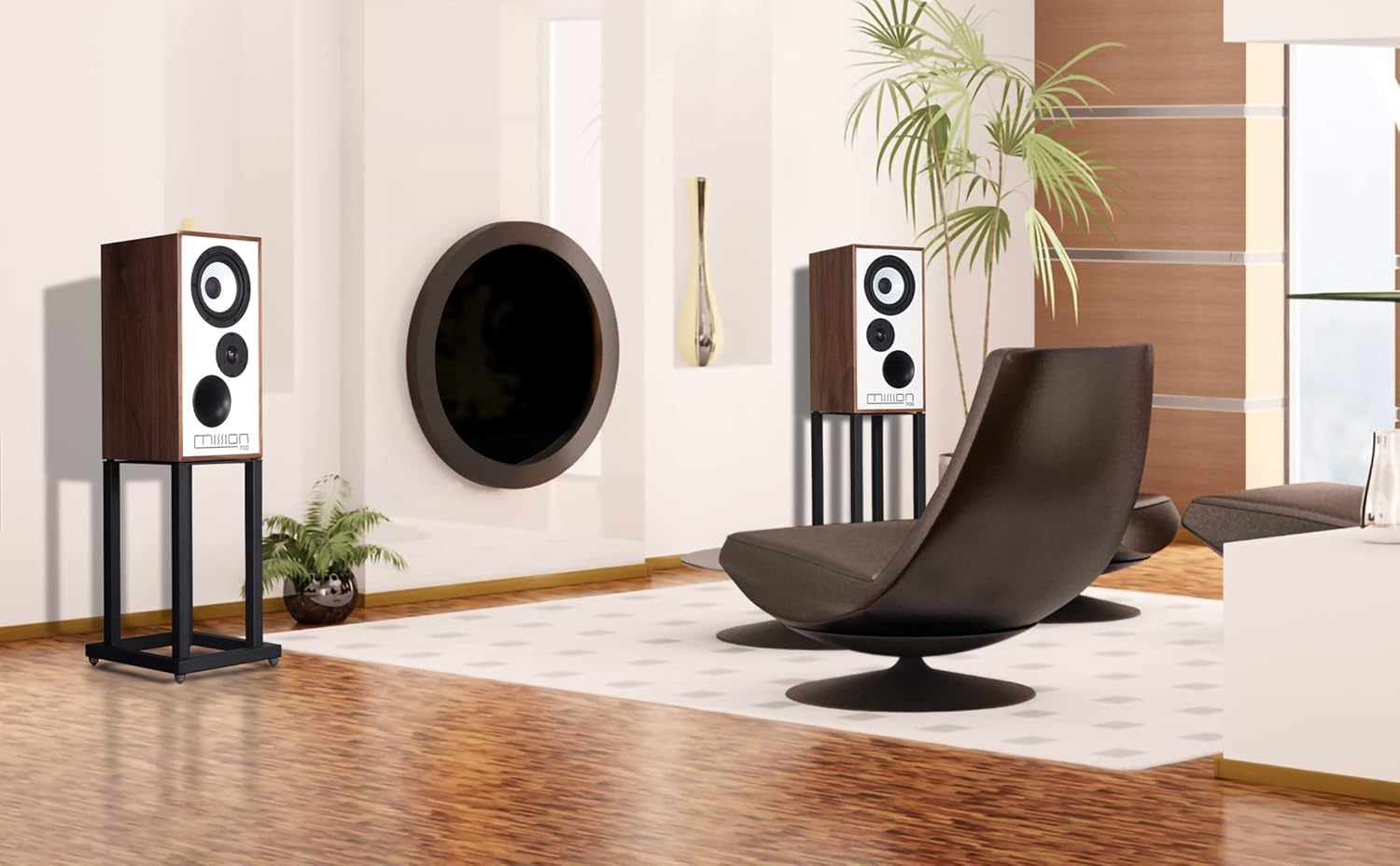
Obrázek: Bývalý/áample of Mission 700 speakers positioned in a room, demonstrating typical placement for home audio systems.
4.2 Připojení k Ampdoživotní
Use high-quality speaker cables to connect your Mission 700 speakers to your amplifier. Ensure correct polarity (+ to + and - to -) for each speaker.
- Vypněte svůj amppřed provedením jakéhokoli připojení.
- Connect the positive (red) terminal on the speaker to the positive (red) terminal on the ampživější.
- Connect the negative (black) terminal on the speaker to the negative (black) terminal on the ampživější.
- Repeat for the second speaker.

Image: The rear panel of a Mission 700 speaker, highlighting the two speaker terminals (red and black) for amplifier connection and the product information label.
5. Návod k obsluze
Once properly connected, your Mission 700 speakers are ready for use. Ensure your amplifier is powered on and set to the correct input source. Adjust the volume gradually to a comfortable listening level.
The Mission 700 features an Inverted Driver Geometry, where the tweeter is positioned below the mid/bass driver. This design aims to equalize the path length from the drivers to the listener's ear, optimizing time alignment and improving overall sound coherence.

Image: A close-up of the Mission 700 speaker's front baffle, illustrating the inverted driver geometry with the tweeter placed below the main driver and the bass port at the bottom.
6. Údržba
Pro zachování vzhledu a výkonu reproduktorů:
- Čištění: Use a soft, dry cloth to wipe the cabinet surfaces. Avoid abrasive cleaners or solvents.
- Grily: The speaker grilles can be gently removed for cleaning. Use a soft brush or vacuum cleaner with a brush attachment to remove dust. Reattach carefully.
- Péče o řidiče: Avoid touching the speaker drivers (woofer and tweeter) directly, as this can cause damage.
7. Řešení problémů
If you encounter issues with your Mission 700 speakers, refer to the following common solutions:
- Žádný zvuk:
- Zkontrolujte všechna kabelová připojení mezi reproduktory a ampUjistěte se, že jsou bezpečně zapojené a správně polarizované.
- Ověřte amplifier je zapnutý a nastaven na správný vstupní zdroj.
- Potvrďte ampHlasitost zařízení Liferier není nastavena na minimum nebo ztlumená.
- Zkreslený zvuk:
- Snižte hlasitost na vašem ampživější.
- Zkontrolujte připojení kabelů reproduktorů, zda nejsou uvolněné nebo zkratované.
- Zajistěte amplifier's power output is within the recommended range for the speakers (25 - 150 Watts).
- Nerovnoměrný zvuk z reproduktorů:
- Check individual speaker connections for correct polarity.
- Ujistěte se, že reproduktory jsou v místnosti umístěny symetricky.
- Ověřte ampnastavení vyvážení záchranáře.
If problems persist, consult your dealer or Mission customer support.
8. Specifikace
| Funkce | Detail |
|---|---|
| Název modelu | Mise 700 |
| Typ reproduktoru | 2-Way Vented-Box Standmount / Bookshelf |
| Doporučeno Ampživější síla | 25 - 150 wattů |
| Průměr výškového reproduktoru | 1 palců |
| Konfigurace kanálů prostorového zvuku | 2.0 |
| Rozměry produktu (D x Š x V) | 20"H x 12"Š x 10"V |
| Materiál | Plastic, Textile (for grilles) |
| Barva | Walnut (as per this variant) |
| Typ montáže | Policový držák |
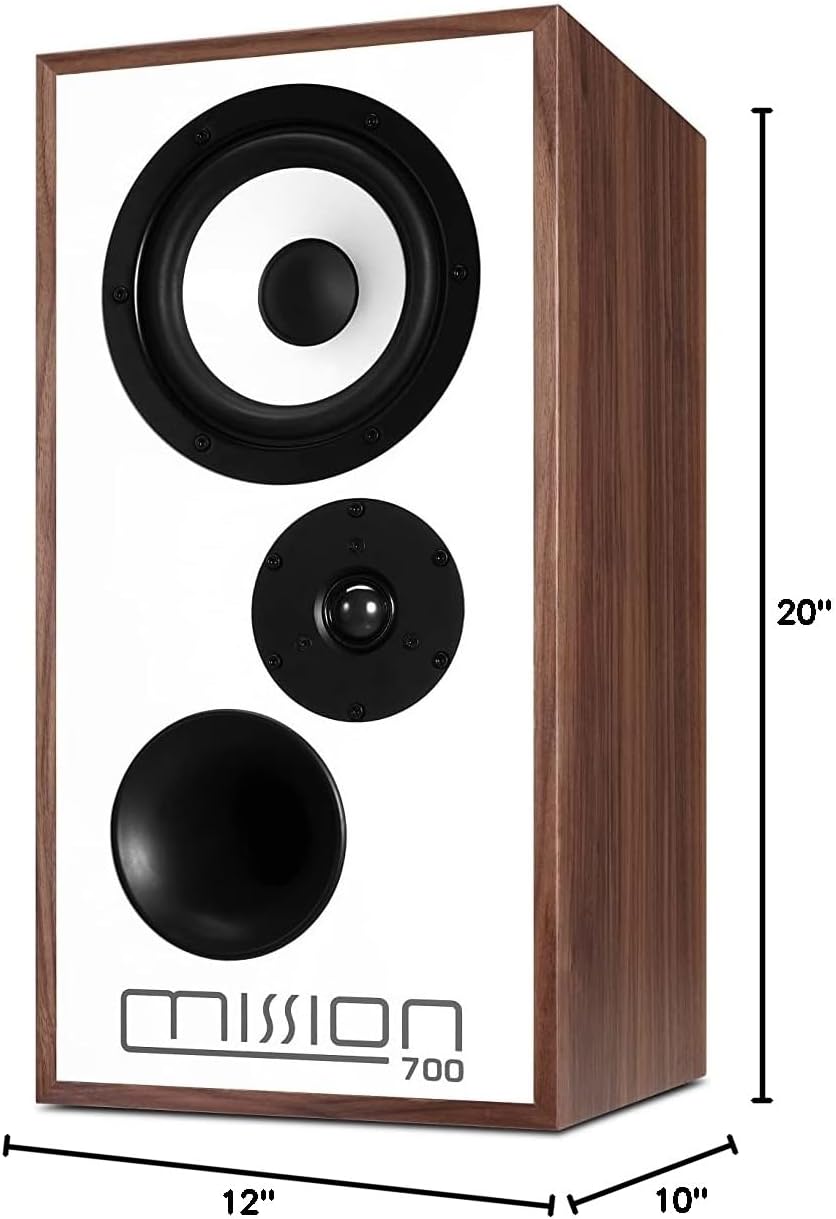
Image: The Mission 700 speaker with its physical dimensions clearly indicated.
9. Záruka a podpora
Mission products are manufactured to high standards and are warranted against defects in materials and workmanship. For specific warranty terms and conditions, please refer to the warranty card included with your product or contact your local Mission dealer.
For technical support or service inquiries, please contact Mission customer service through their official website or your authorized dealer. Please have your model number (Mission 700) and purchase details ready.


