
DOOGEE T10
Uživatelská příručka k tabletu DOOGEE T10
Model: DOOGEE T10
1. Úvod
This manual provides detailed instructions for the proper use and maintenance of your DOOGEE T10 10.1" FHD+ Gaming Tablet. Please read this manual thoroughly before operating the device to ensure optimal performance and longevity.
The DOOGEE T10 is a versatile tablet designed for both productivity and entertainment. It features a vibrant 10.1-inch FHD+ display, a powerful Octa-Core processor, ample memory and storage, and a long-lasting 8300mAh battery. Key features include TÜV Low Bluelight certification for eye protection, dual-band Wi-Fi, Bluetooth, and GPS capabilities.
2. Nastavení
2.1 Vybalení a úvodní kontrola
Upon opening the package, verify that all components are present and in good condition. The standard package contents include:
- DOOGEE Android Tablet 10.1 Inch
- Nabíječka pro tablety
- Tablet Cable
- Kapacitní stylus
- Uživatelská příručka

Image: The DOOGEE T10 tablet and its included accessories: charger, USB cable, capacitive stylus, and user manual.
2.2 Zařízení je u konceview
Familiarize yourself with the physical layout of your DOOGEE T10 tablet:

Image: A visual guide to the DOOGEE T10's ports and buttons, including the power button, volume controls, USB-C port, 3.5mm audio jack, and camera locations.
- Vypínač: Nachází se na boku, slouží k zapnutí/vypnutí nebo probuzení/uspání zařízení.
- Tlačítka hlasitosti: Upravte úrovně zvuku.
- Port USB-C: Pro nabíjení a přenos dat.
- 3.5mm stereo jack: Pro připojení sluchátek.
- Slot pro SIM/SD kartu: Insert SIM cards for cellular connectivity (if supported by model) and microSD cards for expandable storage.
- Přední kamera: 8MP fotoaparát pro videohovory a selfie.
- Zadní kamera: 13MP camera for photos and videos.
2.3 Nabíjení zařízení
Before first use, fully charge the tablet using the provided charger and USB-C cable. Connect the USB-C cable to the tablet's USB-C port and the charger to a power outlet. The charging indicator will show the charging status. A full charge ensures optimal battery performance.
2.4 Zapnutí/vypnutí
- Zapnutí: Stiskněte a podržte tlačítko napájení, dokud se nezobrazí logo DOOGEE.
- Vypnutí: Stiskněte a podržte tlačítko Napájení, dokud se na obrazovce nezobrazí možnosti napájení, poté vyberte možnost „Vypnout“.
- Restartovat: Stiskněte a podržte tlačítko Napájení, dokud se nezobrazí možnosti napájení, a poté vyberte „Restartovat“.
2.5 Průvodce počátečním nastavením
Po prvním zapnutí vás tablet provede procesem úvodního nastavení. Ten zahrnuje výběr jazyka, připojení k síti Wi-Fi, nastavení účtu Google a konfiguraci základních nastavení zařízení. Dokončete nastavení podle pokynů na obrazovce.
3. Ovládání tabletu
3.1 Zobrazení a vizuální zážitek
The DOOGEE T10 features a 10.1-inch FHD+ IPS display with a resolution of 1920x1200 pixels, providing clear and vibrant visuals. It incorporates T-Color 2.0 color optimization technology and 300 nits brightness for an immersive viewzkušenosti.

Image: The DOOGEE T10 tablet displaying a video call, emphasizing its 8MP front and 13MP rear cameras for clear communication.
The tablet is TÜV Low Bluelight certified, which helps reduce eye strain during prolonged use by filtering harmful blue light. This feature is beneficial for reading, watching videos, and general usage.

Image: A child using the DOOGEE T10 tablet, illustrating the TÜV certified eye protection feature for comfortable viewIng.
3.2 Výkon a úložiště
The DOOGEE T10 is powered by an Octa-Core Spectrum T606 processor, delivering speeds up to 1.6 GHz for smooth multitasking and application performance. It comes with 15GB RAM (8GB physical + 7GB virtual from storage) and 128GB internal storage, expandable up to 1TB via a microSD card.

Image: The DOOGEE T10 tablet showcasing its 15GB RAM and 128GB storage, running on Android 12.
3.3 Konektivita
The tablet supports dual-band Wi-Fi (2.4G/5G) for stable and fast internet connections. Bluetooth 5.1 is integrated for connecting wireless accessories such as headphones, keyboards, and mice. GPS functionality is also included for navigation and location-based services.

Image: The DOOGEE T10 tablet demonstrating its connectivity features, including Dual Band Wi-Fi, Dual SIM 4G (if applicable), and Bluetooth 5.1, suitable for video calls.
3.4 zvuk
Equipped with dual speakers and Momentum III system, the DOOGEE T10 delivers clear and loud audio for an immersive sound experience, whether you are watching videos, listening to music, or engaging in video calls.

Image: The DOOGEE T10 tablet showcasing its dual stereo speakers, enhancing the audio experience for music and multimedia.
3.5 Funkce rozdělené obrazovky
The Android 12 operating system on the DOOGEE T10 supports split-screen mode, allowing you to run two applications simultaneously. This feature enhances productivity, enabling you to multitask efficiently, such as taking notes while watching a video or chatting while browsing.

Image: The DOOGEE T10 tablet in split-screen mode, showing a document editor and a web browser open simultaneously, highlighting its multitasking ability.
3.6 Widevine DRM L1 Support
The DOOGEE T10 is certified with Google's Widevine DRM L1, enabling you to stream high-definition content from popular platforms like Netflix and Amazon Prime Video. This certification ensures secure playback of encrypted video content at the highest available resolution.

Image: The DOOGEE T10 tablet demonstrating Widevine DRM L1 support, allowing high-quality streaming from various popular platforms.
4. Údržba
4.1 Čištění tabletu
To clean your tablet, power it off and disconnect all cables. Use a soft, lint-free cloth, slightly dampened with water or a screen cleaner, to gently wipe the screen and body. Avoid using harsh chemicals, abrasive materials, or excessive moisture, as these can damage the device.
4.2 Péče o baterii
The DOOGEE T10 is equipped with an 8300mAh battery. To maximize battery life and performance:
- Vyhněte se extrémním teplotám.
- Nenechávejte baterii často úplně vybít.
- Použijte originální nabíječku a kabel.
- Pokud tablet skladujete delší dobu, nabijte jej před vypnutím přibližně na 50 %.
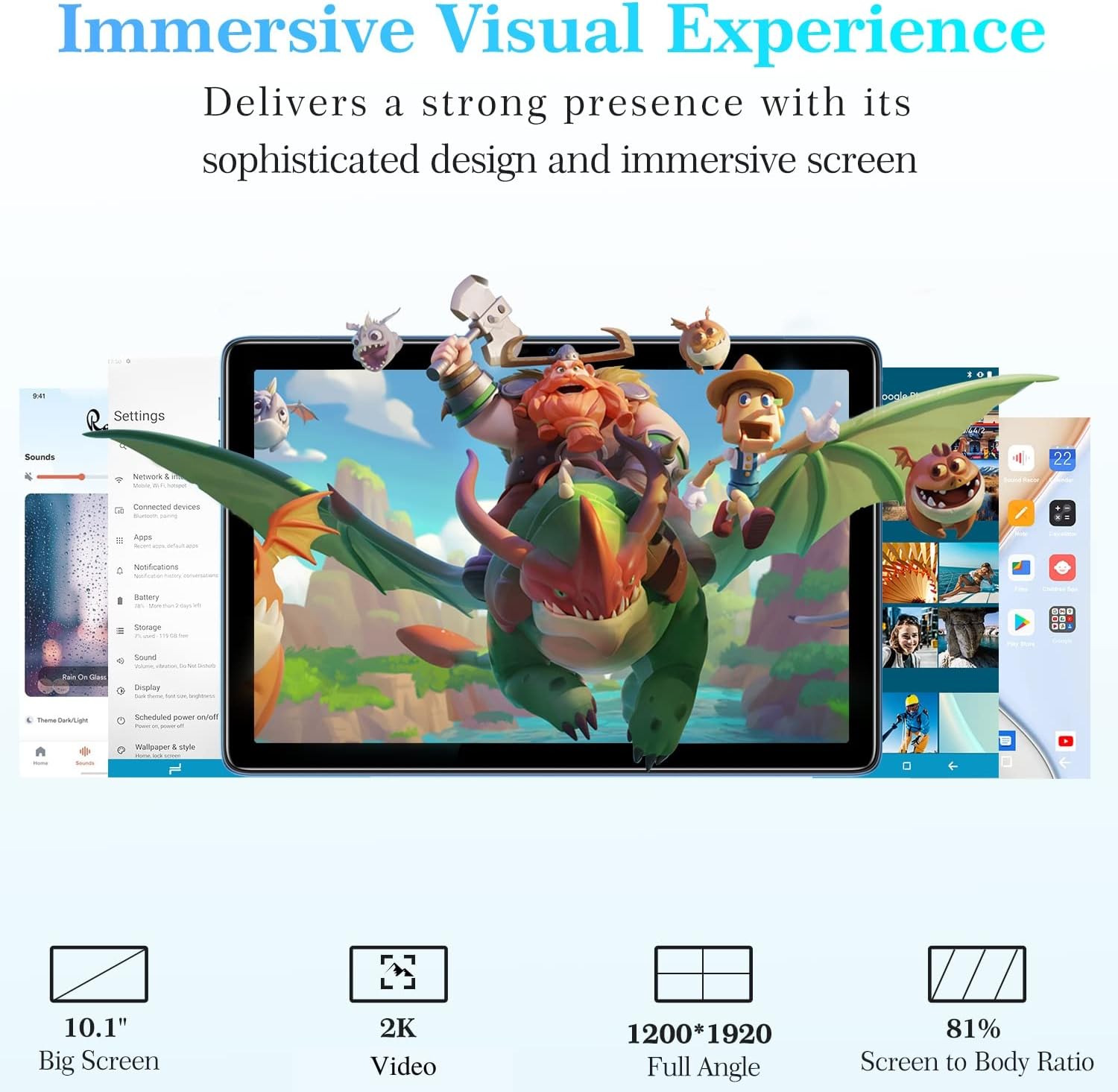
Image: The DOOGEE T10 tablet emphasizing its massive 8300mAh battery and lightweight design, with details on fast charging and standby time.
4.3 Aktualizace softwaru
Regularly check for and install system updates to ensure your tablet has the latest features, security patches, and performance improvements. You can usually find this option in the tablet's Settings menu under "System" or "About tablet".
5. Řešení problémů
This section addresses common issues you might encounter with your DOOGEE T10 tablet.
| Problém | Možné řešení |
|---|---|
| Tablet se nezapne. | Ujistěte se, že je baterie nabitá. Připojte nabíječku a před opětovným zapnutím počkejte několik minut. Pokud zařízení nereaguje, stiskněte a podržte tlačítko napájení po dobu 10–15 sekund, abyste vynutili restart. |
| Problémy s připojením k Wi-Fi. | Restart the tablet and your Wi-Fi router. Forget the network in Wi-Fi settings and reconnect. Ensure you are within range of the Wi-Fi signal. |
| Aplikace jsou pomalé nebo padají. | Close unnecessary background applications. Clear the cache of the problematic app (Settings > Apps > [App Name] > Storage > Clear cache). Restart the tablet. Ensure sufficient storage space is available. |
| Obrazovka nereaguje. | Restartujte tablet. Pokud problém přetrvává, proveďte obnovení továrního nastavení (nejprve zálohujte data). |
| Tablet is not charging. | Check if the charger and cable are properly connected and undamaged. Try a different power outlet. Ensure the USB-C port is clean and free of debris. |
6. Specifikace
Below are the key technical specifications for the DOOGEE T10 tablet:
| Funkce | Specifikace |
|---|---|
| Název modelu | DOOGEE T10 |
| Velikost stálé obrazovky | 10.1 palce |
| Rozlišení obrazovky | 1920 x 1200 pixelů (FHD+) |
| Procesor | Unisoc Spectrum T606 Octa-Core, 1.6 GHz |
| BERAN | 15 GB (8 GB fyzické + 7 GB virtuální) |
| Velikost paměti Flash | 128 GB |
| Rozšiřitelné úložiště | Až 1 TB přes kartu MicroSD |
| Operační systém | Android 12 |
| Bezdrátový typ | 802.11ac (Dual-band Wi-Fi) |
| Bluetooth | Bluetooth 5.1 |
| Zadní WebRozlišení vačky | 13 MP |
| Přední WebRozlišení vačky | 8 MP |
| Kapacita baterie | 8300 XNUMX mAh |
| Průměrná životnost baterie | Up to 601 Hours (Standby) |
| Hmotnost položky | 15.2 unce (přibližně 430 g) |
| Rozměry produktu | 9.56 x 6.45 x 0.29 palců (přibližně 24.3 x 16.4 x 0.74 cm) |
| Barva | Modrý |
7. Záruka a podpora
7.1 Informace o záruce
The DOOGEE T10 tablet comes with a two-year warranty service from the date of purchase. Please retain your proof of purchase for warranty claims. The warranty covers manufacturing defects and malfunctions under normal use conditions.
7.2 Zákaznická podpora
For any issues, questions, or support needs, please contact DOOGEE customer service. If you purchased the product through Amazon, you can contact the seller directly:
- Přihlaste se ke svému účtu Amazon.
- Přejděte do sekce „Vaše objednávky“.
- Find the order for your DOOGEE T10 tablet.
- Click "Contact seller".
You can also find additional support and resources, including the official user manual, on the DOOGEE webmísto: https://www.doogee.cc/manual/T10/
Ask a question about this manual
Ask about setup, troubleshooting, compatibility, parts, safety, or missing instructions. Manuals+ will review the question and use this page’s manual context to help answer it.