
1. Úvod
The MAGIC-REFINER AK873 is a 75% Tenkeyless (TKL) mechanical gaming keyboard designed for an optimized desktop experience. It features hot-swappable switches, durable PBT keycaps, and customizable RGB backlighting. The ergonomic design includes an adjustable stand and a stable gasket structure to reduce typing noise. This manual provides detailed instructions for setting up, operating, maintaining, and troubleshooting your keyboard.

Image: The MAGIC-REFINER AK873 75% PBT Mechanical Gaming Keyboard, showcasing its compact layout and design.
2. Obsah balení
Ověřte, zda jsou v balení obsaženy všechny níže uvedené položky:
- MAGIC-REFINER AK873 Gaming Keyboard
- Upgraded Coiled USB/Type-C Aviation Cable
- 2 Extra Keycaps (Esc and Space)
- 4 Free Switches
- Stahovač klíčů
- Stahovák spínačů

Image: A visual representation of the keyboard and its included accessories: coiled USB-C cable, extra keycaps, switches, keycap puller, and switch puller.
3. Nastavení
3.1 Připojení klávesnice
Connect the provided coiled USB-C to USB-A aviation cable to your computer or compatible device. The USB-C end connects to the keyboard, and the USB-A end connects to your device's USB port. The professional pilot metal connector ensures stable data transmission.

Image: Close-up of the Type-C and USB-A connectors, highlighting the aviation connector design of the coiled cable.
3.2 Kompatibilita
The MAGIC-REFINER AK873 keyboard is compatible with a wide range of operating systems and devices, including:
- Windows 7/8/10/11/Vista
- Mac OS
- Android
- Gaming Consoles (PS4, PS5, Xbox, Switch)
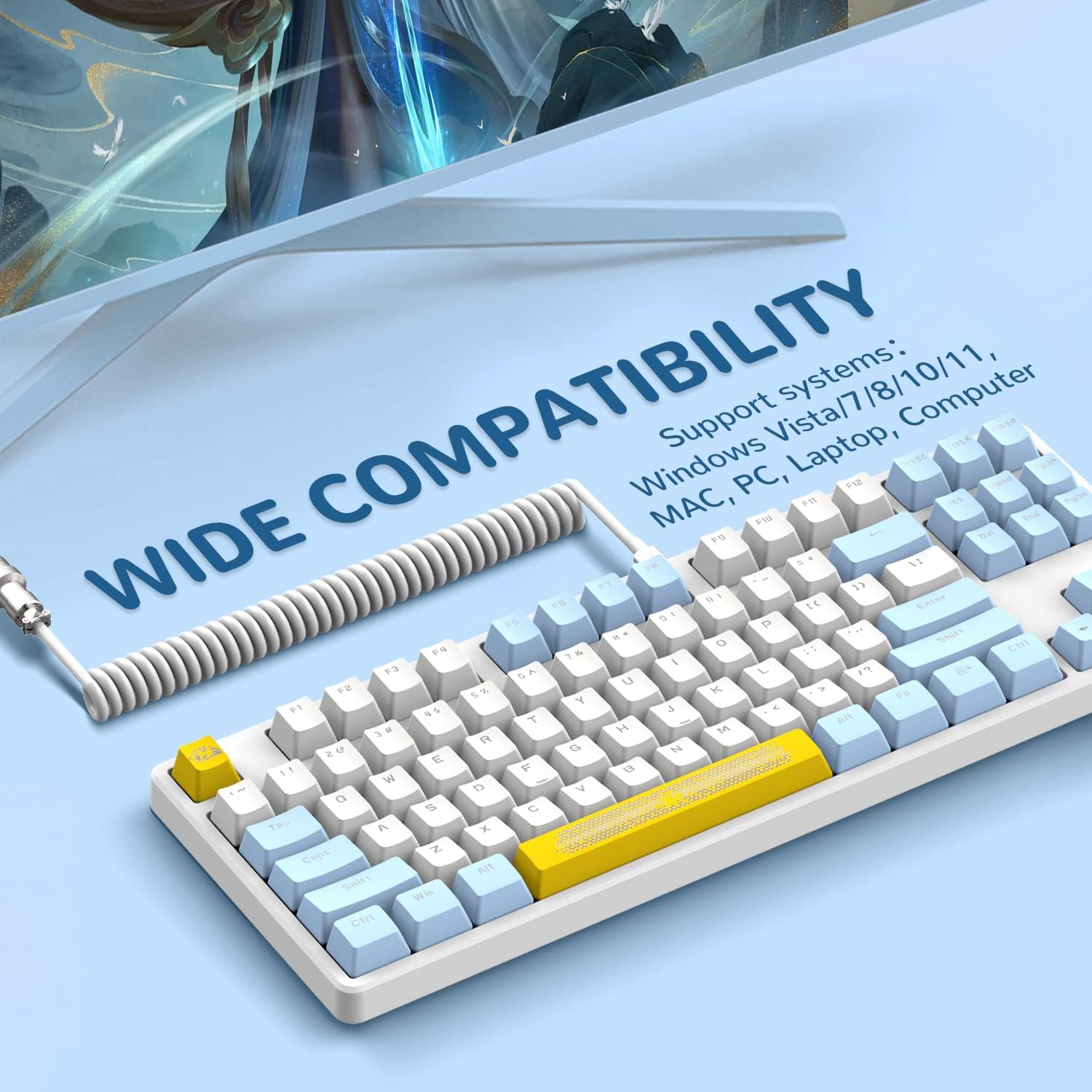
Image: The AK873 keyboard connected to a computer setup, illustrating its wide compatibility with various systems.
4. Návod k obsluze
4.1 Rozložení klávesnice
The AK873 features a 75% Tenkeyless (TKL) layout with 87 full keys. This compact design saves desk space while retaining essential keys for both typing and gaming.
4.2 Přepínače vyměnitelné za provozu
The keyboard is equipped with a hot-swappable PCB board, allowing you to easily replace switches without soldering. It supports most 3-pin and 5-pin switches. The original keyboard comes pre-installed with clicky blue switches and linear pre-lubed switches for the Space bar, Backspace, Enter, and Shift keys, offering varied tactile feedback.

Image: Diagram illustrating the DIY hot-swappable feature, showing switches being removed and replaced, and highlighting pre-lubed linear switches on larger keys.

Obrázek: Podrobný view of the hot-swappable PCB, showing different switch types (tactile blue and pre-lubed linear) and doubleshot PBT keycaps.
4.3 Ovládání podsvícení
The AK873 mechanical keyboard offers 22 rainbow backlight effects. You can easily change visual effects and customize backlight patterns and streamer speeds using FN key combinations. The translucent keycaps enhance the lighting effects.
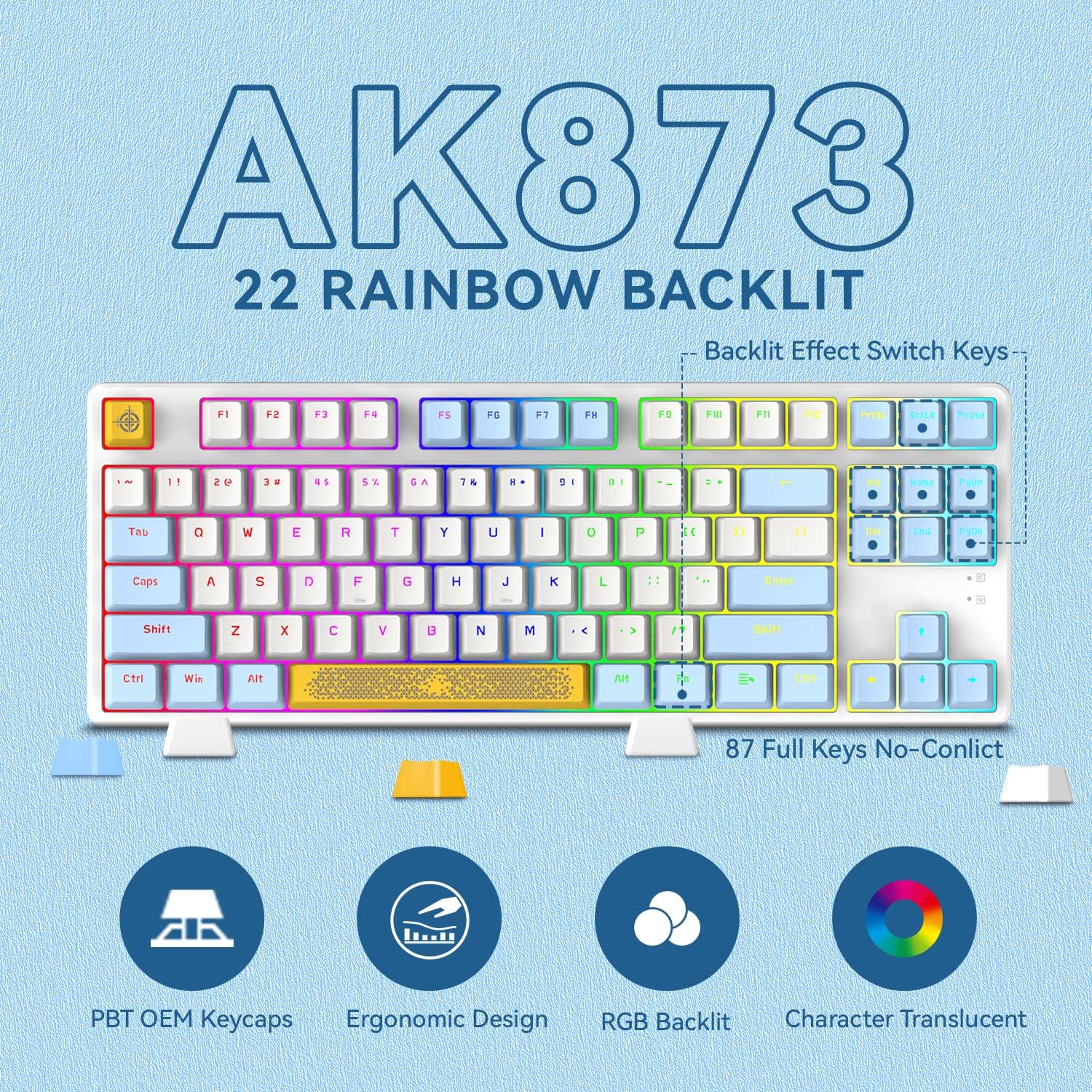
Image: The AK873 keyboard illuminated with various rainbow backlight effects, highlighting the 87 full keys and translucent characters.

Image: The keyboard displaying its Chroma RGB backlighting, emphasizing the vibrant and customizable lighting options.
4.4 PBT Keycaps and Magnetic Cover
The keyboard features doubleshot top-quality PBT keycaps, known for their durability, wear resistance, and pleasant texture. An included detachable magnetic cover allows you to switch between floating and classic keyboard styles, and also aids in keeping the keyboard clean.

Image: The keyboard shown with and without its adsorption upper cover, demonstrating the two available styles (floating and classic).
4.5 Multimediální zkratky
Utilize the Function (FN) key in combination with other keys to access various multimedia and system shortcuts. Refer to the keycap legends for specific functions.

Image: The keyboard highlighting its multimedia function keys, ergonomic design, adjustable stand, and mix-color PBT keycaps.
5. Údržba
5.1 Čištění klávesnice
To clean your keyboard, first disconnect it from your device. Use a soft, dry cloth to wipe down the keycaps and chassis. For deeper cleaning, you can remove the keycaps using the provided keycap puller and clean underneath with compressed air or a small brush. The detachable magnetic cover can also be removed for easy cleaning.
5.2 Výměna spínačů a kláves
To replace a keycap, use the keycap puller to gently lift the keycap straight up. To replace a switch, first remove the keycap, then use the switch puller to carefully grip and pull the switch straight out. Align the pins of the new switch with the holes on the PCB and press firmly until it clicks into place. Ensure the pins are not bent before inserting.
6. Řešení problémů
- Klávesnice nereaguje: Ensure the USB cable is securely connected to both the keyboard and your device. Try connecting to a different USB port or a different device to rule out port issues.
- Klíče se neregistrují: If specific keys are not working, try removing and re-inserting their switches. Since the keyboard is hot-swappable, a loose switch can cause this. You can also try replacing the faulty switch with one of the spare switches provided.
- Problémy s podsvícením: If the backlighting is not working or behaving unexpectedly, check the FN key combinations for backlight control (e.g., changing modes, brightness). Ensure the keyboard is properly powered.
- Přerušované připojení: Ensure the coiled USB cable is not damaged and is fully seated. The aviation connector should be securely fastened.
- Typing Noise: The keyboard features a gasket structure to minimize noise. If you experience excessive noise, ensure all components are properly seated after any modifications.
7. Specifikace
| Funkce | Detail |
|---|---|
| Značka | MAGIC-REFINER |
| Číslo modelu | AK873 |
| Rozložení klávesnice | 75% TKL (87 kláves) |
| Typ přepínače | Hot-Swappable (Blue Switch pre-installed, Linear pre-lubed on large keys) |
| Materiál krytky klíče | Dvojitý shot PBT |
| Podsvícení | Rainbow LED (22 effects) |
| Konektivita | USB-C to USB-A Coiled Cable |
| Kompatibilní zařízení | Herní konzole, notebook, počítač |
| Operační systémy | Win 7/8/10/11/Vista, Mac, Android |
| Rozměry produktu | 14.29 cm D x 5.39 cm Š x 1.46 cm V |
| Materiál | Termoplastický polyuretan (TPU) pro kabely |
8. Záruka a podpora
This product does not come with a specified warranty from the manufacturer. For any product inquiries or support, please visit the official MAGIC-REFINER store on Amazon:
9. Produktové video
Video: Úředník u konceview of the Magic-Refiner AK873 Gaming Keyboard, demonstrating its features and functionality.