
1. Úvod
Thank you for choosing the TMEZON 4G LTE Solar Wireless Outdoor Security Camera. This manual provides detailed instructions for the installation, operation, and maintenance of your camera. Please read this manual thoroughly before use to ensure proper functionality and to maximize the camera's performance.
This camera is designed for outdoor surveillance in areas without Wi-Fi access, utilizing 4G LTE connectivity. It features a built-in rechargeable battery and a solar panel for continuous power, 2K resolution, 355° pan and 90° tilt capabilities, color night vision, PIR motion detection, and two-way audio communication.
2. Obsah balení
Po obdržení zkontrolujte obsah balení. Pokud některé položky chybí nebo jsou poškozené, kontaktujte zákaznickou podporu.
- TMEZON 4G LTE Solar Wireless Outdoor Security Camera
- Solární panel
- Montážní konzola
- Montážní šrouby a kotvy
- USB nabíjecí kabel
- Uživatelská příručka
- Pre-installed 100MB SIM Card
3. Konec produktuview
Seznamte se s komponenty fotoaparátu.

Obrázek: Přední strana view of the TMEZON 4G LTE Solar Wireless Outdoor Security Camera, showing the main camera unit, solar panel, and antennas. This camera operates using 4G LTE signal, eliminating the need for Wi-Fi.
- Objektiv fotoaparátu: Zachytí video footage.
- Infračervené LED diody: Pro černobílé noční vidění.
- Bodová světla: Pro barevné noční vidění a osvětlení alarmu.
- PIR senzor: Detects motion based on heat signatures.
- Mikrofon: Zaznamenává zvuk pro obousměrnou komunikaci a nahrávání.
- Reproduktor: Výstup zvuku pro obousměrnou komunikaci a alarmy.
- Antén: For 4G LTE signal reception.
- Solární panel: Nabíjí interní baterii pomocí slunečního světla.
- Slot pro SIM kartu: For the 4G LTE SIM card.
- Slot pro kartu Micro SD: Pro lokální ukládání videa (až 128 GB, není součástí balení).
- Resetovací tlačítko: Slouží k resetování fotoaparátu do továrního nastavení.
- USB nabíjecí port: For initial charging or manual charging.
4. Nastavení
4.1 Počáteční nabíjení
Before first use, fully charge the camera's built-in battery using the provided USB cable and a 5V/2A power adapter (not included). The charging indicator light will turn solid blue when fully charged.
4.2 SIM Card & Micro SD Card Installation
The camera comes with a pre-installed 100MB SIM card. If you wish to use your own SIM card or install a Micro SD card for local storage, follow these steps:
- Locate the SIM card and Micro SD card slots on the camera body. These are typically protected by a rubber cover.
- Carefully open the rubber cover.
- Insert the Nano SIM card into the SIM card slot with the gold contacts facing down and the notched corner oriented correctly. Push until it clicks into place.
- Insert a Micro SD card (Class 10 or higher, up to 128GB, not included) into the Micro SD card slot with the gold contacts facing down. Push until it clicks into place.
- Ensure both cards are securely seated.
- Close the rubber cover firmly to maintain the camera's IP65 waterproof rating.

Obrázek: Detail view of the camera's card slots, showing how to insert a Nano SIM card (included) and a Micro SD card (not included).
4.3 Instalace aplikace a vytvoření účtu
The camera operates with the UBox app. Download it from your smartphone's app store (iOS App Store or Google Play Store).
- Hledat "UBox" in your app store and download the application.
- Open the UBox app and register a new account using your email address.
- Postupujte podle pokynů na obrazovce a dokončete proces registrace a přihlášení.
4.4 Párování fotoaparátu
- Ensure your camera is powered on and fully charged.
- Open the UBox app and tap the "+" icon to add a new device.
- Select "4G Camera" or "Add 4G Device" from the options.
- Naskenujte QR kód umístěný na fotoaparátu nebo jeho obalu.
- Follow the app's prompts to connect the camera. The camera will emit a voice prompt when successfully connected.
- Pojmenujte svůj fotoaparát pro snadnou identifikaci.
4.5 Montáž fotoaparátu
Choose a suitable location for mounting the camera. Consider areas with good 4G signal reception and sufficient sunlight exposure for the solar panel.
- Vyberte umístění: Identify a mounting spot that provides the desired viewing angle and receives direct sunlight for several hours daily.
- Označte otvory pro vrtání: Use the mounting bracket as a template to mark the positions for drilling holes on the wall or surface.
- Vrtací otvory: Drill holes at the marked positions. Insert wall anchors if mounting on masonry or concrete.
- Připevněte držák: Připevněte montážní držák ke zdi pomocí dodaných šroubů.
- Připojit kameru: Mount the camera onto the bracket. Adjust the angle of the solar panel to maximize sun exposure.
- Zabezpečená připojení: Ensure all cables (solar panel to camera) are securely connected and protected from weather.

Image: The TMEZON camera mounted outdoors with its solar panel, illustrating its wire-free, solar-powered operation.

Image: The camera being sprayed with water, highlighting its IP65 waterproof rating, suitable for outdoor use in various weather conditions.
5. Návod k obsluze
5.1 Živě View a ovládání otáčení/náklonu
Získejte přístup k živému video přenosu a ovládejte pohyb kamery prostřednictvím aplikace UBox.
- Otevřete aplikaci UBox a vyberte fotoaparát ze seznamu zařízení.
- Zobrazí se živý video přenos.
- Use the directional controls (pan/tilt) on the app interface to rotate the camera horizontally (355°) and vertically (90°).

Obrázek: Chytrý telefon zobrazující živý přenos view from the camera, with on-screen controls for 355° horizontal and 90° vertical rotation.
5.2 Detekce pohybu a upozornění
The camera uses PIR (Passive Infrared) detection to identify human movement and send alerts.
- Enable motion detection in the camera settings within the UBox app.
- Adjust sensitivity levels as needed to minimize false alarms.
- When motion is detected, the camera will send an alert notification to your smartphone.
- The camera can also activate its spotlights and siren as an alarm.

Image: A smartphone screen showing a "Motion Detection" alarm message from the UBox app, indicating a person detected by the camera.

Image: The camera's alarm siren and flashes activating in response to an intruder, with a smartphone notification showing "Person is detected from Device 01."
5.3 Obousměrný zvuk
Komunikujte s návštěvníky nebo odstrašujte vetřelce pomocí vestavěného mikrofonu a reproduktoru kamery.
- Zatímco v přímém přenosu view, tap the microphone icon in the UBox app to speak.
- Your voice will be transmitted through the camera's speaker.
- Release the microphone icon to listen to the audio from the camera's location.
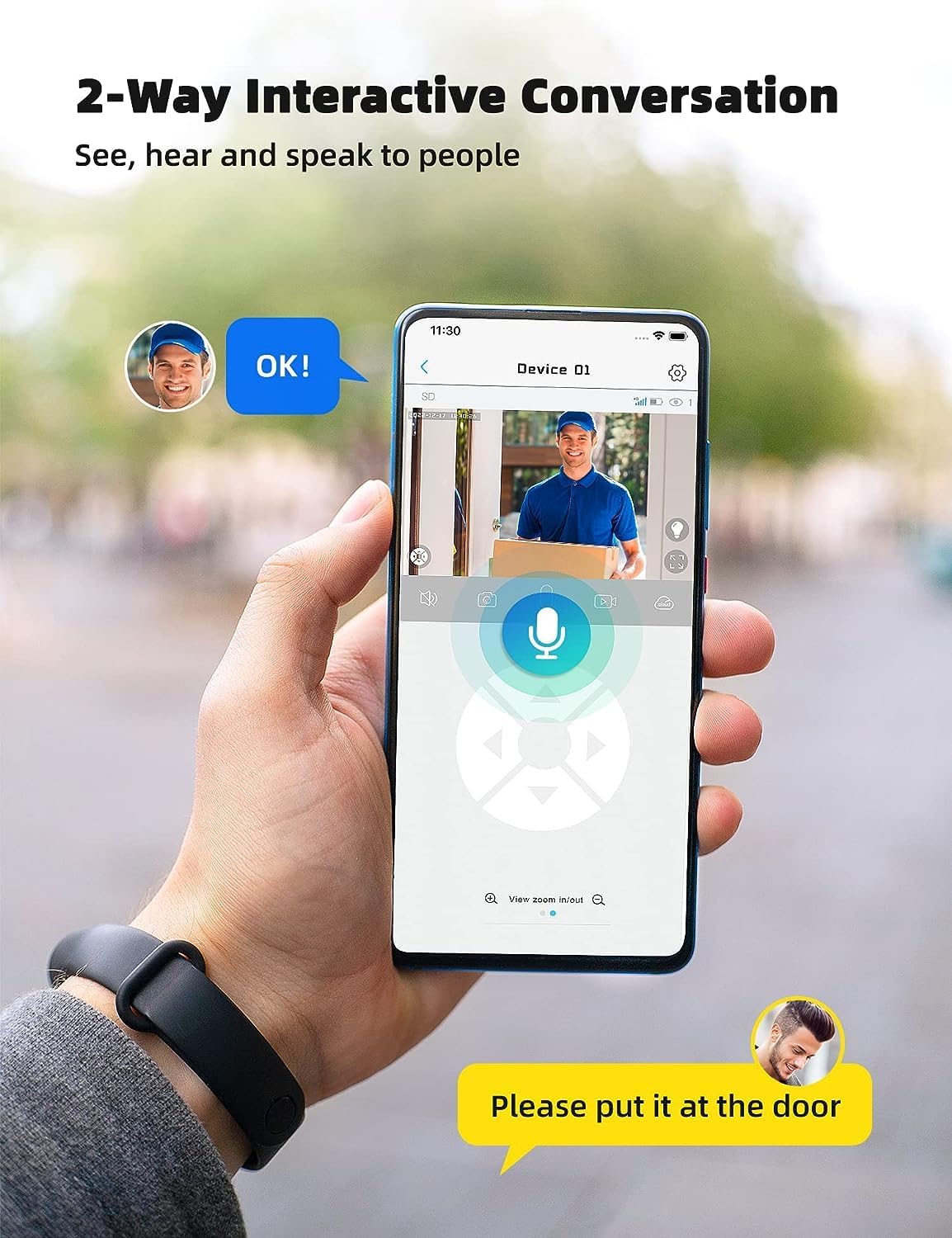
Image: A smartphone displaying the UBox app interface for two-way communication, showing a person speaking through the camera to a delivery person.

Image: A user communicating in real-time with a delivery person via the camera's two-way audio feature, instructing them to place a package by the door.
5.4 Nahrávání a přehrávání
The camera supports both Micro SD card storage and cloud storage (subscription may be required).
- Motion-triggered events are automatically recorded.
- Na view recordings, navigate to the "Playback" section in the UBox app.
- Vyberte datum a čas pro opětovnéview zaznamenané footage.
- If the Micro SD card is full, older recordings will be overwritten by new ones.
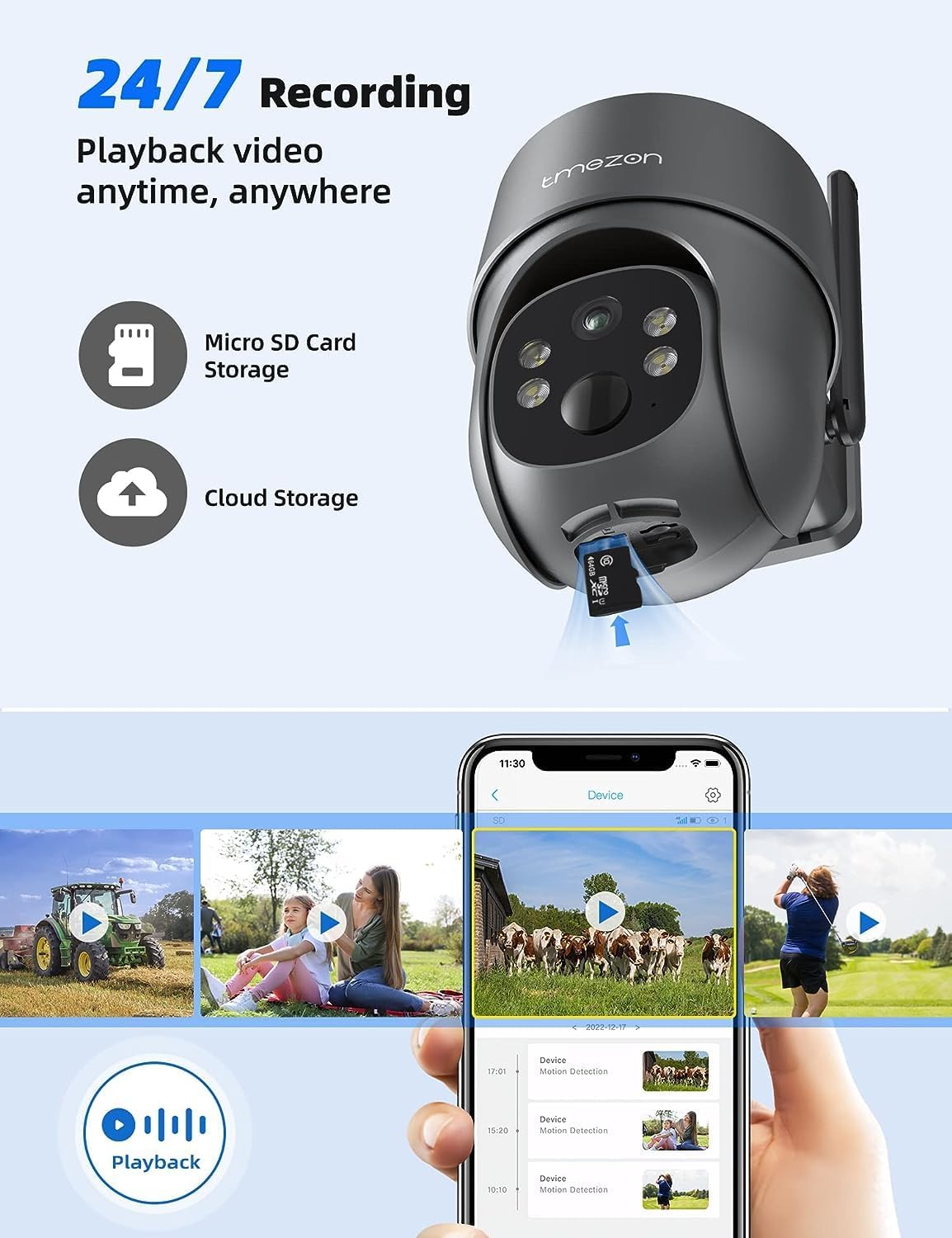
Image: A smartphone displaying the UBox app's playback interface, showing a timeline of recorded events and various video clips.
5.5 Režimy nočního vidění
Kamera nabízí dva režimy nočního vidění:
- Infračervené (IR) noční vidění: Provides clear black and white video in low-light conditions.
- Barevné noční vidění: Activates the camera's spotlights to provide full-color video even in darkness. This mode can be enabled in the app settings.
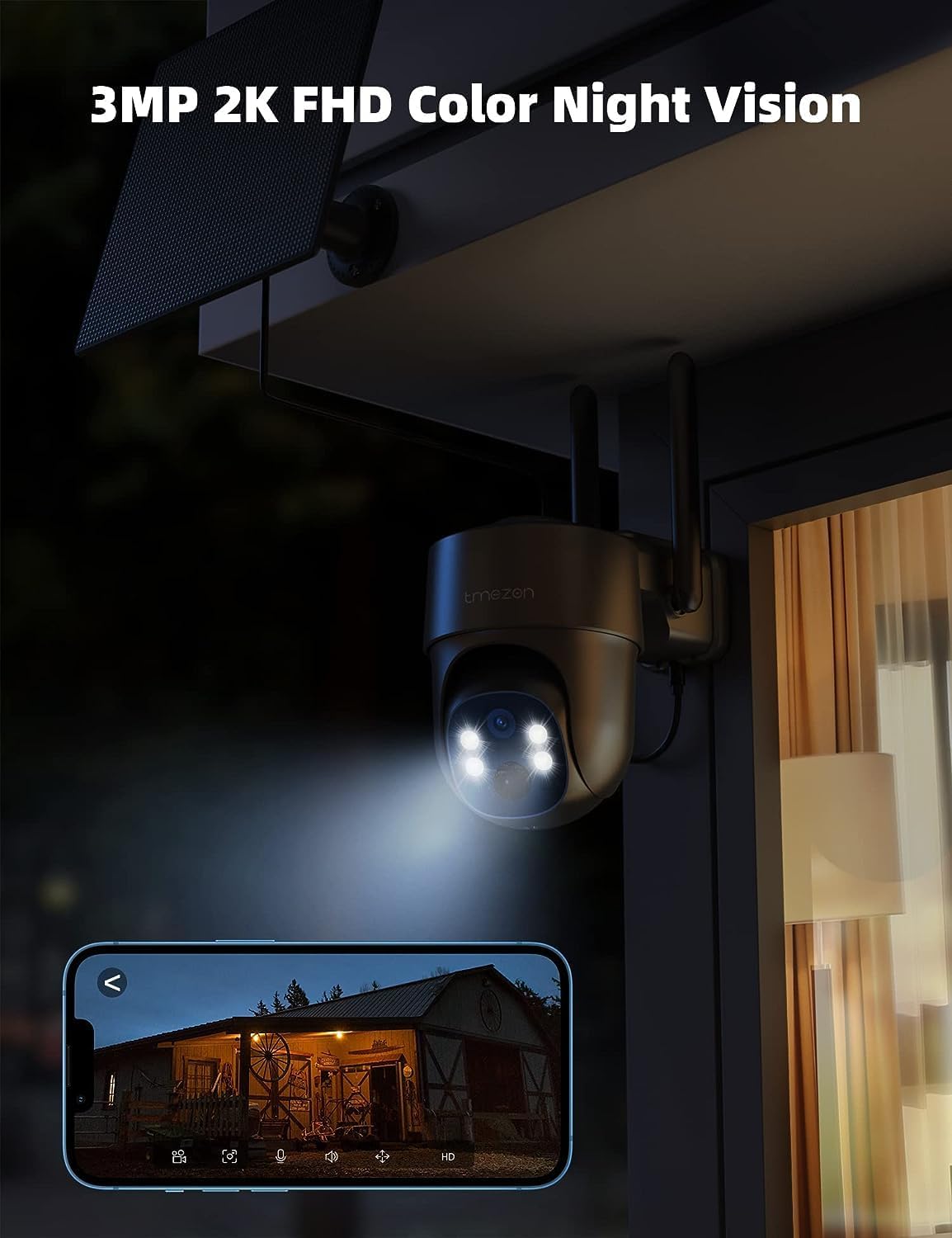
Image: The TMEZON camera operating at night with its spotlights on, providing clear 2K color night vision of the surrounding area.

Image: A split image demonstrating the difference between night vision with spotlights off (monochrome) and spotlights on (color), showcasing the camera's 2K color night vision capability.
6. Údržba
6.1 Battery & Solar Panel Care
- Regularly check the battery level in the UBox app.
- Ensure the solar panel is clean and free from dust, dirt, or obstructions (e.g., leaves, snow) to ensure efficient charging.
- Umístěte solární panel tak, aby po celý den dostával co nejvíce přímého slunečního záření.
- If the camera's battery level is consistently low due to insufficient sunlight, consider manually charging it via the USB port.
6.2 Čištění
- Použijte měkký, damp cloth to clean the camera lens and body.
- Do not use harsh chemicals or abrasive cleaners, as these can damage the camera's finish or lens.
- Ensure the rubber covers for the card slots and charging port are securely closed after any maintenance to maintain waterproofing.
7. Řešení problémů
7.1 Camera Not Connecting to 4G Network
- Ujistěte se, že je SIM karta správně vložena a aktivována.
- Zkontrolujte, zda má SIM karta aktivní datový tarif.
- Verify 4G signal strength at the camera's location. Move the camera to an area with better signal if necessary.
- Restart the camera by pressing the reset button or power cycling it.
7.2 Časté výpadky
- Poor 4G signal strength can cause disconnections. Relocate the camera or consider a 4G signal booster.
- Ensure the camera's battery is sufficiently charged.
7.3 Detekce pohybu nefunguje nebo je příliš mnoho falešných poplachů
- Check motion detection settings in the UBox app. Ensure it is enabled.
- Adjust PIR sensitivity levels. Lower sensitivity for fewer false alarms, higher for more sensitive detection.
- Ensure there are no objects (e.g., tree branches, reflective surfaces) that might trigger false alarms in the detection zone.
7.4 Cannot View Nahrávky
- Ensure a Micro SD card is inserted correctly and formatted (if applicable) in the app.
- Check if cloud storage is active and your subscription is valid.
- Verify that motion detection recording is enabled in the app settings.
7.5 Fotoaparát se nenabíjí přes solární panel
- Ujistěte se, že je solární panel čistý a bez překážek.
- Ověřte, zda je kabel solárního panelu bezpečně připojen ke kameře.
- Check if the solar panel is receiving direct sunlight for several hours daily.
- In prolonged cloudy weather, manual charging via USB may be required.
8. Specifikace
| Funkce | Detail |
|---|---|
| Číslo modelu | MZ-C8-4G-EU |
| Technologie připojení | Wireless (4G LTE) |
| Rezoluce | 2K (2000 Pixels effective capture) |
| Pan Angle | 355 stupňů |
| Úhel náklonu | 90 stupňů |
| Noční vidění | Barevné noční vidění |
| Speciální funkce | Motion Detector, Two-Way Audio |
| Zdroj napájení | Solar Powered (with 9,600 mAh rechargeable battery) |
| Typ baterie | 2 lithium-iontová (součástí balení) |
| svtage | 5 voltů |
| Wattage | 5 watthodin |
| Hodnocení IP | IP65 (vodotěsný) |
| Skladování | Micro SD Card (up to 128GB, not included), Cloud Storage (subscription optional) |
| Typ ovladače | Android (UBox App) |
| Typ montáže | Držák na zeď |
9. Záruka a podpora
9.1 Informace o záruce
TMEZON products typically come with a standard manufacturer's warranty. Please refer to the warranty card included in your package or visit the official TMEZON webPodrobné záruční podmínky naleznete na webových stránkách. Uschovejte si účtenku jako doklad o koupi pro případ reklamace.
9.2 Zákaznická podpora
If you encounter any issues or have questions regarding your TMEZON 4G LTE Solar Wireless Outdoor Security Camera, please contact TMEZON customer support. Contact information can usually be found on the official webmístě nebo na obalu produktu.
- Online podpora: Visit the TMEZON official webweb s nejčastějšími dotazy, průvodci řešením problémů a kontaktními formuláři.
- E-mailová podpora: E-mailovou adresu zákaznické podpory naleznete v dokumentaci k produktu.