
Zavedení
This manual provides instructions for the installation, operation, and maintenance of your ANNKE 32-Channel Home Security Camera System. This system includes a 12MP 32-channel Network Video Recorder (NVR) with a pre-installed 6TB Hard Disk Drive (HDD) and 20 wired 5MP Power over Ethernet (PoE) IP cameras. The system is designed for comprehensive surveillance with features such as color night vision, AI motion detection, and facial detection capabilities.
For optimal performance and safety, please read this manual thoroughly before using the product and retain it for future reference.
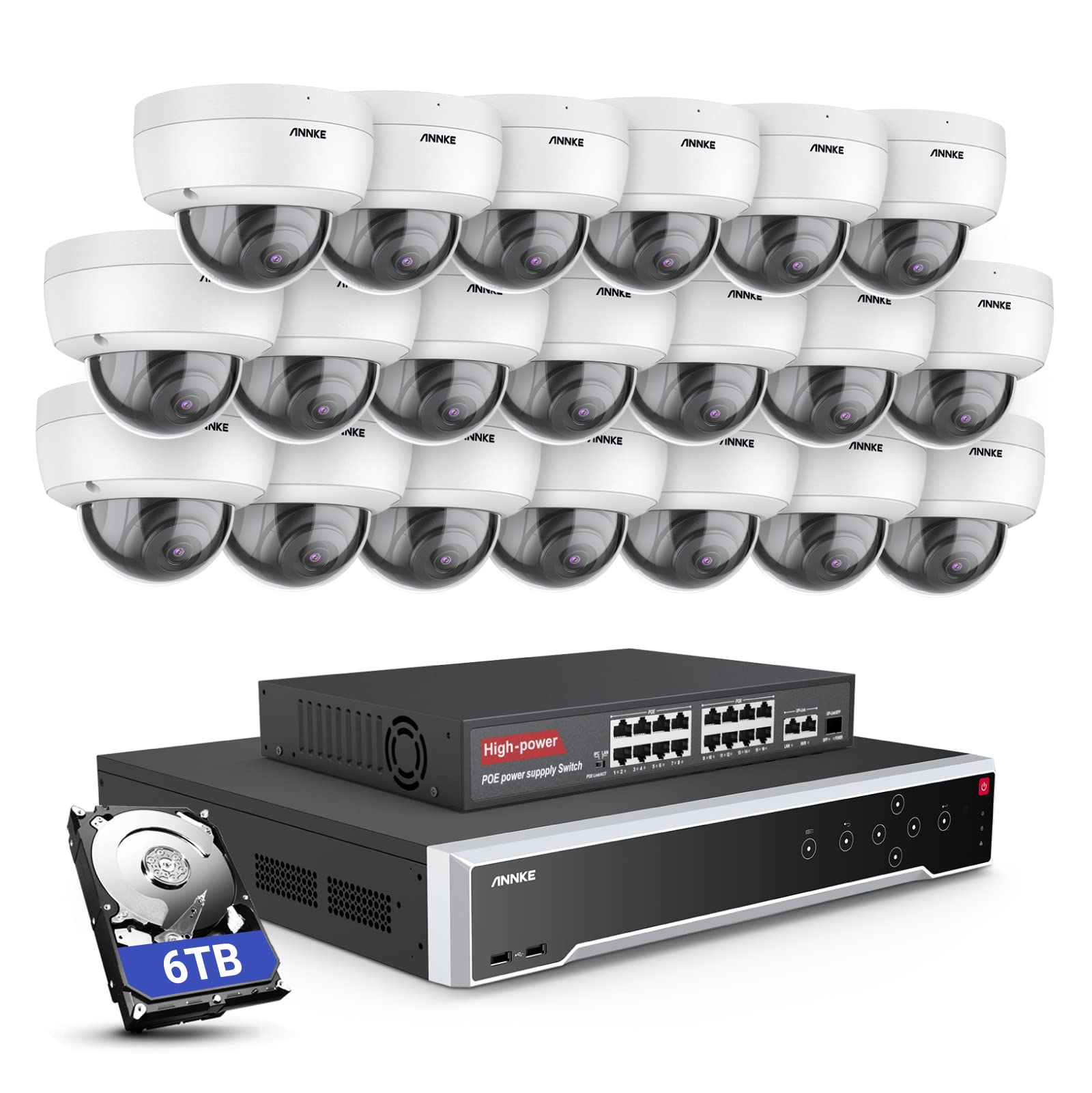
Obrázek: Overview of the ANNKE 32-Channel Home Security Camera System components, including the NVR and multiple cameras.
Co je v krabici
Ověřte, zda jsou v balení obsaženy všechny níže uvedené položky:
- 1x 32CH 12MP PoE NVR with 6TB Hard Drive
- 1x 16-Port PoE Switch
- 20x 5MP IP PoE kamery
- 10x 30m/100ft síťové kabely
- 10x 18m/60ft síťové kabely
- 1x Power Adapter & USB Mouse & Quick Instruction Guide
- 1x HDMI kabel 5.9 stop/1.8 m
- 1x ethernetový kabel 3.2 stopy/1 m
Nastavení
Follow these steps to set up your ANNKE security camera system.
1. NVR and Camera Connection
- Připojte NVR ke zdroji napájení pomocí dodaného napájecího adaptéru.
- Connect the NVR to a monitor using the HDMI cable.
- Pro navigaci připojte k NVR myš s USB portem.
- Connect up to 16 PoE IP cameras directly to the PoE ports on the NVR using the provided Ethernet cables.
- To expand the system beyond 16 cameras (up to 32 channels), connect the additional cameras to the 16-port PoE switch. Then, connect the PoE switch to the NVR's network port using an Ethernet cable.

Image: Diagram illustrating how to connect PoE cameras to the NVR and how to use a PoE switch to expand the system to 32 channels.
2. Síťové připojení
Connect the NVR to your router using an Ethernet cable to enable remote access and network features.
3. Remote Access Setup (ANNKE VISION App)
Download the ANNKE VISION app on your smartphone or tablet for remote viewovládání a ovládání.
- Download the ANNKE VISION app from the Google Play Store or Apple App Store.
- Zaregistrujte si účet a přihlaste se.
- Přidejte své zařízení NVR naskenováním QR kódu na NVR nebo ručním zadáním jeho údajů.
- Po přidání můžete view živé přenosy, přehrávání nahrávek a vzdálenou správu nastavení.

Image: Screenshot of the ANNKE VISION mobile application showing live camera feeds, demonstrating remote access capabilities.
Návod k obsluze
Understand the key operational features of your security system.
1. Kvalita videa a noční vidění
The 5MP IP cameras provide clear video resolution. The system supports color night vision in low-light conditions and detailed black and white night vision in complete darkness, with a range of up to 100 feet.

Image: A split image demonstrating the clarity of 5MP video during the day and the effectiveness of night vision at night.
2. AI Motion and Face Detection
The PoE IP cameras are equipped with AI features for advanced detection:
- Line Intrusion Detection: Spustí upozornění, když objekt překročí předdefinovanou virtuální linii.
- Region Detection: Triggers an alert when an object enters or exits a specified area.
- Detekce osob/vozidel: Differentiates between human and vehicle movement to reduce false alarms.
- Facial Detection: The NVR supports 1-channel facial recognition for video streams or 4-channel facial recognition for face pictures.

Image: An illustration showing the system detecting a person and a vehicle, with a highlight indicating 1-channel facial detection.
3. Nahrávání zvuku
Each PoE camera includes a built-in microphone capable of recording audio up to 20 feet away, providing additional surveillance detail.
4. Recording Modes and Playback
The NVR supports continuous 24/7 recording and motion detection recording. Recordings can be easily searched and played back through the NVR interface or the ANNKE VISION app.
5. Přístup pro více uživatelů
The system supports up to 20 users simultaneously, allowing multiple individuals to view live video feeds and access recordings from various devices such as PCs, laptops, tablets, and smartphones.
6. Integrace s Alexou
The system is compatible with Amazon Alexa. You can use voice commands to view live streams from your security cameras on compatible Alexa-enabled devices.
Údržba
Správná údržba zajistí dlouhou životnost a optimální výkon vašeho bezpečnostního systému.
1. Ochrana životního prostředí
The IP cameras are rated IP67 weatherproof, ensuring reliable operation in various outdoor conditions, including heavy snow, rain, and wind. Regularly clean camera lenses to prevent obstruction from dirt or debris.
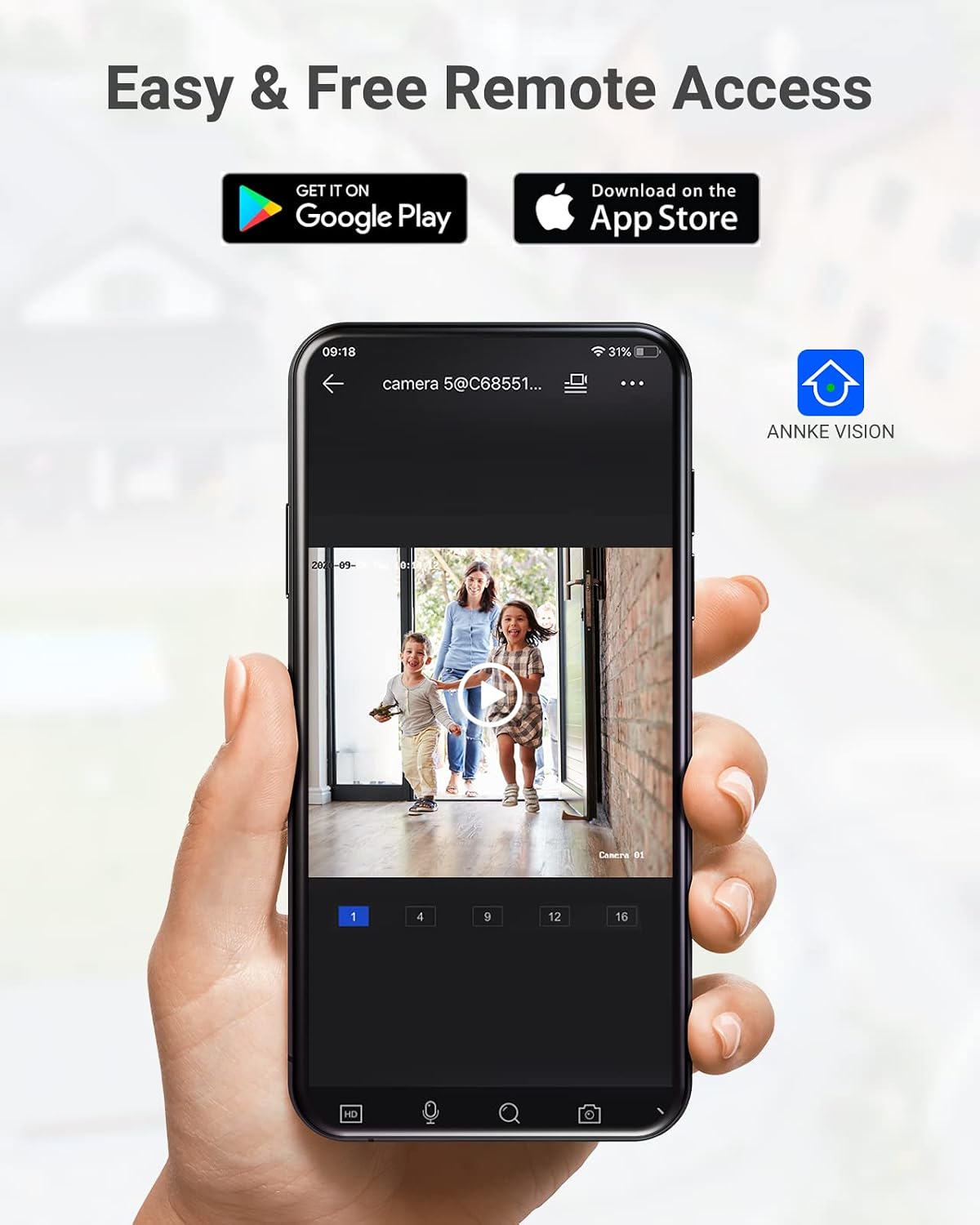
Image: A camera partially submerged in water, illustrating its IP67 weatherproof rating.
2. Správa úložiště
The NVR utilizes H.265+ video compression for efficient storage and longer recording times. The system comes with a 6TB HDD and supports up to 4 SATA HDD interfaces, allowing for a total storage capacity of up to 40TB (10TB per HDD). The NVR features automatic overwrite functionality, ensuring continuous recording by overwriting the oldest footage, když je disk plný.

Image: An NVR unit with its top cover removed, showing four internal bays for hard disk drives, indicating expandable storage up to 40TB.
3. Aktualizace firmwaru
Pravidelně kontrolujte oficiální informace společnosti ANNKE. website or the ANNKE VISION app for firmware updates to ensure your system has the latest features and security enhancements.
Odstraňování problémů
If you encounter issues with your system, refer to the following general troubleshooting tips:
- Bez zobrazení videa: Check all cable connections (power, HDMI, Ethernet). Ensure the monitor is on and set to the correct input.
- Fotoaparát offline: Verify the Ethernet cable connection to the camera and NVR/PoE switch. Ensure the camera is receiving power.
- Problémy se vzdáleným přístupem: Confirm the NVR is connected to the internet. Check your network settings and ensure the ANNKE VISION app is updated.
- Problémy s nahráváním: Check the HDD status in the NVR settings. Ensure there is sufficient storage space or that automatic overwrite is enabled.
- Upozornění na falešný pohyb: Adjust the sensitivity settings for motion detection in the NVR or app. Utilize AI human/vehicle detection to filter out irrelevant movements.
For more detailed troubleshooting or persistent issues, please contact ANNKE customer support.
Specifikace
| Funkce | Specifikace |
|---|---|
| Značka | ANNKE |
| Číslo modelu | AU-N931BB6-V2-5KDN-V5+JHJ014-U |
| Technologie připojení | Kabelové (PoE) |
| Rozlišení záznamu videa | 5MP (1920p) |
| Počet kanálů | 32 |
| NVR Hard Drive | 6 TB (předinstalováno) |
| Maximální kapacita HDD | 40 TB (4 x 10 TB SATA HDDs) |
| Komprese videa | H.265 + |
| Rozsah nočního vidění | 100 stop |
| Hodnocení odolnosti kamery proti povětrnostním vlivům | IP67 |
| Typ objektivu | 2.8mm širokoúhlý objektiv |
| Speciální funkce | App Control, Audio Recording, Automatic Overwrite, Motion Sensor, Privacy Masking, AI Motion Detection, Face Detection |
| Kompatibilní zařízení | Fotoaparáty, notebooky, osobní počítače, tablety |
| Operační systém (aplikace) | Android, iOS |
Záruka a podpora
Výrobky ANNKE se obvykle dodávají s omezenou zárukou. Prostudujte si prosím záruční list, který je součástí balení, nebo navštivte oficiální webové stránky ANNKE. webkonkrétní záruční podmínky naleznete na webových stránkách.
Pro technickou podporu, dotazy k produktům nebo reklamace v záruce kontaktujte zákaznický servis ANNKE prostřednictvím jejich oficiálních webwebu nebo kontaktních informací uvedených v dokumentaci k produktu.
Oficiální web ANNKE Webmísto: www.annke.com