
1. Začínáme
1.1. Obsah balení
Your Popglory Smart Watch package includes the following items:
- 2 x Popglory Smart Watches
- 4 x Straps (Stainless Steel and Silicone options)
- 2 x nabíjecí kabely
- 1 x Uživatelská příručka (tento dokument)
1.2. Nabíjení zařízení
Před prvním použitím chytré hodinky plně nabijte. Připojte magnetický nabíjecí kabel k nabíjecím bodům na zadní straně hodinek a zapojte USB konec do standardního USB napájecího adaptéru (není součástí balení).
Doba nabíjení: Přibližně 2-3 hodiny pro plné nabití.
1.3. Instalace a párování aplikace
To unlock the full potential of your Popglory Smart Watch, download and install the GloryFit aplikace na vašem smartphonu.
- Naskenujte QR kód v manuálu nebo vyhledejte „GloryFit“ v obchodě s aplikacemi ve vašem telefonu (App Store pro iOS, Google Play Store pro Android).
- Nainstalujte si aplikaci a vytvořte si účet.
- Ensure your watch is charged and Bluetooth is enabled on your phone.
- Open the GloryFit app, navigate to the "Device" section, and tap "Add Device".
- Select your Popglory Smart Watch from the list of available devices to pair.
Compatibility: Compatible with iOS 9.0 and above or Android 5.0 and above smartphones. Not compatible with tablets or computers.

Image: Smartwatch and smartphone pairing for call function.
2. Ovládání chytrých hodinek
2.1. Základní navigace
The Popglory Smart Watch features a 1.85-inch full-touch HD color screen for intuitive navigation. Swipe left/right, up/down, and tap to access various functions and menus.
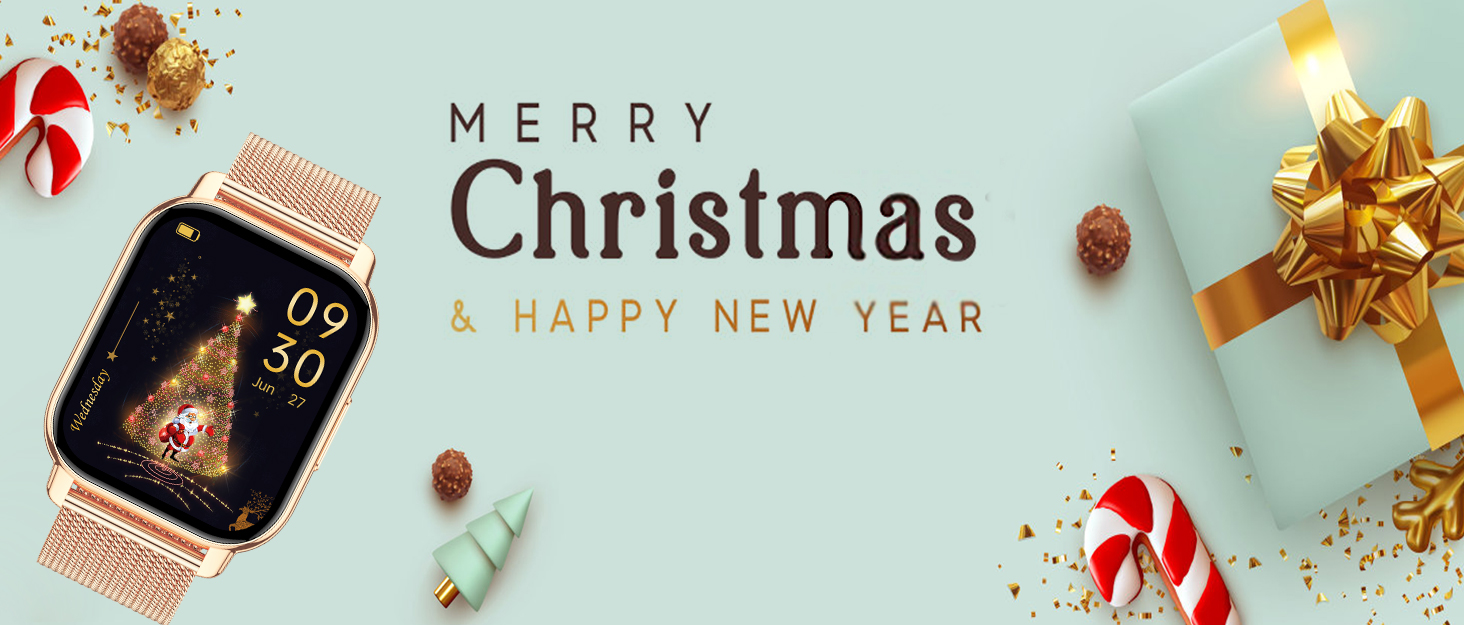
Image: The 1.85-inch HD display and customizable watch faces.
2.2. Funkce volání
The watch has a built-in speaker and microphone, allowing you to make and receive calls directly from your wrist when connected to your phone via Bluetooth.
- Uskutečňování hovorů: Pro zahájení hovorů použijte číselník nebo seznam kontaktů na hodinkách.
- Přijímání hovorů: Přijímejte nebo odmítejte příchozí hovory přímo z obrazovky hodinek.
- You can toggle the call function on/off via the watch settings or the GloryFit app.
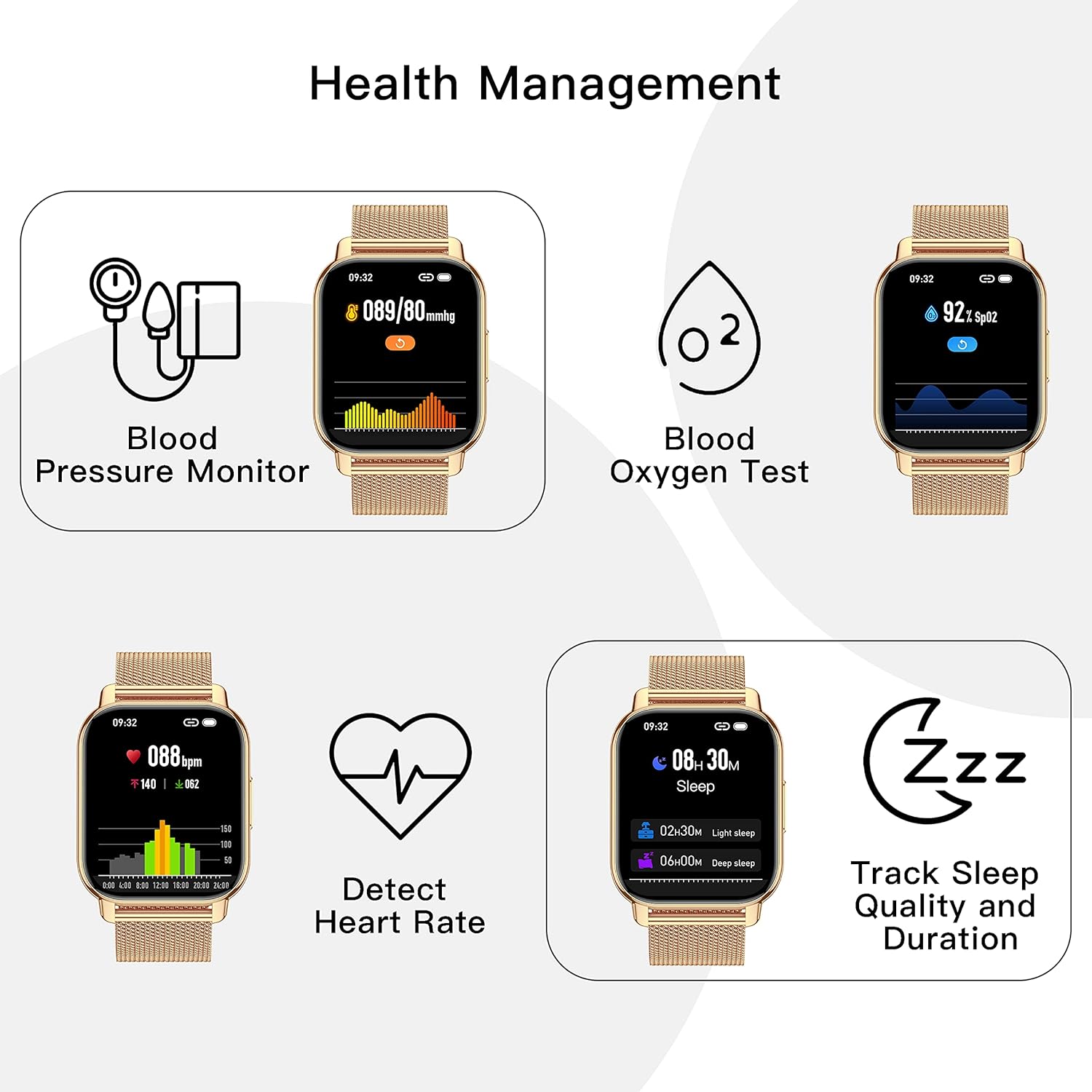
Obrázek: Podrobný view of the smartwatch's call function interface.
2.3. Monitorování zdraví
Your smartwatch is equipped with sensors to track various health metrics:
- Srdeční frekvence: Nepřetržité sledování tepové frekvence po celý den.
- Krevní tlak: Manual measurement of blood pressure.
- SpO2 (kyslík v krvi): Manual measurement of blood oxygen levels.
- Kvalita spánku: Monitors your sleep patterns (deep sleep, light sleep, awake time) and provides analysis in the app.
Note: All health data is for fitness reference only and should not be used for medical purposes.

Image: Health management features on the smartwatch.
2.4. Sledování kondice a sportovní režimy
The watch records daily distance, steps, and calories burned. It supports a variety of sports modes to cater to different activities:
- Chůze
- Běh
- Cyklistika
- Swimming (refer to water resistance guidelines)
- A mnoho dalších.
All data is synced to the GloryFit app for detailed analysis and goal adjustment.
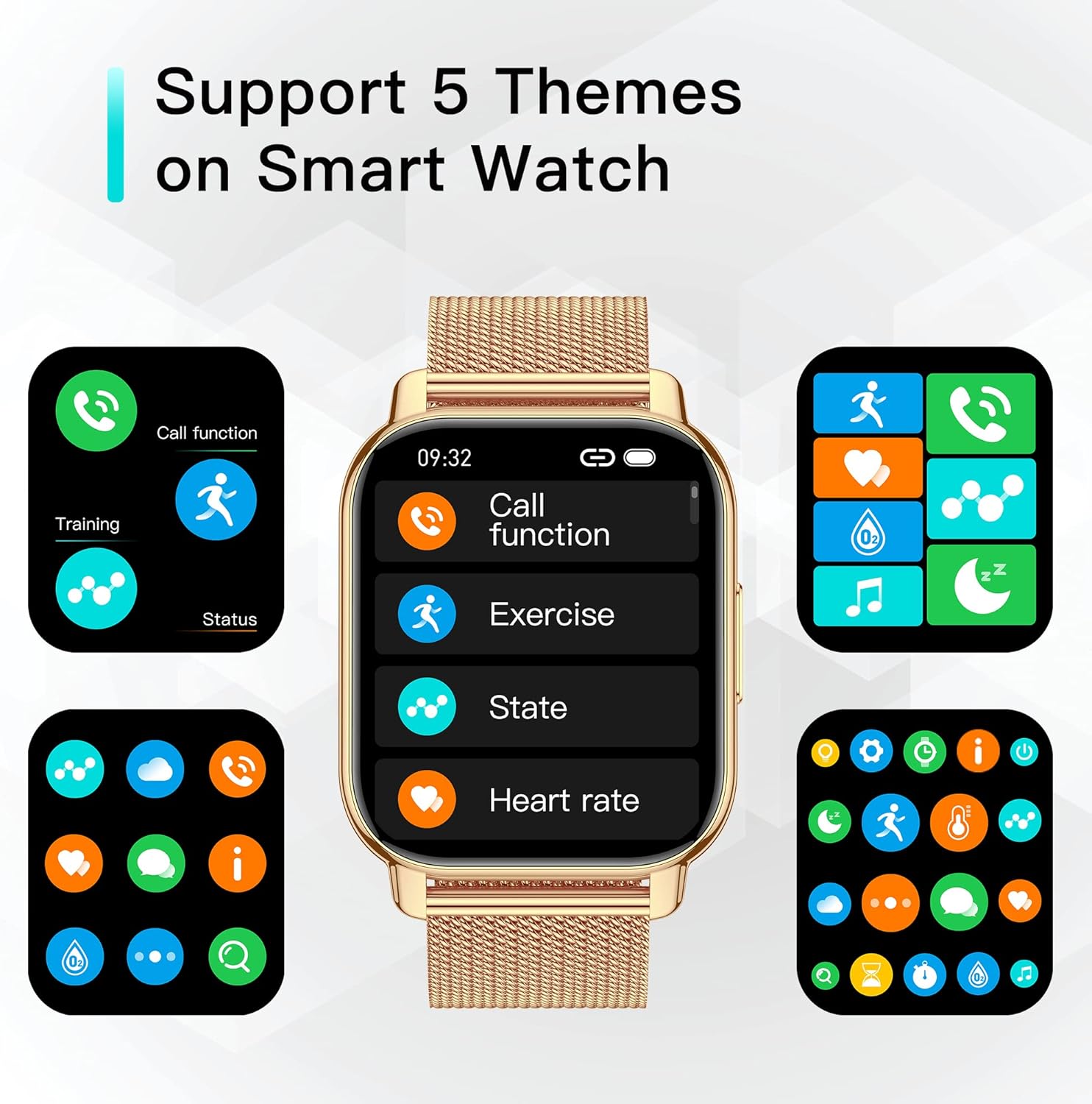
Image: Smartwatch as a fitness partner in daily life.
2.5. Chytrá oznámení
Once connected to your phone, the watch can display notifications from various apps, including WhatsApp, Facebook, Twitter, and more. Ensure app notifications are enabled in the GloryFit app and your phone's settings.

Image: Smart notifications and health tracking features.
2.6. Další praktické funkce
- Ovládání hudby: Ovládejte přehrávání hudby v telefonu (přehrávání, pozastavení, přeskakování skladeb).
- Předpověď počasí: Získejte aktuální informace o počasí přímo na svých hodinkách.
- Časovač a stopky: Užitečné nástroje pro různé aktivity.
- Sedavé připomenutí: Upozorní vás na pohyb po obdobích nečinnosti.
- Sledování fyziologického cyklu: For women, record and track physiological cycles in the app.
- Poplach: Nastavujte si budíky přímo z hodinek nebo aplikace.
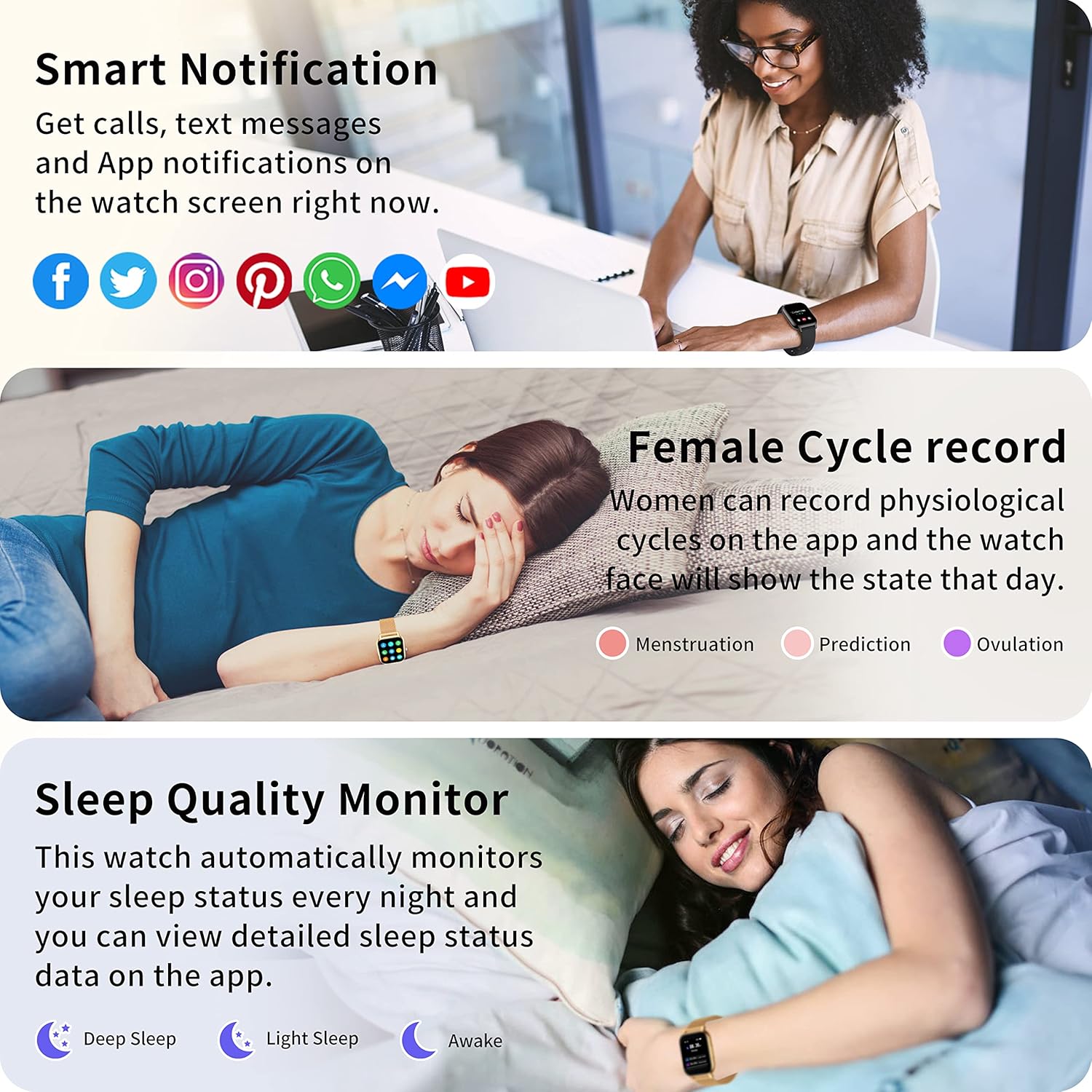
Image: Various practical functions of the smartwatch.
2.7. Oficiální video produktu
Video: Overview demonstrating the key features and functionalities of the Popglory Smart Watch, including its display, health tracking, and communication capabilities.
3. Údržba
3.1. Čištění chytrých hodinek
Regularly clean your watch and straps to ensure hygiene and proper functioning. Use a soft, damp cloth to wipe the screen and body. For silicone straps, mild soap and water can be used. Ensure the watch is dry before charging.
3.2. Voděodolnost (IP67)
The Popglory Smart Watch is IP67 water resistant. This means it can withstand splashes, rain, and brief immersion in water (up to 1 meter for 30 minutes). It is suitable for daily use like hand washing or light rain. However, it is nedoporučuje se for hot showers, saunas, or diving, as steam and hot water can damage the seals.
3.3. Péče o baterie
Chcete -li prodloužit životnost baterie:
- Vyhněte se extrémním teplotám.
- Nabijte hodinky dříve, než se baterie zcela vybije.
- Do not leave the watch charging for extended periods after it is full.
Typical usage: 3-5 days. Standby time: 10-15 days.
4. Řešení problémů
4.1. Hodinky se nezapínají
Ujistěte se, že jsou hodinky plně nabité. Pokud se stále nezapnou, zkuste podržet tlačítko napájení delší dobu (10–15 sekund).
4.2. Problémy s párováním
- Ujistěte se, že máte v telefonu zapnutou funkci Bluetooth a hodinky jsou v dosahu.
- Restartujte telefon i hodinky.
- Zkontrolujte, zda je aplikace GloryFit aktualizována na nejnovější verzi.
- Zapomeňte na zařízení v nastavení Bluetooth v telefonu a zkuste spárování znovu.
4.3. Nepřesné zdravotní údaje
Ujistěte se, že hodinky máte pevně nasazené na zápěstí, přibližně na šířku jednoho prstu od zápěstní kosti. Během měření se vyvarujte nadměrného pohybu. Nezapomeňte, že údaje slouží pouze pro informaci.
4.4. Oznámení se nezobrazují
- Verify that app notifications are enabled in the GloryFit app.
- Check your phone's system notification settings to ensure the GloryFit app has permission to display notifications.
- Ujistěte se, že jsou hodinky připojeny přes Bluetooth.
5. Specifikace
| Funkce | Detail |
|---|---|
| Model | P66 |
| Velikost obrazovky | 1.85 palce |
| Kompatibilita operačního systému | Android 5.0+, iOS 9.0+ |
| Speciální funkce | Text Messaging, Call Receive/Dial, Health Monitoring (BP, SpO2, HR, Sleep), Sports Modes, Music Control, Weather |
| Voděodolnost | IP67 |
| Výdrž baterie (typické použití) | 3-5 dní |
| Pohotovostní doba | 10-15 dní |
| Výrobce | Popglory |
6. Záruka a podpora
Popglory products come with a standard manufacturer's warranty. For specific warranty details, please refer to the warranty card included in your product packaging or visit the official Popglory webmísto.
If you encounter any issues or have questions not covered in this manual, please contact Popglory customer support through the following channels:
- E-mail: Viz obal produktu nebo oficiální webstránky pro kontaktní e-mail.
- Online podpora: Visit the Popglory official webweb s nejčastějšími dotazy a zdroji podpory.
Než budete kontaktovat podporu, mějte prosím připravený model produktu a informace o nákupu.