
1. Konec produktuview
This Hama USB-C to Lightning charging cable is designed for efficient charging and high-speed data synchronization of Apple iPhones, iPads, and iPods. It supports fast charging when used with a compatible fast charger and offers data transfer speeds up to 480 Mbps.
Obsah balení
- 1x Hama USB-C to Lightning Charging Cable (1.5m, White)
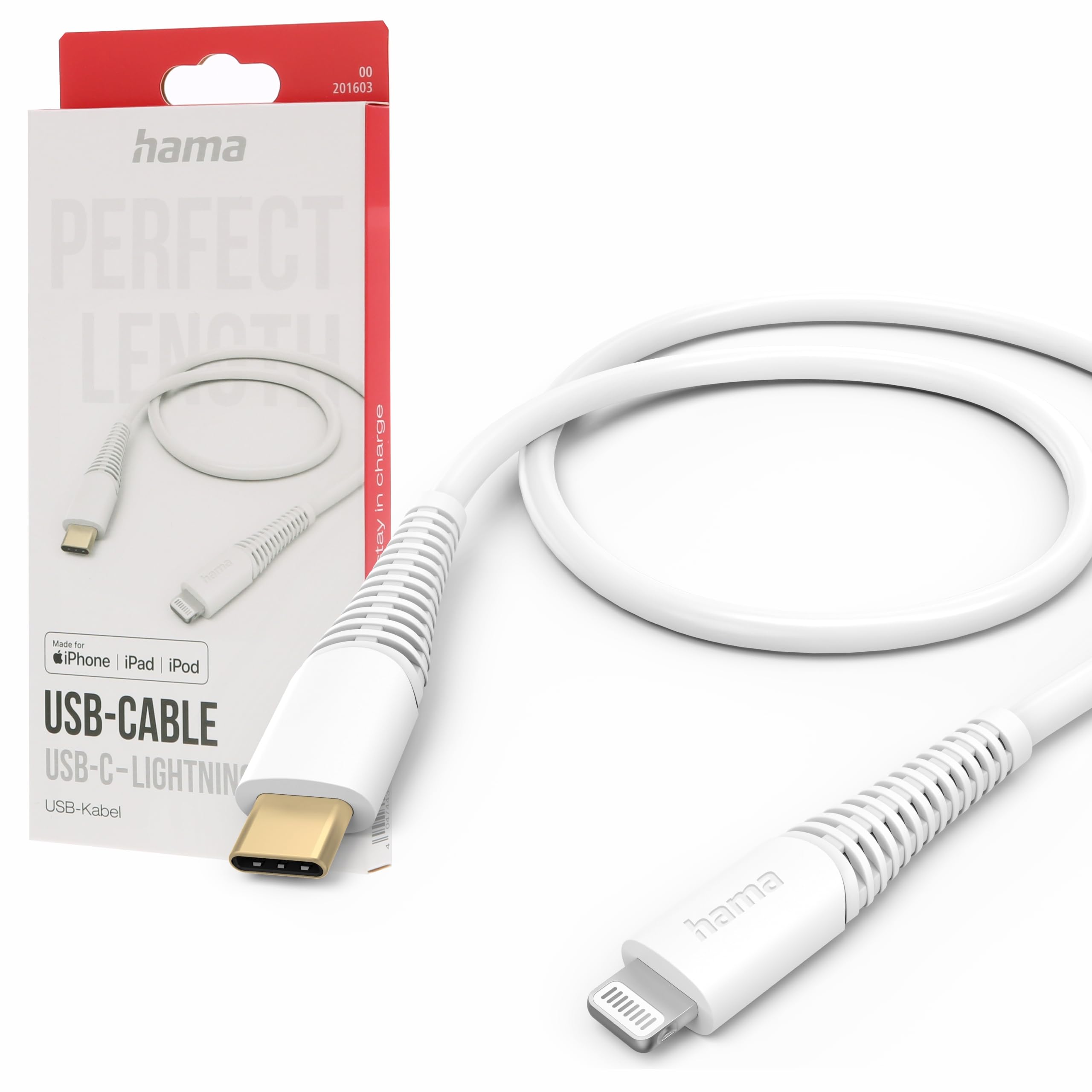
Image: The Hama USB-C to Lightning Charging Cable, white, with a USB-C connector on one end and a Lightning connector on the other.
2. Pokyny k nastavení
To begin using your Hama USB-C to Lightning cable, follow these simple steps:
- Identifikujte konektory: Locate the USB-C connector (smaller, oval-shaped) and the Lightning connector (flat, reversible) on the cable.
- Připojení ke zdroji napájení/počítači: Insert the USB-C connector into a compatible USB-C power adapter (for charging) or a USB-C port on your computer (for charging and data transfer).
- Připojení k zařízení Apple: Insert the Lightning connector into the charging port of your iPhone, iPad, or iPod. Ensure a firm connection.
Your device should now begin charging or be recognized by your computer for data transfer.
3. Návod k obsluze
Nabíjení vašeho zařízení
This cable supports fast charging for compatible Apple devices. For optimal charging speed, use a USB-C power adapter that supports Power Delivery (PD) or other fast charging protocols.
- Connect the USB-C end of the cable to a wall charger or power bank.
- Connect the Lightning end to your Apple device.
- The device's screen will indicate that it is charging.
Přenos dat
The cable facilitates high-speed data transfer up to 480 Mbps, allowing you to sync photos, videos, music, and other files between your Apple device and a computer.
- Connect the USB-C end of the cable to a USB-C port on your computer.
- Connect the Lightning end to your Apple device.
- Your computer should recognize the device, allowing you to access its storage for data transfer.
4. Péče a údržba
To ensure the longevity and optimal performance of your Hama charging cable, please follow these care guidelines:
- Vyhněte se extrémnímu ohýbání: Do not excessively bend or crimp the cable, especially near the connectors, as this can damage the internal wires.
- Udržujte v suchu: Protect the cable from moisture and liquids. Do not use it in wet environments.
- Jemně čistěte: If necessary, clean the cable and connectors with a soft, dry cloth. Avoid using harsh chemicals or abrasive materials.
- Správně skladujte: When not in use, store the cable in a clean, dry place, ideally coiled loosely to prevent tangling and damage.
- Materiál: The exterior material is Polychlorure de vinyle (PVC), which is durable but can be damaged by sharp objects or extreme heat.
5. Řešení problémů
Zařízení se nenabíjí
- Zkontrolujte připojení: Ensure both the USB-C and Lightning connectors are fully and securely inserted into their respective ports.
- Ověřte zdroj napájení: Confirm that the USB-C power adapter or computer port is functional and providing power. Try a different power source if available.
- Zkontrolujte kabel: Check the cable for any visible damage, such as cuts or frayed wires. If damaged, discontinue use.
- Otestujte s jiným zařízením/kabelem: Try charging a different Apple device with this cable, or try charging your device with a different, known-working cable to isolate the issue.
Problémy s přenosem dat
- Zabezpečená připojení: Ensure the cable is firmly connected to both your computer and Apple device.
- Computer Port: Try connecting the USB-C end to a different USB-C port on your computer.
- Device Trust: On your Apple device, ensure you have tapped 'Trust This Computer' when prompted.
- Software/Ovladače: Ensure your computer's operating system and iTunes (if applicable) are up to date.
6. Technické specifikace
| Číslo modelu | 00201603 |
| ASIN | B0BL1CGYP6 |
| Délka | 1.5 metrů |
| Barva | Bílý |
| Typ konektoru | USB typu C, Lightning |
| Pohlaví konektoru | Muž k muži |
| Rychlost přenosu dat | 480 megabitů za sekundu |
| Maximální proud | 3 Amperes |
| Maximální objemtage | 20 voltů |
| Speciální funkce | Vysokorychlostní nabíjení a přenos dat |
| Kompatibilní zařízení | Smartphones (Apple iPhones, iPads, iPods), Power Banks, Laptops, Speakers, Tablets |
| Vnější materiál | Polyvinylchlorid (PVC) |
| Rozměry produktu (D x Š x V) | 19.5 x 9 x 1.5 cm |
| Hmotnost položky | 47.82 gramů |
| Dodržování | CE |
7. Záruka a podpora
Hama products are manufactured with high quality standards. This product includes a Dvouletá dostupnost náhradních dílů od data nákupu.
For technical support, warranty claims, or further assistance, please contact Hama customer service through their official website or the retailer where the product was purchased. Please retain your proof of purchase for warranty purposes.
For more information, visit the official Hama webmísto: www.hama.com