
1. Úvod
This manual provides detailed instructions for the proper setup, operation, and maintenance of your FEELWORLD 4K173-9HSD-CO 17.3-inch Broadcast Monitor. Please read this manual thoroughly before using the product to ensure optimal performance and to prevent damage.
The FEELWORLD 4K173-9HSD-CO is a professional 17.3-inch broadcast monitor designed for various video production environments, offering a 1920x1080 Full HD resolution display, multiple input/output options, and advanced monitoring features.
2. Obsah balení
Verify that all items listed below are included in your package. If any items are missing or damaged, please contact your dealer immediately.
- 1× FEELWORLD 4K173-9HSD-CO 17.3-inch Broadcast Monitor (in Suitcase)
- 1× Mini HDMI Cable
- 1× V Battery Plate
- 1× 3A DC Power Adapter
- 1× Tally Kit
- 1× Sunshade
- 1 × Návod k obsluze

Image 2.1: All components included in the FEELWORLD 4K173-9HSD-CO package.
3. Vlastnosti produktu
3.1 Sharp and Clear Image Quality
The monitor features a 17.3-inch Full HD (1920x1080) resolution display with a 600:1 contrast ratio and 400cd/m² brightness, ensuring a sharp and clear image for accurate monitoring and focus.

Image 3.1: The monitor's display quality with key specifications.
3.2 Pokročilé monitorovací nástroje
Equipped with professional monitoring functions such as DSLR Scale, Peaking Filter, Image Freeze, Check Field, Image Flip, Center Marker, Screen Marker, and Color Temperature adjustment, this monitor assists in accurate exposure and focus during shooting.
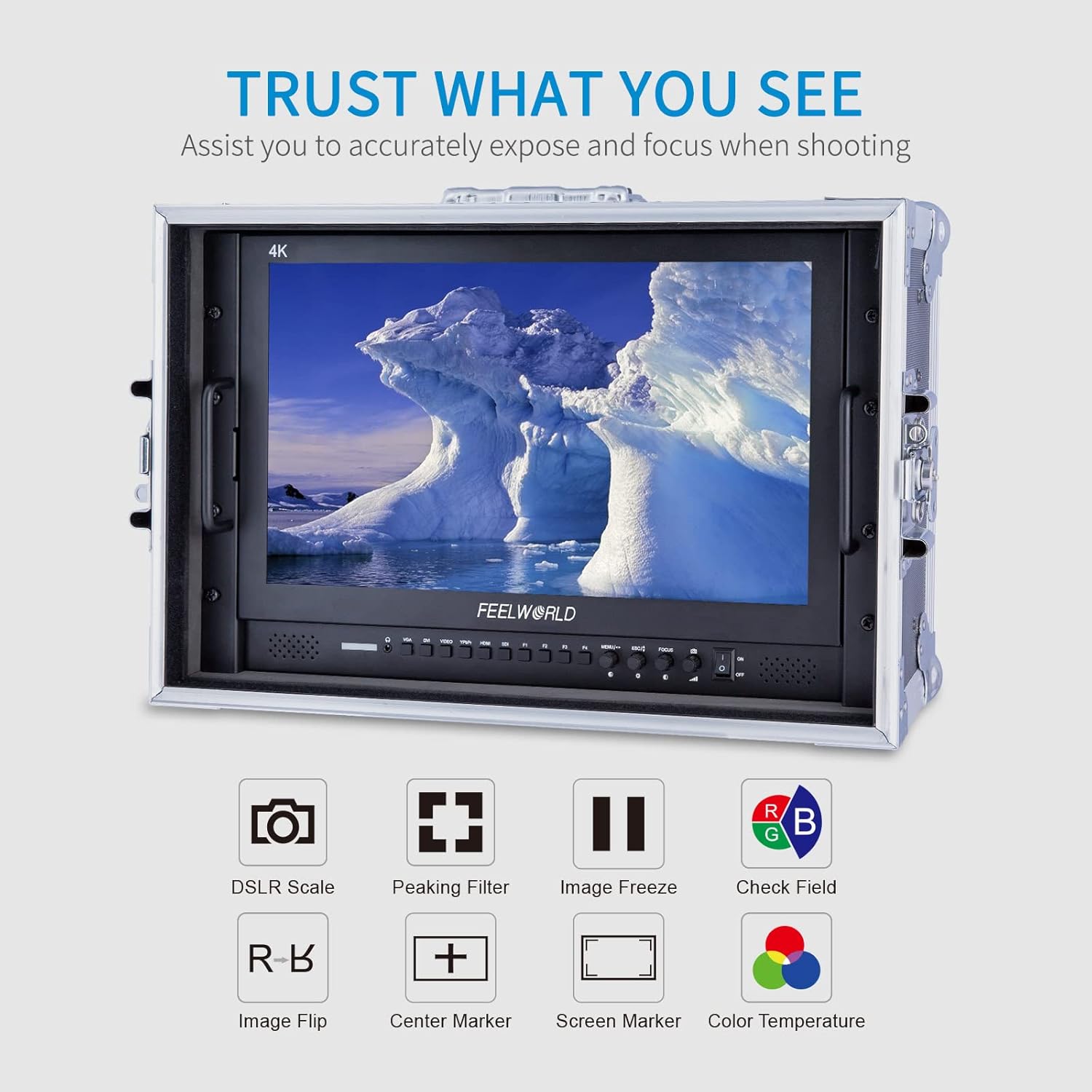
Image 3.2: Visual representation of the monitor's advanced monitoring features.
3.3 Multiple Inputs and Outputs
The monitor provides a comprehensive range of input and output interfaces, including SDI, HDMI, YPbPr, DVI, and AV, catering to diverse professional video production requirements. It supports 4K HDMI input/output at various frame rates (30/29.97/25/24/23.98Hz for 3840x2160p and 24Hz for 4096x2160p).
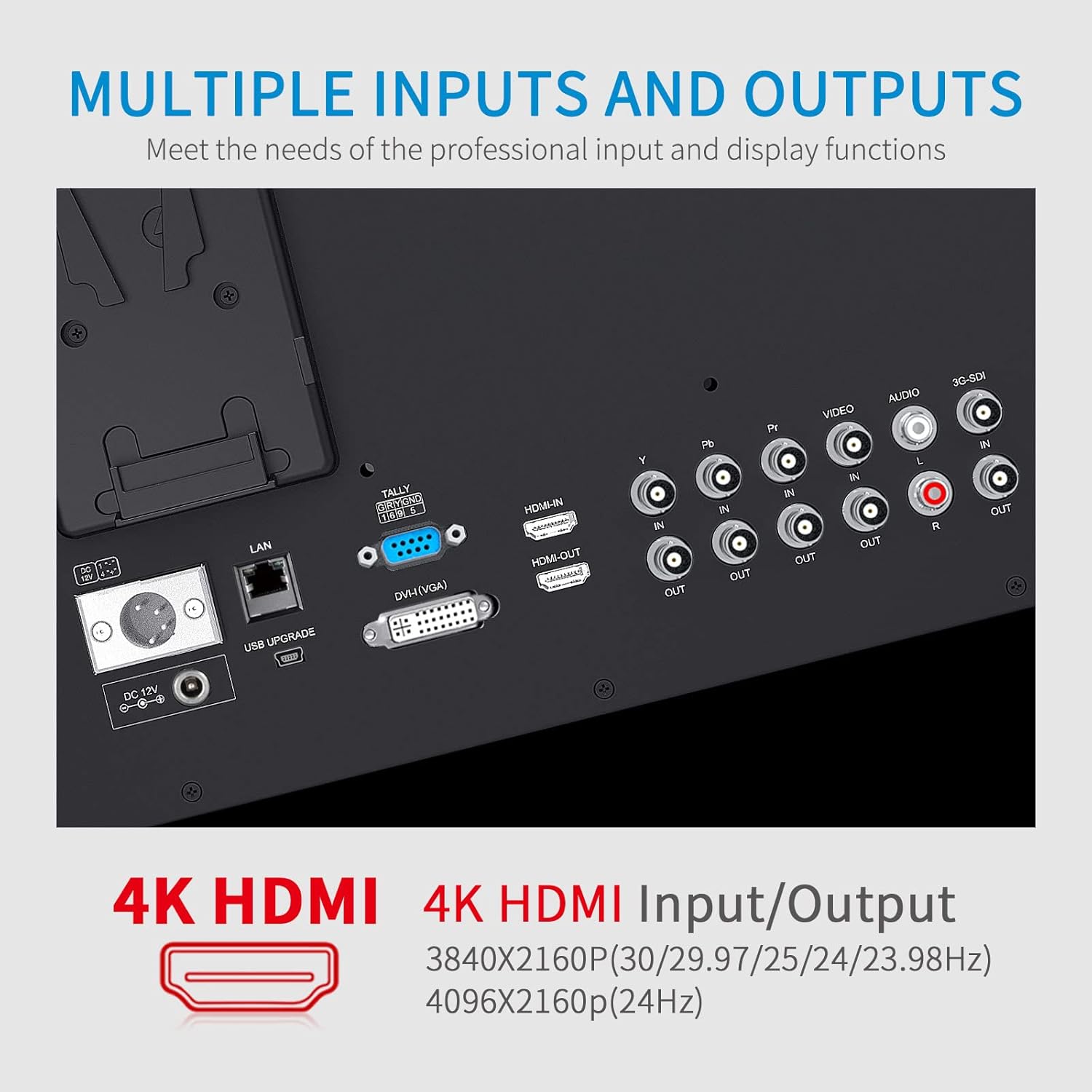
Obrázek 3.3: Detailní view vstupních a výstupních portů monitoru.
3.4 OSD Operation and Control
The On-Screen Display (OSD) system allows for intuitive control using double functions and a knob coding switch, providing convenient and rapid operation for adjusting settings.
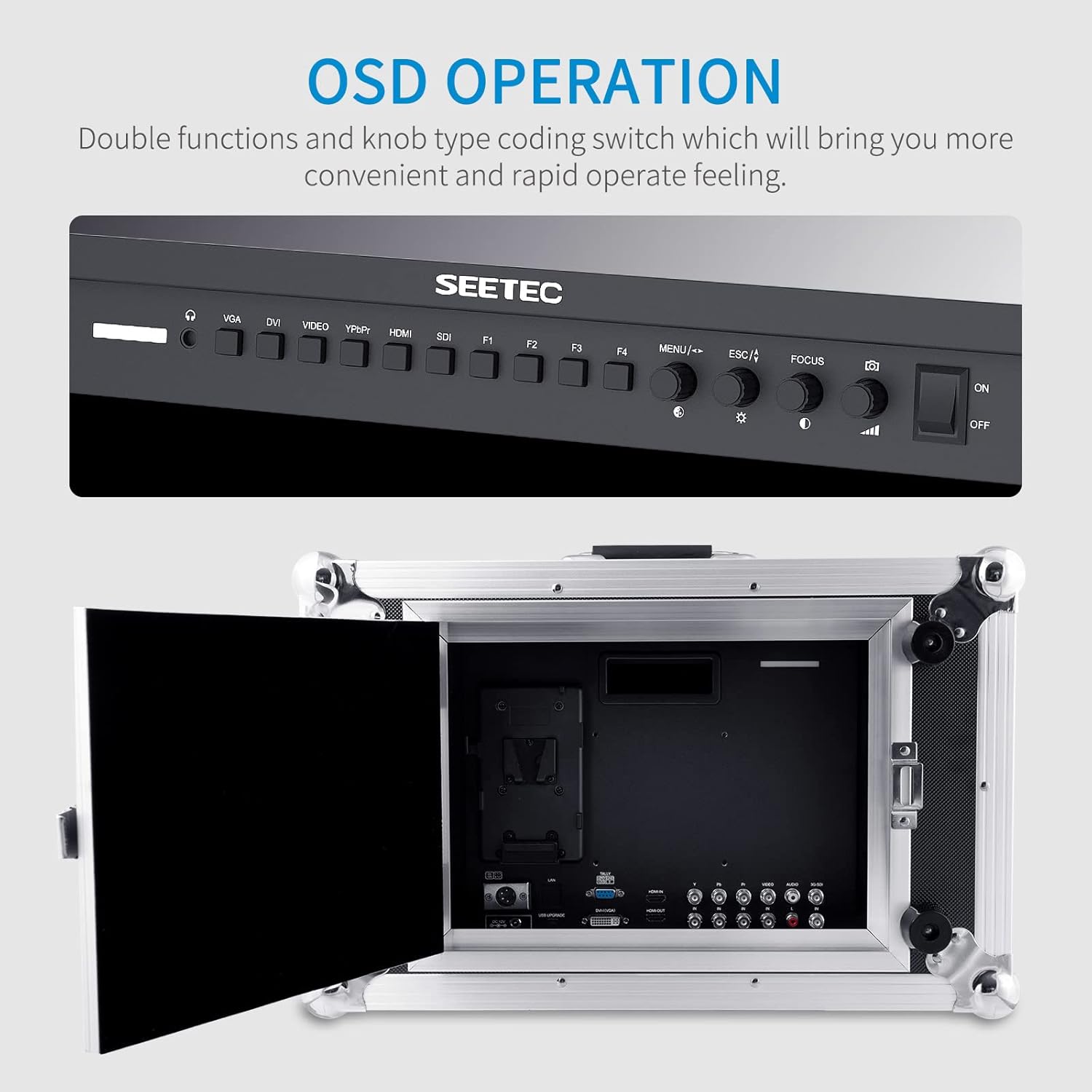
Image 3.4: The monitor's control panel for OSD operation.
3.5 3-Color Tally Light
A built-in 3-color Tally light system provides visual cues to indicate the recording state, assisting camera operators in live production environments.

Image 3.5: The monitor displaying the 3-color Tally light feature.
3.6 Portable Case Design
The monitor is integrated into a durable, portable case, making it ready for quick deployment and use in various shooting locations.
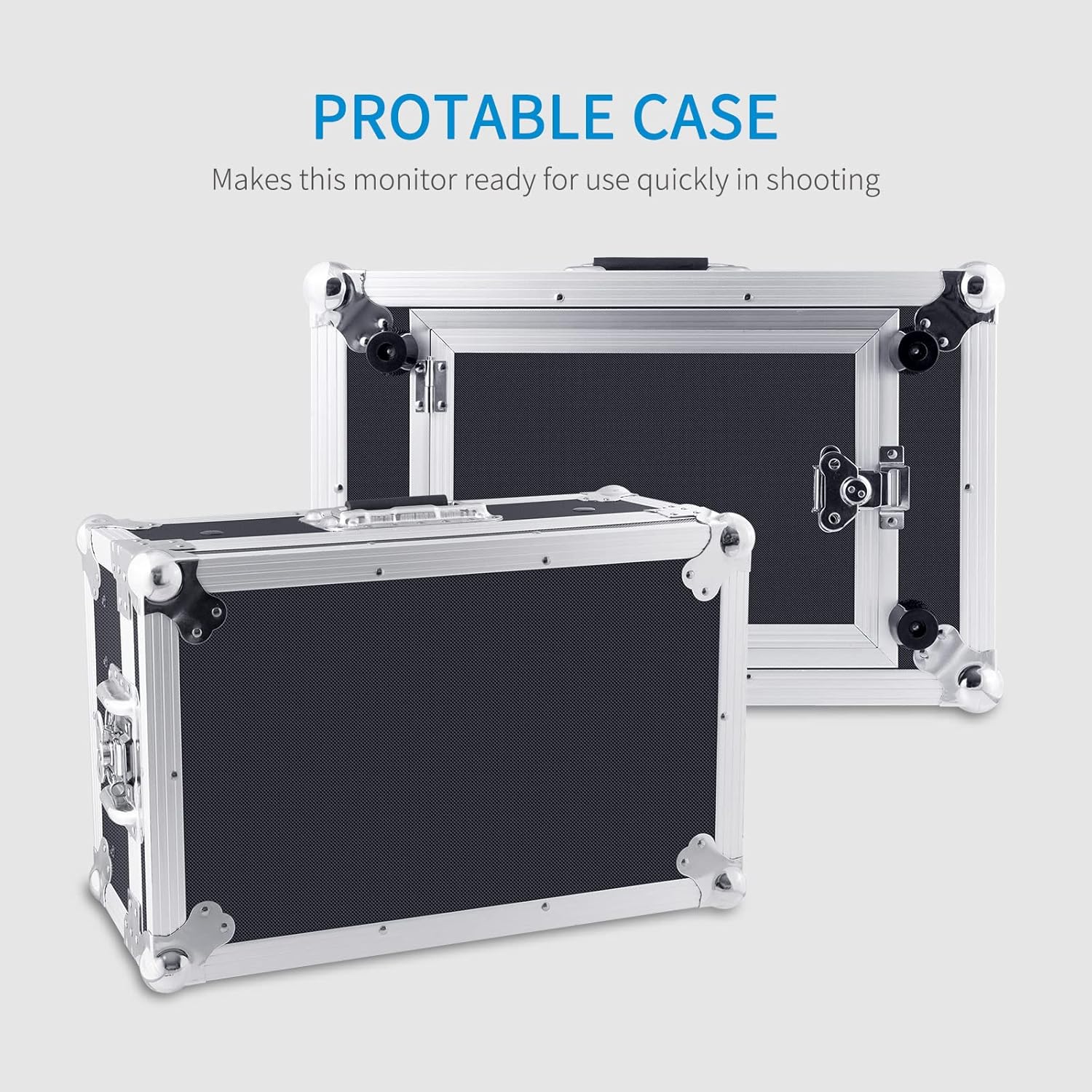
Image 3.6: The monitor's portable case for easy transport and quick setup.
4. Nastavení
- Rozbalení: Carefully remove the monitor and all accessories from the suitcase.
- Připojení napájení: Connect the provided 3A DC Power Adapter to the 'DC IN' port on the monitor. Plug the adapter into a suitable power outlet. Alternatively, attach a compatible V-mount battery to the V Battery Plate for portable power.
- Video Input Connection: Connect your video source (e.g., camera, video switcher) to the desired input port on the monitor (SDI, HDMI, YPbPr, DVI, AV) using appropriate cables. For HDMI, use the provided Mini HDMI Cable if applicable.
- Připojení zvuku (volitelné): If external audio monitoring is required, connect audio cables to the 'AUDIO IN' or 'AUDIO OUT' ports as needed.
- Tally Light Connection (Optional): Connect the Tally Kit to the monitor's Tally port if you intend to use the Tally light feature with a compatible video switcher.
- Sunshade Installation (Optional): Attach the sunshade to the monitor's frame to reduce glare in bright environments.
5. Návod k obsluze
5.1 Zapnutí/vypnutí
- Pro zapnutí stiskněte ON/OFF switch located on the control panel.
- Pro vypnutí stiskněte tlačítko ON/OFF znovu přepnout.
5.2 Výběr vstupu
Use the dedicated input buttons (VGA, DVI, VIDEO, YPbPr, HDMI, SDI) on the control panel to switch between different video sources.
5.3 Navigace v nabídce OSD
- Stiskněte tlačítko MENU button to access the On-Screen Display menu.
- Použijte knob coding switch (often labeled with arrows or a scroll function) to navigate through menu options.
- Press the knob or a dedicated ENTER button (if available) to select an option or confirm a setting.
- Použijte ESC button to go back to the previous menu or exit the OSD.
5.4 Úprava nastavení zobrazení
V nabídce OSD můžete upravit různé parametry zobrazení:
- Jas: Upravte celkový jas obrazovky.
- Kontrast: Upravte rozdíl mezi nejsvětlejšími a nejtmavšími oblastmi.
- Teplota barev: Select from preset color temperatures or customize for accurate color reproduction.
- Poměr stran: Choose between 16:9, 4:3, or other available aspect ratios.
5.5 Using Monitoring Functions (F1-F4 Buttons)
The programmable function buttons (F1-F4) can be assigned to quickly access various monitoring tools. Refer to the OSD menu for assigning functions such as:
- Špičkový filtr: Highlights sharp edges to assist with focus.
- Zmrazení obrázku: Pozastaví aktuální snímek videa.
- Kontrolní pole: Displays a single color channel (Red, Green, Blue, or Mono) for calibration.
- Převrácení obrázku: Otočí obrázek vodorovně nebo svisle.
- Středová značka: Zobrazí zaměřovací kříž uprostřed obrazovky.
- Značka obrazovky: Zobrazuje různé značky poměru stran.
- DSLR Scale: Adjusts the display to match DSLR camera output.
6. Údržba
- Čištění obrazovky: Use a soft, lint-free cloth specifically designed for electronics screens. Do not use harsh chemicals, abrasive cleaners, or alcohol-based solutions. Lightly dampV případě potřeby hadřík opláchněte vodou.
- Čištění Casing: Otřete c monitoruasing with a soft, dry cloth. For stubborn dirt, a slightly damp Lze použít hadřík a poté suchý hadřík.
- Skladování: When not in use for extended periods, store the monitor in its original suitcase in a cool, dry place, away from direct sunlight and extreme temperatures.
- Vyhněte se tekutinám: Keep the monitor away from water and other liquids. Do not operate the monitor with wet hands.
- Větrání: Abyste zabránili přehřátí, ujistěte se, že ventilační otvory na monitoru nejsou zablokovány.
7. Řešení problémů
| Problém | Možná příčina | Řešení |
|---|---|---|
| Žádná síla | Power adapter not connected or faulty; battery depleted. | Check power adapter connection and outlet. Ensure battery is charged or replace it. |
| Žádný video signál | Incorrect input selected; cable loose or faulty; video source off or not outputting signal. | Select the correct input source. Check video cable connections. Verify video source is active. |
| Obrázek je zkreslený nebo zbarvený | Incorrect display settings; faulty cable; incompatible signal. | Adjust brightness, contrast, and color temperature in OSD. Try a different video cable. Ensure input signal matches monitor's supported resolutions. |
| Nezobrazuje se nabídka OSD | MENU button not pressed correctly; monitor frozen. | Press the MENU button firmly. If unresponsive, power cycle the monitor. |
| Tally light not working | Tally kit not connected; video switcher not sending tally signal. | Ensure Tally Kit is properly connected. Check video switcher's tally output settings. |
8. Specifikace
| Funkce | Specifikace |
|---|---|
| Značka | FEELWORLD |
| Číslo modelu | 4K173-9HSD-CO |
| Velikost obrazovky | 17.3 palce |
| Nativní rozlišení | 1920 × 1080 (FHD 1080p) |
| Poměr stran | 16:9 |
| Typ zobrazení | LCD |
| Jas | 400 nitů |
| Kontrastní poměr | 600:1 |
| Technologie připojení | HDMI, SDI, YPbPr, DVI, AV |
| Total Number of HDMI Ports | 2 |
| Hmotnost položky | 12.65 kg |
9. Záruka a podpora
9.1 Informace o záruce
The FEELWORLD 4K173-9HSD-CO Broadcast Monitor comes with a 1letá omezená záruka from the date of purchase. This warranty covers manufacturing defects and workmanship under normal use. It does not cover damage caused by misuse, accidents, unauthorized modifications, or improper installation.
Uschovejte si prosím doklad o koupi pro uplatnění záruky.
9.2 Zákaznická podpora
For technical assistance, troubleshooting beyond this manual, or warranty inquiries, please contact FEELWORLD customer support. Refer to the official FEELWORLD webNejnovější kontaktní informace naleznete na webových stránkách nebo v dokumentaci k nákupu.
When contacting support, please have your monitor's model number (4K173-9HSD-CO) and purchase details readily available.