
1. Konec produktuview
The Bower WA-LVMIC Lavalier Microphone is an omnidirectional condenser microphone designed for use with Apple iOS and Android smartphones and tablets. It features a clip for easy attachment to clothing, making it suitable for various applications such as recording speech for meetings, interviews, and live music performances.
This microphone includes a 3.9-foot cable that terminates with a 1/8" (3.5mm) TRRS connector, ensuring broad compatibility with mobile devices. The package also contains two metal mic clips and a windscreen for enhanced audio quality and convenience.

Obrázek 1.1: The Bower WA-LVMIC Lavalier Microphone, showing the microphone head with foam windscreen, the clothing clip, and the 3.5mm TRRS connector. The cable is black.
Klíčové vlastnosti:
- Compact design for portability and discreet use.
- Compatible with a wide range of smartphones and tablets (Apple iOS and Android).
- Omnidirectional polar pattern captures sound from all directions.
- 3.9-foot (1.2-meter) cable length provides flexibility.
- Equipped with a 1/8" (3.5mm) TRRS connector for direct device connection.
2. Co je v krabici
Zkontrolujte prosím, zda jsou v balení přítomny všechny komponenty:
- 1 x Lavalier Microphone with 3.5mm TRRS connector
- 2 x Metal Mic Clips (one pre-attached, one spare)
- 1 x Foam Windscreen (pre-attached)
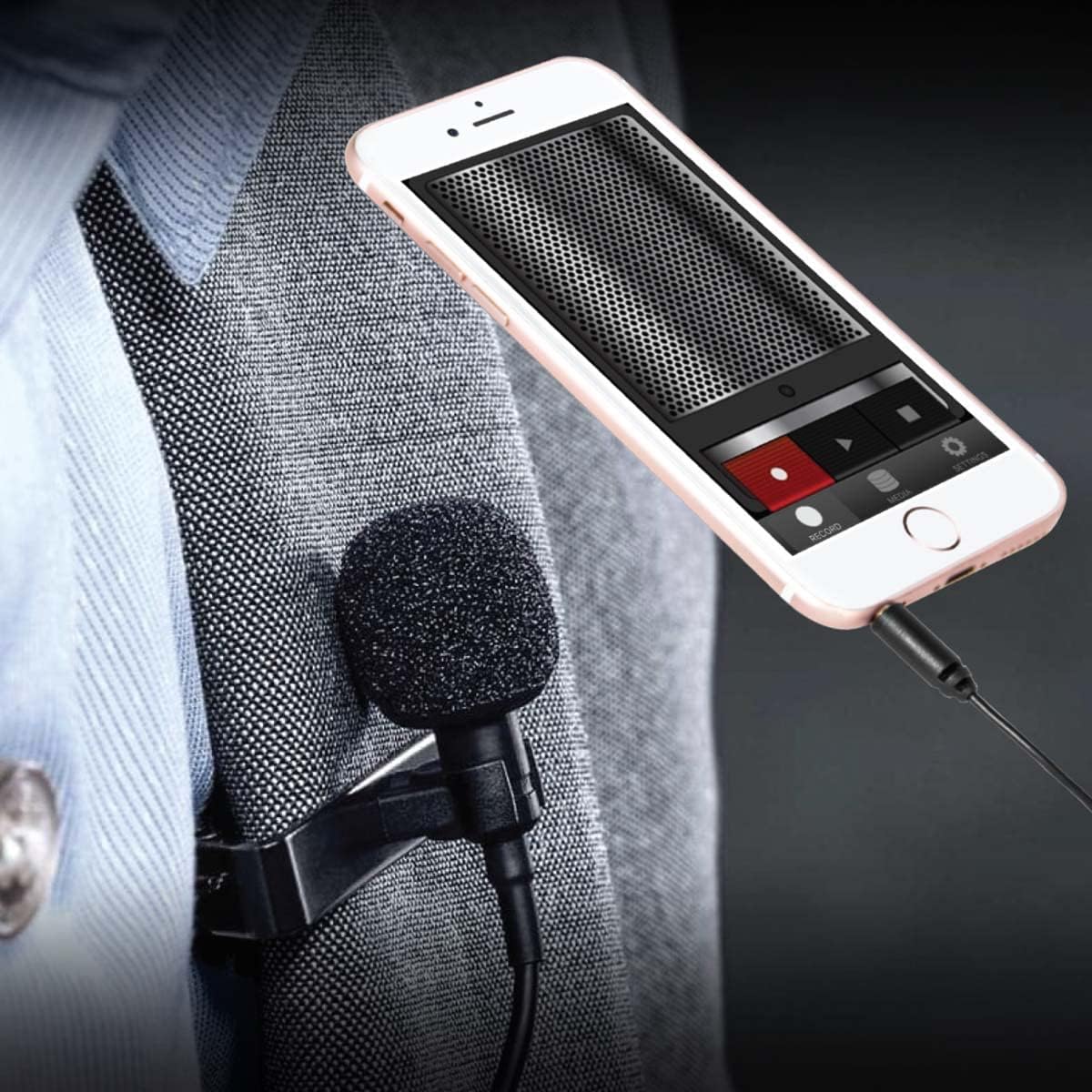
Obrázek 2.1: Detailní záběr view of the Bower Lavalier Microphone, highlighting its high-fidelity sound quality, heavy-duty non-slip clamp, and 3.5mm AUX connector. The microphone cable is coiled.
3. Pokyny k nastavení
Follow these steps to connect your lavalier microphone to your device:
- Identify the TRRS Connector: The microphone features a 3.5mm TRRS (Tip-Ring-Ring-Sleeve) connector, which is standard for most smartphones and tablets. This connector allows both audio input (microphone) and output (headphones) through a single jack.
- Připojte se k vašemu zařízení:
- For devices with a 3.5mm headphone jack: Simply plug the microphone's TRRS connector directly into your device's headphone/audio jack.
- For devices without a 3.5mm headphone jack (e.g., iPhone 7 and newer, some Android phones): You will need an original manufacturer's adapter (e.g., Apple Lightning to 3.5mm Headphone Jack Adapter or a USB-C to 3.5mm adapter). Plug the microphone into the adapter, then plug the adapter into your device. (Adaptér není součástí dodávky)
- Zajištění mikrofonu: Use the attached metal clip to secure the microphone to your clothing, typically on a lapel or collar, approximately 6-8 inches (15-20 cm) from your mouth for optimal sound capture.
- Open Recording Application: Launch your preferred audio or video recording application on your smartphone or tablet. The device should automatically recognize the external microphone.
- Test Audio Input: Before recording, perform a short test recording to ensure the microphone is working correctly and the audio levels are appropriate.

Obrázek 3.1: A visual guide illustrating the wide compatibility of the lavalier microphone with various Android smartphones and tablets, as well as iPhones and iPads (noting the need for an adapter for iPhone 7 and above). It also shows compatibility with cameras, camcorders, recorders, and computers.
4. Návod k obsluze
Once connected, using your lavalier microphone is straightforward:
- Umístění: Clip the microphone to your clothing, such as a shirt collar, lapel, or tie. For best results, position it about 6-8 inches (15-20 cm) below your chin. Avoid placing it too close to your mouth, which can cause plosives (harsh 'p' and 'b' sounds), or too far, which can result in faint audio.
- Použití čelního skla: The foam windscreen helps reduce unwanted background noise, such as wind or breath sounds. Ensure it is securely fitted over the microphone capsule, especially when recording outdoors.
- Záznam: Start your recording in your chosen audio or video application. Monitor the audio levels if your application allows, to prevent clipping (distortion from excessively loud input).
- Monitorování (pokud je to relevantní): If your device or adapter has a separate headphone jack, you may be able to monitor your audio in real-time using headphones. Consult your device's manual for specific monitoring capabilities.
- Odpojení: Always gently pull the connector from your device, rather than pulling on the cable itself, to prevent damage.

Obrázek 4.1: A person wearing the Bower Lavalier Microphone, clipped to their shirt collar, while looking at a smartphone. This demonstrates typical microphone placement for recording.
4.1 video: An official product video from Bower Camera demonstrating the features and usage of the Bower Lavalier Microphone for content creation. The video shows the microphone's compact design, cable length, and compatibility with various devices.
5. Údržba
Správná péče prodlouží životnost a výkon vašeho mikrofonu:
- Čištění: Gently wipe the microphone body and cable with a soft, dry cloth. Do not use liquid cleaners or solvents. The foam windscreen can be carefully removed and rinsed with mild soap and water, then allowed to air dry completely before reattaching.
- Skladování: When not in use, store the microphone in a clean, dry place, away from extreme temperatures and humidity. Avoid tightly coiling the cable to prevent damage.
- Péče o kabely: Do not pull, twist, or bend the cable excessively, as this can damage the internal wiring.
6. Řešení problémů
Pokud narazíte na problémy s mikrofonem, podívejte se na následující běžné problémy a jejich řešení:
| Problém | Možná příčina | Řešení |
|---|---|---|
| Žádný zvuk nebo velmi slabý zvuk. |
|
|
| Statický nebo zkreslený zvuk. |
|
|
| Zařízení nerozpozná mikrofon. |
|
|
7. Specifikace
| Funkce | Detail |
|---|---|
| Název modelu | WA-LVMIC |
| Značka | Altánek |
| Tvarový faktor mikrofonu | Lavalier |
| Polární vzor | Všesměrový |
| Technologie připojení | Pomocný |
| Typ konektoru | 1/8'' (3.5mm) TRRS |
| Délka kabelu | 3.9 stop (přibližně 1.2 metry) |
| Kompatibilní zařízení | Smartphone, Tablet (Apple iOS and Android) |
| Doporučená použití | Speech, Video Conference, Content Creation |
| Barva | Černý |
| Materiál pouzdra | Hliník |
| Hmotnost položky | 0.06 kg |
| Frekvenční odezva | 18 kHz |
| UPC | 636980261485 |
8. Záruka a podpora
Informace o záruce: This Bower WA-LVMIC Lavalier Microphone comes with a 1-year limited warranty from the date of purchase. This warranty covers manufacturing defects under normal use. It does not cover damage caused by misuse, accident, unauthorized modification, or external causes.
Zákaznická podpora: For technical assistance, troubleshooting beyond this manual, or warranty claims, please contact Bower customer support. Refer to the product packaging or the official Bower webstránky s nejaktuálnějšími kontaktními informacemi.
Uschovejte si prosím doklad o koupi pro případ záručního servisu.