
1. Úvod
This manual provides essential information for the safe and efficient operation of your BYGD 3000W Power Inverter. Please read these instructions thoroughly before installation and use, and retain them for future reference. This device converts 12V DC power from a battery into 110V/120V AC household power, suitable for various electronic devices and appliances.

Image 1.1: The BYGD 3000W Power Inverter, showcasing its compact design and included battery connection cables.
2. Vlastnosti a komponenty produktu
Klíčové vlastnosti:
- Vysoký výstupní výkon: Provides 3000W continuous DC to AC power and up to 6000W peak power.
- Více vývodů: Equipped with 4 standard North American AC outlets.
- Nabíjení přes USB a typ C: Includes 5V/3.1A USB ports and 9V/1.67A Type-C ports for charging mobile devices.
- Pokročilá bezpečnostní ochrana: Features protection against over voltage, nízký objemtage, overload, short circuit, over heat, and over charge.
- Efektivní chlazení: Built-in smart silent cooling fans minimize noise and extend product life.
- Kompaktní design: Easy to carry and store for various applications.
Součásti produktu:

Image 2.1: Detailed diagram illustrating the various ports, indicators, and controls on the BYGD 3000W Power Inverter.
- AC zásuvky: 4 standard North American AC outlets.
- Porty USB-A a USB-C: Pro nabíjení kompatibilních zařízení.
- Tlačítko vypínače: To turn the inverter on or off.
- Battery Mode Switch: Selects between different battery modes (if applicable).
- Indikátor napájení (zelený): Illuminates when the inverter is operating correctly.
- Lithium Battery Working Mode (Blue Light): Indicates operation in lithium battery mode.
- Fault Indicator (Red Light): Illuminates to indicate an error or protection mode.
- Ochrana proti přetížení: Resettable circuit breaker for overload protection.
- Cable Connection Port: Terminals for connecting to the 12V DC power source.
- Chladicí ventilátory: Integrované ventilátory pro regulaci teploty.
- Ground Connection End: Pro bezpečnostní uzemnění.
- Kladný pól: Červený terminál pro připojení kladného pólu baterie.
- Záporný terminál: Černý terminál pro připojení záporného pólu baterie.
3. Bezpečnostní informace
WARNING: Failure to follow these safety instructions may result in injury, damage to the inverter, or damage to connected devices.
- Neotevírejte měnič casing. Uvnitř nejsou žádné součásti, které by mohl uživatel opravit.
- Ensure proper ventilation around the inverter. Do not block cooling vents.
- Chraňte měnič před vodou, vlhkostí, hořlavými materiály a korozivními látkami.
- Connect the inverter only to a 12V DC power source. Do not connect to 24V or 48V systems.
- Always connect the inverter to the battery before connecting any AC appliances.
- Zajistěte celkový watttage of connected AC appliances does not exceed the inverter's continuous power rating (3000W).
- Use appropriate gauge cables for battery connection to prevent overheating.
- Měnič řádně uzemněte v souladu s místními elektrotechnickými předpisy.
- Disconnect the inverter from the battery when not in use to prevent battery drain.
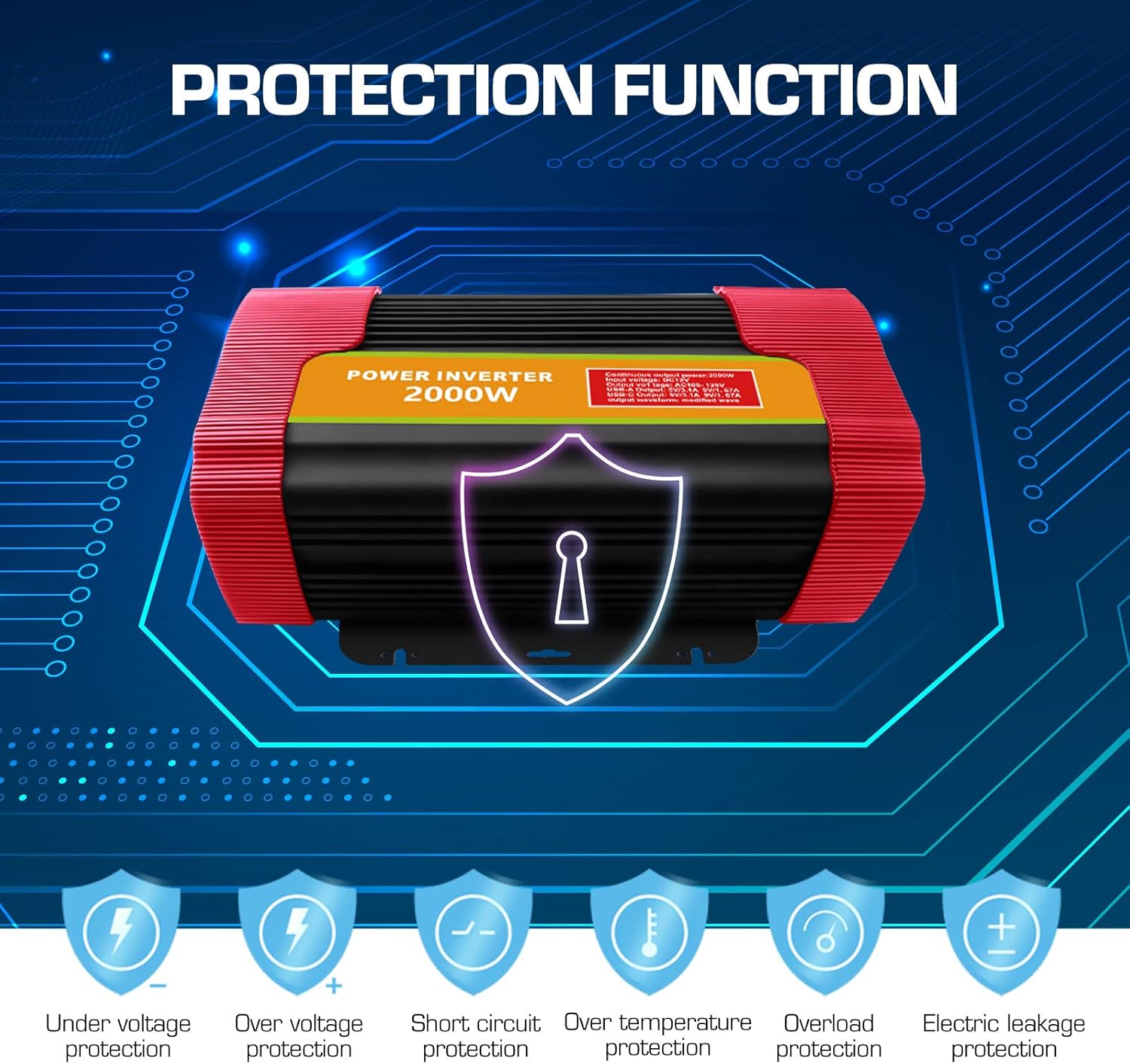
Image 3.1: Visual representation of the comprehensive protection functions integrated into the BYGD Power Inverter.
4. Nastavení
4.1 Co je v krabici:
- BYGD 3000 Watt Power Inverter
- Kabely pro připojení baterie (červený pro kladný, černý pro záporný)
- Uživatelská příručka (tento dokument)
4.2 Connecting the Inverter to a 12V Battery:
- Ujistěte se, že je hlavní vypínač měniče v poloze „VYPNUTO“.
- Připojte červený kabel baterie k kladný (+) svorku měniče.
- Připojte černý kabel baterie k záporný (-) svorku měniče.
- Připojte druhý konec červený kabel k kladný (+) svorku vaší 12V baterie.
- Připojte druhý konec černý kabel k záporný (-) svorku vaší 12V baterie.
- Ensure all connections are tight and secure to prevent arcing or poor performance.
- Connect the ground wire from the inverter's ground connection end to a suitable chassis ground point (e.g., vehicle chassis or earth ground).

Image 4.1: Illustration of the inverter's dimensions and the components typically included in the package, such as battery clamps and the user manual.
5. Návod k obsluze
5.1 Zapnutí/vypnutí:
- After securing all battery connections, press the power switch button on the inverter to turn it 'ON'.
- The green power indicator light should illuminate, indicating the inverter is operational.
- To turn off the inverter, press the power switch button again. The green indicator light will turn off.
5.2 Connecting AC Devices:
- Ensure the AC appliance you wish to power is within the inverter's continuous wattage hodnocení (3000W).
- Plug the AC appliance into one of the 4 AC outlets on the inverter.
- Turn on the AC appliance.
- If the inverter's fault indicator (red light) illuminates or an audible alarm sounds, immediately disconnect the appliance and refer to the Troubleshooting section.
5.3 Using USB and Type-C Ports:
- Connect your USB or Type-C compatible device to the respective port on the inverter.
- The inverter will automatically provide power for charging.

Obrázek 5.1: Příkladamples of common household and portable electrical appliances that can be powered by the BYGD Power Inverter.
6. Údržba
- Čištění: Periodically clean the exterior of the inverter with a dry, soft cloth. Do not use liquids or abrasive cleaners. Ensure cooling vents are free from dust and debris.
- Spojení: Regularly check battery cable connections for tightness and corrosion. Clean any corrosion with a wire brush and baking soda solution.
- Skladování: When not in use for extended periods, store the inverter in a cool, dry place, away from direct sunlight and extreme temperatures. Disconnect it from the battery.
- Údržba baterie: Ensure your 12V battery is properly maintained and charged to prolong its lifespan and the inverter's performance.
7. Řešení problémů
If you encounter issues with your BYGD Power Inverter, refer to the table below for common problems and their solutions.
| Problém | Možná příčina | Řešení |
|---|---|---|
| Měnič se nezapne. | Volné kontakty baterie, nízká kapacita baterietage, vadný vypínač. | Check battery cable connections. Ensure battery voltage is above 11V. Try pressing the power switch firmly. |
| Red fault indicator light is on. | Overload, over-temperature, low/high input voltage. zkrat. | Snižte zátěž. Nechte měnič vychladnout. Zkontrolujte napětí baterie.tage. Disconnect all loads and restart. |
| Žádný AC výstup. | Inverter off, low battery, appliance fault, overload protector tripped. | Turn inverter on. Charge battery. Test appliance directly. Reset overload protector if tripped. |
| Cooling fan is constantly running or very loud. | High internal temperature, heavy load. | Ensure adequate ventilation. Reduce load. This is normal operation under heavy load. |
| USB/Type-C ports not charging. | Inverter off, device not compatible, cable fault. | Ensure inverter is on. Try a different device or cable. |
8. Specifikace
| Funkce | Specifikace |
|---|---|
| Číslo modelu | P3000U-Red |
| Nepřetržitý výkon | 3000 wattů |
| Špičkový výkon | 6000 wattů |
| Vstupní objemtage | 12V DC |
| Výstupní objemtage | 110V/120V AC |
| AC zásuvky | 4 Standard North American |
| USB výstup | 5V/3.1A |
| Výstup typu C | 9V/1.67A |
| Rozměry produktu | 15.1 x 9.4 x 5.1 palce |
| Hmotnost položky | 8.52 libry |
| Výrobce | BYGD |
9. Záruka a podpora
9.1 Informace o záruce:
BYGD products are designed and manufactured to high-quality standards. For specific warranty details, including coverage period and terms, please refer to the warranty card included with your product or contact BYGD customer support. Keep your purchase receipt as proof of purchase for warranty claims.
9.2 Zákaznická podpora:
If you have any questions, require technical assistance, or need to report an issue with your BYGD 3000W Power Inverter, please contact BYGD customer support. Contact information can typically be found on the BYGD official webmístě nebo na obalu produktu.