
Zavedení
This manual provides comprehensive instructions for the setup, operation, and maintenance of your Varmilo Minilo VXH67 Eucalyptus 65% Wired Hotswap White LED Mechanical Keyboard. Please read this manual thoroughly before using the product to ensure optimal performance and longevity.

Image: The Varmilo Minilo VXH67 mechanical keyboard, featuring a compact 65% layout with white, light blue, and light green keycaps, resting on a dark table. Books and a small lamp are visible in the background.
Obsah balení
- Varmilo Minilo VXH67 Mechanical Keyboard
- USB-C kabel
- Stahovák kláves (pro výměnu spínačů a kláves)
- Switch Puller (for switch replacement)
- Uživatelská příručka (tento dokument)
Nastavení
1. Připojení klávesnice
The Varmilo Minilo VXH67 supports both wired and Bluetooth connectivity.
Kabelové připojení:
- Vyhledejte port USB-C na klávesnici.
- Připojte jeden konec dodaného kabelu USB-C ke klávesnici.
- Připojte druhý konec kabelu USB-C k volnému portu USB v počítači.
- Klávesnice bude automaticky rozpoznána vaším operačním systémem.
Připojení Bluetooth:
- Nejprve se ujistěte, že je klávesnice nabitá nebo připojená přes USB-C.
- Turn on Bluetooth on your device (PC, tablet, smartphone).
- Put the keyboard into Bluetooth pairing mode (refer to the specific key combination for Bluetooth pairing, usually Fn + a number key for different profiles).
- On your device, search for available Bluetooth devices and select "Varmilo Minilo VXH67".
- Dokončete proces párování podle pokynů na obrazovce.
2. Nastavení výšky klávesnice
The keyboard features adjustable kickstands on the underside to customize typing angle. There are typically multiple levels of adjustment.
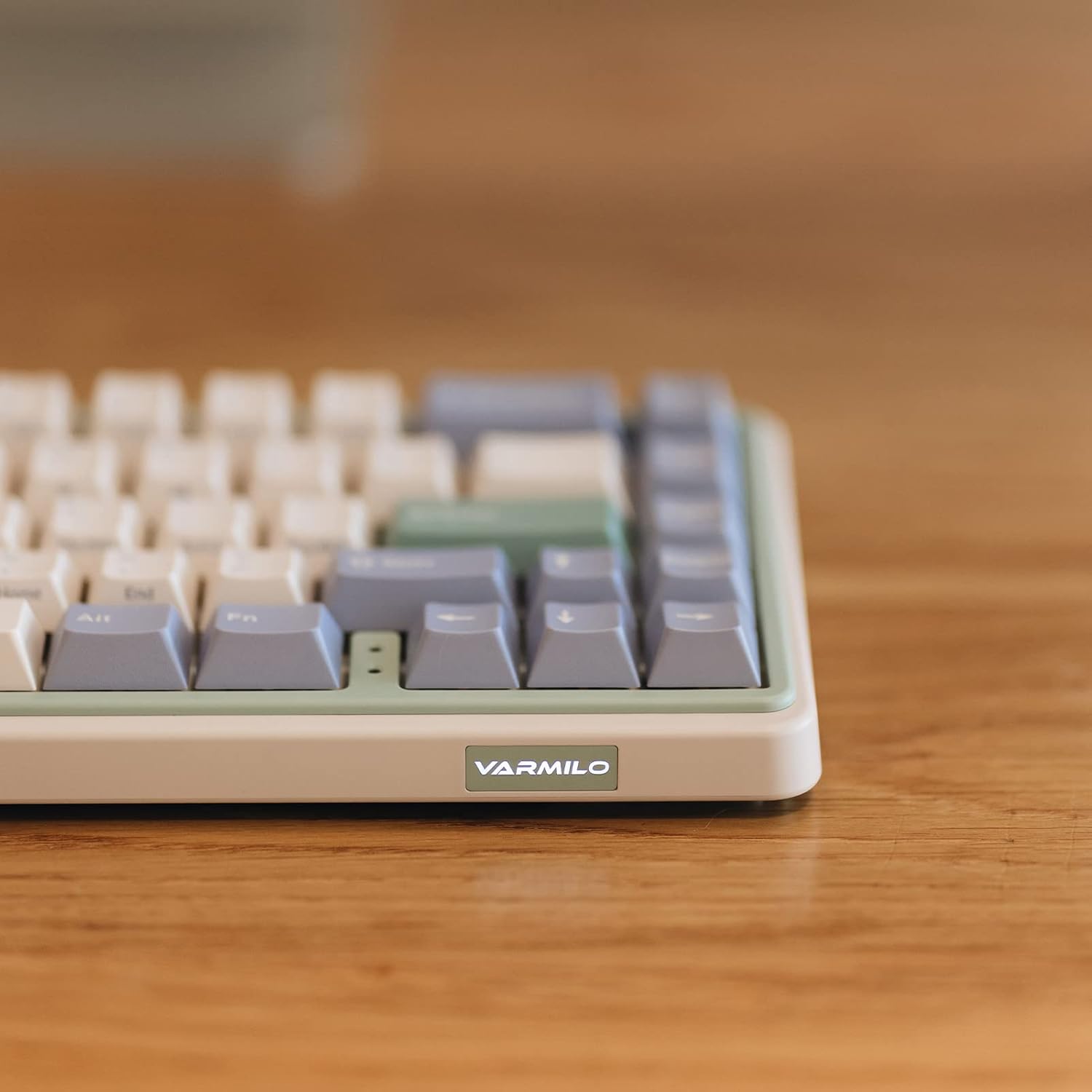
Obrázek: Detailní záběr view of the Varmilo Minilo VXH67 keyboard's side, highlighting the illuminated "VARMILO" logo on the front edge. The keyboard's light green and beige casing je viditelné.
Návod k obsluze
Rozložení a funkce kláves
The Varmilo Minilo VXH67 features a compact 65% layout with 67 keys. Many functions are accessed via the Fn klávesu v kombinaci s dalšími klávesami.
- Indikátor Caps Lock: Indicator lights are located next to the arrow keys.
- F-row Functions: Access F1-F12 functions using the Fn key in combination with the number row keys.
- Ovládání médií: Specific key combinations with Fn allow for media playback control (play/pause, volume up/down, track skip). Refer to the keycap legends for specific functions.
- White LED Backlighting: Adjust brightness and lighting effects using Fn kombinace kláves.

Image: The Varmilo Minilo VXH67 keyboard positioned on a wooden desk, with a computer monitor displaying "10:13 AM" in the background. A glass of water and a small lamp are also on the desk.
Přepínače s možností výměny za provozu
The Varmilo Minilo VXH67 features hot-swappable sockets, allowing you to change mechanical switches without soldering. This model comes with Cherry MX Silver switches, which have a 45gf operation force, faster trigger speed, and shorter travel compared to red switches.
- Odstranění krytky kláves: Pomocí dodaného stahováku na klávesy jemně vyjměte požadovanou klávesu.
- Odstraňte přepínač: Pomocí dodaného stahováku spínačů opatrně uchopte horní a spodní klipsny spínače a vytáhněte jej přímo nahoru.
- Vložit nový přepínač: Zarovnejte piny nového spínače s otvory na desce plošných spojů. Jemně zatlačte spínač dolů, dokud nezacvakne. Ujistěte se, že piny nejsou ohnuté.
- Výměna krytky kláves: Nasaďte krytku kláves na nový dřík spínače a pevně ji zatlačte.

Image: A diagram illustrating the internal structure of a Cherry MX Silver mechanical switch and its force-travel characteristics, indicating a 45gf operation force.
Údržba
Čištění klávesnice
- Před čištěním odpojte klávesnici od počítače.
- Pro důkladné vyčištění použijte stahovák na klávesy.
- Wipe keycaps with a damp cloth and mild soap solution, then dry completely.
- K odstranění prachu a nečistot z prostoru mezi spínači použijte stlačený vzduch.
- Wipe the keyboard case with a soft, dry cloth. Avoid harsh chemicals.
Keycap and Switch Care
The keyboard features 1.5mm thick ABS Double Shot keycaps, known for their durability. Handle keycaps and switches carefully during removal and installation to prevent damage to the stems or switch pins.
Odstraňování problémů
- Klávesnice nereaguje:
- Ujistěte se, že je kabel USB-C bezpečně připojen ke klávesnici i k počítači.
- If using Bluetooth, verify the keyboard is paired and selected as the active device.
- Try connecting the keyboard to a different USB port or a different computer to rule out port issues.
- Klávesy se neregistrují nebo se píší dvakrát:
- Remove the keycap and switch for the affected key. Inspect the switch pins for bends or damage. Straighten bent pins carefully if possible.
- Vyčistěte všechny nečistoty ze spínací zásuvky.
- Pokud je k dispozici, vyzkoušejte s jiným přepínačem.
- Problémy s připojením Bluetooth:
- Ujistěte se, že je klávesnice plně nabitá.
- Odeberte klávesnici ze seznamu Bluetooth zařízení a zkuste ji znovu spárovat.
- Ujistěte se, že žádná jiná zařízení neruší signál Bluetooth.
- LED backlighting not working:
- Check if the LED brightness is set to minimum or turned off via Fn key combinations.
- Ujistěte se, že klávesnice je dostatečně napájena (zejména v kabelovém režimu).
Specifikace
| Funkce | Detail |
|---|---|
| Značka | Varmilo |
| Číslo modelu | VXH67A046SL |
| Rozložení klávesnice | 65% (67 Keys), QWERTY |
| Typ přepínače | Cherry MX Silver (Tactile) |
| Konektivita | USB-C (kabelové), Bluetooth |
| Speciální funkce | Zásuvky vyměnitelné za provozu |
| Klíčenky | 1.5mm thick ABS Double Shot |
| Podsvícení | Bílá LED |
| Materiál | Akrylonitrilbutadienstyren (ABS) |
| Zdroj napájení | USB Powered |
| Kompatibilní zařízení | PC |
Záruka a podpora
Informace o záruce a technickou podporu získáte od oficiálního prodejce Varmilo. webnebo se obraťte na prodejce. Uschovejte si doklad o koupi pro případ reklamace.
Official Varmilo Webmísto: www.varmilo.com