
Andoer d8cfa559-d5d2-443f-9ed4-a8e814a7e410
Andoer 4K Digital Camera Video Camcorder User Manual
Model: d8cfa559-d5d2-443f-9ed4-a8e814a7e410
1. Úvod
This manual provides essential information for the safe and effective operation of your Andoer 4K Digital Camera Video Camcorder. Please read this manual thoroughly before using the device and retain it for future reference.
2. Bezpečnostní informace
Varování:
- Nevystavujte fotoaparát vodě nebo vlhkosti.
- Zabraňte pádu fotoaparátu na zem nebo jeho vystavení silným nárazům.
- Uchovávejte mimo dosah malých dětí kvůli malým částem.
- Používejte pouze určený nabíjecí kabel a zdroj napájení.
- Dispose of packaging materials properly to avoid choking hazards.

Image: A warning graphic indicating proper disposal of packaging materials to prevent choking hazards. This emphasizes the importance of safety, especially for children.
3. Obsah balení
Ověřte, zda jsou v balení obsaženy všechny níže uvedené položky:
- 1 x Andoer Digital Camera
- 1 x USB nabíjecí kabel
- 1 x řemínek na zápěstí
- 1 x přenosná taška
- Paměťová karta 1 x 32GB
- 1 x Users' Manual (English)
4. Konec produktuview
4.1 Součásti kamery
Familiarize yourself with the main components of your digital camera.

Obrázek: Přední a zadní strana views of the silver Andoer 4K Digital Camera. The front shows the lens and flash, while the back displays the screen and control buttons, including zoom (W/T), OK, menu, and mode buttons.

Obrázek: Strana view of the Andoer 4K Digital Camera, highlighting the USB port and memory card slot, which are typically covered by a flap.
4.2 Displej a ovládací prvky
The camera features a 2.4-inch IPS screen for clear viewing and intuitive controls.
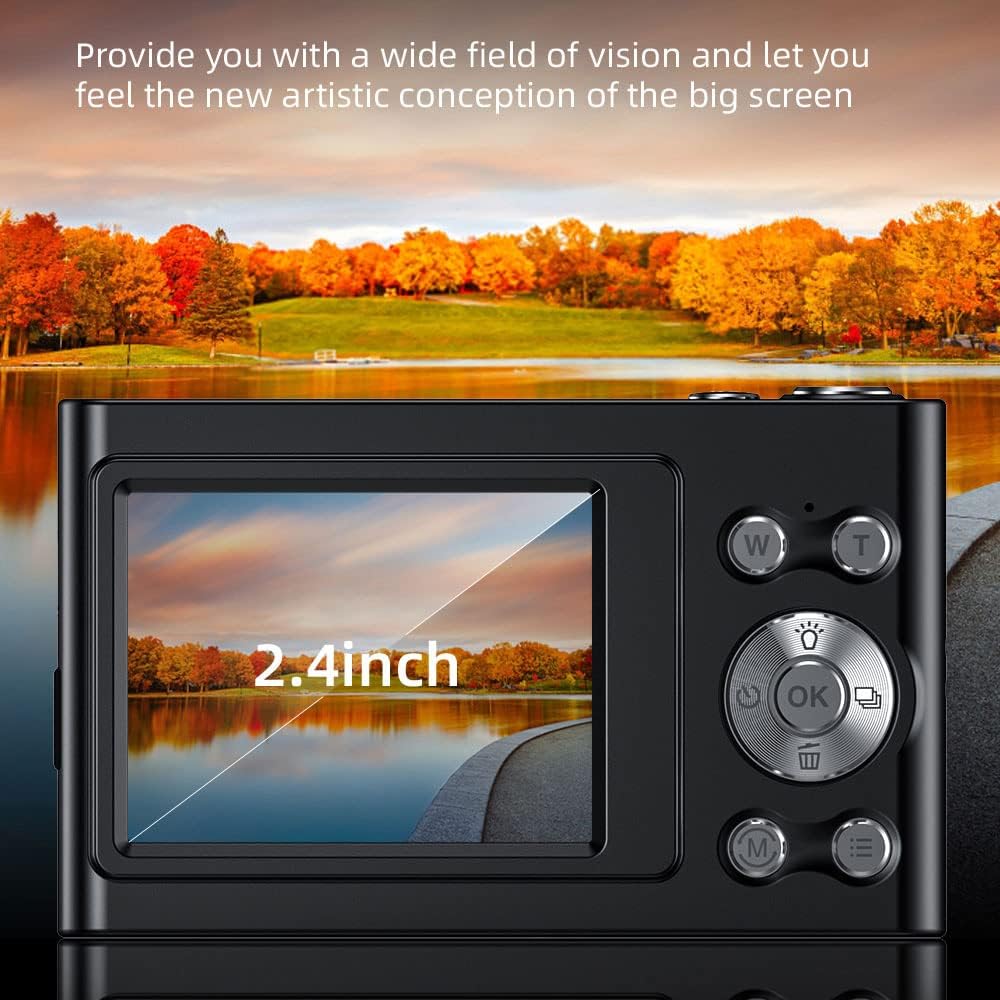
Image: A close-up of the camera's 2.4-inch IPS screen, displaying a landscape scene with a lake and autumn trees, demonstrating the screen's clarity and size.

Image: A hand holding the Andoer camera, with the screen displaying a family on a beach. The image highlights the camera's compact size and the accessibility of its rear controls, including the directional pad and function buttons.
4.3 Rozměry
The compact design of the camera makes it portable and easy to handle.

Image: A technical diagram illustrating the dimensions of the Andoer 4K Digital Camera. It shows the length (95mm), height (58mm), and thickness (25mm) of the device, along with top, front, and side views.
5. Nastavení
5.1 Nabíjení baterie
The camera has a built-in lithium battery. To charge:
- Connect the camera to a USB power adapter (not included) or a computer using the provided USB charging cable.
- Rozsvítí se kontrolka nabíjení.
- Once fully charged, the indicator light will turn off or change color.
Note: Ensure the camera is turned off during charging for optimal battery life.
5.2 Vložení paměťové karty
The camera supports Class-10 external TF memory cards up to 128GB. A 32GB memory card is included.
- Locate the memory card slot on the side of the camera (refer to Product Overview obraz).
- Otevřete ochranný kryt.
- Insert the memory card with the metal contacts facing the correct direction until it clicks into place.
- Zavřete ochranný kryt.
Note: Format the memory card in the camera's settings before first use.
6. Návod k obsluze
6.1 Zapnutí/vypnutí
Stisknutím a podržením tlačítka napájení (obvykle umístěného nahoře nebo na boku) zapnete nebo vypnete fotoaparát.
6.2 Fotografování
- Zapněte fotoaparát.
- Select Photo Mode using the Mode button (M).
- Frame your shot using the IPS screen.
- Use the W/T buttons for 16X digital zoom.
- Press the Shutter button (usually the large button on top) to capture the photo.

Image: A visual comparison demonstrating the camera's 16X digital zoom capability. The top image shows a wide shot (1x zoom) of a person on a beach with a hot air balloon, while the bottom image shows a zoomed-in view (16x zoom) of the same person, highlighting the magnification.
6.3 Nahrávání videí
- Zapněte fotoaparát.
- Select Video Mode using the Mode button (M).
- Stisknutím tlačítka spouště spusťte nahrávání.
- Dalším stisknutím tlačítka spouště nahrávání zastavíte.
The camera supports 4K (3840x2160) video resolution.
6.4 Přehrávání
Na view pořízené fotografie a videa:
- Enter Playback Mode (often indicated by an icon like a triangle or arrow).
- Pro navigaci v médiích použijte směrová tlačítka.
- Press the OK button to play videos.
6.5 Nastavení nabídky
Press the Menu button to access camera settings, including:
- Rozlišení obrázku: 48M, 36M, 30M, 24M, 20M, 18M, 16M, etc.
- Rozlišení videa: 4K(3840x2160), 2.7K(2688x1520), 1080P(1920x1080), 720P(1280x720)
- režim: Auto, Sport, Night, Portrait, Landscape, Backlight, Party, Beach, High Sensitivity
- Vyvážení bílé: Auto, Denní světlo, Zataženo, Zářivka, Tungsten
- Samospoušť: Vypnuto, 2 s, 5 s, 10 s
- Automatické vypnutí: Vypnuto, 1 minuta, 3 minuty, 5 minut, 10 minut
- Vystavení: EV-3 to EV+3
- Anti-shake: Digitální stabilizace obrazu.
- Face Detect & Smile Capture: Features for improved portrait photography.
- Continuous Photography: For capturing multiple shots in quick succession.

Obrázek: Dva views of the Andoer camera demonstrating its ability to support both vertical and horizontal screen shooting. One camera is positioned horizontally, and another is rotated vertically, each displaying a portrait of a woman.
7. Údržba
7.1 Čištění fotoaparátu
- K čištění těla fotoaparátu použijte měkký, suchý hadřík.
- For the lens and screen, use a specialized lens cleaning cloth and solution.
- Nepoužívejte abrazivní čisticí prostředky nebo rozpouštědla.
7.2 Skladování
- Fotoaparát skladujte na chladném a suchém místě mimo dosah přímého slunečního záření a extrémních teplot.
- If storing for an extended period, remove the memory card and ensure the battery is partially charged (not fully charged or fully depleted).
- Use the provided carry bag for protection during transport.
8. Řešení problémů
| Problém | Možná příčina | Řešení |
|---|---|---|
| Fotoaparát se nezapne. | Baterie je vybitá. | Nabijte baterii. |
| Nelze pořizovat fotografie/videa. | Paměťová karta je plná nebo není správně vložena. | Insert/reinsert memory card, delete unnecessary files, or replace with a new card. |
| Obrázky jsou rozmazané. | Lens is dirty; camera shake; subject too close/far. | Clean the lens; use anti-shake feature; ensure proper focus distance. |
| Blesk nefunguje. | Režim blesku je vypnutý nebo je baterie téměř vybitá. | Check flash settings; charge battery. |
9. Specifikace
| Funkce | Detail |
|---|---|
| Obrazový snímač | CMOS snímač |
| Zobrazit | 2.4 palcový IPS displej |
| Rozlišení obrázku | 48M, 36M, 30M, 24M, 20M, 18M, 16M, etc. |
| Rozlišení videa | 4K(3840x2160), 2.7K(2688x1520), 1080P(1920x1080), 720P(1280x720) |
| Digitální zoom | 16X |
| Vystavení | EV-3 to EV+3 |
| Napájení | Vestavěná lithiová baterie |
| Velikost položky | 9.5 * 5.8 * 2.5 cm (3.7 * 2.3 * 1 palce) |
| Hmotnost položky | 115 g (4.1 oz) |
| Podpora paměťových karet | Class-10 TF card, max. 128GB (32GB included) |
| Konektivita | USB |
| Speciální funkce | Anti-shake, Face Detect, Smile Capture, Continuous Photography, Self-timer, Built-in Flash |
10. Záruka a podpora
This product comes with a standard manufacturer's warranty. For specific warranty terms and conditions, please refer to the documentation provided with your purchase or contact Andoer customer support.
For technical support or service inquiries, please visit the official Andoer webwebové stránky nebo kontaktujte jejich oddělení zákaznických služeb. Kontaktní informace obvykle naleznete na obalu produktu nebo na oficiálních webových stránkách značky.
Based on product specifications, the warranty type is listed as "No Warranty". Please refer to your purchase documentation for any applicable seller or retailer warranties.
Ask a question about this manual
Ask about setup, troubleshooting, compatibility, parts, safety, or missing instructions. Manuals+ will review the question and use this page’s manual context to help answer it.