
Zavedení
This manual provides essential instructions for the safe and effective operation of your Andoer 4K Digital Camera Video Camcorder. Please read this manual thoroughly before use and retain it for future reference.
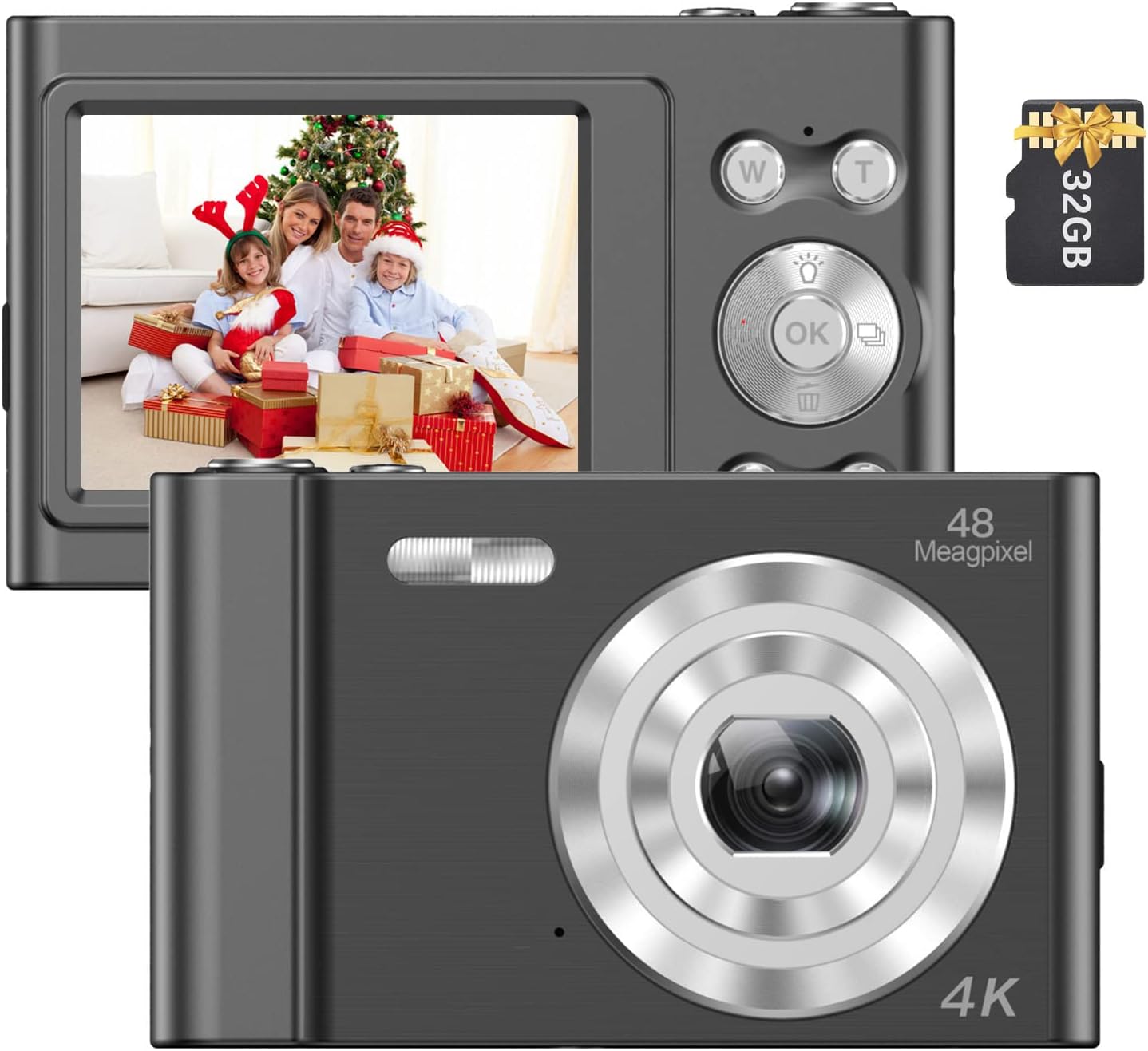
Image: The Andoer 4K Digital Camera, shown with its 2.4-inch IPS screen displaying a family scene and a 32GB memory card.
Obsah balení
Ověřte, zda jsou v balení obsaženy všechny níže uvedené položky:
- 1 x Andoer Digital Camera
- 1 x USB nabíjecí kabel
- 1 x řemínek na zápěstí
- 1 x přenosná taška
- Paměťová karta 1 x 32GB
- 1 x Uživatelská příručka (anglicky)
Nastavení
1. Instalace a nabíjení baterie
The camera features a built-in lithium battery. Before first use, ensure the battery is fully charged.
- Connect the camera to a USB power source (e.g., computer, wall adapter) using the provided USB charging cable.
- The charging indicator light will illuminate. Once charging is complete, the light will typically change color or turn off.
2. Instalace paměťové karty
A 32GB memory card is included. The camera supports Class-10 external TF (Micro SD) memory cards up to 128GB.
- Locate the memory card slot on the camera.
- Insert the memory card into the slot with the gold contacts facing the correct direction (refer to the diagram on the camera body if available) until it clicks into place.
- Chcete-li kartu vyjmout, jemně ji zatlačte dovnitř, dokud nevyskočí.
3. Počáteční zapnutí
Press and hold the power button (usually marked with a power symbol) for a few seconds until the screen illuminates.
Návod k obsluze
Základní ovládací prvky
Familiarize yourself with the camera's buttons and their functions:
- Vypínač: Zapíná/vypíná fotoaparát.
- Tlačítko spouště: Pořizuje fotografie nebo spouští/zastavuje nahrávání videa.
- W/T Buttons: Control the 16X digital zoom (W for Wide, T for Telephoto).
- Tlačítko OK: Potvrzuje výběry v nabídkách.
- Tlačítko režimu (M): Switches between different shooting modes (e.g., Photo, Video, Playback).
- Tlačítko nabídky: Přístup k nastavení fotoaparátu.

Obrázek: Podrobný view of the camera's front, highlighting the lens and the '48 Megapixel' marking, indicating its high-resolution capability.
Režim fotografie
Pro pořízení statických snímků:
- Turn on the camera and ensure it is in Photo Mode (indicated on the 2.4-inch IPS screen).
- Frame your shot using the screen. Use the W/T buttons to adjust the 16X digital zoom.
- Press the Shutter Button halfway to focus, then fully press to take the picture.
Režim videa
Nahrávání videí:
- Switch to Video Mode using the Mode (M) button.
- Press the Shutter Button to start recording. A recording indicator will appear on the screen.
- Press the Shutter Button again to stop recording.

Image: A hand holding the Andoer camera, displaying a family on a beach on its screen, illustrating its use for capturing memories.
Funkce zvětšení
The camera features 16X digital zoom. Use the 'T' button to zoom in and the 'W' button to zoom out. Digital zoom magnifies the image electronically, which may affect image quality at higher magnifications.

Image: A visual comparison showing the effect of 1x zoom versus 16x digital zoom, demonstrating the camera's magnification capability.
Režim přehrávání
Na review vaše fotografie a videa:
- Switch to Playback Mode using the Mode (M) button.
- Use the navigation buttons (often integrated with the OK button) to scroll through your media.
- Stiskněte tlačítko OK na view fotografii nebo přehrání videa.
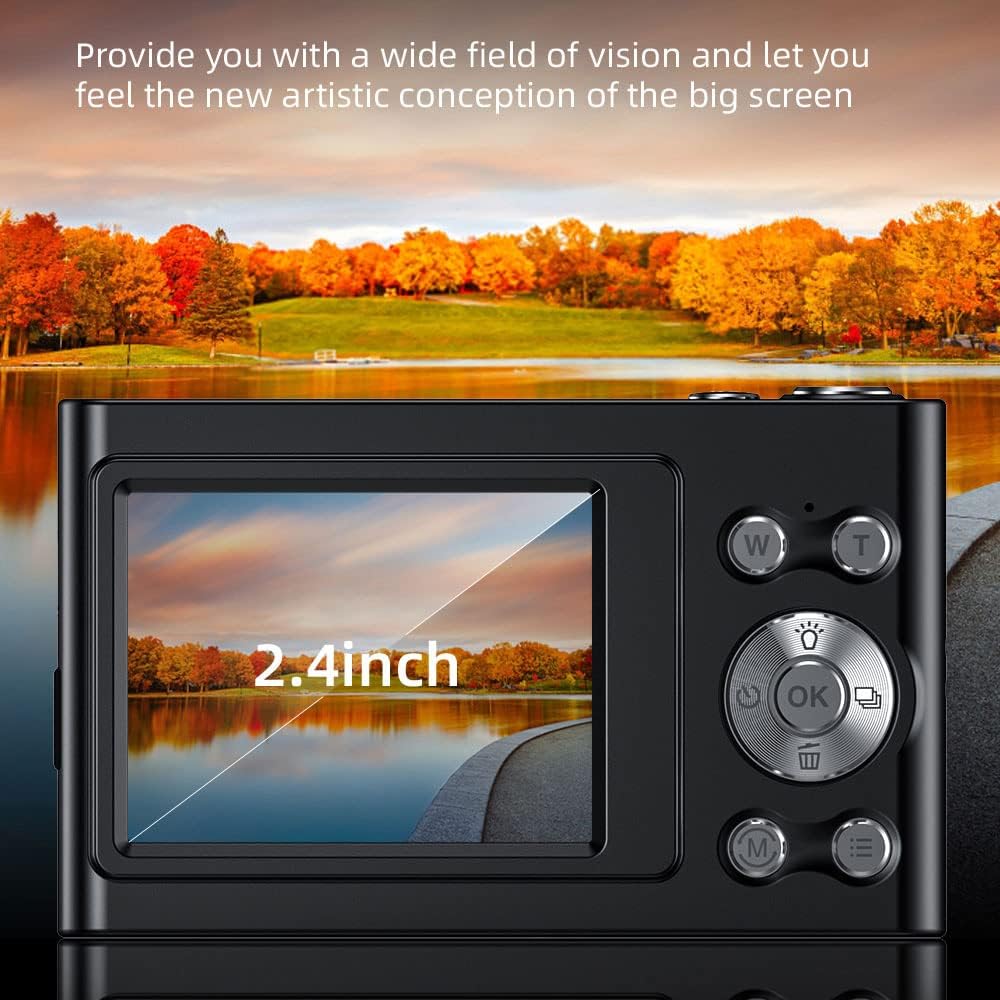
Image: The camera's 2.4-inch IPS screen displaying a vibrant landscape, illustrating the screen size and display quality.
Camera Settings and Features
Access the Menu to adjust various settings:
- Rezoluce: Set photo resolution up to 48MP and video resolution up to 4K.
- Režimy natáčení: Select from Auto, Sport, Night, Portrait, Landscape, Backlight, Party, Beach, High Sensitivity.
- Vyvážení bílé: Adjust for Auto, Daylight, Cloudy, Fluorescent, Tungsten.
- Samospoušť: Options for Off, 2 sec, 5 sec, 10 sec.
- Anti-Shake: Digital image stabilization to reduce blur.
- Face Detect & Smile Capture: Features to assist in portrait photography.
- Vestavěný blesk: Poskytuje osvětlení za zhoršených světelných podmínek.
- Automatické vypnutí: Configurable to Off, 1 minute, 3 minutes, 5 minutes, 10 minutes to conserve battery.

Image: A graphic illustrating the camera's image quality enhancement features, including intelligent analysis, color restoration, and fine picture quality.
Údržba
Čištění fotoaparátu
- K čištění těla fotoaparátu použijte měkký hadřík, který nepouští vlákna.
- Na čočku a displej použijte speciální hadřík a roztok na čištění čoček. Nepoužívejte abrazivní materiály.
Péče o baterie
- Vyhněte se častému úplnému vybíjení baterie.
- Charge the battery regularly, even if the camera is not in use for extended periods.
Skladování
- Fotoaparát skladujte na chladném a suchém místě, mimo dosah přímého slunečního záření a extrémních teplot.
- Use the provided carry bag for protection during transport.
Odstraňování problémů
Pokud narazíte na problémy s fotoaparátem, podívejte se na následující běžné problémy a jejich řešení:
| Problém | Možné řešení |
|---|---|
| Fotoaparát se nezapne. | Ujistěte se, že je baterie nabitá. Připojte ke zdroji napájení a zkuste to znovu. |
| Chyba paměťové karty. | Reinsert the memory card. Ensure it is a Class-10 TF card and formatted correctly. Try a different compatible memory card. |
| Obrázky jsou rozmazané. | Ensure the lens is clean. Check lighting conditions. Use the anti-shake function. Hold the camera steady. |
| Blesk nefunguje. | Check flash settings in the menu. Ensure the flash is enabled for the current shooting mode. |
| Fotoaparát se zasekává nebo nereaguje. | Remove and reinsert the battery (if accessible) or press and hold the power button for 10 seconds to force a shutdown. |
Specifikace
Detailed technical specifications for your Andoer 4K Digital Camera Video Camcorder:
- Obrazový snímač: CMOS snímač
- Zobrazit: 2.4 palcový IPS displej
- Rozlišení obrázku: Až 48 MP
- Rozlišení videa: 4K (3840x2160), 2.7K (2688x1520), 1080P (1920x1080), 720P (1280x720)
- Digitální zoom: 16X
- Stabilizace obrazu: Digitální
- Typ zaměření: Auto Focus (Contrast Detection)
- Skladování: Supports Class-10 TF (Micro SD) card up to 128GB (32GB included)
- Konektivita: USB
- Napájení: Vestavěná lithiová baterie
- Velikost položky: 9.5 * 5.8 * 2.5 cm / 3.7 * 2.3 * 1 palce
- Hmotnost položky: 115 g / 4.1 oz
- Barva: Černý
Bezpečnostní informace
Varování:
To avoid suffocation hazard, keep this plastic bag away from babies and children.

Image: A warning label in multiple languages advising to keep plastic bags away from children to prevent suffocation.
Záruka a podpora
For warranty information, please refer to the documentation included with your purchase or contact your retailer. For technical support or further assistance, please reach out to Andoer customer service through their official webwebu nebo kontaktních informací uvedených na obalu produktu.