
1. Úvod
This manual provides essential information for setting up, operating, maintaining, and troubleshooting your Beelink SEI10 Mini PC. Please read this manual thoroughly before using the device to ensure optimal performance and longevity.
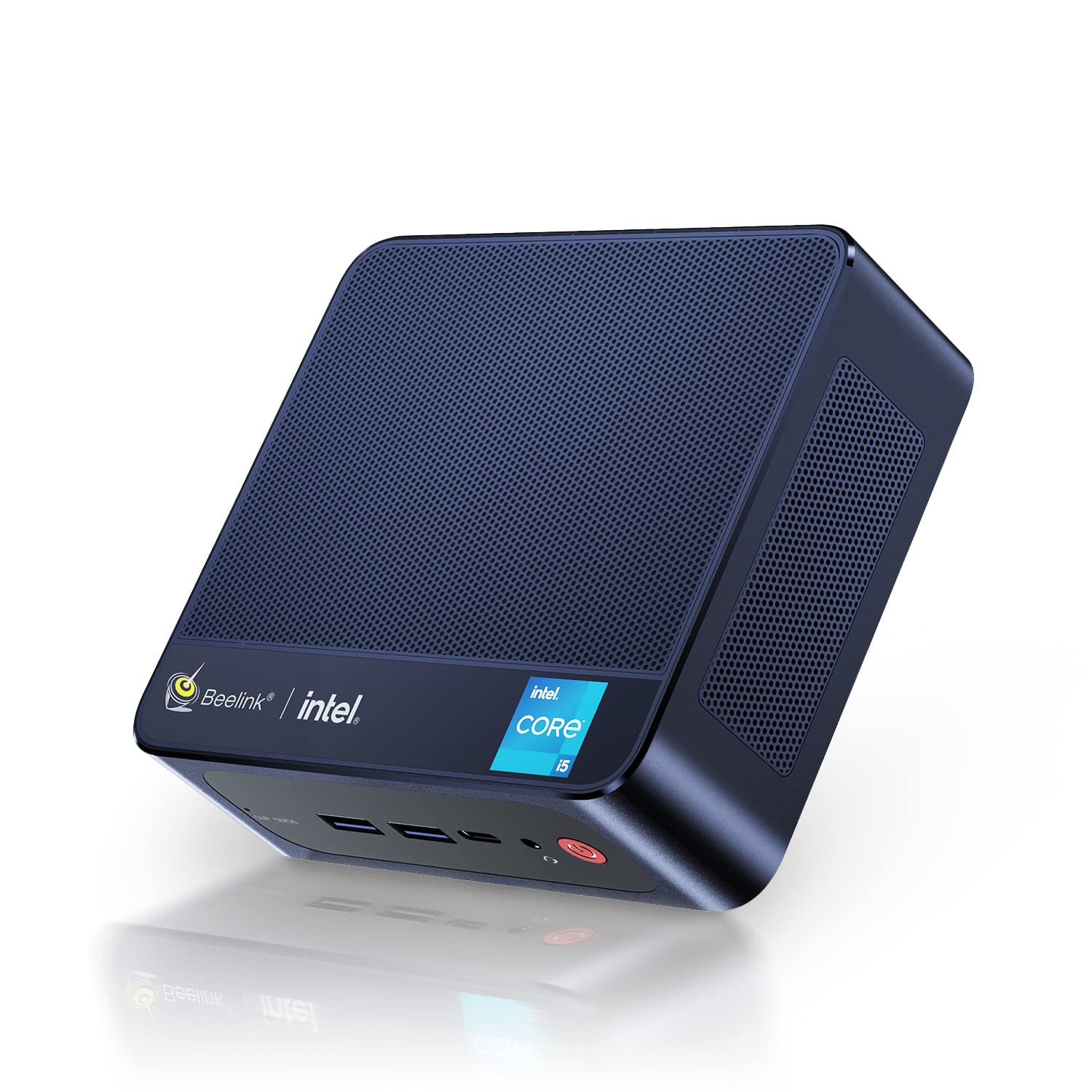
Figure 1: Beelink SEI10 Mini PC
The Beelink SEI10 is a compact and powerful mini PC designed for various computing tasks, from home entertainment to office productivity. It features an Intel Core i5-1035G4 processor, 16GB DDR4 RAM, and a 500GB SSD, offering efficient performance in a small form factor.
2. Obsah balení
Ověřte, zda jsou v balení přítomny všechny položky:
- 1 × Beelink SEI10 Mini PC
- 2 × HDMI Cables (25cm and 100cm)
- 1× napájecí adaptér
- 1 × montážní konzola
- 1 × Uživatelská příručka (tento dokument)
3. Konec produktuview a porty
The Beelink SEI10 Mini PC offers a range of connectivity options for various peripherals and displays.

Obrázek 2: Přední strana view of the Beelink Mini PC, highlighting its support for WiFi 6 and Bluetooth 5.2 connectivity.
Porty a konektory:
- 1 × DC Jack Port (for power input)
- 4× USB 3.0 porty
- 2 × RJ45 Ports (Gigabit LAN)
- 2 × HDMI Ports (supports dual 4K display output)
- 1 × Audio Jack Port (for headphones and microphone)
- 1 × Type-C Port (supports video output)
4. Nastavení
Follow these steps to set up your Beelink SEI10 Mini PC:
- Připojení k displeji: Use one of the provided HDMI cables to connect the Mini PC to your monitor or TV. If your display supports Type-C video input, you can use the Type-C port.
- Připojení periferií: Plug in your USB keyboard and mouse into the USB 3.0 ports.
- Připojení k napájení: Connect the power adapter to the DC Jack port on the Mini PC, then plug the adapter into a power outlet.
- Zapnutí: Press the power button located on the front of the Mini PC. The device will boot up, and you should see the operating system on your display.
- Počáteční konfigurace: Postupujte podle pokynů na obrazovce a dokončete nastavení systému Windows 11 Pro, včetně jazyka, regionu, síťového připojení a vytvoření uživatelského účtu.
5. Provoz
Zapnutí/vypnutí:
- Zapnutí: Stiskněte tlačítko napájení.
- Vypnout: V systému Windows klikněte na tlačítko Start a poté vyberte Napájení > Vypnout.
- Restartovat: V systému Windows klikněte na tlačítko Start a poté vyberte Napájení > Restartovat.
Síťové připojení:
- Wi-Fi: The Mini PC supports Wi-Fi 6 (802.11ax). To connect, click the Wi-Fi icon in the taskbar, select your network, enter the password, and click Connect.
- Ethernet: For a wired connection, connect an Ethernet cable from your router to one of the RJ45 ports on the Mini PC.
- Bluetooth: The Mini PC supports Bluetooth 5.0. To pair devices, go to Windows Settings > Bluetooth & devices, and follow the instructions to add a new device.
Nastavení více displejů:
The Beelink SEI10 supports dual 4K display output via its two HDMI ports and an additional display via the Type-C port, allowing for a triple display setup. Connect your monitors to the available ports, and Windows will automatically detect them. You can configure display settings (extend, duplicate, etc.) in Windows Settings > System > Display.
6. Rozšíření úložiště a paměti
The Mini PC comes with 16GB DDR4 RAM and a 500GB M.2 NVMe SSD. You can expand the storage and memory as follows:
- Paměť (RAM): The system supports configurable memory up to 16GB with a single card and 32GB with dual cards.
- M.2 NVMe SSD: The M.2 2280 NVMe SSD can be upgraded to up to 2TB.
- 2.5-inch SATA Drive: An additional 2.5-inch SATA drive (HDD/SSD) can be installed for further storage expansion.

Obrázek 3: Vnitřní view of the Beelink Mini PC's cooling system, showing the fan, heatsink, and hard drive cooler, along with a table of noise levels.
7. Údržba
Čištění:
- Pravidelně čistěte vnější povrch Mini PC měkkým, suchým hadříkem.
- Use compressed air to clear dust from ventilation openings to ensure proper airflow and cooling.
- Nepoužívejte tekuté čisticí prostředky ani rozpouštědla přímo na zařízení.
Aktualizace softwaru:
Keep your Windows operating system and drivers updated to ensure optimal performance and security. Windows Update can be accessed via Settings > Update & Security > Windows Update.
Řízení tepla:
The Beelink SEI10 is equipped with an efficient cooling system, including a quiet fan and dual heat pipes. Ensure the Mini PC is placed in a well-ventilated area and that its vents are not obstructed to prevent overheating.
8. Řešení problémů
Bez napájení:
- Ujistěte se, že je napájecí adaptér bezpečně připojen k Mini PC i k funkční zásuvce.
- Ověřte funkčnost elektrické zásuvky zapojením jiného zařízení.
Bez displeje:
- Check that the HDMI or Type-C cable is securely connected to both the Mini PC and the monitor.
- Ujistěte se, že je monitor zapnutý a nastavený na správný vstupní zdroj.
- Try a different HDMI port or cable if available.
Problémy s připojením k síti:
- For Wi-Fi, ensure your router is working and the Wi-Fi password is correct.
- For Ethernet, check the cable connection and ensure your router's LAN port is active.
- Restartujte router a Mini PC.
Pomalý výkon:
- Zavřete nepotřebné aplikace běžící na pozadí.
- Ensure the system has sufficient free storage space.
- Zkontrolujte a nainstalujte všechny čekající aktualizace systému Windows.
- Ensure proper ventilation to prevent thermal throttling.
9. Specifikace
The following table details the technical specifications of the Beelink SEI10 Mini PC:
| Funkce | Specifikace |
|---|---|
| Značka | Beelink |
| Název modelu | SEI10 |
| Operační systém | Windows 11 Pro (Windows 10 Pro also possible, upgradeable) |
| Model CPU | Intel Core i5-1035G4 (10th Gen) |
| Základní frekvence CPU | 1.1 GHz |
| Maximální turbo frekvence CPU | 3.70 GHz (4 Cores / 8 Threads) |
| Inteligentní mezipaměť | 6 MB |
| Grafika | Intel Iris Plus Graphics (Integrated) |
| BERAN | 16GB DDR4 (3200 MHz) |
| Maximální kapacita RAM | 32GB (via dual slots) |
| Skladování | 500GB M.2 2280 NVMe SSD |
| Rozšíření úložiště | Up to 2TB M.2 NVMe SSD, 2.5-inch SATA HDD/SSD slot |
| Ethernet | 1000Mbps LAN (2x RJ45 ports) |
| Wi-Fi | Wi-Fi 6 (802.11ax) |
| Bluetooth | Bluetooth 5.0 |
| Video výstup | 2x HDMI (4K support), 1x Type-C (video output) |
| USB porty | 4x USB 3.0 |
| Audio port | 1x Audio Jack (HP & Mic) |
| Poměr stran | 16:9 |
| Rezoluce | 3840 x 2160 (4K) |
| Rok výroby | 2022 |
| UPC | 810056048167 |
Note: Some images in this manual may depict features or specifications of similar Beelink models or general Intel processor capabilities. The specifications listed above are specific to the Beelink SEI10 model with the Intel Core i5-1035G4 processor.

Figure 4: An illustration detailing processor specifications, showing an Intel Core i5-11320H processor. Note: This specific model (SEI10) features an Intel Core i5-1035G4 processor.

Figure 5: A table comparing power consumption and performance metrics between different Intel Core i5 processors.

Figure 6: Performance comparison chart for different Intel Core i5 processors, illustrating benchmark scores.
10. Záruka a podpora
Beelink provides lifetime technical support for the SEI10 Mini PC. If you encounter any issues or require assistance, please contact our support team. We offer 7-day/24-hour service to address your concerns.
All Beelink products, including this Mini PC, are certified by FCC, CE, and RoHS, ensuring compliance with quality and safety standards.
If your device was shipped with Windows 10 Pro, you can contact us for a free upgrade to Windows 11 Pro.