
Zavedení
Thank you for choosing MIDOLA Kids Headphones. These headphones are designed with your child's safety and comfort in mind, featuring volume-limiting technology, a durable foldable design, and versatile connectivity options. Please read this manual carefully to ensure proper use and maintenance of your headphones.
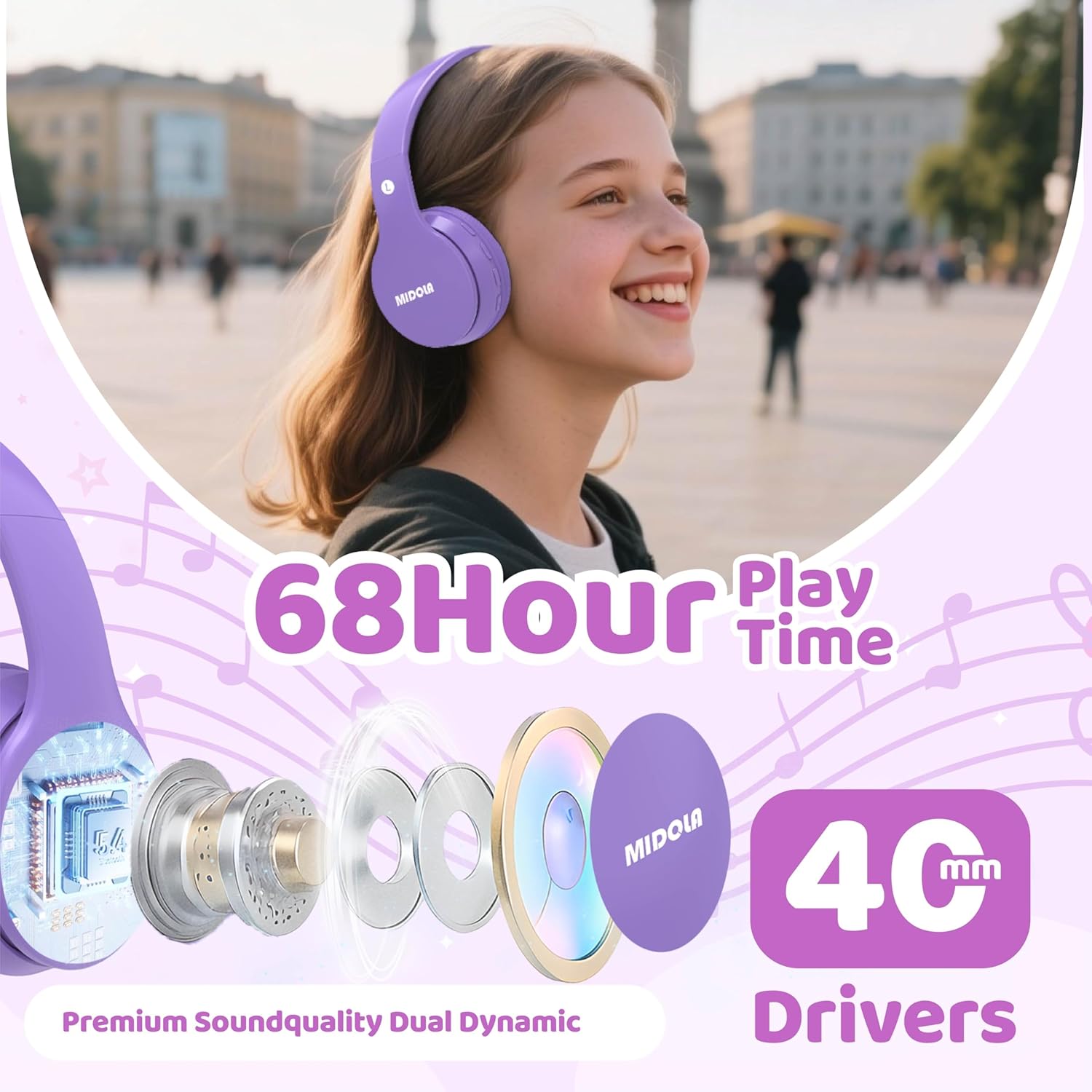
Image: MIDOLA Kids Headphones in Light Purple, showcasing their over-ear design and vibrant color.
Co je v krabici
- MIDOLA Kids Headphones (Model: MIDOLA-B01)
- 3.5 mm Aux cord
- Nabíjecí kabel typu C.
- Uživatelská příručka
- Dekorativní samolepky

Image: MIDOLA Kids Headphones in Light Purple, accompanied by sheets of decorative stickers for personalization.
Nastavení
1. Nabíjení sluchátek
Before first use, fully charge your headphones. Use the provided Type-C charging cable.
- Connect the Type-C end of the cable to the charging port on the left earcup.
- Připojte konec USB-A ke kompatibilnímu zdroji napájení USB (např. k počítači, síťovému adaptéru).
- LED indikátor bude zobrazovat stav nabíjení. Plné nabití trvá přibližně 2 hodiny.
2. Zapnutí/vypnutí
- To power on, press and hold the Power button on the left earcup until the LED indicator lights up.
- To power off, press and hold the Power button again until the LED indicator turns off.
3. Párování Bluetooth
The headphones will automatically enter pairing mode when powered on for the first time or if not connected to a device. The LED indicator will flash blue.
- Ensure Bluetooth is enabled on your device (smartphone, tablet, PC).
- Hledat available Bluetooth devices and select "MIDOLA-B01" from the list.
- Po spárování přestane kontrolka LED blikat a zůstane svítit modře.
4. Drátové připojení (volitelné)
If the battery runs out or for devices without Bluetooth, you can use the 3.5mm Aux cord.
- Plug one end of the 3.5mm Aux cord into the AUX port on the left earcup.
- Zapojte druhý konec do 3.5mm audio konektoru na vašem audio zařízení.

Obrázek: Detailní záběr view of the left earcup, showing the USB-C charging port, AUX input, and LED indicator.
Návod k obsluze
1. Ovládání hlasitosti
The headphones feature volume control buttons on the left earcup.
- Press the "V+" button to increase volume.
- Press the "V-" button to decrease volume.
2. Ovládání stopy
- To skip to the next track, press and hold the "V+" button for 2 seconds.
- To go to the previous track, press and hold the "V-" button for 2 seconds.
3. Přehrát/Pozastavit
- Press the Play/Pause button (usually the middle button) once to play or pause audio.
4. Volume Limiting Feature
These headphones offer adjustable volume limits to protect hearing, as recommended by the World Health Organization.
- The default volume limit is 85dB (suitable for kids).
- To switch between 85dB (Kids) and 110dB (Adult), press and hold the Play/Pause button for 3 seconds.
- Additional modes for 74dB (Toddler) and 94dB (Travel) are also available, selectable via the Mode button.

Image: Illustration of the Safe Volume Mode feature, showing 74dB (Toddler), 85dB (Study), and 94dB (Travel) options.

Image: Three children of different ages wearing MIDOLA Kids Headphones, demonstrating suitability for various age groups (2-15 years).
Údržba
1. Čištění
- Sluchátka otřete měkkým, suchým hadříkem.
- Nepoužívejte drsné chemikálie ani abrazivní čisticí prostředky.
- Ensure no liquid enters the ports.
2. Skladování
The headphones feature a foldable design for easy storage and portability.
- Složte náušníky dovnitř, abyste minimalizovali prostor.
- Skladujte na chladném a suchém místě mimo dosah přímého slunečního záření a extrémních teplot.
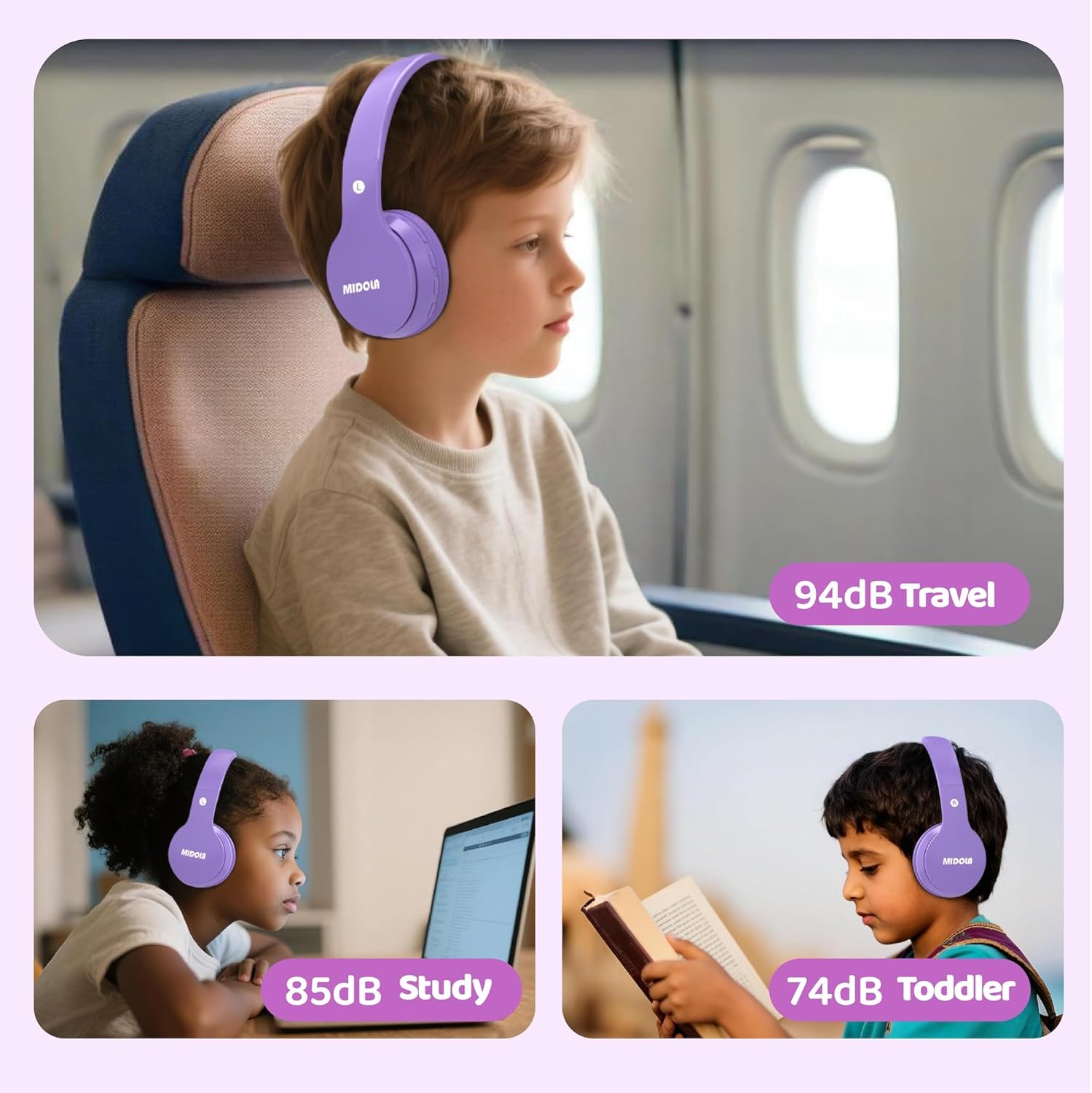
Image: MIDOLA Kids Headphones shown in their compact, folded position, highlighting portability.
Odstraňování problémů
- Bez napájení: Ujistěte se, že jsou sluchátka nabitá. Připojte je ke zdroji napájení pomocí kabelu typu C.
- Nelze spárovat Bluetooth: Make sure the headphones are in pairing mode (flashing blue LED). Turn off and on your device's Bluetooth, then try re-pairing. Ensure headphones are not connected to another device.
- Žádný zvuk: Check the volume levels on both the headphones and your connected device. If using wired mode, ensure the 3.5mm Aux cord is fully inserted into both ports.
- Zkreslení zvuku: Abyste předešli rušení, přibližte se k zařízení Bluetooth. Ujistěte se, že zdroj zvuku má dobrou kvalitu.
Specifikace
| Funkce | Detail |
|---|---|
| Název modelu | MIDOLA-B01 |
| Technologie připojení | Wireless (Bluetooth 5.4) / Wired (3.5mm Aux) |
| Životnost baterie | Up to 68 Hours Play Time |
| Doba nabíjení | 2 hodiny (rychlonabíjení typu C) |
| Limit hlasitosti | 85dB (Kids), 110dB (Adult), 74dB (Toddler), 94dB (Travel) |
| Umístění uší | Přes ucho |
| Velikost zvukového ovladače | 40 milimetrů |
| Kontrola hluku | Zvuková izolace |
| Materiál | Plast |
| Hmotnost položky | 10.2 unce |
| Rozměry produktu | 7.09 x 3.15 x 7.09 palce |
| Kompatibilní zařízení | Chytré telefony, tablety, notebooky |

Image: Highlights of the headphones' features, including 68 hours of play time and 40mm dynamic drivers for premium sound quality.

Image: Details on the 'Real Over-Ear' design, emphasizing soft and breathable ear-cups for comfort.
Záruka a podpora
MIDOLA Kids Headphones typically come with a 1-year warranty from the date of purchase. For warranty claims, technical support, or any questions regarding your product, please contact MIDOLA customer service through the retailer where you purchased the headphones or visit the official MIDOLA webmísto.
Uschovejte si prosím doklad o koupi pro účely záruky.