
1. Konec produktuview
The Walfront 8LED H RF Frequency Counter Cymometer Tester Module is a compact and precise instrument designed for measuring radio frequency signals. It features an 8-digit LED display for clear readings and a two-button control for simple operation. This module is ideal for hobbyists, students, and professionals requiring accurate frequency measurements in various electronic applications.

Figure 1: Walfront 8LED H RF Frequency Counter Module in operation, displaying a frequency reading.
Klíčové vlastnosti:
- Single-ended design with three measurement channels: Low Channel, High Channel, and Auto Channel.
- Utilizes a temperature-compensated voltage controlled crystal oscillator (2.5 ppm VC-TCXO) for enhanced accuracy.
- Powered by Microchip's PIC16F648A, enabling frequency measurements up to 2.4 GHz.
- Features a unique gate control and time algorithm for stable readings.
- Adjustable gate (display refresh) times: 0.01 seconds, 0.1 seconds, and 1.0 seconds, providing real-time frequency values.
2. Nastavení a připojení
Before operating the frequency counter, ensure proper power supply and signal connections. The module requires a 12V DC power source.
2.1 Připojení napájení
Connect the provided power wires to the appropriate terminals on the module. The red wire typically indicates positive (+) and the black wire indicates negative (-). Ensure the power source provides stable 12V DC.
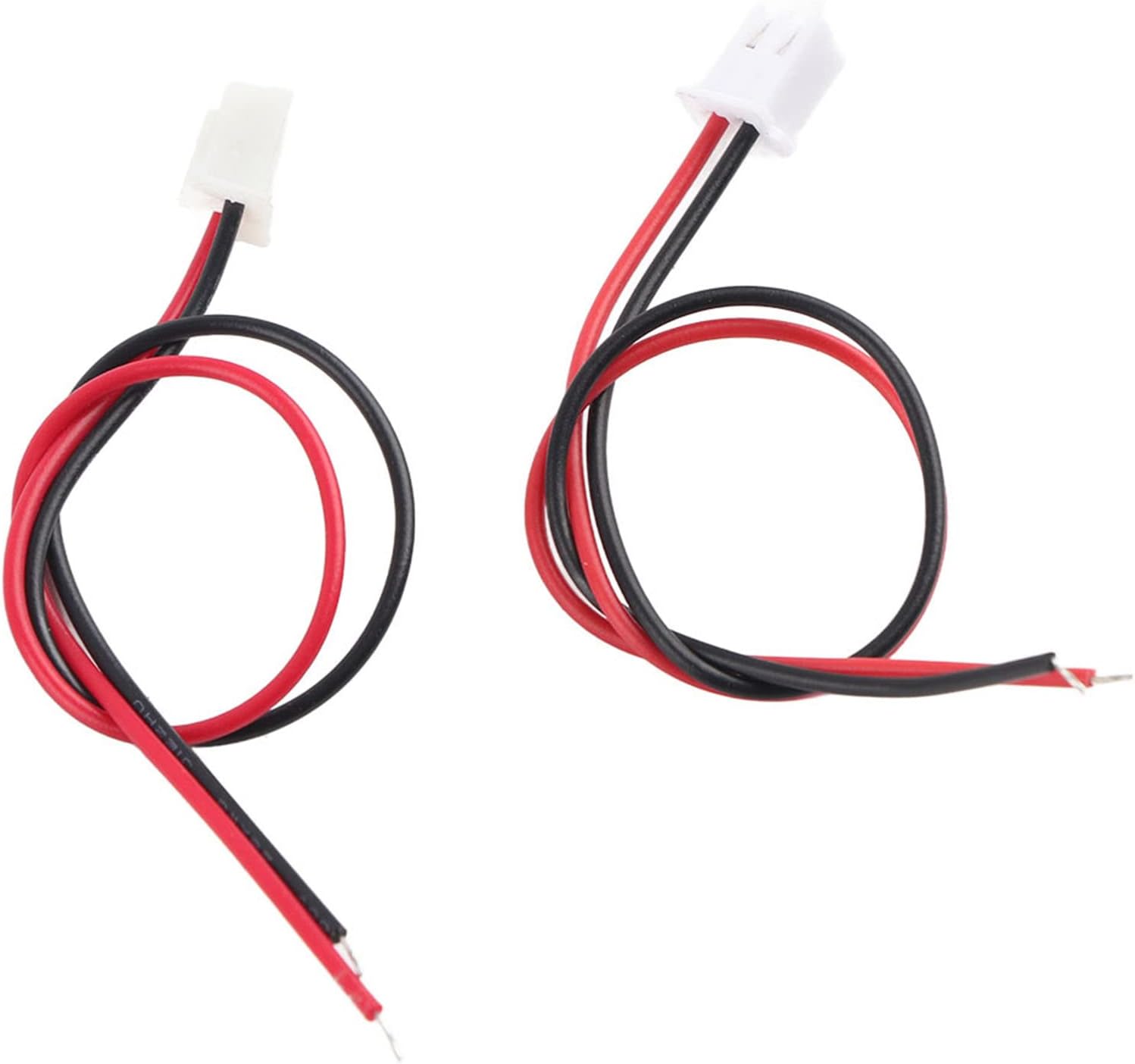
Figure 2: Included power connection wires for the module.
Vstup signálu 2.2
The module has input terminals for the signal to be measured. Connect your signal source to the designated input. Refer to the specifications for input impedance and voltage limity.

Obrázek 3: Nahoře view of the frequency counter module, showing the display and connection points.
3. Návod k obsluze
The Walfront frequency counter features a user-friendly interface with an 8-digit LED display and two control buttons.
3.1 Zapnutí
Once the power supply is connected, the module will automatically power on and the LED display will illuminate, showing the current frequency reading or a default value.

Obrázek 4: Detailní view of the 8-digit red LED display.
3.2 Výběr kanálu
The module supports three measurement channels: Low Channel, High Channel, and Auto Channel. Use the control buttons to cycle through these modes:
- Low Channel: Designed for frequencies from 0.1 MHz to 60 MHz.
- High Channel: Designed for frequencies from 20 MHz to 2.4 GHz. This channel divides the input by 64.
- Auto Channel: Automatically selects between Low and High channels based on the input signal frequency, with a threshold around 60 MHz. If the input signal amplitude is insufficient, manual channel selection may be required.
3.3 Gate Time Adjustment
The gate time determines how long the frequency is sampled before the display is refreshed. Shorter gate times provide faster updates but may have slightly lower accuracy, while longer gate times offer higher accuracy with slower updates. The available gate times are 0.01 seconds, 0.1 seconds, and 1.0 seconds. Use the control buttons to select the desired gate time.
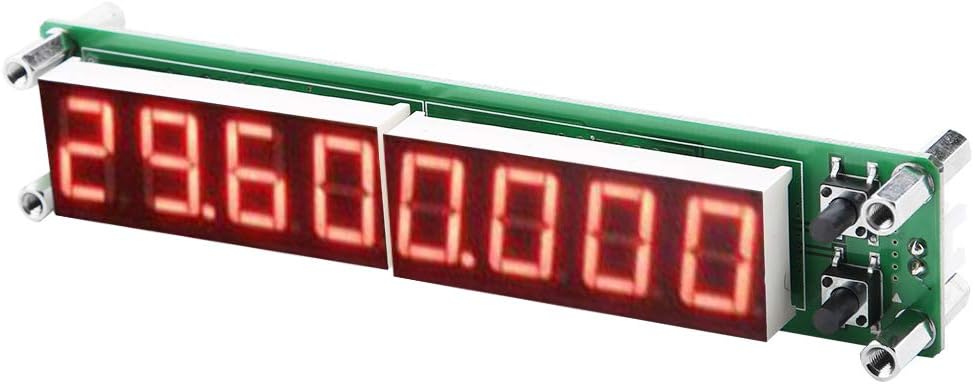
Obrázek 5: Úhlové view of the module, highlighting the control buttons for channel and gate time selection.
4. Údržba
To ensure the longevity and accurate performance of your Walfront Frequency Counter Module, follow these simple maintenance guidelines:
- Čištění: Gently wipe the module with a soft, dry cloth. Avoid using abrasive cleaners or solvents, which can damage the display or electronic components.
- Skladování: Store the module in a cool, dry place away from direct sunlight, excessive heat, or humidity. Protect it from dust and physical impact.
- Zacházení: Handle the module by its edges to avoid touching the electronic components directly. Static electricity can damage sensitive circuits.
- Vypnout: Disconnect the power supply when the module is not in use for extended periods.
5. Řešení problémů
If you encounter issues with your frequency counter module, refer to the following common problems and solutions:
| Problém | Možná příčina | Řešení |
|---|---|---|
| Displej je prázdný nebo tmavý. | No power, incorrect power connection, or insufficient voltage. | Check power supply (12V DC). Ensure red wire is connected to positive and black to negative. Verify power source is active. |
| Inaccurate frequency readings. | Incorrect channel selected, weak input signal, or signal outside measurement range. | Ensure the correct channel (Low, High, Auto) is selected for the input frequency. Verify input signal strength meets sensitivity requirements. Check if the frequency is within the module's specified range. |
| Display shows erratic or fluctuating numbers. | No stable input signal, noise interference, or loose connections. | Ensure a stable signal source. Check all connections for tightness. Try to reduce electromagnetic interference in the environment. Adjust gate time to a longer setting (e.g., 1.0s) for more stable readings. |
| Module does not respond to button presses. | Temporary software glitch or button malfunction. | Disconnect and reconnect power to reset the module. If the issue persists, contact customer support. |
6. Specifikace
Detailed technical specifications for the Walfront 8LED H RF Frequency Counter Cymometer Tester Module:
| Parametr | Hodnota |
|---|---|
| Model | PLJ-8LED-H |
| Typ zobrazení | 8-digit LED (Backlit Font Red) |
| Gate Time Options | 0.01 S, 0.10 S, 1.0 S |
| Low Channel Measuring Range | 0.1 MHz ~ 60 MHz |
| Low Channel Accuracy (1.0s gate) | ± 1 Hz |
| Low Channel Sensitivity (0.1-10 MHz) | Better than 60mVPP |
| High Channel Measuring Range | 20 MHz ~ 2.4 GHz (divided by 64) |
| High Channel Accuracy (1.0s gate) | ± 64 Hz |
| High Channel Sensitivity (30-60 MHz) | Better than 50mVPP |
| Typ oscilátoru | Temperature-Compensated Voltage Controlled Crystal Oscillator (VC-TCXO) |
| Oscillator Stability | 2.5 ppm |
| Mikrokontrolér | Microchip PIC16F648A |
| Zdroj napájení | 12V DC |
| Hmotnost položky | 1.13 unce |
| Rozměry produktu | 5.91 x 1.18 x 0.98 palce |
7. Záruka a podpora
Walfront products are designed for reliability and performance. For any technical assistance, troubleshooting beyond this manual, or warranty inquiries, please contact Walfront customer support through their official channels or the retailer from whom you purchased the product.
Uschovejte si prosím účtenku jako doklad o koupi pro případ reklamace.
Pro více informací navštivte Walfront Store on Amazon.