
Zavedení
This manual provides essential information for setting up, operating, maintaining, and troubleshooting your CUPEISI 7-inch Android 14 Tablet. Please read this guide thoroughly to ensure proper use and to maximize your tablet's performance and longevity.
Co je v krabici
Po vybalení zkontrolujte, zda jsou všechny položky přítomny:
- CUPEISI 7-inch Android 14 Tablet
- Kabel typu C
- Uživatelská příručka (tento dokument)
Konec produktuview
The CUPEISI Q2S tablet features a 7-inch HD IPS display, powered by a 1.6GHz Quad-core processor and running Android 14. It includes 8GB RAM (4GB physical + 4GB virtual) and 32GB internal storage, expandable up to 1TB via microSD card. The tablet is equipped with dual cameras and supports Wi-Fi and Bluetooth connectivity.
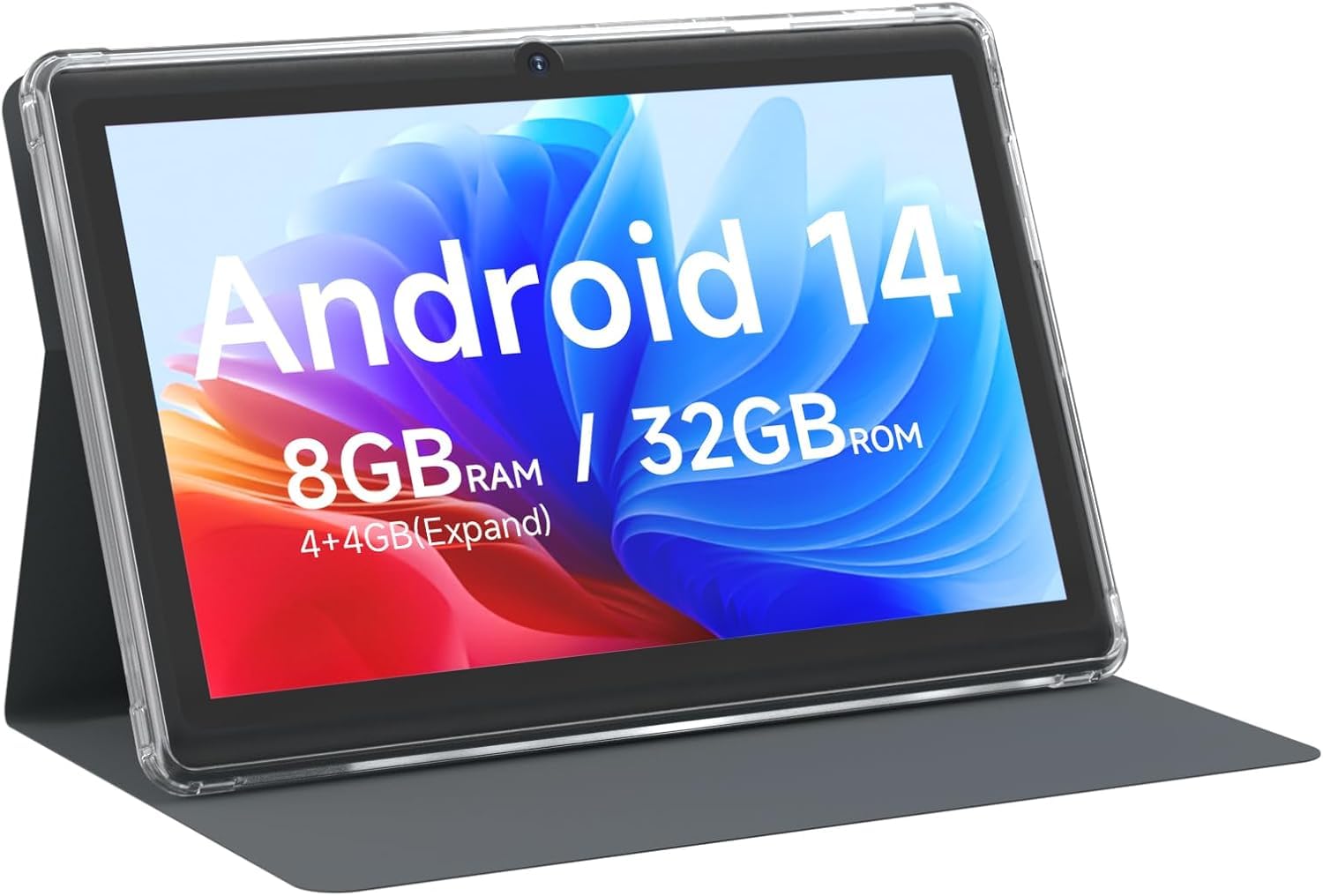
CUPEISI 7-inch Android 14 Tablet, front view.

Nadview of CUPEISI 7-inch Android 14 Tablet features including OS, CPU, RAM, ROM, Screen, Camera, Battery, and WiFi.
Nastavení
1. Nabíjení tabletu
Before first use, fully charge the tablet. Connect the provided Type-C cable to the tablet's charging port and the other end to a compatible USB power adapter (not included) or a computer's USB port. The battery indicator on the screen will show charging status.
2. Zapnutí a počáteční nastavení
- Stiskněte a podržte tlačítko Napájení, dokud se nerozsvítí obrazovka.
- Postupujte podle pokynů na obrazovce a vyberte jazyk, region a další počáteční nastavení.
3. Připojení k Wi-Fi
- Přejít na Nastavení > Síť a internet > Wi-Fi.
- Přepnout Wi-Fi On.
- Vyberte ze seznamu požadovanou síť Wi-Fi.
- Pokud se zobrazí výzva, zadejte heslo sítě a poté klepněte na Připojit.
4. Nastavení účtu Google
A Google account is required to download apps from Google Play Store and access Google services. You can sign in with an existing account or create a new one during the initial setup or later via Nastavení > Účty.
Ovládání tabletu
1. Základní navigace a gesta
- Klepněte na: Vyberte položku nebo otevřete aplikaci.
- Výpad: Procházení obrazovek nebo seznamů.
- Štípání: Přiblížení nebo oddálení obrázků a web stránky.
- Dlouhé stisknutí: Přístup k kontextovým nabídkám nebo přesun ikon.
2. Správa aplikací

Tablet screen showing various application icons, illustrating the 8GB RAM and 32GB ROM storage capacity.
- Instalace aplikací: Otevřete aplikaci Obchod Google Play, vyhledejte požadovanou aplikaci a klepněte na Instalovat.
- Odinstalovat aplikace: Long-press an app icon on the home screen or app drawer, then drag it to the Odinstalovat možnost nebo přejděte na Nastavení > Aplikace > vyberte aplikaci > Odinstalovat.
3. Správa úložiště
The tablet has 32GB of internal storage. You can expand this by inserting a microSD card (up to 1TB) into the designated slot. To manage storage, go to Nastavení > Skladování.
4. Použití fotoaparátu
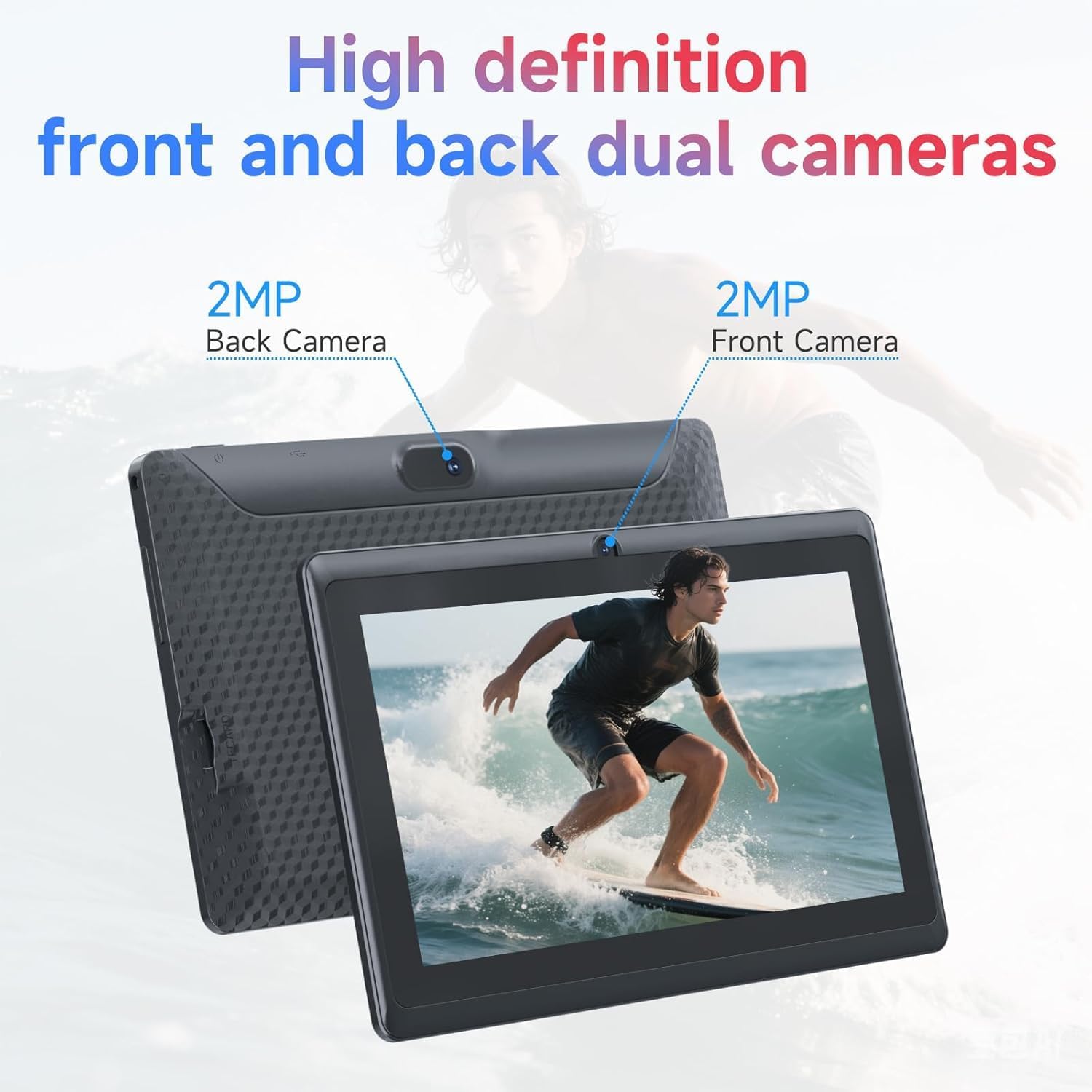
Illustration of the tablet's dual cameras, featuring a 5MP front camera and an 8MP rear camera.
Tablet je vybaven 5MP předním fotoaparátem a 8MP zadním fotoaparátem. Otevřete Fotoaparát app to take photos or record videos. Tap the camera icon to switch between front and rear cameras.
5. Connectivity (Bluetooth)
Chcete-li připojit zařízení Bluetooth:
- Přejít na Nastavení > Připojená zařízení > Bluetooth.
- Přepnout Bluetooth On.
- Vybrat Spárovat nové zařízení a vyberte své zařízení ze seznamu.
6. Režim ochrany očí

The 7-inch IPS HD screen of the tablet displaying a colorful image, highlighting its 1024x600 resolution.
The tablet's display is designed to reduce blue light emission for eye comfort. You can enable or adjust eye protection settings in Nastavení > Zobrazit.

A user engaged in a video conference on the tablet, demonstrating its suitability for work and study.
Údržba
1. Čištění a péče
- K čištění obrazovky a těla tabletu použijte měkký hadřík, který nepouští vlákna.
- Vyhněte se používání agresivních chemikálií nebo abrazivních materiálů.
- Chraňte tablet před extrémními teplotami, přímým slunečním zářením a vlhkostí.

An image depicting the tablet's drop protection feature, showing it withstands impacts.
2. Aktualizace softwaru
Pravidelně kontrolujte a instalujte aktualizace softwaru, abyste zajistili optimální výkon a zabezpečení. Přejděte na Nastavení > Systém > Aktualizace systému.
3. Optimalizace baterie
- To prolong battery life, reduce screen brightness, disable Wi-Fi/Bluetooth when not in use, and close background apps.
- Vyhněte se častému úplnému vybíjení baterie.
Odstraňování problémů
| Problém | Možné řešení |
|---|---|
| Tablet se nezapne | Ensure the tablet is charged. Connect to a power source and wait a few minutes before attempting to power on again. |
| Problémy s připojením Wi-Fi | Check if Wi-Fi is enabled in settings. Restart your router and the tablet. Ensure you have entered the correct password. |
| Pomalý výkon | Close unnecessary background applications. Clear cache from apps in Settings > Apps. Consider performing a factory reset if issues persist (back up data first). |
| Aplikace padá nebo zamrzávají | Update the app to the latest version. Clear the app's cache and data in Settings > Apps. Reinstall the app. |
Specifikace
| Značka | CUPEISI |
| Číslo modelu | Q2S |
| Operační systém | Android 14 |
| Procesor | 1.6 GHz Quad-core (ARM Cortex) |
| BERAN | 8 GB (4GB fixed + 4GB virtual) |
| Interní úložiště | 32 GB |
| Rozšiřitelné úložiště | Až 1 TB přes microSD kartu |
| Velikost obrazovky | 7 palce |
| Rozlišení displeje | 1024 x 600 Pixels IPS HD |
| Přední kamera | 5 MP |
| Zadní kamera | 8 MP |
| Kapacita baterie | 3000 XNUMX mAh |
| Průměrná životnost baterie | 6 hodiny |
| Konektivita | Wi-Fi (802.11g), Bluetooth |
| Rozhraní | USB Type-C |
| Rozměry (D x Š x T) | 7.5 cm x 4.3 cm x 0.3 cm |
| Hmotnost položky | 0.38 kg |
Informace o záruce
The CUPEISI Q2S Tablet comes with a 1-year limited warranty from the date of purchase. This warranty covers manufacturing defects and workmanship under normal use. It does not cover damage caused by misuse, accidents, unauthorized modifications, or external factors. Please retain your proof of purchase for warranty claims.
Zákaznická podpora
For further assistance, technical support, or warranty inquiries, please refer to the contact information provided with your product packaging or visit the official CUPEISI website. When contacting support, please have your tablet model number (Q2S) and proof of purchase ready.