
MUBVIEW ZY-C8-5MP
MUBVIEW Uživatelská příručka 5MP venkovní bezpečnostní kamery
Model: ZY-C8-5MP
1. Úvod
This manual provides detailed instructions for the installation, operation, and maintenance of your MUBVIEW 5MP Outdoor Security Camera (Model ZY-C8-5MP). Please read this manual thoroughly before using the product to ensure proper functionality and safety. Keep this manual for future reference.
2. Konec produktuview
2.1 Obsah balení
- MUBVIEW 5MP venkovní bezpečnostní kamera
- Napájecí adaptér
- Montážní šrouby a hmoždinky
- Waterproof Kit for Network Cable (if applicable)
- Rychlý průvodce
2.2 Součásti kamery
Seznamte se s hlavními součástmi vaší bezpečnostní kamery:

Obrázek 2.2.1: MUBVIEW 5MP Outdoor Security Camera. The image displays the camera unit with its dual antennas, lens, and LED lights, alongside a smartphone screen showing a live feed from the camera of a house.
- Objektiv fotoaparátu: Zachytí video footage.
- Infračervené LED diody: Zajistěte možnosti nočního vidění.
- Bílé LED diody: Enable full-color night vision and can act as a deterrent.
- Mikrofon: For audio input (two-way audio).
- Reproduktor: For audio output (two-way audio).
- Duální antény: For stable 2.4G WiFi connection.
- Napájecí port: Připojuje se k napájecímu adaptéru.
- Resetovací tlačítko: Slouží k resetování fotoaparátu do továrního nastavení.
- Slot pro SD kartu: For local storage (supports up to 128GB, SD card not included).

Obrázek 2.2.2: Connectivity and Durability. This image highlights the camera's support for 2.4GHz WiFi (not 5GHz) and its weatherproof design, indicating operation between -10°C/14°F and 60°C/140°F, suitable for outdoor use.
3. Nastavení
3.1 Instalace
- Vyberte umístění: Vyberte venkovní místo s jasným view of the area you wish to monitor and within range of your 2.4GHz Wi-Fi network. Ensure there is access to a power outlet.
- Montáž kamery:
- K označení otvorů pro vrtání použijte dodanou montážní šablonu (pokud je součástí dodávky).
- Vyvrtejte otvory a vložte hmoždinky.
- Připevněte základnu kamery ke zdi pomocí dodaných šroubů.
- Připojení napájení: Připojte napájecí adaptér k fotoaparátu a zapojte jej do elektrické zásuvky.
- Vodotěsná ochrana: For outdoor installations, use the waterproof kit to protect the network cable connection (if applicable) from moisture.
3.2 App Connection (2.4G WiFi)
The camera connects via 2.4GHz WiFi for a stable connection.

Obrázek 3.2.1: Stable WiFi Connection. This image illustrates the camera's 5dBi dual antennas designed for a more stable 2.4G WiFi connection, alongside a smartphone screen displaying device information including signal strength.
- Stáhněte si aplikaci: Hledat the "MUBVIEW" app (or specified app in the Quick Start Guide) on your smartphone's app store (iOS or Android).
- Registrace/Přihlášení: Otevřete aplikaci a vytvořte si účet nebo se přihlaste, pokud jej již máte.
- Přidat zařízení: Follow the in-app instructions to add your new camera. This typically involves:
- Powering on the camera and waiting for its indicator light to flash (indicating pairing mode).
- Scanning a QR code on the camera or manually selecting the device type.
- Connecting your phone to your 2.4GHz Wi-Fi network and entering the Wi-Fi password into the app.
- The app will then guide you through connecting the camera to your Wi-Fi.
- Pojmenujte svůj fotoaparát: Pro snadnou identifikaci přiřaďte fotoaparátu název.
4. Návod k obsluze
4.1 Živě View a ovládání otáčení/náklonu
Access the live feed from your camera through the MUBVIEW app. The camera offers 360° coverage with Pan (355° horizontal) and Tilt (90° vertical) functionality.
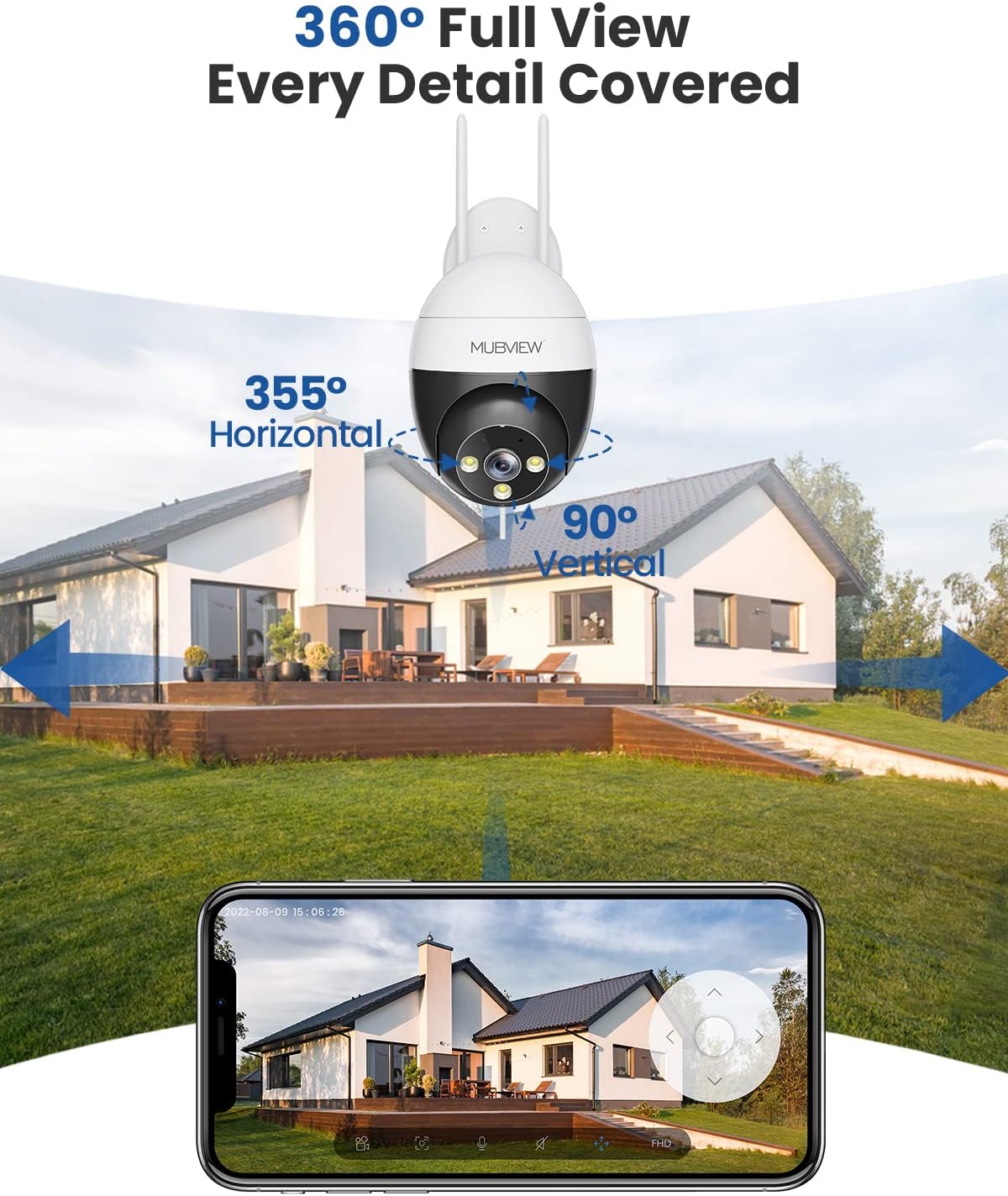
Obrázek 4.1.1: 360° Full View. This image demonstrates the camera's pan and tilt capabilities, offering 355° horizontal rotation and 90° vertical rotation for comprehensive area coverage.
- V živém vysílání aplikace view, use the directional controls to pan the camera horizontally and tilt it vertically to adjust the viewúhel.
- You can save preset positions for quick access to specific areas.
4.2 Human Detection and Auto Tracking
The camera is equipped with advanced human detection and auto-tracking features to enhance security.

Obrázek 4.2.1: Auto Tracking in Action. This image shows the camera's auto-tracking feature, capturing the movement of a child playing soccer and generating an alert message for motion detection.
- Detekce člověka: The camera can differentiate between human shapes and other moving objects, reducing false alarms. Enable this feature in the app settings.
- Automatické sledování: When a human is detected, the camera can automatically pan and tilt to follow their movement within its field of view.
- Upozornění: Configure push notifications in the app to receive alerts when motion or human detection is triggered.
4.3 Night Vision and Full Color Night Vision
Kamera poskytuje jasný obraz i za zhoršených světelných podmínek.
- Infračervené noční vidění: Automatically switches to black and white infrared mode in darkness for clear visibility.
- Plně barevné noční vidění: Utilizes built-in white light LEDs to provide color images at night when sufficient light is detected or can be manually activated.
- Adjust night vision settings (e.g., auto, infrared, full color) within the app.
4.4 Obousměrný zvuk
Komunikujte s návštěvníky nebo odstrašujte vetřelce pomocí vestavěného mikrofonu a reproduktoru kamery.
- V přímém přenosu view, klepněte na ikonu mikrofonu a mluvte přes reproduktor fotoaparátu.
- Klepnutím na ikonu reproduktoru si můžete poslechnout zvuk z okolí kamery.
4.5 Nepřetržité nahrávání a ukládání
The camera supports continuous recording and various storage options.

Obrázek 4.5.1: Recording Options. This image highlights the camera's 24/7 recording capability, offering a free 7-day cloud service and support for local storage via an SD card up to 128GB (not included).
- Místní úložiště: Insert a microSD card (up to 128GB, not included) into the camera's SD card slot for continuous or event-based recording.
- Cloudové úložiště: The camera offers a free 7-day cloud service for event recording. Additional cloud storage plans may be available through the app.
- Přehrávání: Přístup zaznamenán footage via the app's "History" or "Cloud" sections.
5. Údržba
- Čištění: Pravidelně otírejte objektiv fotoaparátu měkkým, suchým hadříkem, abyste zajistili ostrý a kvalitní obraz. Nepoužívejte agresivní chemikálie.
- Aktualizace firmwaru: Pravidelně kontrolujte aplikaci, zda není k dispozici aktualizace firmwaru. Udržování firmwaru fotoaparátu aktuální zajišťuje optimální výkon a zabezpečení.
- Napájení: Ujistěte se, že napájecí adaptér a kabel nejsou poškozené.
- Internetové připojení: Verify your Wi-Fi signal strength periodically to ensure a stable connection.
6. Řešení problémů
| Problém | Možné řešení |
|---|---|
| Fotoaparát je offline/Nelze se připojit k Wi-Fi |
|
| Špatná kvalita obrazu |
|
| Upozornění na detekci pohybu jsou příliš častá/neobvyklá |
|
| Nefunguje obousměrný zvuk |
|
7. Specifikace
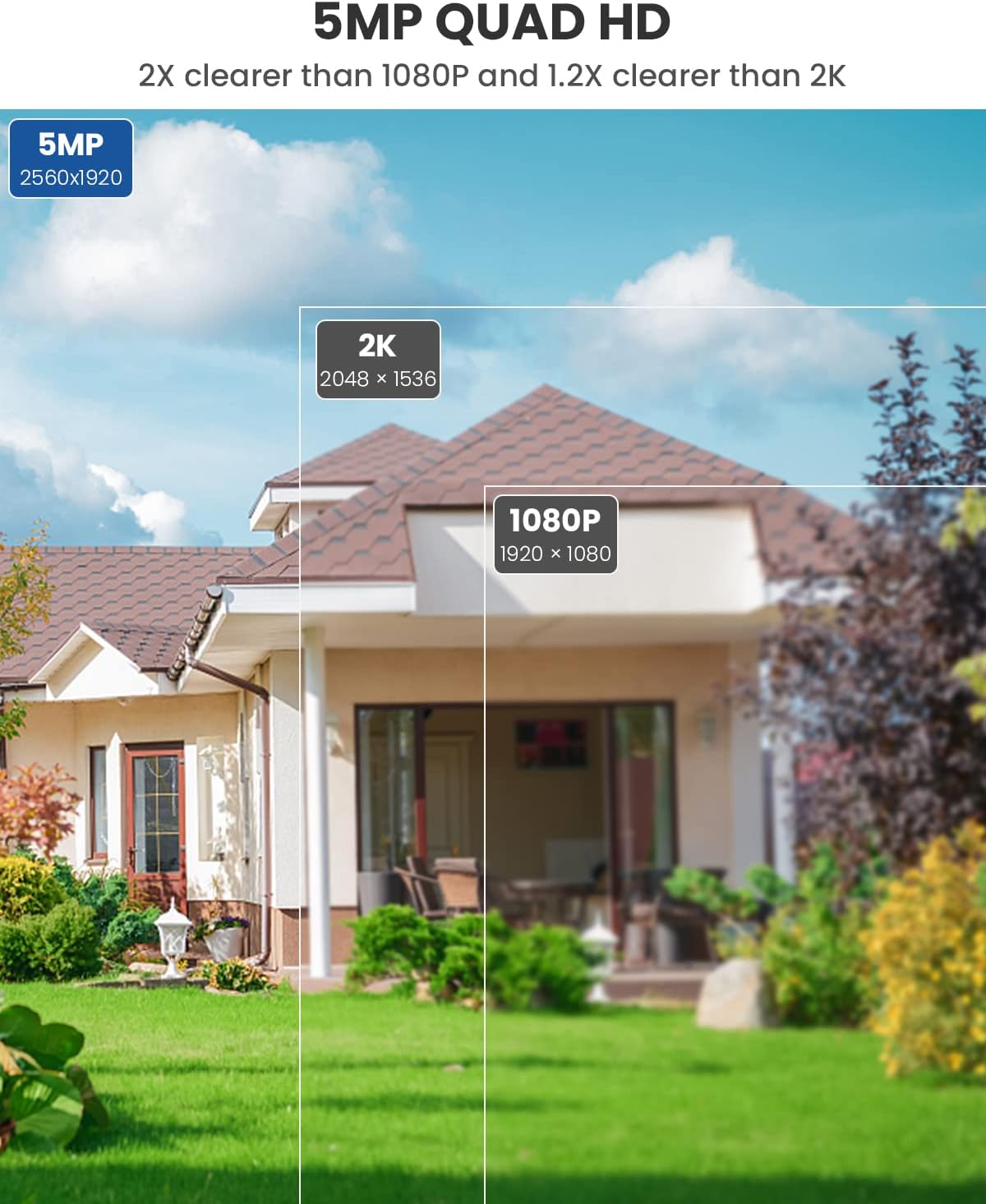
Obrázek 7.1.1: 5MP Quad HD Resolution. This image visually compares the clarity of 5MP (2560x1920) resolution, stating it is 2X clearer than 1080P and 1.2X clearer than 2K (2048x1536).
| Funkce | Detail |
|---|---|
| Číslo modelu | ZY-C8-5MP |
| Rezoluce | 5 MP (2560x1920) |
| Rozsah otáčení/naklánění | 355° horizontálně, 90° vertikálně |
| Konektivita | 2.4 GHz Wi-Fi (IEEE 802.11b/g/n) |
| Noční vidění | Infrared Night Vision, Full Color Night Vision |
| Zvuk | Obousměrný zvuk (vestavěný mikrofon a reproduktor) |
| Možnosti úložiště | Karta MicroSD (až 128 GB, není součástí balení), cloudové úložiště |
| Speciální funkce | Detekce osob, automatické sledování |
| Zdroj napájení | Elektrický s kabelem (10 watty) |
| Provozní teplota | -10 °C až 60 °C (14 °F až 140 °F) |
| Materiál | Kov |
| Rozměry (D x Š x V) | 8 x 6 x 10 cm |
| Hmotnost | 599 g |
8. Záruka a podpora
For warranty information and technical support, please refer to the warranty card included in your product packaging or visit the official MUBVIEW website. You may also contact MUBVIEW customer service through the contact information provided in the app or on their webmísto.
Ask a question about this manual
Ask about setup, troubleshooting, compatibility, parts, safety, or missing instructions. Manuals+ will review the question and use this page’s manual context to help answer it.