
Zavedení
Thank you for choosing the Andoer 18.5-inch Wi-Fi Digital Photo Frame. This manual provides detailed instructions to help you set up, operate, and maintain your new digital photo frame. Please read this manual thoroughly before use and keep it for future reference.
Co je v krabici
- 1 x Andoer 18.5-inch Wi-Fi Digital Photo Frame
- 1 x Back Stand
- 1 x Power Adapter (Input: 100-240V, 50/60Hz; Output: DC 12V, 2A)
- 1 x Uživatelská příručka

Image: Package contents showing the digital photo frame, power adapter, back stand, and user manual.
Bezpečnostní informace
Pro zajištění bezpečného provozu a prevenci poškození dodržujte prosím následující bezpečnostní opatření:
- Nevystavujte zařízení dešti, vlhkosti ani extrémním teplotám.
- Používejte pouze dodaný napájecí adaptér. Použití neschváleného adaptéru může poškodit zařízení a vést ke ztrátě záruky.
- Neumísťujte rám na přímé sluneční světlo nebo do blízkosti zdrojů tepla.
- Nepokoušejte se zařízení rozebírat ani opravovat sami. Veškerý servis svěřte kvalifikovanému personálu.
- Udržujte zařízení mimo dosah silných magnetických polí.
- Clean the screen with a soft, dry cloth. Do not use liquid cleaners or sprays directly on the screen.
Konec produktuview
The Andoer 18.5-inch Wi-Fi Digital Photo Frame is designed to display your cherished memories with ease and clarity. It features a high-resolution IPS touchscreen and Wi-Fi connectivity for instant sharing.
Klíčové vlastnosti
- Snadné sdílení: Integrated Wi-Fi supports instant and wireless sharing of photos and videos with friends and family from anywhere via the Frameo application.
- Dotyková obrazovka IPS: Features a 17.3-inch IPS screen with a 1920 x 1080 resolution, allowing for intuitive touch control to manage photos and settings.
- Velká skladovací kapacita: Equipped with 16GB of built-in memory (approximately 8GB usable for user content) and supports external TF cards up to 32GB.
- Automatické otáčení: Automatically rotates photos to adjust direction. Includes a removable back stand for both portrait and landscape viewing, and can also be wall-mounted.

Obrázek: Přední strana view of the digital photo frame highlighting its main features.
Nastavení
1. Vybalení a umístění
- Opatrně vyjměte všechny součásti z obalu.
- Attach the back stand to the frame for desktop placement, or prepare for wall mounting if desired.
- Place the frame on a stable, flat surface or mount it securely on a wall. Ensure adequate ventilation around the device.

Obrázek: Přamples of placing the digital photo frame on a desktop or mounting it on a wall.
2. Zapnutí
- Connect the power adapter to the DC input port on the back of the frame.
- Zapojte napájecí adaptér do standardní elektrické zásuvky.
- Rám se automaticky zapne a zobrazí se úvodní obrazovka nastavení.
3. Počáteční nastavení a připojení k Wi-Fi
- Follow the on-screen prompts to select your preferred language, time zone, and other basic settings.
- When prompted, select your Wi-Fi network from the list and enter the password. Ensure a stable internet connection for optimal performance.
4. Instalace a párování aplikace Frameo
- Download the "Frameo" application from your smartphone's app store (available for iOS and Android).
- Otevřete aplikaci Frameo a vytvořte si účet nebo se přihlaste.
- On your digital photo frame, navigate to the "Add Friend" section to get a unique frame code.
- In the Frameo app on your smartphone, enter the frame code to pair your device with the photo frame.
Návod k obsluze
1. Navigating the Touch Screen
The frame features an intuitive IPS touchscreen. Swipe left/right to browse photos, tap to access menus, and pinch to zoom (if supported by the software version).

Image: Illustrating the touch control functionality of the 18.5-inch IPS screen.
2. Nahrávání fotografií a videí
You can upload media to your frame using the Frameo app or via email.
- Prostřednictvím aplikace Frameo: Open the Frameo app on your smartphone, select the photos/videos you wish to share, choose your connected frame, and send.
- Prostřednictvím e-mailu: The frame may have a unique email address. Send photos/videos to this address, and they will appear on your frame after processing.

Image: Demonstrating how to upload photos to the frame using a mobile phone app or email.

Image: Highlighting the instant wireless sharing capability of the photo frame.
3. Managing Photos and Settings
From the frame's touchscreen interface, you can:
- Move/Hide/Delete Photos: Tap on a photo to reveal options for managing it.
- Import fotografií: If using an external TF card, you can import photos from it.
- Upravit nastavení: Access the settings menu to change brightness, language, time zone, and the frame's name.
4. Automatická rotace
The frame automatically detects its orientation (portrait or landscape) and adjusts the displayed photos accordingly. This feature ensures your photos are always displayed correctly, regardless of how the frame is positioned.
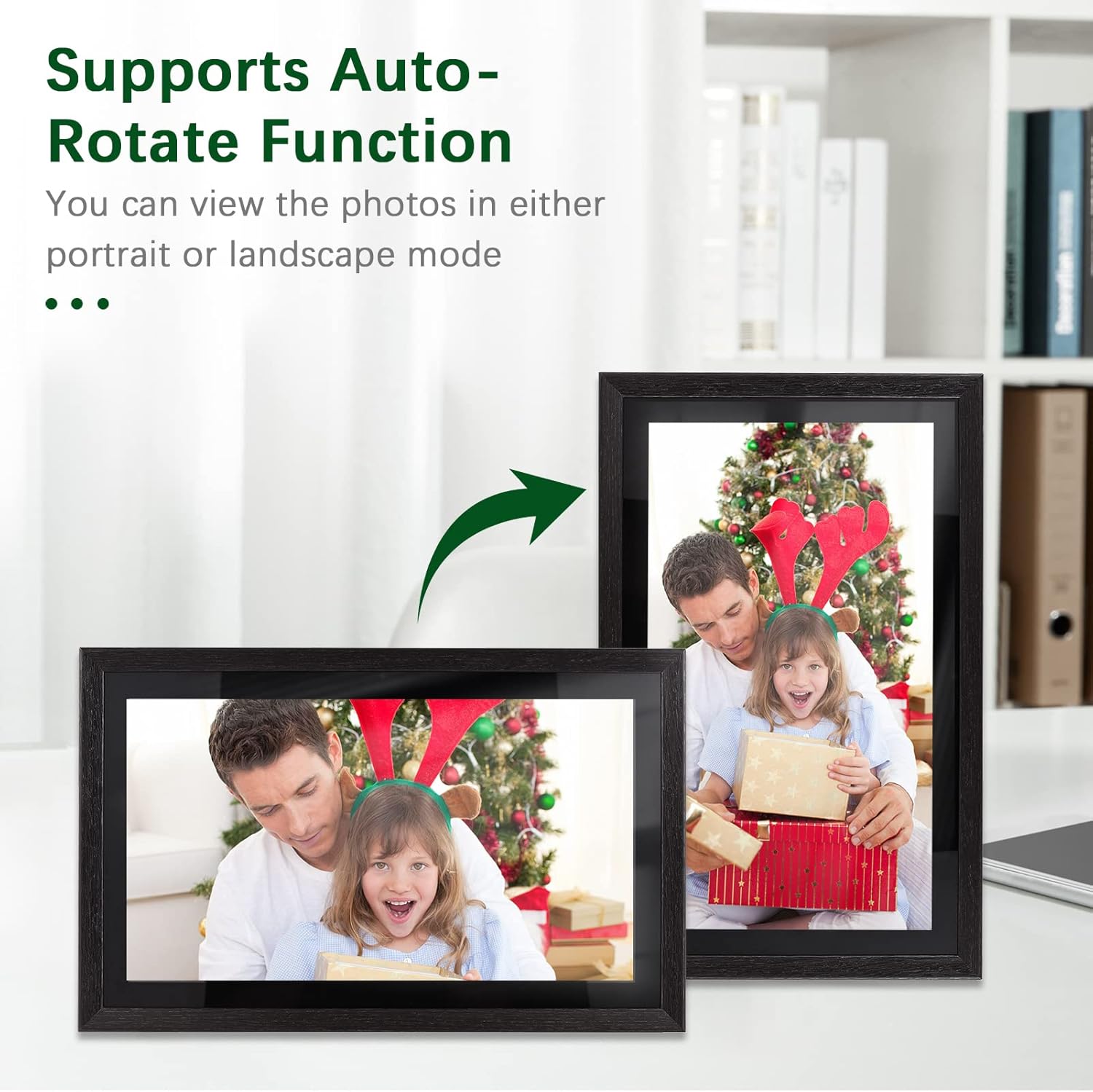
Image: Demonstration of the automatic rotation feature, showing the frame adapting to portrait and landscape orientations.
Údržba
Čištění rámu
- Obrazovka: Jemně otřete obrazovku měkkým hadříkem, který nepouští vlákna. V případě odolných šmouh lehceamphadřík vodou (nestříkejte přímo na obrazovku).
- Tělo rámu: Use a soft, dry cloth to wipe the frame's body.
- Do not use abrasive cleaners, solvents, or chemical sprays, as these can damage the finish and screen.
Aktualizace softwaru
Periodically check for software updates in the frame's settings menu. Keeping your frame's software up-to-date ensures optimal performance and access to new features.
Správa úložiště
The frame has 16GB of internal storage. If you find yourself running low on space, consider deleting old photos/videos or utilizing an external TF card (up to 32GB) for additional storage.
Odstraňování problémů
| Problém | Možná příčina | Řešení |
|---|---|---|
| Rám se nezapne. | Napájecí adaptér není připojen nebo je vadný; problém se zásuvkou. | Ujistěte se, že je napájecí adaptér bezpečně připojen k rámu a k funkční elektrické zásuvce. Zkuste jinou zásuvku. |
| Nelze se připojit k Wi-Fi. | Nesprávné heslo; slabý signál; problém s routerem. | Double-check the Wi-Fi password. Move the frame closer to the router. Restart your router. |
| Photos/videos not uploading. | No internet connection; incorrect frame code; app issues. | Verify Wi-Fi connection. Ensure the correct frame code is entered in the Frameo app. Restart the app and try again. Check available storage on the frame. |
| Dotyková obrazovka nereaguje. | Dočasná softwarová závada; znečištěná obrazovka. | Restart the frame by unplugging and replugging the power adapter. Clean the screen with a soft, dry cloth. |
Specifikace
| Funkce | Detail |
|---|---|
| Číslo modelu | DRR9822880669739GJ |
| Velikost obrazovky | 18.5 palců |
| Typ zobrazení | IPS dotykový displej |
| Rezoluce | 1920 x 1080 |
| Poměr stran | 16:9 |
| Vnitřní paměť | 16GB (approx. 8GB usable) |
| Externí úložiště | Supports TF Card (max. 32GB) |
| Konektivita | Wi-Fi |
| Vstup napájení | 12V/2A |
| Napájecí adaptér | Input: 100-240V, 50/60Hz; Output: DC 12V, 2A |
| Kontrolní metoda | Dotyková obrazovka |
| Kompatibilní zařízení | Notebook, chytrý telefon, tablet |
| Barva | Černý |
| Rozměry balení | 52.6 x 44.29 x 8.9 cm |
| Hmotnost balení | 2.81 kg |
Záruka a podpora
Informace o záruce
Andoer products are manufactured to the highest quality standards. This product is covered by a standard manufacturer's warranty against defects in materials and workmanship. Please refer to your purchase documentation for specific warranty terms and duration.
Zákaznická podpora
If you encounter any issues or have questions regarding your Andoer 18.5-inch Wi-Fi Digital Photo Frame, please contact our customer support team. For the most up-to-date support information, including contact details and FAQs, please visit the official Andoer website or refer to your purchase platform's support section.