
Rfiver easel tv stand
Rfiver Easel TV Stand User Manual
Model: easel tv stand
Značka: Rfiver
Zavedení
Thank you for choosing the Rfiver Easel TV Stand. This stand is designed to provide a stylish and functional solution for displaying your television, offering features like 180-degree swivel, height adjustment, and integrated storage. This manual provides detailed instructions for assembly, operation, maintenance, and troubleshooting to ensure safe and optimal use of your product.

Image: The Rfiver Easel TV Stand, showcasing its design with a television, soundbar, and record player on its integrated shelves.
Bezpečnostní informace
- Před montáží se ujistěte, že jsou všechny díly přítomny a nepoškozené. Nepoužívejte, pokud některé díly chybí nebo jsou poškozené.
- Adhere strictly to the maximum weight capacity of 88 lbs (40 kg) for the TV and 22 lbs (10 kg) per shelf. Exceeding these limits can cause instability and damage.
- This stand is suitable for TVs between 32 and 65 inches. Verify your TV's VESA mounting pattern (100x100mm to 400x400mm) before installation.
- Stojan sestavte na měkkém a čistém povrchu, abyste zabránili poškrábání.
- Always use two people when lifting and mounting the television onto the stand.
- Position the stand on a flat, stable, and level surface to prevent tipping.
- Keep small children and pets away from the stand during assembly and operation to prevent accidents.
Obsah balení
Before beginning assembly, please ensure all components listed in the product's packing list are present and accounted for. Refer to the included hardware pack for all necessary screws, bolts, and tools.
Montážní návod
Assembly of the Rfiver Easel TV Stand is designed to be straightforward. Follow the steps carefully, referring to the diagrams for visual guidance. A second person is recommended for certain steps, especially when mounting the TV.
Krok 1: Rozbalení a identifikace součástí
Carefully unpack all components and lay them out on a soft, clean surface. Identify each part by comparing it with the parts list provided in your package.
Step 2: Assemble the Base and Legs
Attach the three premium wood legs to the central base structure. Ensure they are securely fastened. The widened base design enhances stability.
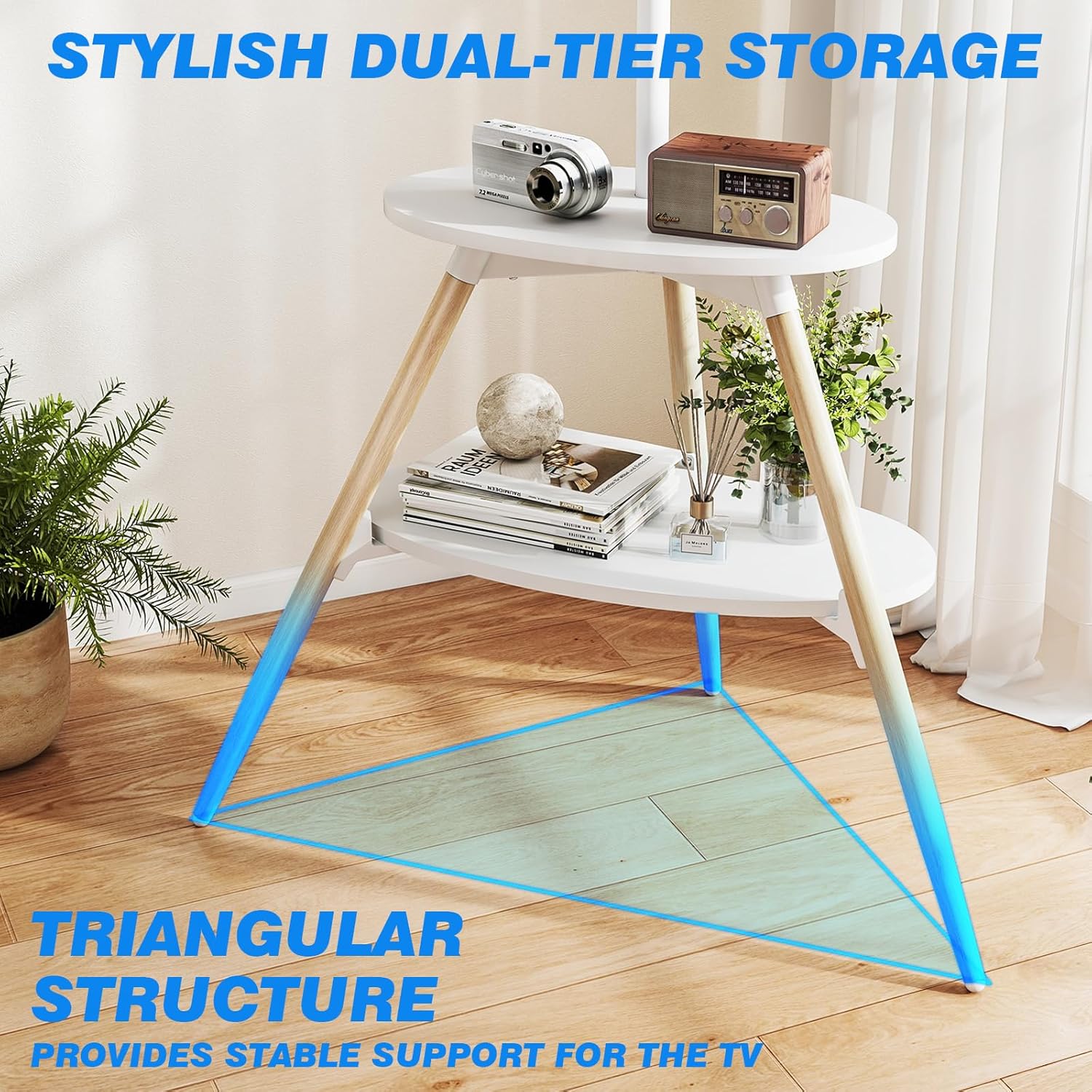
Obrázek: Podrobný view of the stand's dual-tier storage and the triangular base structure, emphasizing stability.
Step 3: Install the TV Mounting Bracket
Attach the vertical TV mounting bracket to the main support pole. Ensure it is oriented correctly for height adjustment and swivel functionality.
Krok 4: Připevnění úložných polic
Secure the two wooden storage shelves to the stand. These shelves provide space for media devices like DVD players, Wi-Fi routers, or projectors.
Step 5: Mount Your TV
Carefully attach your television to the mounting bracket using the appropriate VESA screws. Ensure the TV is centered and securely fastened. It is highly recommended to have a second person assist with this step.

Image: A diagram showing the full dimensions of the assembled TV stand, including the adjustable height range and shelf sizes.
Návod k obsluze
Funkce otáčení
The Rfiver Easel TV Stand features a smooth 90-degree left and right swivel capability, allowing for a total of 180 degrees of rotation. To adjust the viewing angle, gently rotate the television to your desired position. No need to move the entire stand.

Image: Visual representation of the stand's 180-degree swivel range, showing how the TV can be angled for optimal viewIng.
Nastavení výšky
The TV mounting bracket can be adjusted along the main support pole to achieve your preferred viewing height. Loosen the securing mechanism, slide the TV to the desired height, and then re-tighten to secure it in place. This allows for multi-height settings for eye-level comfort.
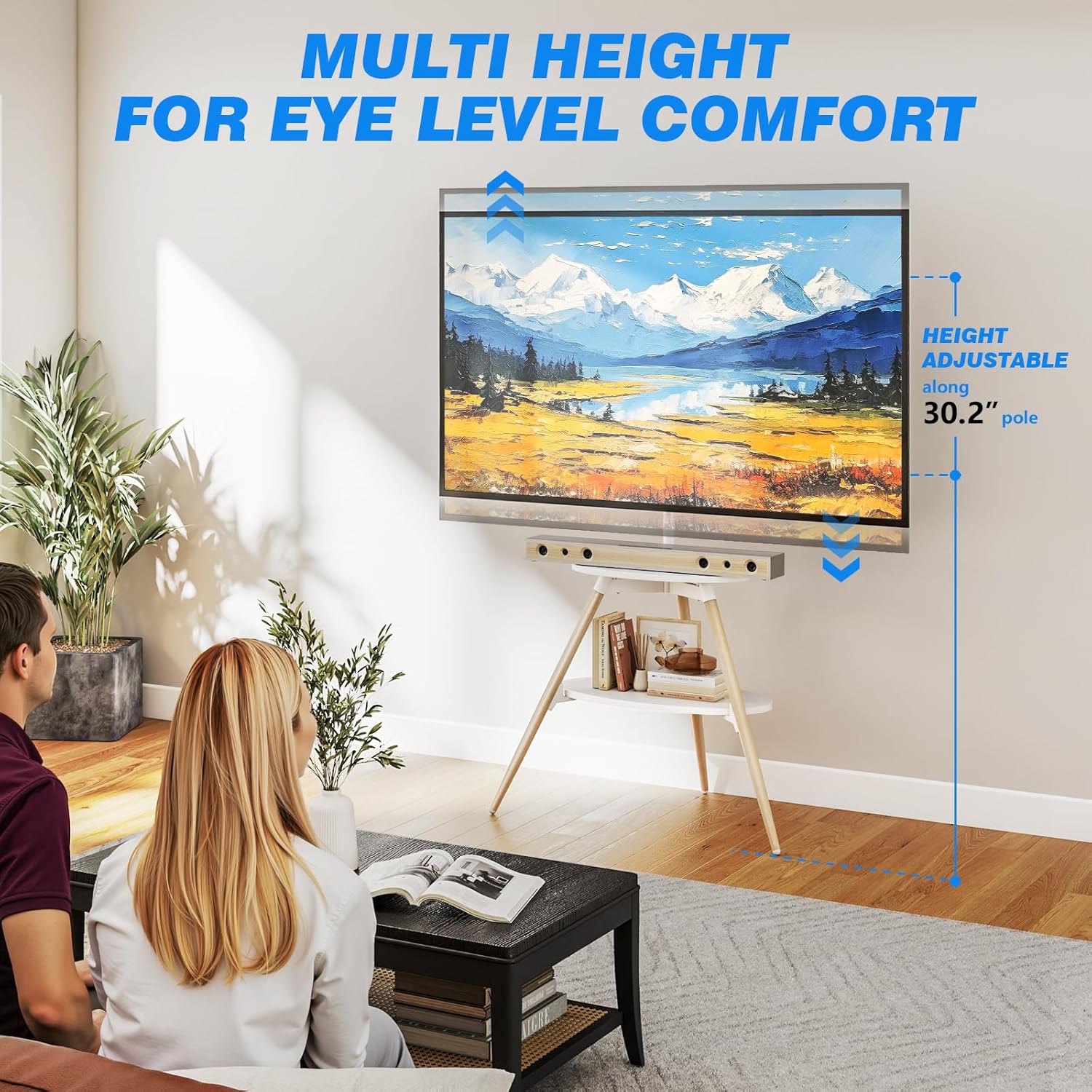
Image: An illustration showing the adjustable height range of the TV on the stand, emphasizing comfort and flexibility.
Skladovací police
Utilize the two wooden shelves for organizing your media devices, remote controls, or decorative items. Each shelf has a maximum load capacity of 22 lbs (10 kg).
Správa kabelů
The stand is equipped with an integrated cable management system. Use the provided cable clips to route and conceal messy cords and wires along the main support pole and legs, creating a neat and organized entertainment space.

Image: A close-up of the cable management clips, showing how cables can be neatly routed along the stand's legs.
Údržba a péče
- Čištění: Otřete stojan měkkým, suchým hadříkem. V případě odolných skvrn použijte lehceamp Lze použít hadřík a ihned osušit. Nepoužívejte agresivní chemikálie ani abrazivní čisticí prostředky.
- Pravidelné kontroly: Pravidelně kontrolujte všechny šrouby a spoje, zda jsou pevně utažené a bezpečné. V případě potřeby je dotáhněte.
- Vyhněte se přetížení: Do not place items heavier than the specified weight limits on the shelves or mount a TV exceeding the maximum weight capacity.
- Podmínky prostředí: Avoid exposing the stand to extreme temperatures, high humidity, or direct sunlight for prolonged periods, as this may affect the material integrity.
Odstraňování problémů
| Problém | Možná příčina | Řešení |
|---|---|---|
| Stojan se zdá být nestabilní nebo vratký. | Not all screws are tightened; stand is on an uneven surface; TV weight exceeds capacity. | Ensure all assembly screws are fully tightened. Move the stand to a flat, level surface. Verify your TV's weight is within the 88 lbs limit. |
| TV is not level or slightly tilted forward. | Main spine pipe not perfectly straight; legs not in optimal position. | Check the alignment of the main support pole. Try slightly adjusting the position of the tripod legs to find a more balanced stance. Ensure the TV is mounted centrally. |
| Cannot attach TV to the bracket. | Nesprávný vzor VESA; použité nesprávné šrouby. | Verify your TV's VESA pattern is between 100x100mm and 400x400mm. Use the correct screws provided for your TV's VESA holes. |
Specifikace
| Funkce | Detail |
|---|---|
| Značka | Rfiver |
| Číslo modelu | easel tv stand |
| Rozměry produktu | 33 x 21.6 x 54.9 palce |
| Hmotnost položky | 8.9 libry |
| Materiál | Legovaná ocel, dřevo |
| Barva | Bílý |
| Typ montáže | Montáž na podlahu |
| Typ pohybu | Swivel (180°) |
| Maximální kompatibilní úhlopříčka televizoru | 65 palce |
| Minimální kompatibilní velikost televizoru | 32 palce |
| Maximum TV Load Capacity | 88 lb (40 kg) |
| Nosnost police | 10 kg na polici |
| Kompatibilita VESA | 100x100mm až 400x400mm |
Kompatibilita
The Rfiver Easel TV Stand is designed for wide compatibility with various television models. Please ensure your TV meets the following criteria:
- Velikost obrazovky: Suitable for most 32 to 65 inch LCD/LED/OLED Flat/Curved screens or monitors.
- Nosnost: Your TV must not exceed 88 lbs (40 kg).
- Montážní vzory VESA: Supports VESA mounting patterns ranging from 100x100mm to 400x400mm. This refers to the distance between the four mounting holes on the back of your TV (horizontal x vertical).
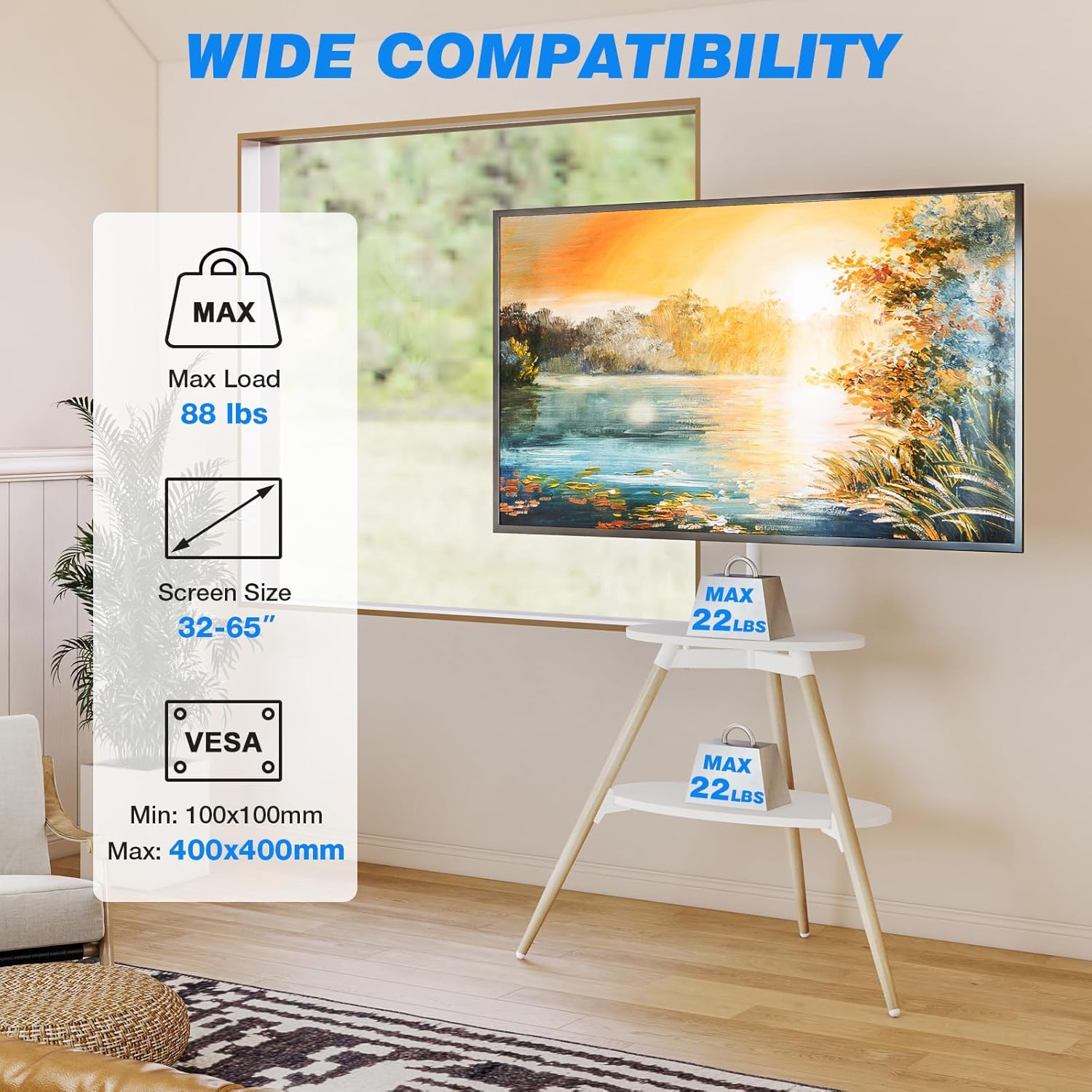
Image: An infographic summarizing the compatibility requirements for the TV stand, including supported screen sizes, maximum weight, and VESA standards.
Záruka a podpora
Rfiver stands behind the quality of its products. For any questions regarding assembly, operation, or troubleshooting, please contact Rfiver customer support. Keep your purchase receipt for any warranty claims. Specific warranty details may vary and are typically provided with the product packaging or on the manufacturer's official webmísto.
Ask a question about this manual
Ask about setup, troubleshooting, compatibility, parts, safety, or missing instructions. Manuals+ will review the question and use this page’s manual context to help answer it.