
Zavedení
This manual provides essential instructions for the proper setup, operation, and maintenance of your Honeywell Medium Steel Security Safe with Digital Lock, Model 815610. Please read this manual thoroughly before using your safe to ensure optimal security and longevity of the product. Keep this manual for future reference.
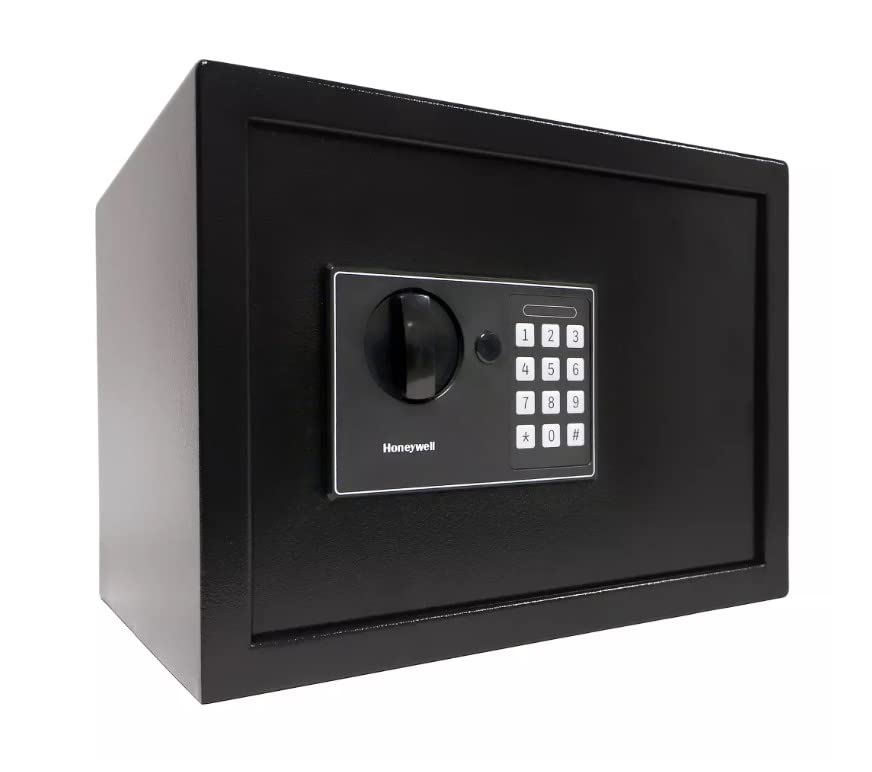
Obrázek: Přední strana view of the Honeywell Medium Steel Security Safe, showcasing the digital keypad and manual override dial.
Nastavení
1. Vybalení a první kontrola
Carefully remove the safe from its packaging. Inspect the safe for any signs of damage. Report any damage to your retailer immediately. Ensure all included components, such as keys and mounting hardware, are present.
2. Instalace baterie
The digital lock requires batteries for operation. Locate the battery compartment, typically on the inside of the safe door. Insert the specified number and type of batteries (usually AA, not included) according to the polarity indicators. Close the battery compartment securely.
3. Setting Your Personal Digital Code
Your safe comes with a factory default code. It is crucial to change this to a personal code immediately. Refer to the specific instructions provided inside the safe for programming your new code. Typically, this involves pressing a reset button inside the safe, entering your new code (4-8 digits), and confirming it. Test the new code multiple times with the door open before closing it.
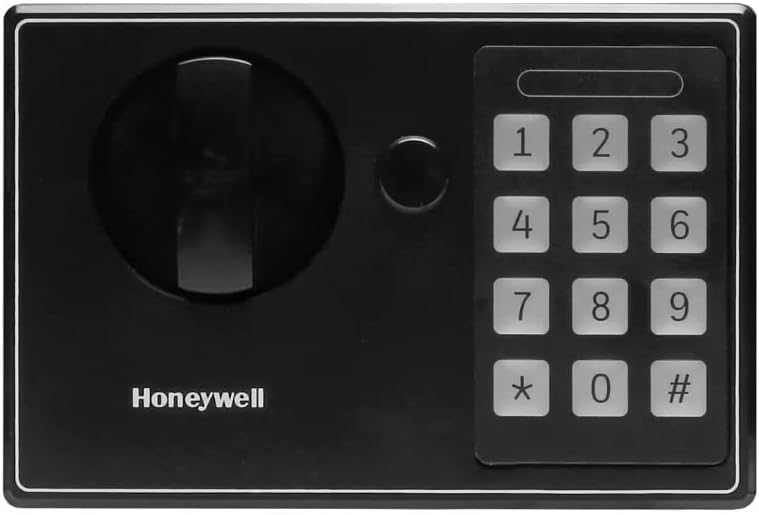
Image: Close-up of the digital keypad on the Honeywell safe, showing the number buttons and manual override access.
4. Montáž trezoru
The safe is designed for freestanding or tabletop placement. For enhanced security, it is recommended to secure the safe using the provided mounting hardware. Locate the pre-drilled holes on the back or bottom of the safe. Use appropriate tools and fasteners to secure the safe to a wall or floor, ensuring it is firmly attached to a stable surface.

Image: The Honeywell safe with its door open, revealing the interior storage space and locking bolts.
Operace
1. Opening the Safe with Your Digital Code
- Enter your personal digital code (4-8 digits) on the keypad.
- Press the 'Enter' or '#' button (if applicable).
- Within a few seconds of a successful entry, turn the handle clockwise to open the safe door.
2. Opening the Safe with the Override Key
In case of forgotten code, battery failure, or electronic malfunction, the safe can be opened using the override key.
- Locate the keyhole, usually concealed behind a cover on the digital lock panel.
- Insert the override key and turn it counter-clockwise.
- While holding the key turned, rotate the handle clockwise to open the safe door.
- Remove the key once the door is open. Store override keys in a secure location away from the safe.
3. Zamknutí trezoru
To lock the safe, simply close the door and turn the handle counter-clockwise until the bolts engage. The digital lock will automatically secure the safe. No code entry is required to lock the safe.
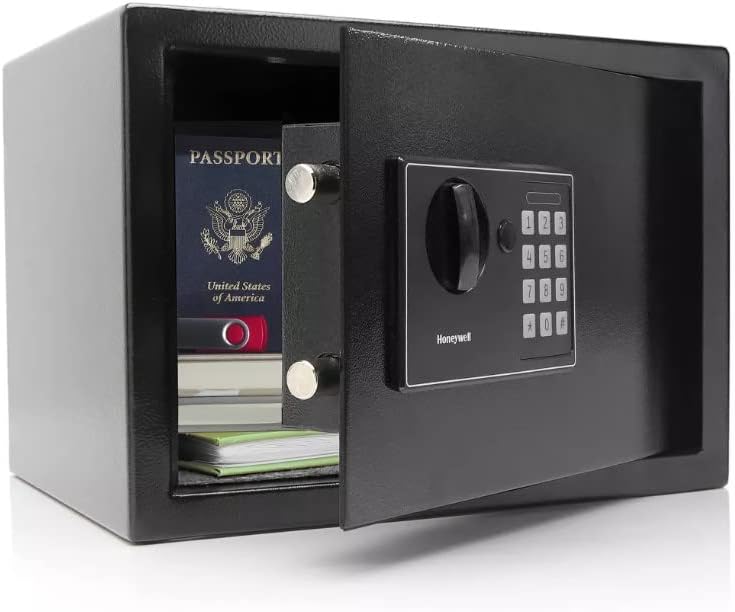
Image: The interior of the Honeywell safe, showing documents and a passport stored securely.
Údržba
1. Výměna baterie
Replace the batteries annually or when the low battery indicator appears. Always use new, high-quality alkaline batteries of the specified type. Do not mix old and new batteries or different battery types.
2. Čištění
Vnější povrch trezoru očistěte měkkým hadříkem.amp cloth. Avoid using abrasive cleaners or solvents, as these can damage the finish. Do not spray cleaning solutions directly onto the keypad or lock mechanism.
3. Správa klíčů
Keep your override keys in a secure location, separate from the safe. Do not store them inside the safe. It is advisable to make a note of your key number for reordering purposes, if available.
Odstraňování problémů
- Digital Lock Not Responding: Check if the batteries are correctly installed and have sufficient charge. Replace batteries if necessary. Ensure no buttons are stuck.
- Zapomenutý kód: Use the override key to open the safe. Once open, you can reset your personal digital code following the instructions in the 'Setting Your Personal Digital Code' section.
- Door Not Opening/Closing Properly: Ensure there are no obstructions preventing the door from closing fully. Check if the locking bolts are retracting or extending smoothly. If using the digital code, ensure it is entered correctly and the handle is turned within the allotted time.
- Alarmový systém: The safe features an anti-theft alarm. If the safe is tampered with or moved unexpectedly, the alarm may activate. Refer to the specific alarm instructions for deactivation and sensitivity settings.
Specifikace
| Značka | Honeywell |
| Číslo modelu | 815610 |
| Typ zámku | Elektronický |
| Materiál | Legovaná ocel |
| Barva | Černý |
| Speciální funkce | Poplašný systém |
| Typ montáže | Volně stojící, stolní |
| Zahrnuté komponenty | Klíč |
| Poplach | Ochrana proti krádeži |
| Úroveň odolnosti proti vodě | Není odolný vůči vodě |
| Typ ovládání | Ovládání touchpadem |
| UPC | 814113011491 |
Záruka a podpora
For warranty information, please refer to the warranty card included with your product or visit the official Honeywell website. If you require technical assistance or have questions regarding your safe, please contact Honeywell customer support. Keep your proof of purchase and model number readily available when contacting support.
Note: This manual provides general instructions. Specific details may vary slightly. Always refer to the documentation included with your product for the most accurate and up-to-date information.