
ANSTEN AS30NEW
Uživatelská příručka pro bezdrátové herní sluchátka ANSTEN AS30NEW
Model: AS30NEW | Brand: ANSTEN
Zavedení
Thank you for choosing the ANSTEN AS30NEW Wireless Gaming Headset. This manual provides detailed instructions for setup, operation, maintenance, and troubleshooting to ensure you get the best experience from your new headset. The AS30NEW is designed for immersive gaming with its 2.4G wireless connectivity, 7.1 virtual surround sound, and comfortable over-ear design.
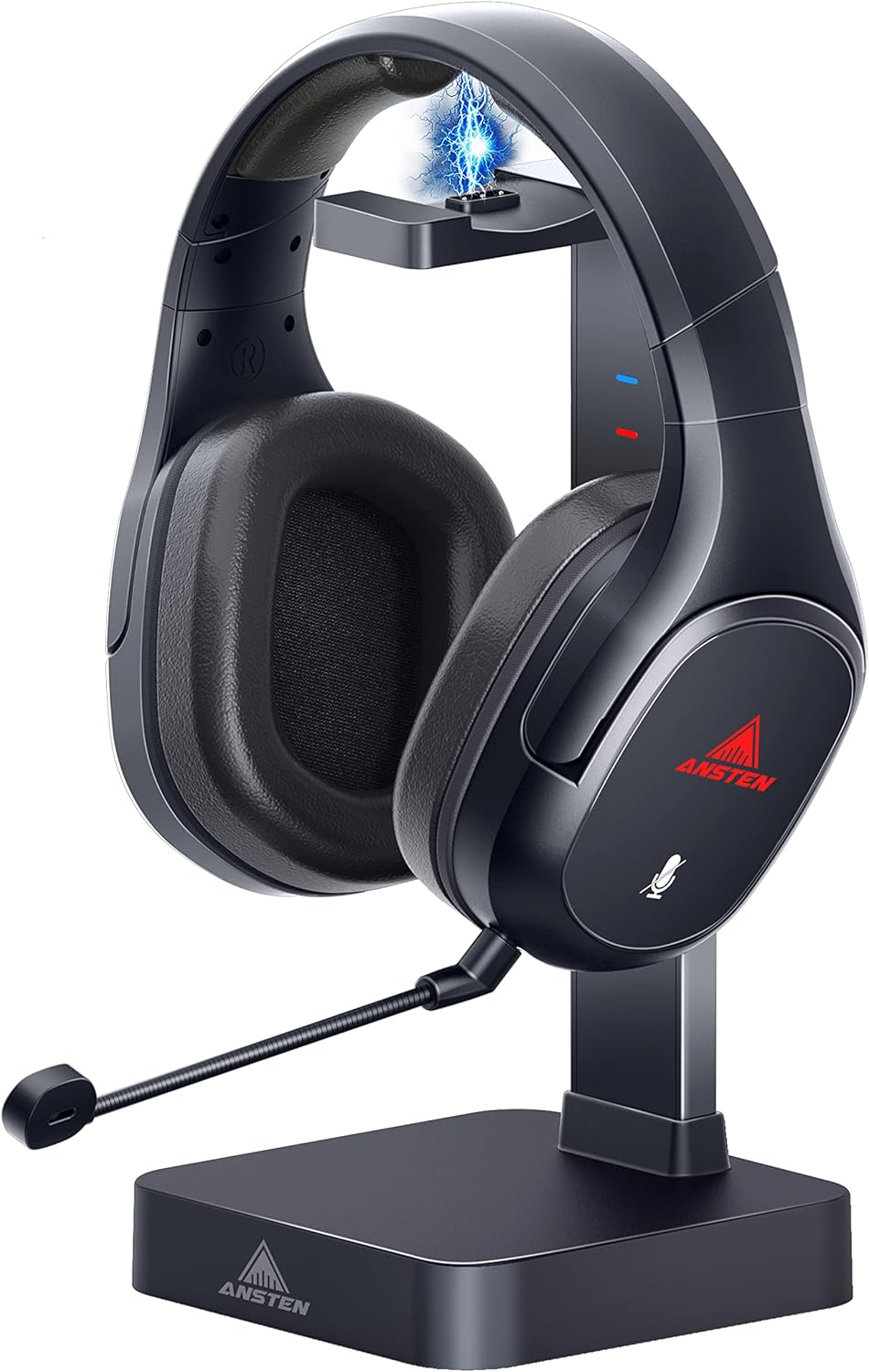
The ANSTEN AS30NEW Wireless Gaming Headset with its dedicated charging stand.
Co je v krabici
Ověřte, zda jsou v balení přítomny všechny položky:
- AS30 bezdrátová sluchátka x 1
- Wireless transmitter & charging base x 1
- Micro USB kabel x 1
- 3.5 mm audio kabel x 1
- Odnímatelný mikrofon x 1
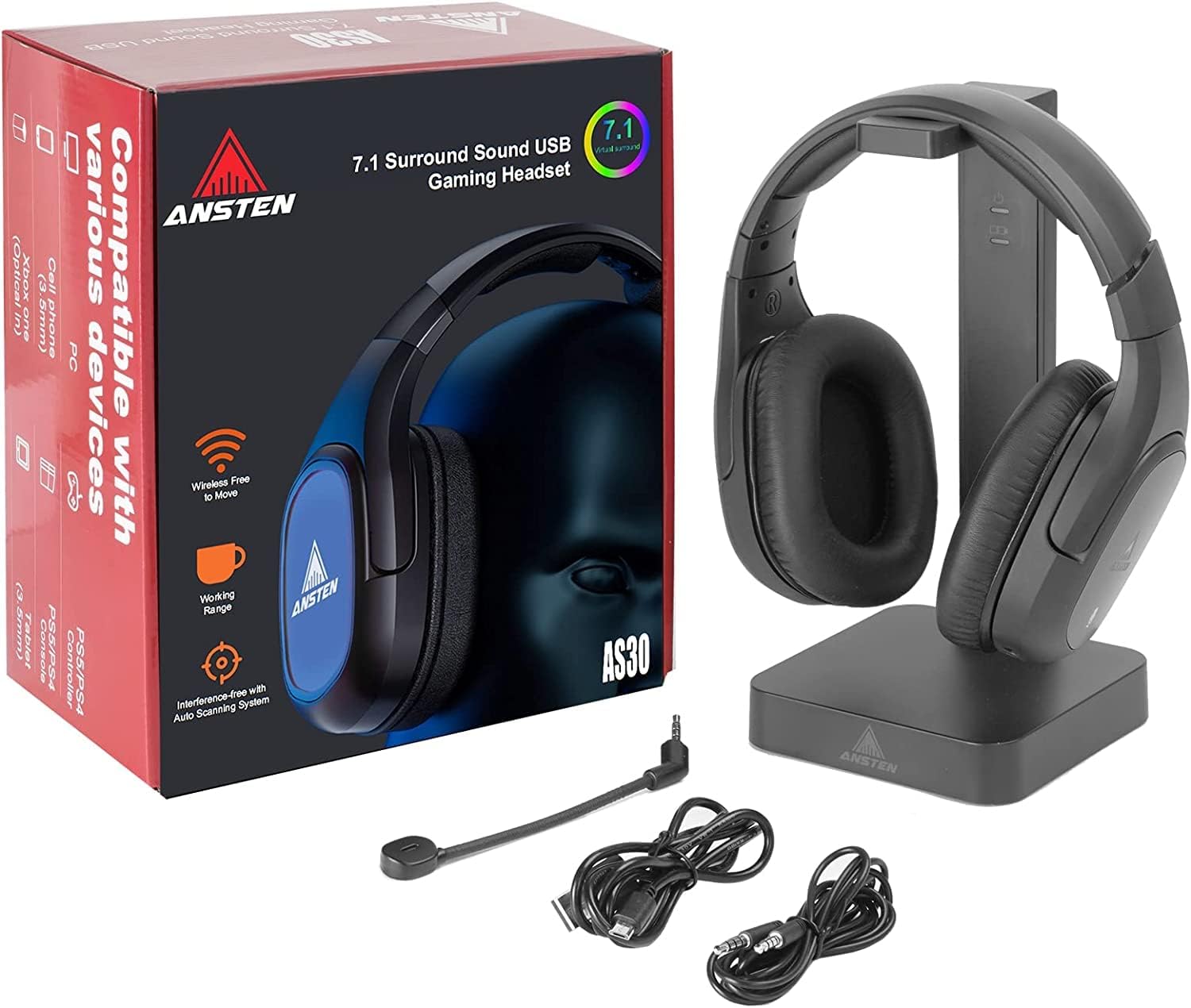
All components included in the ANSTEN AS30NEW Wireless Gaming Headset package.
Vlastnosti produktu
-
High Performance 2.4G Wireless Base
Experience lossless, uncompressed, and ultra-low latency audio with the professional gaming-grade 2.4 GHz wireless connectivity. The wireless range extends up to 10m, and the headset offers up to 20 hours of battery life. The base serves as both a transmitter and a charging station, allowing you to conveniently store and charge your headset.

Klíčová výhodatages of the ANSTEN AS30NEW's 2.4G wireless and charging capabilities.
Official video demonstrating the ANSTEN Game Headphones with 2.4G Transmitter Charging Stand.
-
Superior Surrounding Stereo Sound
The AS30 gaming headset delivers 7.1 panoramic HI-FI level stereo sound, simulating a 360° sound sphere for precise positional audio. Equipped with customized high-resolution 50mm speaker drivers and high-density neodymium magnets, it reproduces clear highs, rich midranges, and powerful bass, ensuring an immersive gaming experience.

Visual representation of the 50mm drivers providing 7.1 virtual surround sound.
-
Pohodlí po celý den
Designed for extended wear, the headset features imitation protein skin earmuffs that release heat and moisture efficiently, providing long-lasting comfort and sound isolation. The adjustable headband and 90° rotating ear cups ensure a comfortable fit for various head sizes and shapes. Cool LED lights on the earcups enhance the gaming atmosphere.
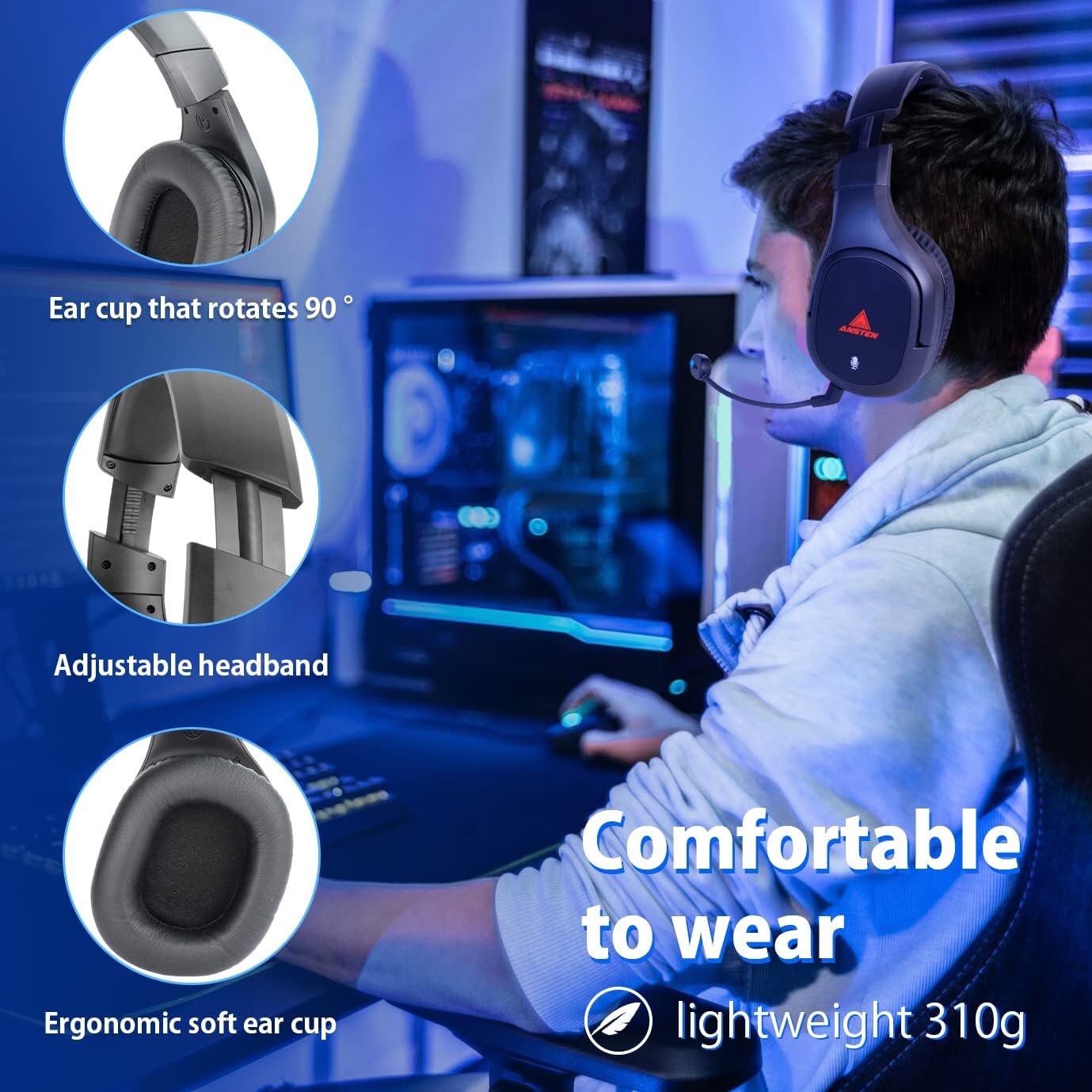
Detailní view of the headset's comfort-enhancing features.
-
Kompatibilita s více zařízeními
Thanks to the 3.5mm/USB/optical audio input ports on the wireless transceiver, this gaming headset is compatible with a wide range of devices, including PC, PS4, PS5, Nintendo Switch, PSP, and mobile devices. Enjoy seamless gaming across different platforms.
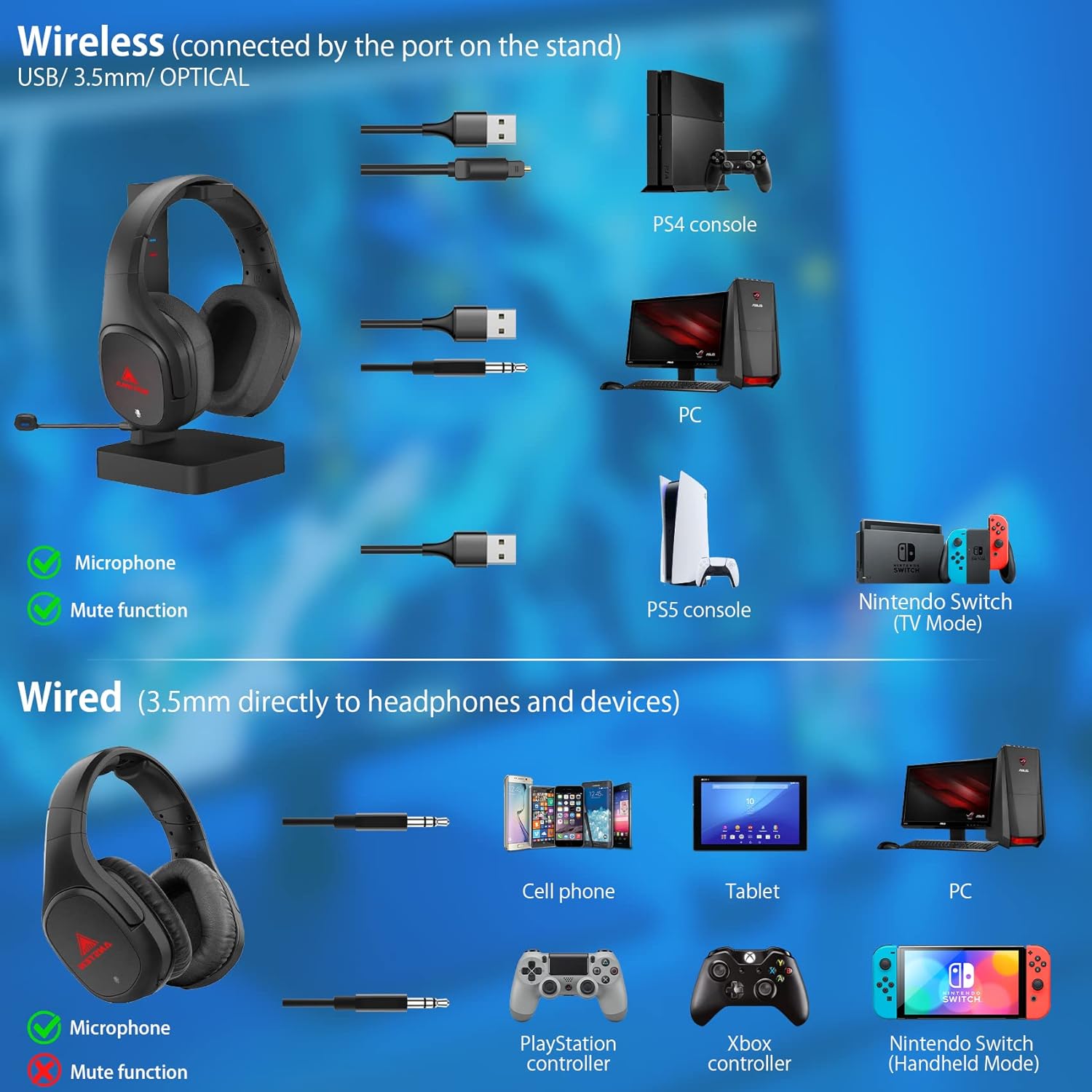
Comprehensive compatibility diagram for the ANSTEN AS30NEW headset.
-
Detachable Noise-Cancellation Microphone
The headset features an Omni-directional microphone with advanced noise-canceling capabilities, ensuring high-quality communication. The microphone can be muted with a single press on the left earcup, allowing easy switching between chat modes. Its long and flexible design enables convenient angle adjustment for clear message delivery.

The detachable noise-canceling microphone for clear communication.
Official video demonstrating the ANSTEN AS30 Wireless Gaming Headphones, including the mute function.
Nastavení
Connecting the Charging Stand/Transmitter
- Connect the Micro USB cable to the 'Micro USB' port on the back of the charging stand.
- Plug the other end of the Micro USB cable into a USB power source (e.g., a computer USB port, a wall adapter).
- For audio input, connect your device (PC, console) to the charging stand using the appropriate cable (USB, 3.5mm audio, or optical).
- Ensure the 'ON/OFF' switch on the charging stand is in the 'ON' position.
Spárování náhlavní soupravy
- Place the headset onto the charging stand, ensuring the magnetic contacts align.
- The headset should automatically connect to the transmitter. A blue light on the charging stand indicates a successful connection.

Detailní view of the charging stand's input ports and controls.
Official video demonstrating the setup and charging of the ANSTEN wireless Gaming Headset with Charging Stand.
Návod k obsluze
Zapnutí/vypnutí
- To power on the headset, press and hold the power button located on the earcup for a few seconds until the LED lights up.
- To power off, press and hold the power button again until the LED turns off.
Ovládání hlasitosti
- Use the volume up/down buttons on the earcup to adjust the audio level.
Ztlumení mikrofonu
- Press the mute button on the earcup to toggle the microphone on or off. The microphone LED will indicate its status.
Official video demonstrating the mute function of the AS30NEW Wireless Gaming Headset.
Údržba
- Čištění: Use a soft, dry cloth to clean the headset and charging stand. Avoid using harsh chemicals or abrasive materials.
- Skladování: When not in use, store the headset on its charging stand in a cool, dry place away from direct sunlight and extreme temperatures.
- Péče o baterie: Chcete-li prodloužit životnost baterie, vyvarujte se častého úplného vybíjení sluchátek. Pravidelně je nabíjejte, i když je nepoužíváte neustále.
Odstraňování problémů
- Žádné problémy se zvukem/připojením:
- Ensure the charging stand is powered on and connected correctly to your device.
- Verify the headset is powered on and properly seated on the charging stand for wireless connection.
- Check all cable connections (USB, 3.5mm, optical) are secure.
- Confirm your device's audio output settings are configured to the headset.
- Headset Not Charging on Stand:
- Ensure the headset is powered on when placed on the charging stand for it to initiate charging. The charging light on the stand should illuminate.
- Verify the magnetic contacts on both the headset and the stand are clean and properly aligned.
Official video demonstrating the charging behavior of the ANSTEN wireless Gaming Headset with Charging Stand, highlighting the need for the headset to be powered on for charging to initiate.
- Mikrofon nefunguje:
- Ensure the detachable microphone is securely plugged into the headset.
- Check that the microphone is not muted (refer to Operating Instructions).
- Verify your device's microphone input settings are correctly configured for the headset.
Specifikace
| Funkce | Specifikace |
|---|---|
| Název modelu | AS30 NOVÉ |
| Technologie připojení | Wireless (2.4GHz) / Wired (3.5mm, USB, Optical) |
| Headphone Speaker Driver | 50 mm |
| Zvukový kanál | Virtual surround 7.1 |
| Životnost baterie | Až 20 hodin |
| Bezdrátové Dosah | 30ft / 9m |
| Hmotnost sluchátek | 302 g (10.9 uncí) |
| Typ mikrofonu | Detachable boom, Omni-directional with Noise-Canceling |
| Kompatibilní zařízení | PC, PS4, PS5, Nintendo Switch, PSP, Mobile (via USB/Optical/AUX) |
| Materiál | Plast |
| Rozměry | 7.28 x 4.57 x 9.45 palce |
Záruka a podpora
For detailed warranty information and customer support, please refer to the official ANSTEN resources.
- Uživatelská příručka (PDF): Uživatelskou příručku ke stažení si můžete stáhnout na adrese: ANSTEN AS30NEW User Manual PDF
- ANSTEN Store: Explore more ANSTEN products and support options at the official store: Visit the ANSTEN Store
Ask a question about this manual
Ask about setup, troubleshooting, compatibility, parts, safety, or missing instructions. Manuals+ will review the question and use this page’s manual context to help answer it.