
1. Důležité bezpečnostní pokyny
Please read these instructions carefully before using your GBC ShredMaster XP418+ shredder. Keep this manual for future reference.
- Udržujte děti a domácí zvířata mimo dosah drtiče.
- Keep loose clothing, hair, and jewelry away from the shredder opening.
- Nevkládejte prsty ani jiné části těla do otvoru drtiče.
- Před přemisťováním, čištěním nebo vyprazdňováním odpadkového koše odpojte drtič ze zásuvky.
- V blízkosti drtiče nepoužívejte aerosolové produkty.
- Do not shred adhesive labels or materials that are not specified for shredding.
- Ujistěte se, že je drtič umístěn na stabilním a rovném povrchu.
- Nepoužívejte drtič, pokud je poškozený napájecí kabel.
2. Konec produktuview
The GBC ShredMaster XP418+ is a heavy-duty cross-cut office shredder designed for secure destruction of confidential documents, credit cards, CDs, and DVDs. It features Active Sensing Anti-Jam Technology and a large 45-liter pull-out bin for efficient operation.
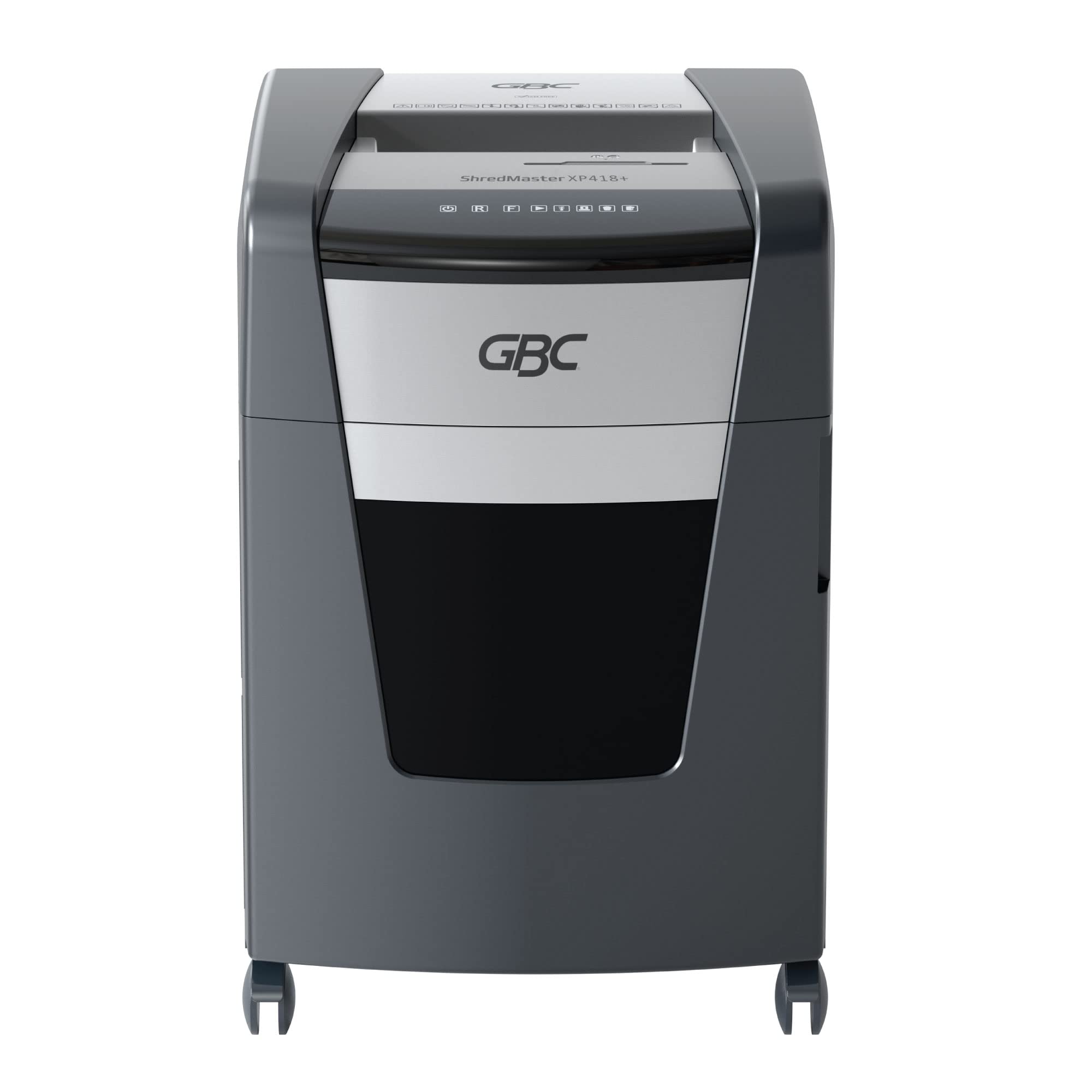
Obrázek 2.1: Přední strana view of the GBC ShredMaster XP418+ office shredder, showcasing its sleek black and silver design with casters for mobility.
Klíčové vlastnosti:
- Cross-Cut Shredding: Shreds paper into 4 x 35 mm particles (P-4 security level).
- Vysoká kapacita: Shreds up to 18 sheets of 80 gsm paper at once.
- Jam Free Technology: Active sensing technology prevents paper jams by measuring sheet count in real-time.
- Skartace multimédií: Safely shreds staples, paper clips, credit cards, CDs, and DVDs through a separate feed slot.
- Large Bin Capacity: 45-liter pull-out waste bin for less frequent emptying.
- Tichý provoz: Operates at an ultra-quiet 55 dBA noise level.
- Nepřetržitá doba chodu: Designed for moderate to heavy use with extended run times.
3. Nastavení
Pro první použití skartovače postupujte podle těchto kroků:
- Vybalte skartovačku: Opatrně vyjměte skartovač z obalu. Obal si uschovejte pro budoucí přepravu nebo skladování.
- Umístění skartovačky: Place the shredder on a flat, stable surface near a power outlet. Ensure there is adequate space around the unit for ventilation and bin access.
- Check the Waste Bin: Ensure the 45-liter pull-out waste bin is correctly inserted and closed. The shredder will not operate if the bin is not properly seated.
- Připojte napájení: Zapojte napájecí kabel do standardní elektrické zásuvky.
- Zapnutí: Locate the power switch, usually on the back or side of the unit, and turn it to the 'ON' position. The control panel lights should illuminate.

Figure 3.1: The GBC ShredMaster XP418+ with its 45-liter pull-out waste bin open, demonstrating easy access for emptying shredded materials.
4. Provoz
Your GBC ShredMaster XP418+ is designed for user-friendly operation. Familiarize yourself with the control panel and feed slots.

Obrázek 4.1: Detail view of the GBC ShredMaster XP418+ control panel, showing the power, reverse, forward, and jam indicator lights.
4.1 Shredding Paper
- Ensure the shredder is powered on and in auto mode (usually indicated by a green light).
- Insert up to 18 sheets of 80 gsm paper into the main paper feed slot. The Active Sensing Anti-Jam Technology will detect the sheet count.
- The shredder will automatically start shredding. If too many sheets are inserted, a red LED will illuminate, and the shredder will not operate until some sheets are removed.
- Once shredding is complete, the shredder will return to standby mode.
4.2 Shredding Credit Cards, CDs, and DVDs
- Locate the separate feed slot for credit cards and optical media.
- Insert one credit card, CD, or DVD at a time into the designated slot.
- Skartovač automaticky skartuje předmět.
- Note: These items are shredded into separate compartments within the waste bin for easier disposal and recycling.
4.3 Technologie proti zaseknutí
The GBC ShredMaster XP418+ features Active Sensing Anti-Jam Technology. This system continuously monitors the number of sheets being fed. If the load exceeds the maximum capacity, the shredder will not start, and a red indicator light will signal an overload. Remove excess paper until the indicator light clears, then proceed with shredding.
Video 4.1: An official GBC video demonstrating the Active Sensing Anti-Jam Technology in action, showing how the shredder detects and prevents overloads. (Note: Video URL is a placeholder as no specific video URL was provided in the input JSON, only a timestamp.)
5. Údržba
Pravidelná údržba zajišťuje optimální výkon a prodlužuje životnost vašeho drtiče.
5.1 Vyprázdnění odpadkového koše
- When the waste bin is full, the shredder will stop operating, and a 'bin full' indicator light may illuminate.
- Odpojte skartovač ze zásuvky.
- Pull out the waste bin from the front of the shredder.
- Empty the shredded material into a suitable recycling container.
- Slide the waste bin back into the shredder until it clicks securely into place.
- Zapojte drtič zpět do zásuvky.
5.2 Oiling the Shredder Blades
To maintain shredding performance and prevent wear, oil the shredder blades regularly, especially after emptying the bin 2-3 times or if performance decreases.
- Use only GBC shredder oil or a vegetable-based shredder oil. Do not use aerosol lubricants.
- Apply a thin line of oil across the paper entry slot.
- Run the shredder in reverse for 10 seconds to distribute the oil.
- Shred a few sheets of paper to remove any excess oil.
6. Řešení problémů
V této části naleznete řešení běžných problémů, se kterými se můžete setkat.
| Problém | Možná příčina | Řešení |
|---|---|---|
| Skartovač se nespustí. | No power, waste bin not closed, shredder overheated, safety switch engaged. | Check power connection. Ensure bin is fully inserted. Allow shredder to cool down. Check for obstructions. |
| Zaseknutý papír. | Too much paper inserted, paper folded or crumpled. | Press the reverse button to clear the jam. If unsuccessful, unplug, remove paper manually, then re-oil blades. |
| Shredder runs continuously. | Snímač je zablokovaný. | Unplug the shredder and clean the paper entry sensor with a soft cloth. |
| Reduced shredding performance. | Blades need oiling, waste bin full. | Oil the shredder blades. Empty the waste bin. |
7. Specifikace
Detailed technical specifications for the GBC ShredMaster XP418+ shredder.
| Funkce | Specifikace |
|---|---|
| Číslo modelu | G2021418X |
| Skartovat typ | Příčný řez |
| Velikost Shred | 4 x 35 mm |
| Security Level (DIN 66399) | P-4 |
| Sheet Capacity (80 gsm) | 18 listy |
| Kapacita odpadkového koše | 45 litru |
| Skartuje | Papír, sešívačky, kancelářské sponky, kreditní karty, CD/DVD |
| Úroveň hluku | 55 dBA |
| Speciální funkce | Jam Proof (Active Sensing), Quiet Operation |
| Hmotnost položky | 29 kg |
| Rozměry položky (DxŠxV) | 47.9 x 44.5 x 67.5 cm |
8. Záruka a podpora
Your GBC ShredMaster XP418+ comes with a comprehensive warranty and dedicated support.
8.1 Informace o záruce
Na tento produkt se vztahuje a 2-year machine warranty from the date of purchase. Please retain your proof of purchase for warranty claims. The warranty covers defects in materials and workmanship under normal use. It does not cover damage caused by misuse, neglect, unauthorized repairs, or normal wear and tear.
8.2 Zákaznická podpora
For technical assistance, troubleshooting not covered in this manual, or warranty service, please contact GBC customer support. Refer to the contact information provided with your product or visit the official GBC webstránky pro váš region.