
1. Úvod
The TAKSTAR WPM-300 is a UHF wireless in-ear monitor receiver designed for professional audio monitoring applications. This device operates within the 520-600MHz frequency range, offering 10 selectable channels for stable signal reception. It is intended for use with a compatible TAKSTAR WPM-300 transmitter (sold separately) to provide clear, low-latency audio monitoring for performers, presenters, and audio engineers.
2. Obsah balení
Zkontrolujte prosím balení, zda neobsahuje následující položky:
- 1 x WPM-300 Bodypack Receiver
- 1 x Pair of In-Earphones
3. Konec produktuview
Familiarize yourself with the components and controls of the WPM-300 receiver.

Obrázek 3.1: Labeled diagram of the WPM-300 receiver components.
- LED indikátor: Zobrazuje stav napájení a připojení.
- Sluchátkový jack: 3.5mm output for connecting in-earphones.
- Externí anténa: For receiving UHF wireless signals.
- Vypínač: Zapíná/vypíná přijímač.
- LED obrazovka: Displays current channel, battery level, and connection status.
- Switch Frequency Button (SET): Used to enter channel selection mode.
- Ovládání hlasitosti (+/-): Adjusts the audio output level to the earphones.

Obrázek 3.2: The HD LED screen provides clear status information.
4. Nastavení
4.1 Instalace baterie
The WPM-300 receiver operates on two AA batteries. To install:
- Najděte kryt přihrádky na baterie na zadní straně přijímače.
- Posunutím otevřete kryt.
- Vložte dvě baterie typu AA a dbejte na správnou polaritu (+/-) vyznačenou uvnitř přihrádky.
- Bezpečně zavřete kryt bateriového prostoru.
4.2 Připojení sluchátek
Connect the provided in-earphones to the 3.5mm headphone jack on the top of the receiver.
4.3 První zapnutí a párování
To power on the receiver and establish a connection with a compatible WPM-300 transmitter:
- Stiskněte a podržte Tlačítko napájení on the side of the receiver until the LED screen illuminates.
- Ensure your WPM-300 transmitter is powered on and transmitting on a desired channel.
- Na přijímači stiskněte tlačítko SOUBOR button to enter channel selection mode. The channel number on the LED screen will flash.
- Použijte + a - buttons to select the same channel as your transmitter.
- Once the channels match, the receiver will automatically pair with the transmitter. The channel number on the LED screen will stop flashing, and the signal strength indicator will show activity.
- Upravte hlasitost pomocí + a - buttons on the receiver to a comfortable listening level.
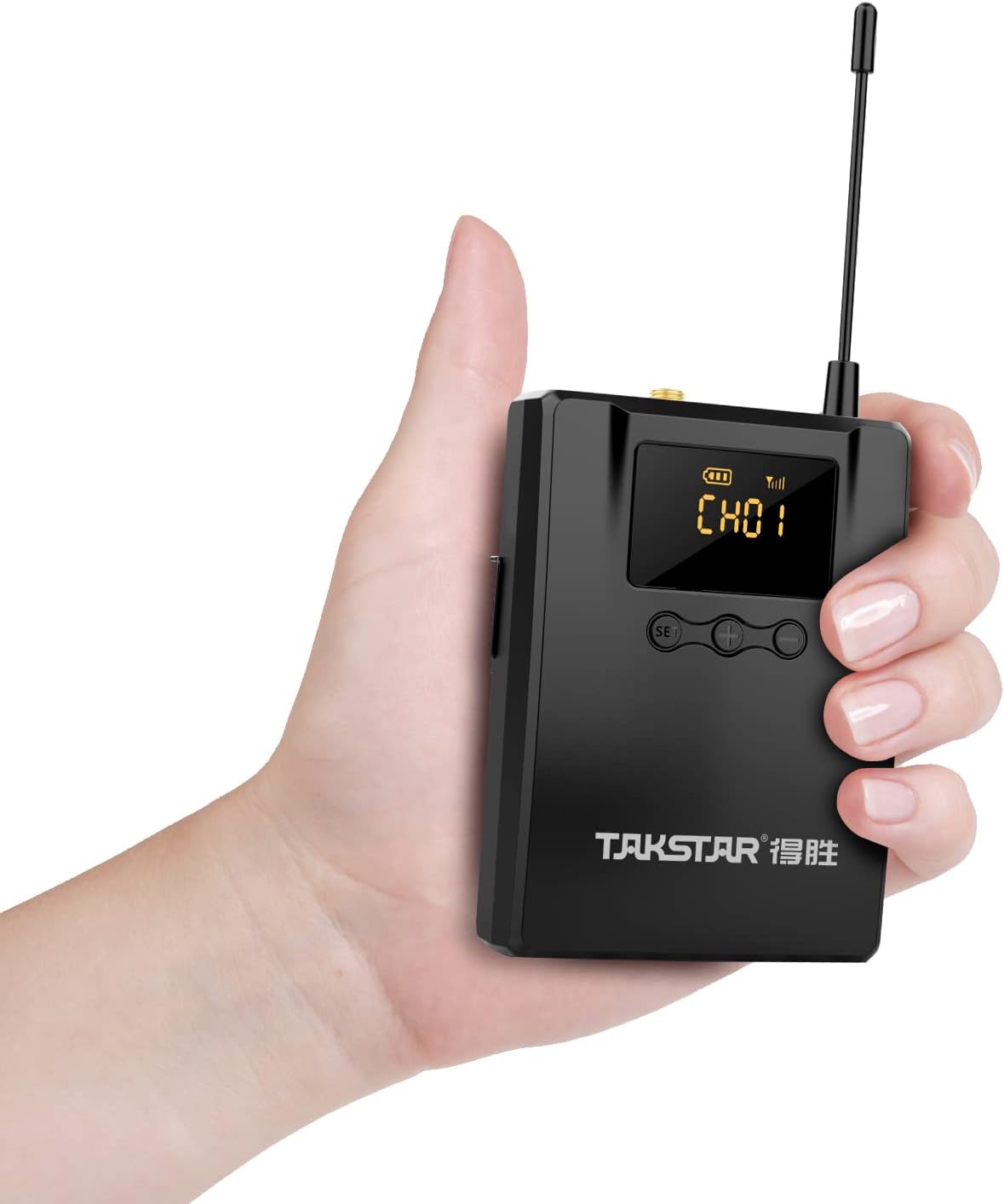
Obrázek 4.1: The lightweight bodypack receiver is designed for portability.
5. Návod k obsluze
5.1 Výběr kanálu
To change the receiving channel:
- Stiskněte tlačítko SOUBOR button. The current channel number on the LED screen will begin to flash.
- Použijte + or - buttons to cycle through the available channels (CH01-CH10).
- Once the desired channel is displayed, wait a few seconds. The channel number will stop flashing, indicating the new channel is set and the receiver is attempting to connect.
5.2 Nastavení hlasitosti
Adjust the monitoring volume using the + a - buttons located next to the SET button. Press + pro zvýšení hlasitosti a - snížit hlasitost.
5.3 Vypnutí
To turn off the receiver, press and hold the Tlačítko napájení until the LED screen turns off.
6. Údržba
Proper care ensures the longevity and optimal performance of your WPM-300 receiver.
- Čištění: K čištění vnější strany přijímače používejte měkký, suchý hadřík. Nepoužívejte agresivní chemikálie ani abrazivní materiály.
- Skladování: Přijímač skladujte na chladném a suchém místě mimo dosah přímého slunečního záření a extrémních teplot.
- Péče o baterie: Pokud zařízení nebudete delší dobu používat, vyjměte baterie, abyste zabránili jejich vytečení.
- Anténa: Handle the external antenna with care to avoid bending or breaking.
7. Řešení problémů
If you encounter issues with your WPM-300 receiver, refer to the following common problems and solutions:
| Problém | Možná příčina | Řešení |
|---|---|---|
| Žádný zvuk ze sluchátek | Low battery; Incorrect channel; Earphones not connected; Transmitter off or out of range; Volume too low. | Replace batteries; Match receiver channel to transmitter; Ensure earphones are fully plugged in; Check transmitter status and range; Increase receiver volume. |
| Rušení nebo špatná kvalita zvuku | Other wireless devices on the same frequency; Receiver too far from transmitter; Obstructions between receiver and transmitter. | Change to a different channel on both receiver and transmitter; Move closer to the transmitter; Ensure a clear line of sight. |
| Receiver does not power on | Vybité nebo nesprávně vložené baterie. | Replace batteries with fresh ones; Verify correct battery polarity. |
8. Technické specifikace
Detailed specifications for the WPM-300 receiver:
- Frekvenční rozsah: 520-600 MHz
- Provozní svtage: DC 2.5V (2.2V-3.0V) / two AA batteries
- Provozní proud: 115mA (TYP)
- Frekvenční odezva: 20Hz-15 kHz (-6dB intercept point)
- Poměr S/N: > 60 dB
- Citlivost příjmu: Better than 8dBuV
- Stereo separace: > 45 dB
- Rozměry: 169 mm × 64 mm × 30.95 mm
- Hmotnost: Přibl. 123.5 g
- Životnost baterie: Až 6 hodin (s AA bateriemi)
- Technologie připojení: Bezdrátové (RF)
- Jack pro sluchátka: Zásuvka 3.5 mm
- Typ ovládání: Volume Control, Channel Selection
9. Záruka a podpora
TAKSTAR provides a 12-month manufacturer assurance for this product. For technical support, warranty claims, or further assistance, please contact TAKSTAR customer service through their official channels or the retailer from whom the product was purchased.