
Zavedení
The SmartCoolous F31 2nd Gen Smart Lock provides advanced security and convenient access to your property. This fully automatic smart lock integrates multiple unlocking methods including fingerprint recognition, a touch screen keypad, Bluetooth app control, and traditional mechanical keys. Designed for ease of use and installation, it offers a modern and secure solution for home and office environments.
Bezpečnostní informace
- Před instalací a použitím si pečlivě přečtěte všechny pokyny.
- Do not expose the lock to extreme temperatures or direct water immersion. The lock has an IP54 rating, indicating resistance to dust and splashing water, but it is not fully waterproof.
- Use only recommended battery types (not included).
- Keep mechanical keys in a safe location outside the property to ensure emergency access.
- Ensure proper installation to prevent damage to the lock or door.
Obsah balení
Před zahájením instalace ověřte, zda jsou všechny komponenty přítomny:
- Smart Lock Assembly (Front and Rear Panels)
- Lock Body/Mortise
- Montážní materiál (šrouby, vřeteno)
- Mechanické klíče (2)
- Instalační manuál
- Schéma vrtání
Konec produktuview
The SmartCoolous F31 Smart Lock consists of an exterior panel with a fingerprint reader, touch keypad, and mechanical keyhole, and an interior panel with a thumb-turn for manual locking/unlocking.

Obraz: Front panel of the SmartCoolous F31 Smart Lock showing the fingerprint reader, touch keypad, and mechanical keyhole. Below are icons illustrating unlocking via physical key, app, touchscreen keypad, and fingerprint.

Obraz: A side-by-side view of the SmartCoolous F31 Smart Lock, displaying both the exterior panel with its keypad and fingerprint sensor, and the interior panel with its manual thumb-turn.
Instalace
The SmartCoolous F31 Smart Lock is designed for easy DIY installation. A detailed installation video and a drilling diagram are included to guide you through the process. Professional assistance is available if needed.
- Připravte dveře: Use the provided drilling diagram to prepare your door for the lock body and panels. Ensure the door thickness and backset are compatible with the lock's specifications.
- Install the Mortise/Lock Body: Insert the lock body into the door edge and secure it with screws.
- Install the Exterior Panel: Route the cable from the exterior panel through the door. Position the exterior panel and secure it.
- Nainstalujte vnitřní panel: Connect the cable from the exterior panel to the interior panel. Ensure the spindle is correctly aligned. Secure the interior panel to the door using the provided screws.
- Adjust Handing Switch: Locate the R/L switch on the interior panel. Adjust it according to your door's handing (left or right). If the lock is confused about its open/locked state, this switch may be incorrectly set.
- Nainstalujte baterie: Insert the required batteries (not included) into the battery compartment on the interior panel.
- Testovací provoz: Manually test the lock/unlock mechanism using the thumb-turn and mechanical key to ensure smooth operation before proceeding to smart features setup.
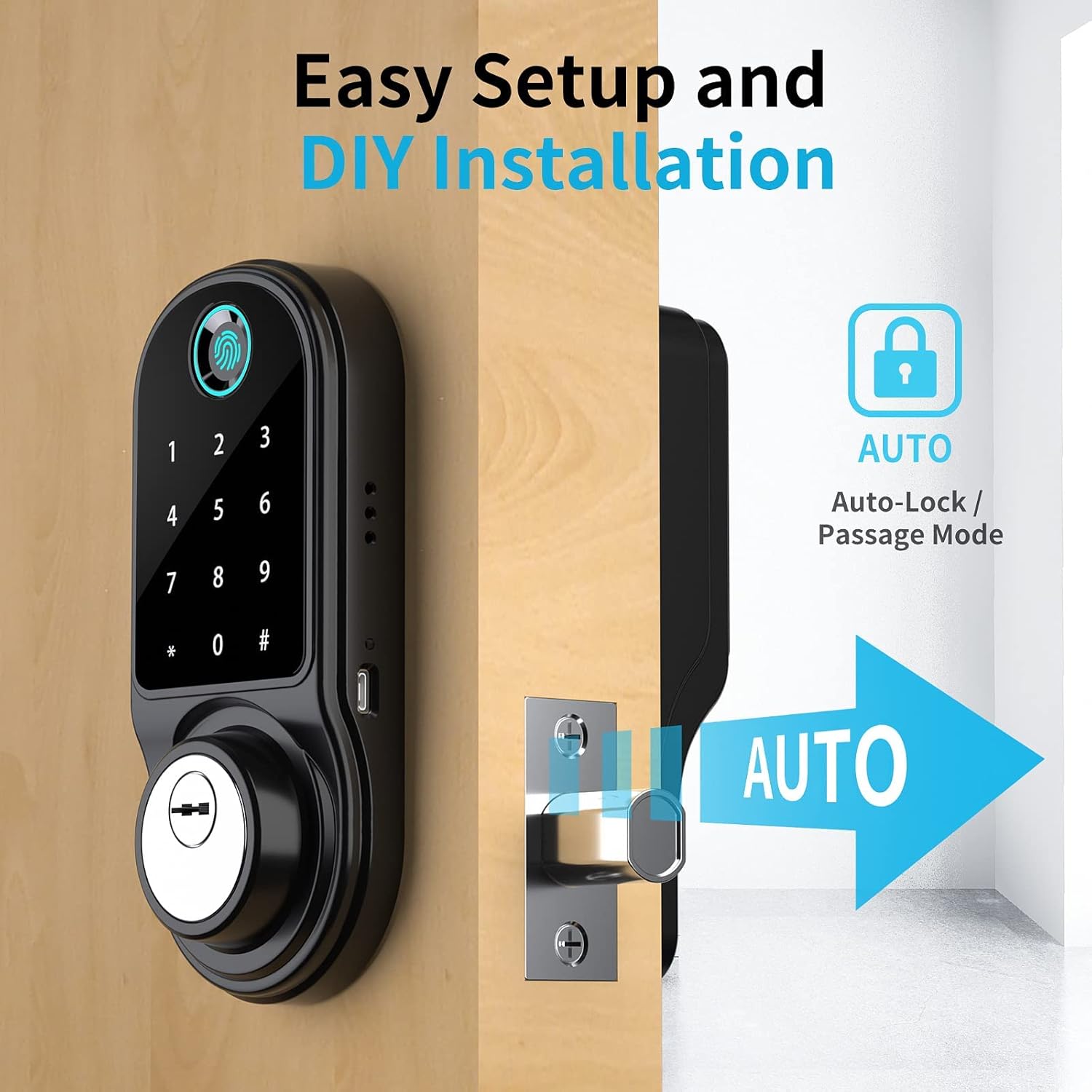
Obraz: The SmartCoolous F31 Smart Lock installed on a door, highlighting its easy setup and the automatic locking feature.
Počáteční nastavení a konfigurace
1. Instalace a párování aplikace
- Stáhněte si aplikaci Tuya Smart z obchodu s aplikacemi ve vašem zařízení.
- Vytvořte si účet nebo se přihlaste.
- Enable Bluetooth and precise location services on your smartphone.
- In the Tuya App, tap the '+' icon to 'Add a device'.
- Select the 'Camera & Lock' category, then choose 'Lock (BLE)'.
- Follow the on-screen prompts to pair the lock via Bluetooth.
2. Adding Fingerprints
The lock supports up to 200 fingerprints.
- Access the lock settings within the Tuya App.
- Select the option to 'Add Fingerprint'.
- Follow the app's instructions to register your fingerprint by placing your finger on the sensor multiple times from different angles.

Obraz: A hand demonstrating the use of the 360-degree fingerprint ID sensor on the SmartCoolous F31 Smart Lock for quick and accurate recognition.
3. Nastavení hesel
Multiple types of passcodes can be generated via the Tuya App:
- Trvalé přístupové kódy: Pro běžné uživatele.
- Dočasné přístupové kódy: Valid for a limited duration.
- Jednorázové přístupové kódy: Valid for a single use.
- Periodic Passcodes: Valid during specific recurring timeframes.
- Cyclic Passcodes: Repeatable for a set number of times within a period.
Postup nastavení přístupového kódu:
- In the Tuya App, navigate to the 'Passcodes' section.
- Select the desired passcode type and set the parameters (e.g., validity period).
- Generate the passcode and share it with the intended user.
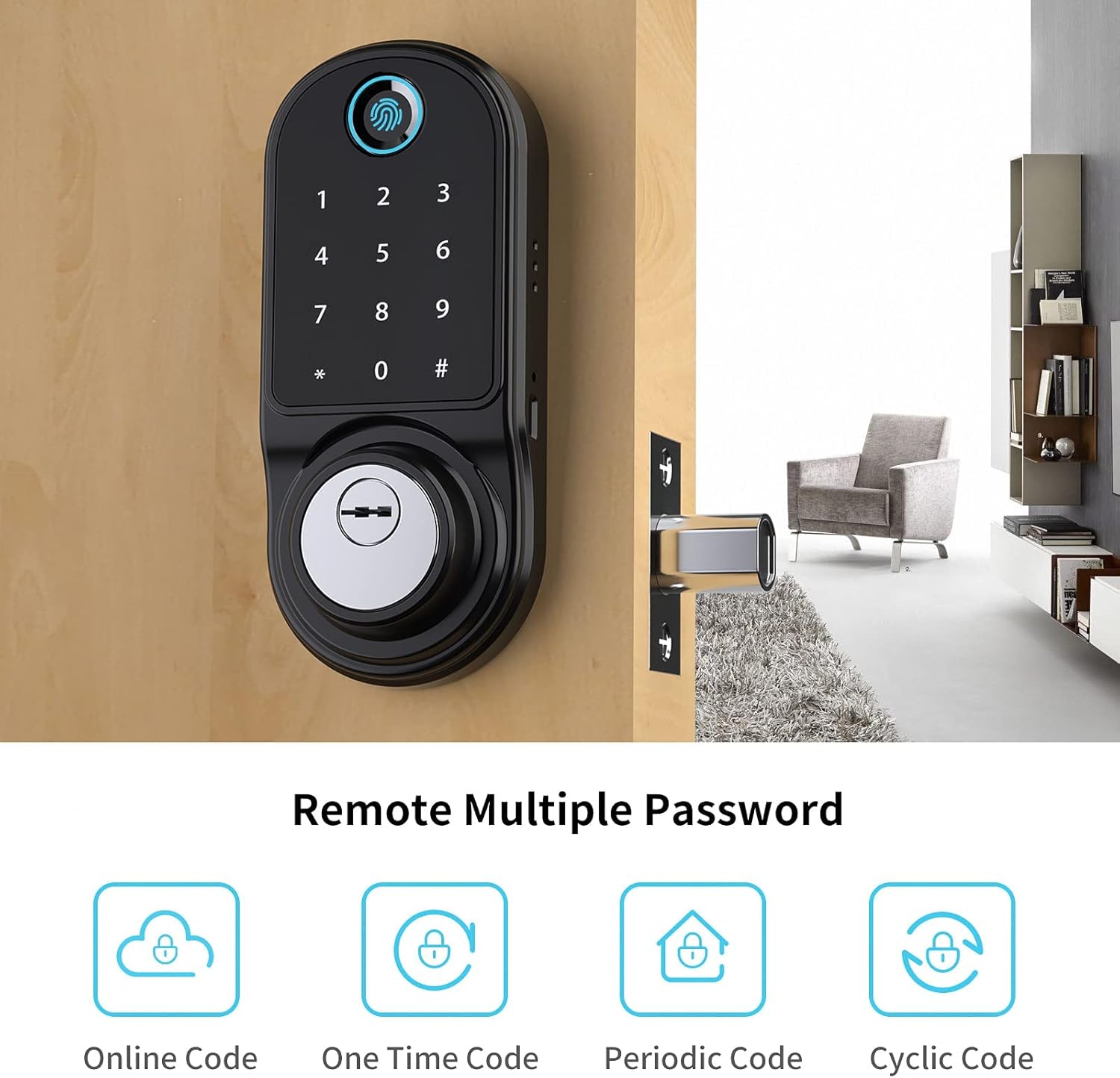
Obraz: An illustration showing the various remote password options available for the SmartCoolous F31 Smart Lock, including Online Code, One Time Code, Periodic Code, and Cyclic Code.
4. Alexa Compatibility (Optional)
For remote control and voice commands via Alexa, an additional gateway device is required (sold separately). This gateway connects your smart lock to your home Wi-Fi network. Refer to the gateway's manual for pairing instructions.
Návod k obsluze
Metody odemykání
- otisk: Place a registered finger on the fingerprint reader. The lock will unlock upon successful verification.
- Klávesnice: Enter a valid passcode on the touch screen keypad, then press '#'. The lock will unlock.
- Aplikace Tuya: Open the Tuya App on your smartphone. If within Bluetooth range, tap the unlock icon. If connected via a gateway, you can unlock remotely.
- Mechanický klíč: Insert the mechanical key into the keyhole and turn to unlock. This is for emergency access or when batteries are depleted.
Metody zamykání
- Automatické zamykání: The lock can be configured via the Tuya App to automatically lock after a set period once the door is closed.
- Ruční zamykání: From the interior, turn the thumb-turn to lock the door. From the exterior, if auto-lock is disabled, you may need to press '#' on the keypad or use the app to lock.
Režim průchodu
Passage mode allows the door to remain unlocked for continuous access during specific times. This can be configured through the Tuya App.
Údržba
- Výměna baterie: The lock will provide a low battery alert via the app. Replace all batteries simultaneously with new ones of the same type. Do not mix old and new batteries.
- Čištění: Povrch zámku otřete měkkým, suchým hadříkem. Nepoužívejte abrazivní čisticí prostředky ani rozpouštědla, která by mohla poškodit povrchovou úpravu nebo elektronické součástky.
- Pravidelné kontroly: Periodically check that all screws are tight and the lock operates smoothly.
Odstraňování problémů
- Zámek nereaguje: Check battery levels. Replace batteries if low. Ensure the lock is properly installed and not jammed.
- Otisk prstu nebyl rozpoznán: Ujistěte se, že máte prst čistý a suchý. Pokud problémy přetrvávají, zkuste otisk prstu znovu zaregistrovat.
- Klávesnice nereaguje: Ensure the screen is clean. Re-enter the passcode carefully.
- Problémy s připojením k aplikaci: Ensure Bluetooth is enabled on your phone and you are within range. If using a gateway, check its connection to Wi-Fi and the lock.
- Lock confused about open/locked state: Verify the R/L handing switch on the interior panel is set correctly for your door's orientation.
- Mechanický klíč nefunguje: Ujistěte se, že je klíč zcela zasunutý a správně otočený. Netlačte na klíč násilím.
Specifikace
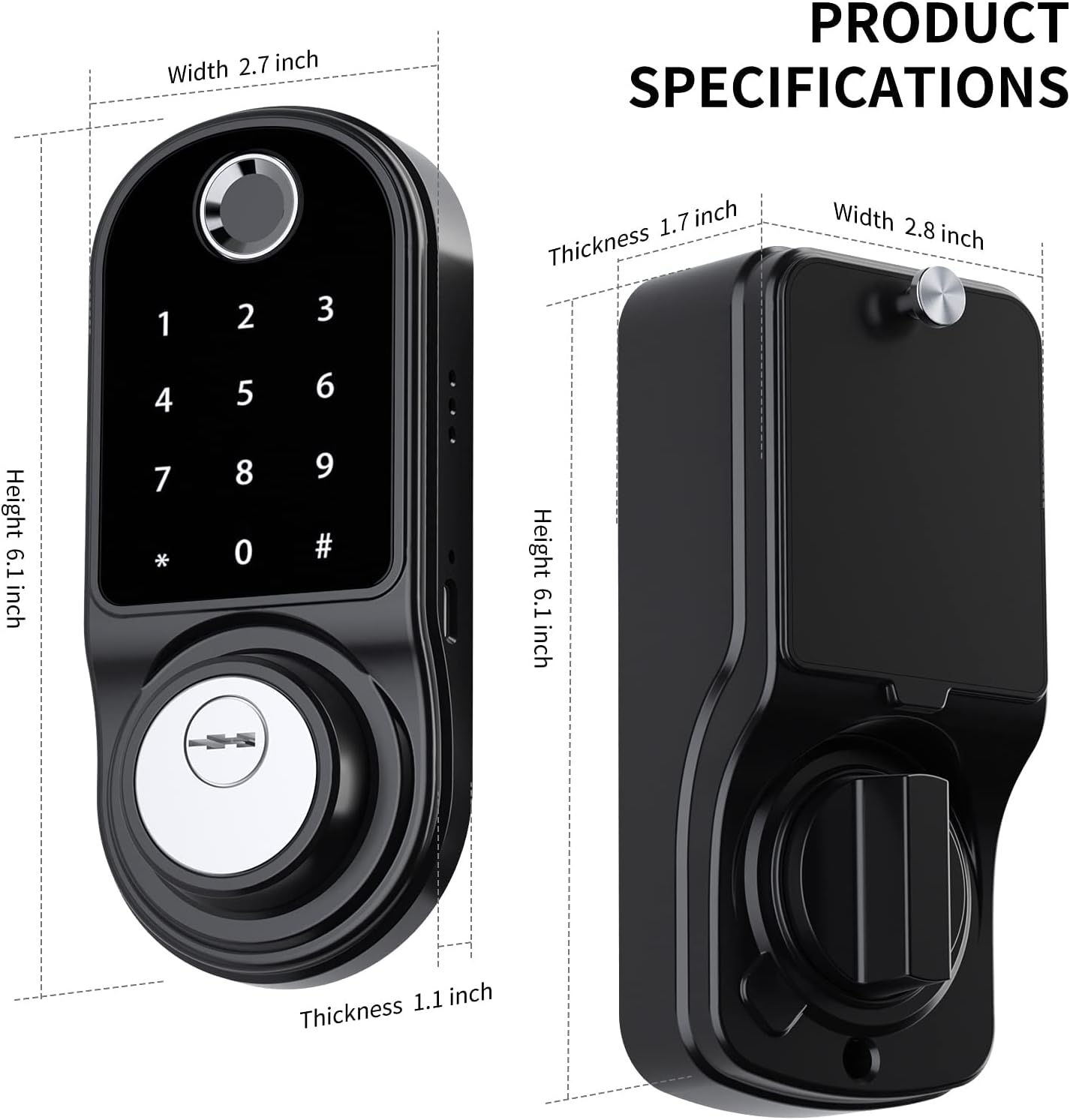
Obraz: Diagram illustrating the dimensions of the SmartCoolous F31 Smart Lock, including height, width, and thickness of both the exterior and interior panels.
| Funkce | Detail |
|---|---|
| Výrobce | SmartCoolous |
| Číslo modelu | SCNF31US |
| Materiál | Aluminium, Zinc Alloy |
| Typ dokončení | Leštěný |
| Barva | ZINC Black |
| Styl | Moderní |
| Typ zámku | Elektronický zámek |
| Speciální funkce | Keyless Entry (Fingerprint, Keypad, App), Auto-Lock |
| Rozměry produktu (D x Š x V) | 7.62 x 5.08 x 2.54 cm (3 x 2 x 1 palce) |
| Hmotnost položky | 1.55 kg |
| Jsou vyžadovány baterie | Ano (není součástí dodávky) |
| Hodnocení IP | IP54 Level Waterproof |
Záruka a podpora
SmartCoolous provides customer support for its products. If you encounter any issues during installation or operation, please contact our 24/7 customer service for assistance. Refer to your purchase documentation for specific warranty details.
For further assistance, please visit the official SmartCoolous webwebu nebo se obraťte na prodejce, u kterého jste produkt zakoupili.