
1. Konec produktuview
The VANTRUE E2 Dual Dash Cam is designed to provide comprehensive front and rear vehicle recording with advanced features for enhanced safety and convenience. This manual provides instructions for proper installation, operation, and maintenance of your device.

Figure 1: VANTRUE E2 Dual Dash Cam Main Unit
2. Obsah balení
Ověřte, zda jsou všechny níže uvedené položky součástí balení. Pokud některé položky chybí nebo jsou poškozené, kontaktujte zákaznickou podporu.

Obrázek 2: Zahrnuté součásti
- VANTRUE E2 Main Dash Cam Unit
- Zadní kamera
- Magnetic GPS Mount
- Bezdrátové dálkové ovládání
- Nabíječka do auta
- Rear Camera Cable (Standard 6m)
- Type-C USB Cable (1m)
- Instalační nástroj
- 3M lepicí páska
- Elektrostatický film
- Rychlý průvodce
3. Nastavení a instalace
Follow these steps to properly install your VANTRUE E2 Dual Dash Cam.
3.1 Montáž palubní kamery
The compact design and magnetic mount allow for flexible installation on the front windshield, dashboard, or rear window.

Figure 3: Mounting Options (Front Glass, Dashboard, Rear Window)

Figure 4: Easy Installation Diagram
- Clean the desired mounting area on your windshield or dashboard.
- Attach the electrostatic film to the windshield first, then attach the magnetic mount to the film.
- Secure the main dash cam unit to the magnetic mount.
- Connect the rear camera to the main unit using the provided rear camera cable.
- Route the cables neatly using the installation tool to hide them along the vehicle's interior trim.
- Connect the car charger to your vehicle's cigarette lighter socket and the dash cam.
3.2 Vložení a formátování SD karty
Insert a high-speed Micro SD card (Class 10 or higher, up to 1TB, sold separately) into the dash cam. It is crucial to format the SD card within the dash cam before its first use and periodically thereafter to ensure optimal performance and prevent recording errors.
4. Návod k obsluze
The VANTRUE E2 offers various operating modes and control methods.
4.1 Zapnutí/vypnutí
Autokamera se automaticky zapne a začne nahrávat po zapnutí zapalování vozidla. Po vypnutí zapalování se automaticky vypne.
4.2 Režimy nahrávání
The E2 records simultaneously from both front and rear cameras at 1944P (2.7K) resolution, utilizing STARVIS IMX335 sensors for clear footage.

Figure 5: Front and Rear 2.7K Recording
4.3 Noční vidění a WDR
Equipped with STARVIS night vision and WDR technology, the E2 captures clear images in low-light conditions and balances exposure in high-contrast environments.
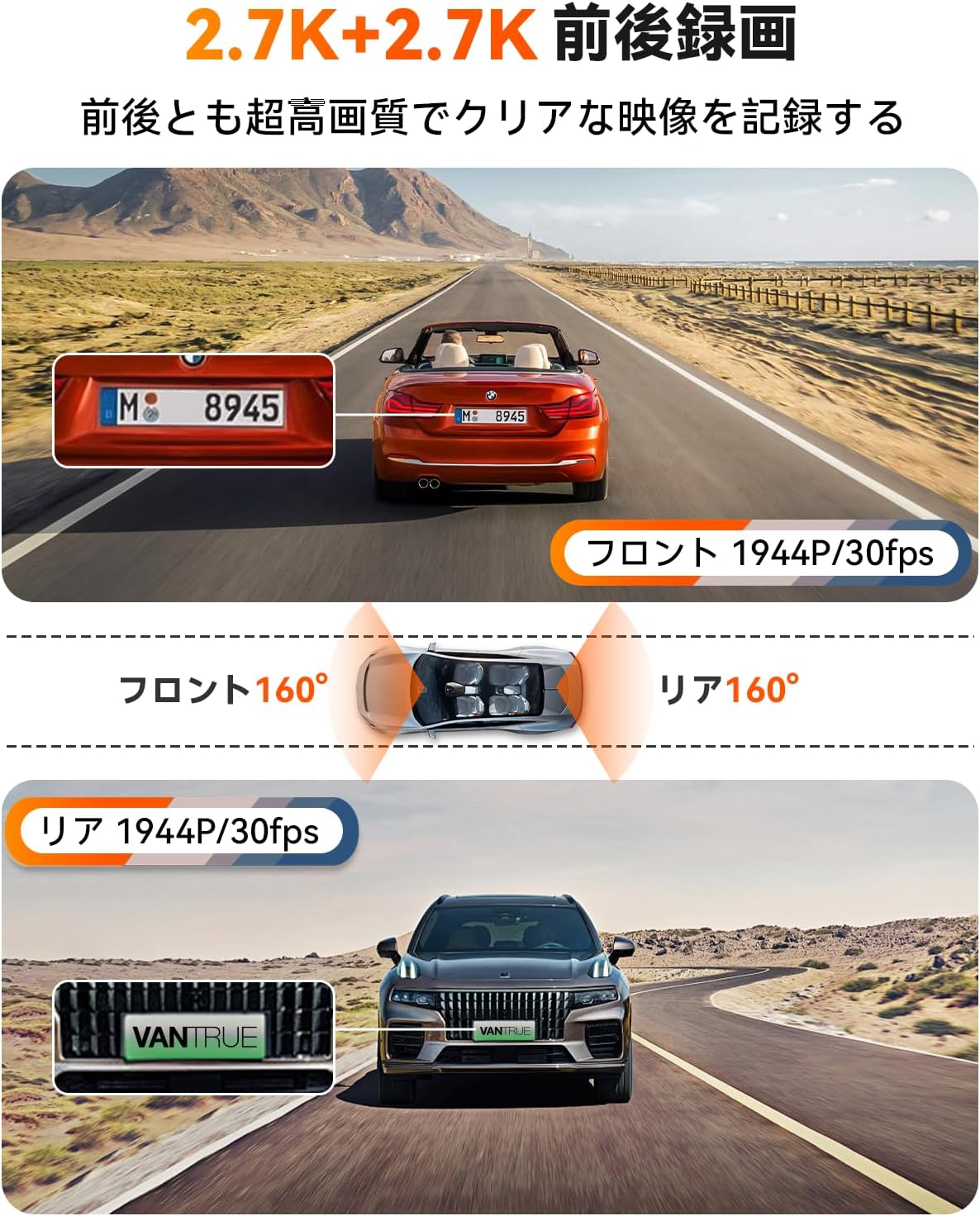
Figure 6: Enhanced Night Vision and WDR

Figure 7: WDR in Action
4.4 Funkce GPS
The built-in GPS module records your vehicle's speed, location (latitude and longitude), and driving route, embedding this data into the video files. Tyto informace mohou být viewed using the dedicated VANTRUE app or desktop viewehm.
Obrázek 8: GPS sledování
4.5 Hlasové ovládání
Control your dash cam hands-free using simple voice commands. This allows you to perform actions like taking photos, locking videos, or toggling audio recording without diverting your attention from the road.
Video 1: Demonstration of Voice Commands for VANTRUE E2.

Figure 9: Voice Control Features
4.6 Bezdrátové dálkové ovládání
The included wireless remote allows for quick actions such as capturing photos or locking important video segments with a single press.

Obrázek 10: Funkce dálkového ovládání
4.7 5.8GHz WiFi and App Control
Connect your smartphone to the dash cam via high-speed 5.8GHz WiFi using the VANTRUE app. This enables live streaming, video playback, downloading, editing, and sharing of recorded footage, as well as adjusting device settings.

Figure 11: WiFi App Control Interface
Video 2: Konecview of VANTRUE E2 features including wide-angle, resolution, night vision, GPS, G-sensor, remote, 5GHz WiFi, parking modes, and CPL filter.
4.8 Parking Surveillance Modes
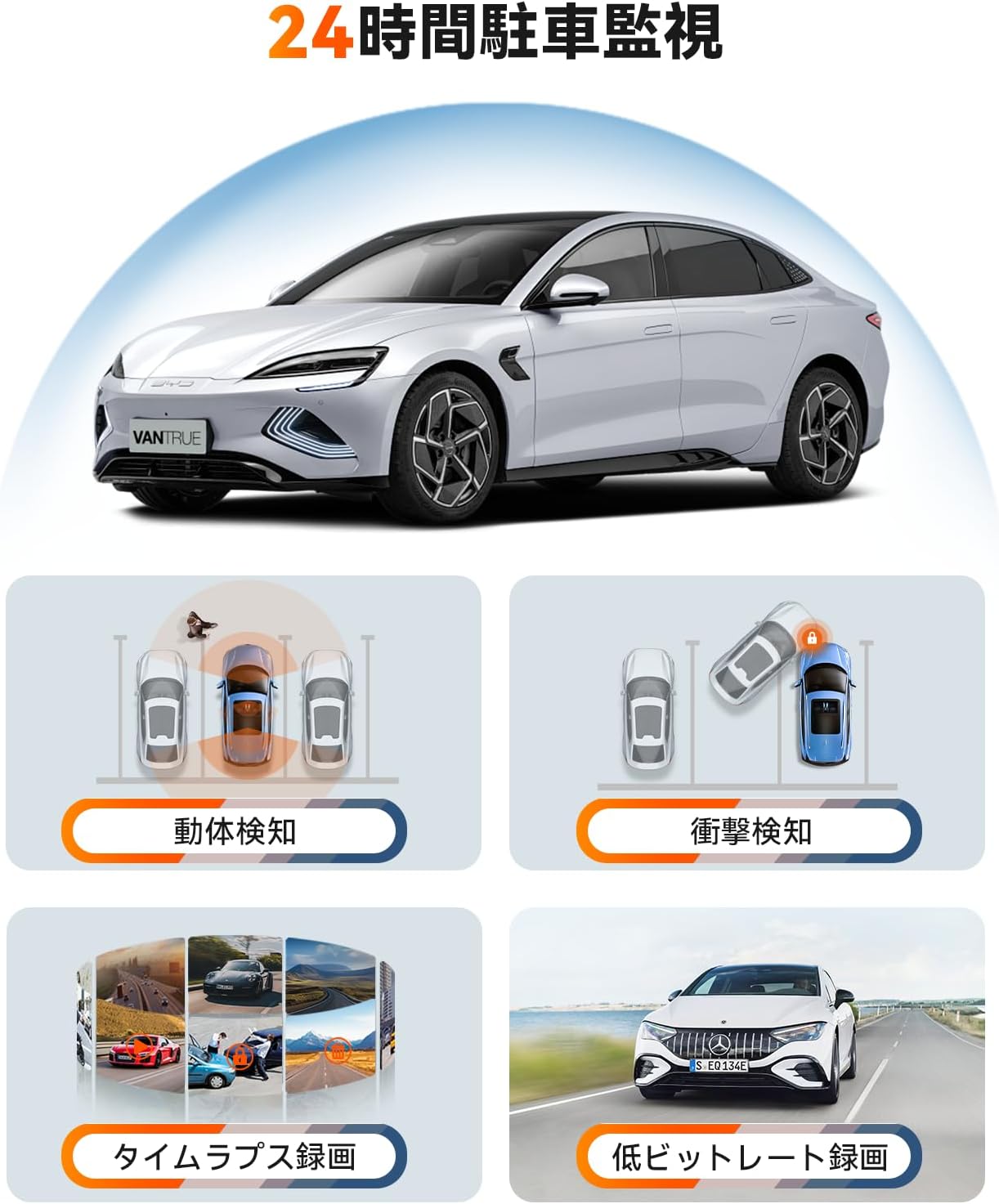
The E2 offers four distinct parking surveillance modes to protect your vehicle when parked. Note: A separately sold direct-wire power cable (ASIN: B094882TJC) is required to enable these functions.

Figure 12: 24-Hour Parking Surveillance
- Detekce pohybu: Records 15 seconds before and 30 seconds after motion is detected, saving the footage to a normal folder.
- Impact Detection (Low Power Consumption): Automatically starts recording when an impact is detected while the vehicle is parked (power off).
- Low Bitrate Recording (Space Saving): Records at 1080P@15FPS or 720P@15FPS, optimizing storage space.
- Time-Lapse Recording (Space Saving): Captures images at a low frame rate and stitches them into a time-lapse video, condensing long periods into short, viewschopné klipy.
5. Údržba
Pravidelná údržba zajišťuje dlouhou životnost a optimální výkon vaší palubní kamery.
5.1 Péče o SD kartu
To prevent data corruption and ensure continuous recording, format your Micro SD card within the dash cam at least once a month. Use a high-quality, reputable brand of Micro SD card (Class 10 or higher).
5.2 Čištění zařízení
K čištění čočky a obrazovky palubní kamery používejte měkký, suchý hadřík. Nepoužívejte abrazivní čisticí prostředky ani rozpouštědla, která by mohla zařízení poškodit.
6. Řešení problémů
If you encounter issues with your VANTRUE E2, refer to the following common solutions:
- Palubní kamera se nezapíná: Check the power connection to the car charger and ensure the vehicle's ignition is on. Verify the car charger is functioning correctly.
- Chyby záznamu: Format the SD card within the dash cam. Ensure you are using a compatible high-speed SD card. Replace the SD card if errors persist.
- Špatná kvalita videa: Clean the camera lenses. Ensure the protective film has been removed from the lenses. Check that the resolution settings are appropriate.
- Problémy s WiFi připojením: Ensure the dash cam's WiFi is enabled. Restart both the dash cam and your smartphone. Reinstall the VANTRUE app if necessary.
- Parkovací režim nefunguje: Confirm that the optional direct-wire power cable (ASIN: B094882TJC) is correctly installed and connected.
For further assistance, please contact VANTRUE customer support.
7. Specifikace
Detailed technical specifications for the VANTRUE E2 Dual Dash Cam.
| Funkce | Specifikace |
|---|---|
| Značka | VANTRUE |
| Číslo modelu | Element 2 (E2) |
| Rozlišení videa | Front: 1944P (2.7K), Rear: 1944P (2.7K) |
| Pole View | 160 degrees (Front & Rear) |
| Otvor | F1.8 |
| Typ zobrazení | LCD |
| Velikost obrazovky | 2.45 palců |
| Konektivita | 5.8 GHz Wi-Fi |
| GPS | Vestavěný GPS modul |
| G-senzor | Ano |
| Parking Modes | Motion Detection, Impact Detection, Low Bitrate, Time-Lapse |
| Kontrolní metody | App, Push Button, Voice, Wireless Remote |
| Skladování | Micro SD card (up to 1TB, sold separately) |
| Rozměry (D x Š x V) | 2.9 x 7.4 x 4.4 cm |
| Hmotnost | 0.88 kg |
| Země původu | Čína |
8. Záruka a podpora
The VANTRUE E2 Dual Dash Cam comes with a standard 12-month warranty. You can extend this warranty to 18 months by registering your product on the official VANTRUE website within 6 months of purchase.
For any questions, concerns, or technical support, please contact VANTRUE customer service through Amazon or visit our official webmísto.