
Zavedení
Thank you for choosing the ANDELI ADLDH9242-A Auto-Darkening Welding Helmet. This manual provides essential information for the safe and effective operation, maintenance, and troubleshooting of your welding helmet. Please read this manual thoroughly before use and keep it for future reference.
Bezpečnostní opatření
Always prioritize safety when welding. Failure to follow safety guidelines can result in serious injury or damage to equipment.
- Ochrana očí: This helmet provides protection against harmful UV/IR radiation and intense visible light during welding. However, it is not suitable for laser welding.
- Ochrana proti nárazu: This helmet is designed to protect against light impact, but it is not a substitute for safety glasses or face shields for heavy impact applications.
- Větrání: Zajistěte dostatečné větrání v pracovním prostoru, abyste zabránili vdechování svářečských výparů.
- Teplota: Do not use the helmet in temperatures outside its specified operating range.
- Údržba: Regularly inspect the helmet for damage. Replace any damaged parts immediately.
- Čištění: Clean the lens and helmet body with a soft cloth and mild detergent. Avoid abrasive cleaners.
Vlastnosti produktu
- True Color Lens Technology: Provides clearer and more accurate color views, enhancing visibility of the weld puddle.
- Široká aplikace: Suitable for TIG, MIG, MMA welding, plasma cutting, and grinding operations.
- Rychlé automatické ztmavování: Switches from light to dark in 1/15000 seconds upon arc ignition.
- Solar Powered with Replaceable Battery: Combines solar charging with a replaceable CR2032 battery for extended life and reliability.
- Nastavitelná pokrývka hlavy: Ergonomically designed headgear for comfortable and secure fit.
- Optická čistota: Rated 1/1/1/2 for superior optical performance.

Image: Comparison of True Color Lens technology with traditional lens technology, showing clearer vision with the True Color lens.
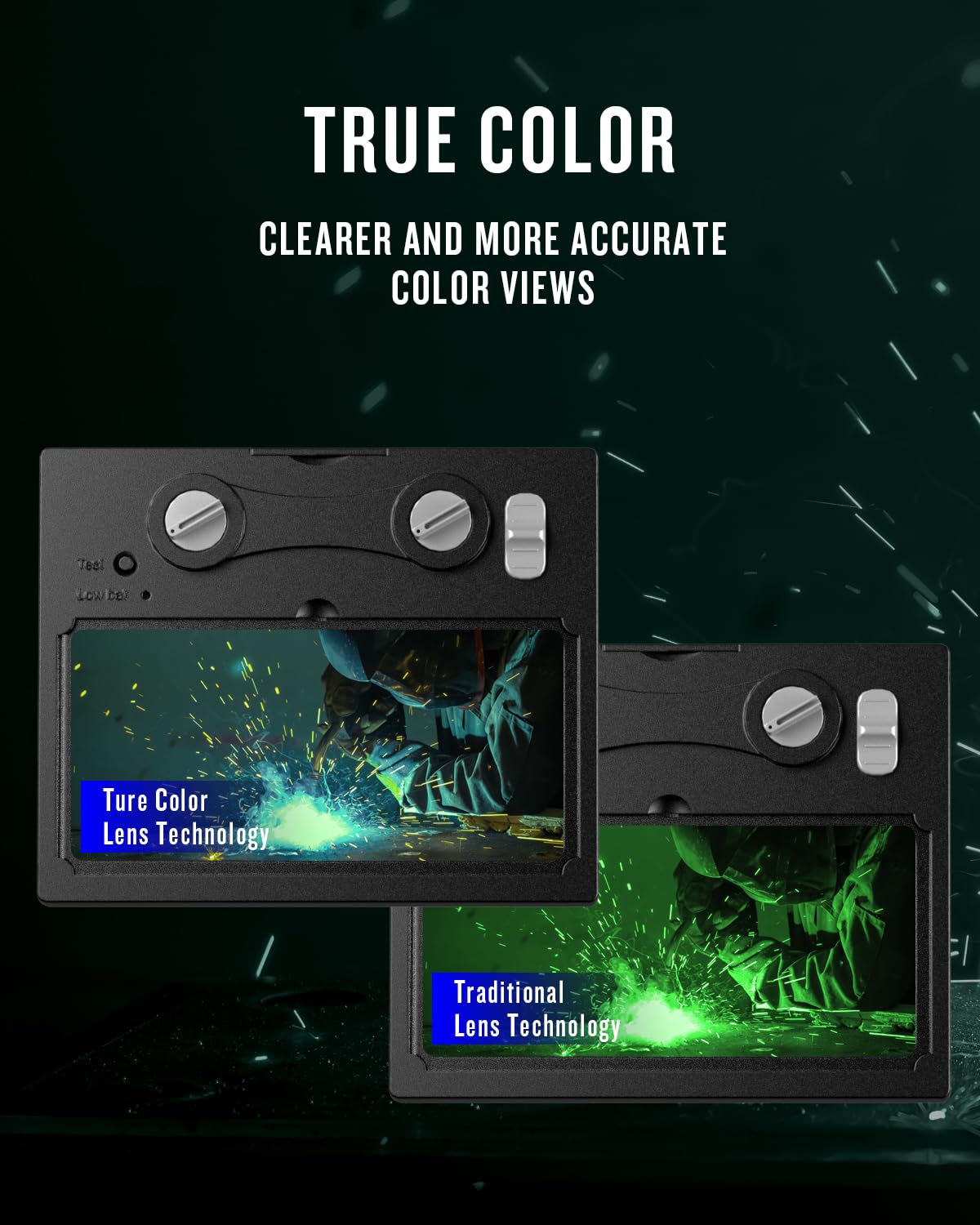
Image: The helmet being used for various welding processes including MMA, MIG, and TIG.
Nastavení a montáž
- Rozbalení: Carefully remove all components from the packaging. Ensure all parts are present: helmet shell, auto-darkening filter (ADF) lens, headgear, and spare protective lenses.
- Headgear Adjustment:
- Attach the headgear to the helmet shell using the pivot points.
- Upravte horní popruh tak, aby odpovídal temeni hlavy.
- Rotate the rear adjustment knob to tighten or loosen the headband for a snug, comfortable fit.
- Adjust the distance between the helmet and your face using the side knobs to ensure proper viewing angle and balance.

Obrázek: Podrobný view of the adjustable headgear, showing the various adjustment points for a custom fit.
- Protective Lens Installation:
- Ensure the inner and outer protective lenses are free from scratches or damage.
- Remove the protective film from both sides of the new protective lenses before installation.
- Insert the outer protective lens into the designated slot on the front of the helmet.
- Insert the inner protective lens behind the ADF unit.

Image: Protective films for the inner and outer lenses, with a warning to remove them before use.
- Kontrola baterie: The helmet is equipped with a solar panel and a replaceable CR2032 battery. The battery is typically pre-installed. Ensure the battery is properly seated.
Návod k obsluze
- Zapnutí/vypnutí: The helmet automatically powers on when exposed to light and powers off after a period of darkness. There is no manual on/off switch.
- Nastavení citlivosti: Use the sensitivity knob on the side of the ADF unit to adjust how quickly the lens reacts to light. Higher sensitivity is suitable for low-amp TIG svařování.
- Úprava zpoždění: Use the delay knob to set the time it takes for the lens to return from dark to light state after welding stops. A longer delay is useful for high-amp welding to prevent eye fatigue from afterglow.
- Nastavení odstínu: The helmet offers variable shade settings from DIN 4/9-13. Use the external shade knob to select the appropriate shade level for your welding process.
- Shade 4: For grinding mode.
- Shade 9-13: For various welding processes (TIG, MIG, MMA). Refer to welding shade charts for specific recommendations.
- Grinding Mode: Activate the grinding mode (usually a switch on the ADF unit) to lock the lens in a light state (Shade 4) for grinding operations. Remember to switch back to welding mode before welding.
- Testovací tlačítko: Press the "Test" button on the ADF unit to verify the auto-darkening function. The lens should momentarily darken and then return to its light state.
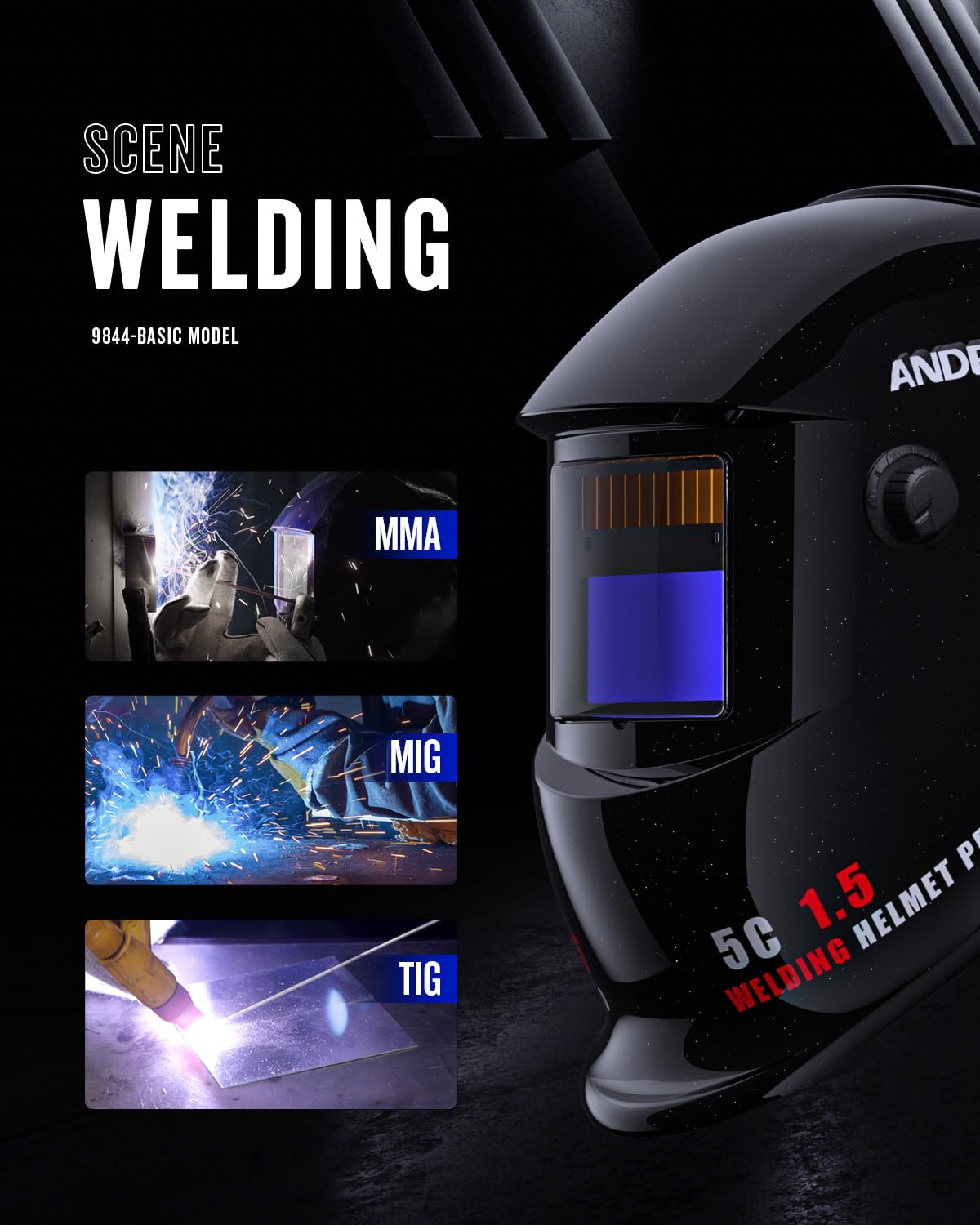
Image: Close-up of the ADF lens showing the arc sensors, adjustment knobs for sensitivity and delay, and the replaceable battery compartment.
Údržba
- Čištění helmy: Clean the helmet shell with a mild soap and water solution. Avoid strong solvents.
- Cleaning the ADF Lens: Gently wipe the ADF lens with a soft, lint-free cloth. Do not use abrasive materials or cleaning solutions that could damage the lens coating.
- Replacing Protective Lenses: Replace the outer and inner protective lenses when they become scratched, pitted, or too dirty to clean effectively.
- Výměna baterie: When the low battery indicator illuminates (if present) or the auto-darkening function becomes unreliable, replace the CR2032 battery.

Image: Illustration showing how to access and replace the CR2032 battery in the auto-darkening filter unit.
- Skladování: Store the helmet in a dry, clean place away from direct sunlight and extreme temperatures.
Odstraňování problémů
| Problém | Možná příčina | Řešení |
|---|---|---|
| Lens does not darken when welding arc starts. |
|
|
| Lens remains dark after welding stops. |
|
|
| Špatná viditelnost skrz objektiv. |
|
|
Specifikace
| Funkce | Specifikace |
|---|---|
| Model | ADLDH9242-A |
| Značka | ANDELI |
| Optická třída | 1/1/1/2 |
| Viewoblast | 92 mm × 42 mm (3.63" × 1.66") |
| Odstín světlého stavu | DIN 4 |
| Stín temného státu | DIN 9-13 (nastavitelné) |
| Čas přepínání | 1/15000 sekundy |
| Doba zpoždění | Nastavitelné (krátké-dlouhé) |
| Citlivost | Nastavitelný |
| Obloukové senzory | 2 |
| Napájení | Solar Cell & Replaceable CR2032 Battery |
| Materiál | Plast |
| Hmotnost | 0.48 kg |
| Aplikace | TIG, MIG, MMA, Plasma Cutting, Grinding |

Obrázek: Diagram znázorňující viewing area dimensions of the auto-darkening filter: 92mm x 42mm.
Záruka a podpora
For warranty information and technical support, please refer to the official ANDELI webnebo se obraťte na místního distributora. Uschovejte si účtenku jako doklad o koupi.
Výrobce: ANDELI
Kontakt: ANDELI Official Store JP