
1. Úvod
Thank you for choosing the Roxicosly CR1023 Digital Alarm Clock. This user-friendly device features a large, mirrored display, dual alarms, adjustable brightness, a night light, and convenient charging ports. This manual provides detailed instructions to help you set up and operate your new alarm clock effectively.

Image: The Roxicosly Digital Alarm Clock, highlighting its mirrored display and key features such as large digital display, dimmer, snooze, night light, dual alarm, volume knob, 12/24H format, USB/Type-C charging, and DST indicator.
2. Obsah balení
- 1x Roxicosly CR1023 Digital Alarm Clock
- 1x DC Adapter & USB Cable
- 1x Uživatelská příručka
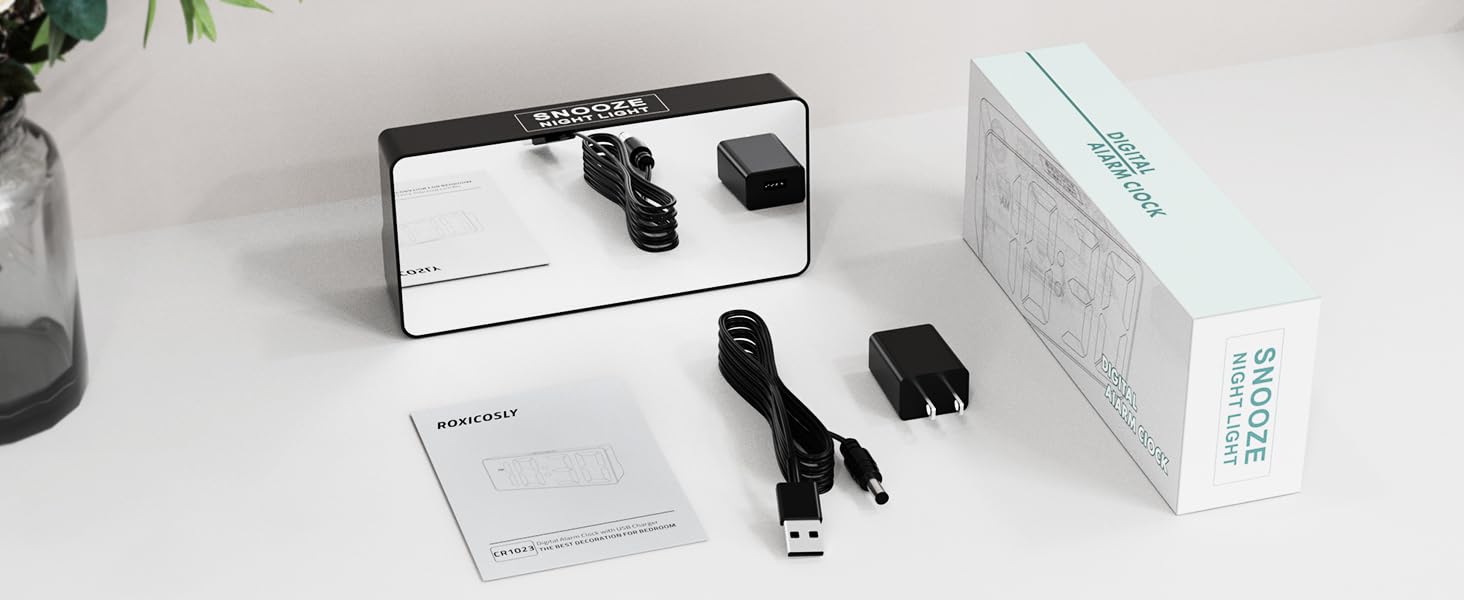
Image: The Roxicosly Digital Alarm Clock, its power adapter, and USB cable, laid out next to the product box and manual.
3. Nastavení
3.1 Připojení napájení
- Connect the provided DC adapter to the DC jack on the back of the alarm clock.
- Plug the DC adapter into a standard wall outlet. The clock display will illuminate.
3.2 Záložní baterie (volitelné)
Pro záložní napájení běhemtages, install 2 AAA batteries (not included) into the reserved slot on the back of the clock. These batteries will preserve time and alarm settings. During a power outage, the screen will go blank, but the alarm function will remain active. The correct time will display once main power is restored.

Obrázek: Zadní view of the alarm clock with the battery compartment open, showing where to insert AAA backup batteries.
4. Návod k obsluze
4.1 Nastavení času a data
- Stiskněte tlačítko LETNÍ ČAS tlačítko na zadní straně hodin. Číslice hodin budou blikat.
- Použijte + or - tlačítka pro nastavení hodiny.
- Stiskněte LETNÍ ČAS znovu nastavte minuty a poté použijte + or - upravit.
- Pokračujte v stisknutí LETNÍ ČAS to cycle through setting the year, month, and day, adjusting each with + or -.
- Stiskněte LETNÍ ČAS one last time to confirm all settings.
4.2 12H/24H Format & DST
- Chcete-li přepnout mezi 12hodinovým a 24hodinovým formátem času, stiskněte tlačítko 12/24 hod tlačítko.
- To activate or deactivate Daylight Saving Time (DST), press and hold the LETNÍ ČAS tlačítko.

Image: The alarm clock displaying time in 12-hour, 24-hour, and with Daylight Saving Time (DST) activated.
4.3 Nastavení alarmů (duální alarmy)
Hodiny podporují dva nezávislé budíky (Budík 1 a Budík 2).
- Stiskněte tlačítko POPLACH 1 or POPLACH 2 Tlačítko. Číslice hodin vybraného budíku budou blikat.
- Použijte + or - tlačítka pro nastavení hodiny budíku.
- Stiskněte příslušné POPLACH button again to set the minutes, then use + or - upravit.
- Stiskněte tlačítko POPLACH naposledy potvrďte tlačítkem.
- To turn an alarm ON or OFF, use the dedicated ALM ZAP/VYP switch for Alarm 1 or Alarm 2.
4.4 Nastavení hlasitosti alarmu
Adjust the alarm volume using the physical twist knob located on the back of the clock. There are 7 volume levels (70-118 dB) to suit your preference.

Image: The alarm clock displaying two different alarm times (7:30 and 15:30) and illustrating the 7 adjustable increasinúrovně hlasitosti g.
4.5 Display Brightness (0-100% Dimmer)
The digital display brightness can be adjusted from 0% to 100% using the physical twist knob on the back of the clock. This allows you to set a comfortable brightness level for day or night without disturbing your sleep.

Image: The alarm clock with large, bold numbers and a visual representation of the 0-100% full-range dimmer functionality.
4.6 Night Light & Snooze Function
- The clock features a built-in night light at the back with 3 adjustable brightness settings.
- To activate or adjust the night light, press the large button on the top of the clock.
- When an alarm sounds, press the large button on the top for a 9-minute snooze.
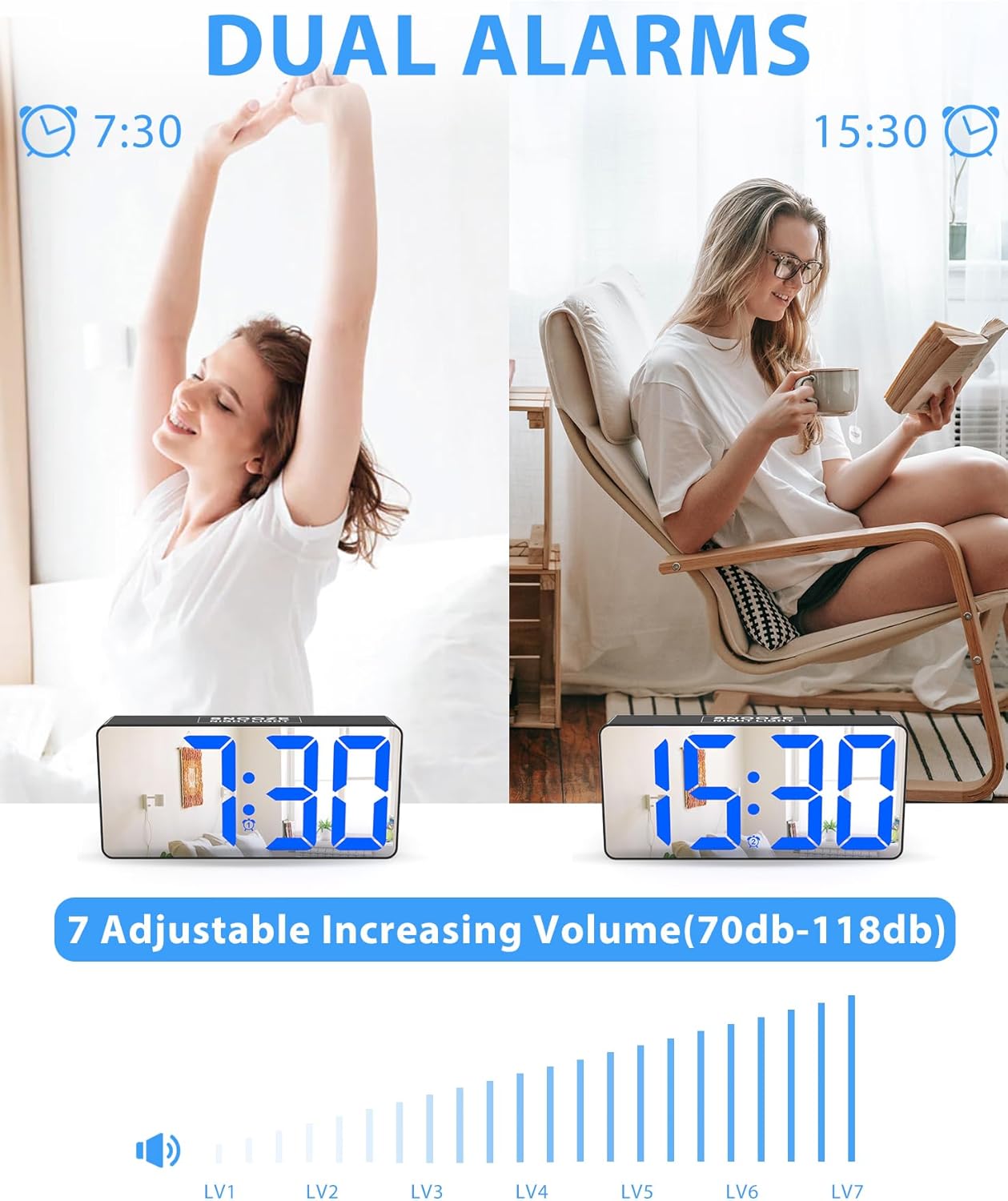
Image: The alarm clock on a nightstand, illustrating the night light feature with three brightness levels and the large top button for snooze.
4.7 nabíjecí porty
The clock is equipped with two charging ports on the back:
- 1x USB charging port
- 1x Type-C charging port
These ports allow you to charge up to two mobile devices simultaneously, making it ideal for overnight charging.

Image: The alarm clock on a desk, showing a smartphone and wireless earbuds charging via its USB and Type-C ports.
5. Údržba
- Clean the clock's mirrored surface and body with a soft, dry cloth. Avoid abrasive cleaners or solvents.
- Ensure the clock is unplugged before cleaning.
- Chraňte hodiny před vodou a vysokou vlhkostí.
6. Řešení problémů
| Problém | Řešení |
|---|---|
| Displej hodin je prázdný. | Ensure the DC adapter is securely plugged into both the clock and a working wall outlet. If using battery backup, the screen will be blank during a power outage, but the alarm will still function. |
| Alarm se nespustí. | Check that the alarm is set correctly and the ALM ZAP/VYP switch is in the ON position. Verify the volume knob is not set to the lowest level. |
| Čas/nastavení se resetují po výpadku napájenítage. | Install 2 AAA backup batteries (not included) to retain settings during power interruptions. |
| Displej je příliš jasný/tmavý. | Adjust the display brightness using the physical twist knob on the back of the clock. |
7. Specifikace
- Značka: Roxikoticky
- Model: CR1023
- Typ displeje: Digital LED with Mirrored Face
- Velikost displeje: 7 inches (approx. 6.5"W x 3.03"H)
- Zdroj napájení: DC (zásuvný)
- Bateriová záloha: 2x AAA batteries (not included) for memory retention
- stmívače: 0-100% Full Range Dimmer (adjustable via knob)
- Poplach: Dual Alarms with 7 Volume Levels (70-118 dB)
- Odložit: 9 minut
- Noční světlo: Built-in, 3 adjustable brightness settings
- Nabíjecí porty: 1x USB, 1x Type-C
- Formát času: Volitelné 12H/24H
- Speciální vlastnosti: DST (Daylight Saving Time) function
- Materiál: Akrylonitrilbutadienstyren (ABS)
- Typ montáže: Stolní deska
8. Oficiální video produktu
Video: An official demonstration of the Roxicosly Digital Alarm Clock with Mirror Screen, showcasinjeho vlastnosti a snadné použití.
9. Záruka a podpora
If you have any questions or require assistance with your Roxicosly CR1023 Digital Alarm Clock, please feel free to contact us. Refer to your product packaging or purchase platform for specific warranty details and customer support contact information.