
1. Důležité bezpečnostní informace
Please read all instructions carefully before using the JIFAR H6 Projector. Keep this manual for future reference.
- Neblokujte větrací otvory. Zajistěte dostatečné proudění vzduchu kolem projektoru, abyste zabránili přehřátí.
- Nedívejte se přímo do objektivu projektoru, když je zapnutýamp svítí. Jasné světlo může způsobit poškození očí.
- Používejte pouze napájecí adaptér dodaný s projektorem.
- Avoid placing the projector in unstable locations or on uneven surfaces.
- Chraňte projektor před vodou nebo jinými kapalinami. Nevystavujte jej dešti ani vlhkosti.
- Během bouřek nebo pokud projektor delší dobu nepoužíváte, odpojte jej ze zásuvky.
- Nepokoušejte se projektor opravovat sami. Veškerý servis svěřte kvalifikovanému servisnímu personálu.
2. Konec produktuview
The JIFAR H6 Projector is a native 1080P projector designed for a superior viewing experience with a large screen display capability.
2.1 Obsah balení
Ověřte, zda je v balení obsaženo vše:
- JIFAR H6 Projector
- Přepravní taška
- Dálkové ovládání (baterie nejsou součástí balení)
- Napájecí kabel
- HDMI kabel
- AV kabel
- Uživatelská příručka (tento dokument)
2.2 Součásti projektoru
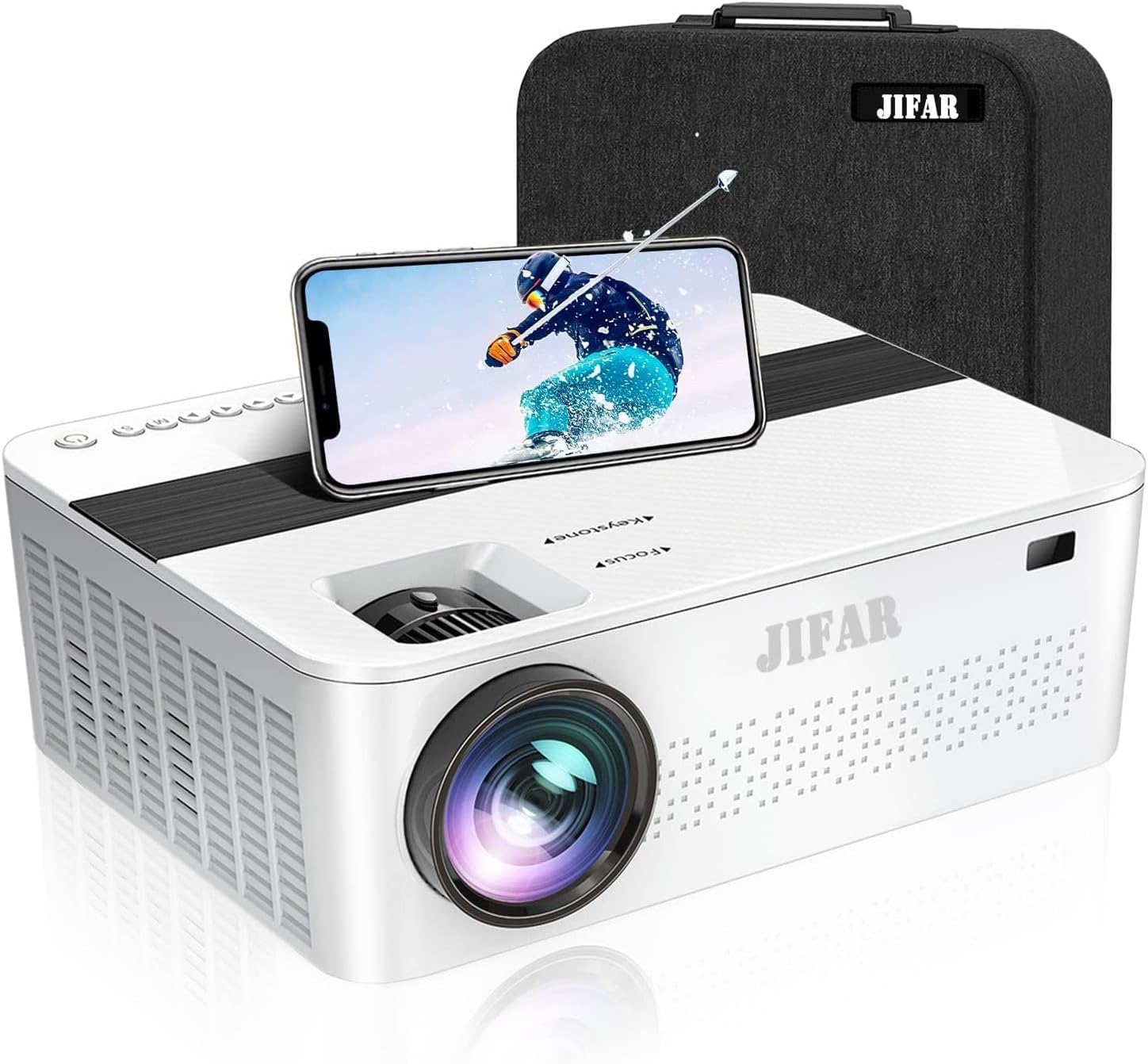
Obrázek 2.1: Přední strana view of the JIFAR H6 Projector, showing the lens, control panel, and a smartphone placed on top, alongside its carrying bag.

Figure 2.2: Various features of the JIFAR H6 Projector, including options for ceiling mounting (M4*10mm), efficient fan cooling, zoom capability (-50%), and integrated Hi-Fi stereo speakers.
The JIFAR H6 Projector features a robust design with multiple connectivity options and user-friendly controls. Key components include the projection lens, focus ring, keystone correction, various input ports (HDMI, USB, VGA, AV), and integrated speakers.
2.3 Klíčové vlastnosti
- Nativní rozlišení 1080P: Provides sharp and detailed images with a native resolution of 1920x1080.
- Vysoký jas a kontrast: Features 10000Lux brightness and a 10000:1 high contrast ratio for vivid projections.
- Velký displej: Supports projection sizes from 60 to 450 inches.
- Rozsáhlá konektivita: Includes HDMI, VGA, USB, SD, AV, and TV inputs, along with audio out.
- Long LED Lamp Život: LED lamp has an impressive lifespan of up to 100,000 hours.
- Dolby Digital & 4K Video Support: Enhances audio and video experience.
- Vestavěné Hi-Fi stereo reproduktory: Dual 6W speakers provide clear audio without external speakers.
- Korekce lichoběžníkového zkreslení: Adjustable keystone for optimal image alignment.

Figure 2.3: Visual comparison illustrating the superior brightness of the JIFAR projector (10000Lux) compared to other projectors (6000Lux).
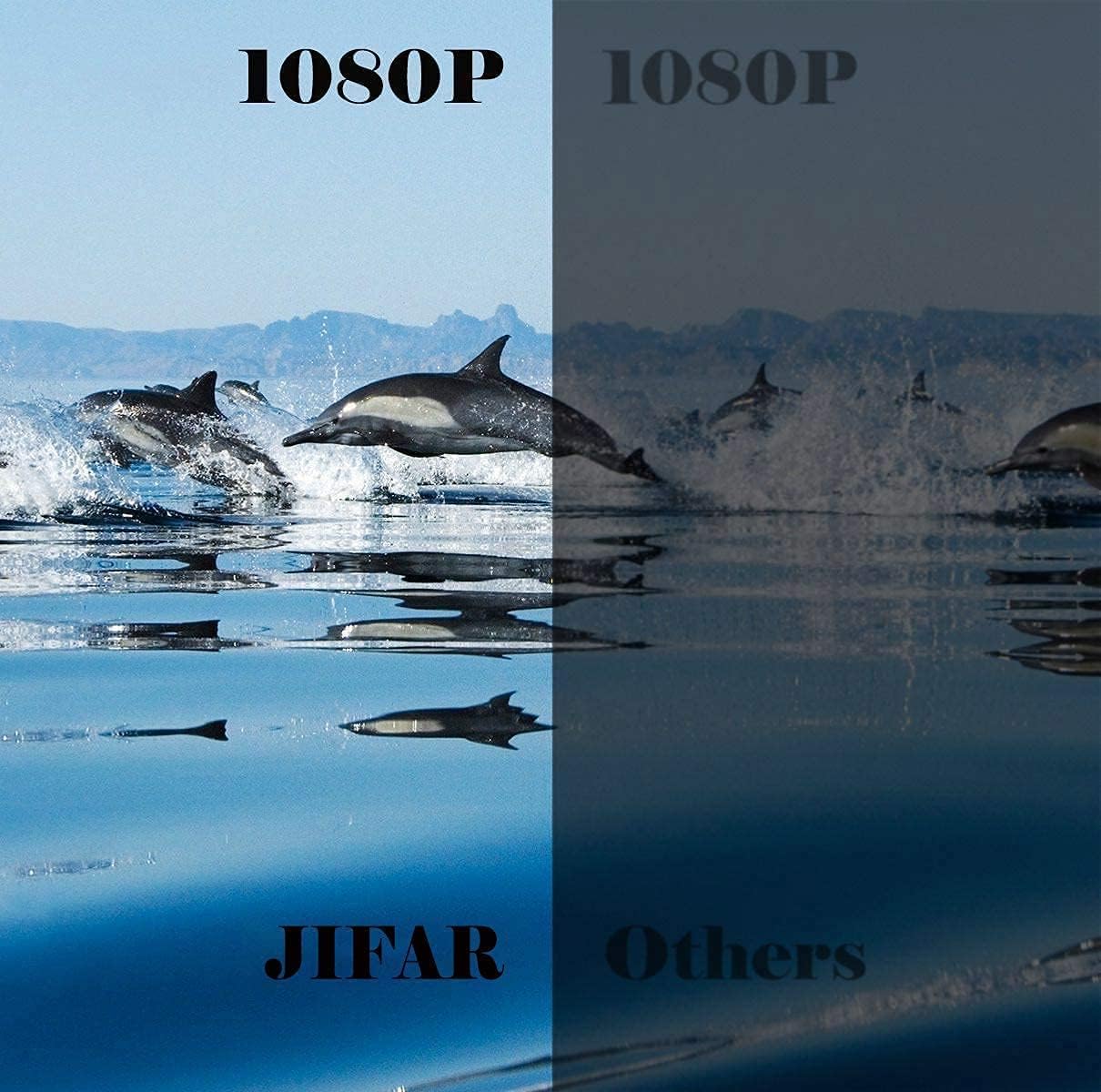
Figure 2.4: Side-by-side comparison demonstrating the enhanced clarity and detail of the JIFAR projector's native 1080P resolution.
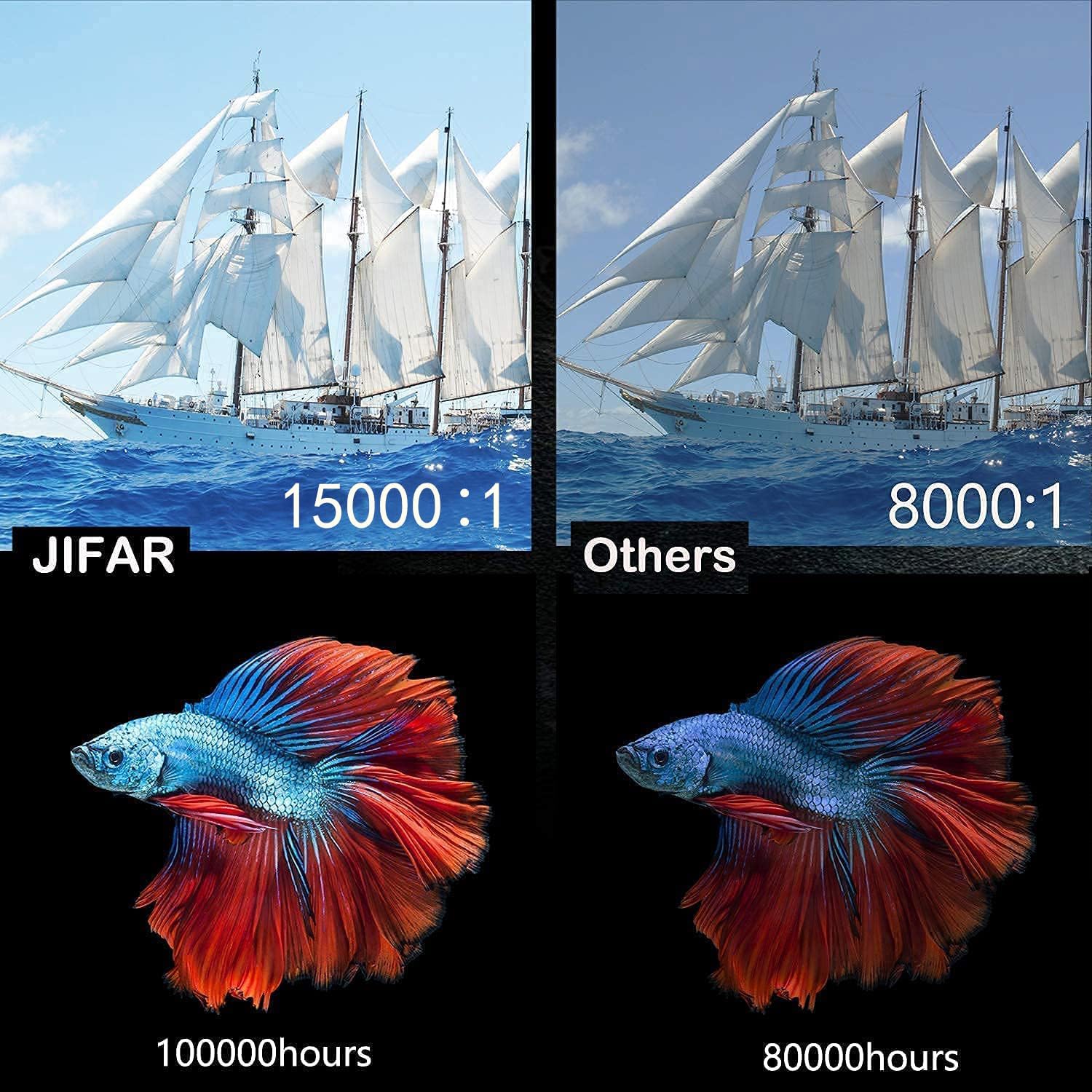
Figure 2.5: Comparison highlighting the JIFAR projector's superior contrast ratio (15000:1) and extended LED lamp life (100,000 hours) compared to typical projectors.
3. Nastavení
3.1 Umístění
Position the projector on a stable, flat surface or mount it to the ceiling. Ensure the projector is centered with the screen for optimal image alignment. Maintain a clear path for ventilation around the projector.
- For front projection, place the projector in front of the screen.
- For rear projection, place the projector behind a translucent screen.
- For ceiling mount, use appropriate mounting hardware (M4*10mm screws) and ensure the image can be inverted in the settings.
3.2 Připojení napájení
- Připojte napájecí kabel ke vstupnímu portu projektoru.
- Zapojte druhý konec napájecího kabelu do elektrické zásuvky.
- Kontrolka napájení na projektoru se rozsvítí.
3.3 Připojení vstupních zařízení
The JIFAR H6 Projector supports various input sources:
- HDMI: Connect a computer, laptop, game console (PS3/PS4, Xbox), or streaming device (Fire Stick) using an HDMI cable.
- USB: Vložte USB flash disk pro přehrávání médií files přímo.
- VGA: Connect older computers or laptops using a VGA cable.
- AV: Connect devices like DVD players using the AV cable.
- Připojení smartphonu: Use an HDMI adapter (not included) to connect your smartphone.
After connecting a device, ensure you select the correct input source in the projector's menu.
3.4 Zaostření a korekce lichoběžníkového zkreslení
Adjust the image clarity and shape using the rings on the projector lens:
- Zaostřovací kroužek: Rotate the focus ring until the projected image appears sharp and clear.
- Korekce lichoběžníkového zkreslení: Use the keystone adjustment to correct trapezoidal distortion, ensuring the image is rectangular. This is particularly useful if the projector is not perfectly perpendicular to the screen.
4. Návod k obsluze
4.1 Zapnutí/vypnutí
- Zapnutí: Stiskněte tlačítko napájení na projektoru nebo na dálkovém ovladači. Projektor se spustí a zobrazí se hlavní rozhraní.
- Vypnout: Press the power button again. Confirm shutdown if prompted. Allow the projector to cool down before unplugging.
4.2 Menu Navigation and Input Source Selection
Use the navigation buttons on the projector or remote control to navigate the on-screen menu.
- From the main menu, select "Input Source".
- Choose the desired input (e.g., HDMI1, USB, VGA, AV) corresponding to your connected device.
- Stiskněte tlačítko „OK“ nebo „Enter“ pro potvrzení výběru.
4.3 Nastavení zvuku
The projector has built-in HiFi stereo speakers. You can adjust the volume using the remote control.
- Ovládání hlasitosti: Použijte tlačítka pro zvýšení/snížení hlasitosti na dálkovém ovladači.
- Externí zvuk: For enhanced audio, connect external speakers or a sound system to the projector's audio out port.
- Dolby Digital: Ensure your audio source is compatible with Dolby Digital for optimal sound quality.
4.4 Úprava velikosti obrazovky (Přiblížení)
The projector supports a screen size range of 60 to 450 inches. You can digitally adjust the screen size (zoom) via the menu.

Figure 4.1: The JIFAR H6 Projector is capable of producing a large 450-inch screen, providing an immersive viewzkušenosti.
Navigate to the "Picture" or "Display" settings in the menu to find the zoom or screen size adjustment option. This allows you to reduce the image size without moving the projector.
5. Údržba
Proper maintenance ensures the longevity and optimal performance of your JIFAR H6 Projector.
5.1 Čištění objektivu
Use a soft, lint-free cloth specifically designed for optical lenses. Gently wipe the lens to remove dust or smudges. Do not use abrasive cleaners or excessive force, as this can scratch the lens.
5.2 Čištění těla projektoru
Otřete vnější část projektoru měkkým, suchým hadříkem. V případě odolných nečistot použijte lehceamp cloth can be used, but ensure no moisture enters the ventilation openings or ports.
5.3 Skladování
When not in use for extended periods, store the projector in its carrying bag in a cool, dry, and dust-free environment. Avoid extreme temperatures or high humidity.
6. Řešení problémů
If you encounter issues with your JIFAR H6 Projector, refer to the following common problems and solutions:
| Problém | Možná příčina | Řešení |
|---|---|---|
| Žádný promítaný obraz | Power cable loose; Incorrect input source; Device not connected properly. | Check power connection; Select correct input source; Reconnect input device. |
| Obrázek je rozmazaný | Není nastavené zaostření; Projektor je příliš blízko/daleko od promítací plochy. | Nastavení zaostřovacího kroužku; Nastavení projekční vzdálenosti. |
| Obrázek je lichoběžníkový | Projektor není kolmý k promítací ploše. | Upravte korekci lichoběžníkového zkreslení. |
| Žádný zvuk | Volume too low; Muted; External audio device not connected/configured. | Zvýšit hlasitost; Zapnout zvuk; Zkontrolovat externí audio připojení. |
| Dálkové ovládání nefunguje | Vybité/nesprávně vložené baterie; Překážka mezi dálkovým ovladačem a projektorem. | Vyměňte baterie; Zajistěte nerušený výhled na infračervený přijímač. |
If the problem persists, please contact JIFAR customer support.
7. Specifikace
Detailed technical specifications for the JIFAR H6 Projector:
| Značka | JIFAR |
| Číslo modelu | H6 |
| Rozlišení displeje | 1920 x 1080 (nativní 1080P) |
| Jas | 10000 Lux |
| Kontrastní poměr | 10000:1 |
| Poměr stran | 16:9 / 4:3 |
| Velikost projekce | 60-450 palců |
| LED diodaamp Život | Až 100,000 hodin |
| Technologie připojení | HDMI, VGA, USB, SD, AV, TV |
| Typ reproduktoru | Built-in HiFi Stereo (6W dual) |
| Rozměry produktu | 12 x 9.4 x 4 palce |
| Hmotnost položky | 8 libry |
8. Záruka a podpora
JIFAR provides comprehensive support for your H6 Projector.
- Doživotní profesionální technická podpora: JIFAR offers 7x24 hours and lifetime professional technical support for the H6 Projector.
- For any problems or inquiries, please feel free to contact JIFAR customer service at any time.
- Navštivte úředníka JIFAR Store on Amazon pro více informací a aktualizace produktů.