
1. Úvod
Thank you for choosing the MAJORITY Quadriga Internet Radio with CD Player. This device offers a comprehensive audio experience, combining traditional and modern listening options. Enjoy access to thousands of internet radio stations, DAB+ and FM broadcasts, CD playback, Bluetooth streaming, Spotify Connect, and podcasts. With its powerful 120W 2.1 stereo sound and integrated subwoofer, the Quadriga delivers rich and clear audio.

Obrázek: Přední strana view of the MAJORITY Quadriga Internet Radio with CD Player.
2. Bezpečnostní pokyny
- Read all instructions carefully before use and retain them for future reference.
- Nevystavujte jednotku kapajícím nebo stříkajícím kapalinám.
- Zajistěte dostatečné větrání kolem jednotky. Neblokujte žádné větrací otvory.
- Neumisťujte přístroj do blízkosti zdrojů tepla, jako jsou radiátory, topná tělesa, kamna nebo jiná zařízení (včetně amplifikátory), které produkují teplo.
- Chraňte napájecí kabel před šlapáním nebo přiskřípnutím, zejména u zástrček, zásuvek a v místě, kde vychází z přístroje.
- Používejte pouze nástavce/příslušenství určené výrobcem.
- Odpojte tento přístroj během bouřky s blesky nebo pokud jej nebudete delší dobu používat.
- Veškerý servis svěřte kvalifikovanému servisnímu personálu. Je -li zařízení jakýmkoli způsobem poškozeno, je nutná údržba.
3. Co je v krabici
Carefully unpack your MAJORITY Quadriga and ensure all items listed below are present:
- 1x MAJORITY Quadriga Unit
- 1x napájecí kabel
- 1x Dálkové ovládání
- 1x kabel AUX
- 1x RF Antenna
- 2x AAA baterie (pro dálkové ovládání)
- 1x Uživatelská příručka

Image: All components included in the MAJORITY Quadriga package.
4. Konec produktuview
4.1 Přední panel
The front panel features the main display, control knob, function buttons, and CD slot.

Obrázek: Podrobný view of the front panel controls and display.
4.2 Zadní panel
The rear panel provides various connectivity options for external devices and the antenna connection.
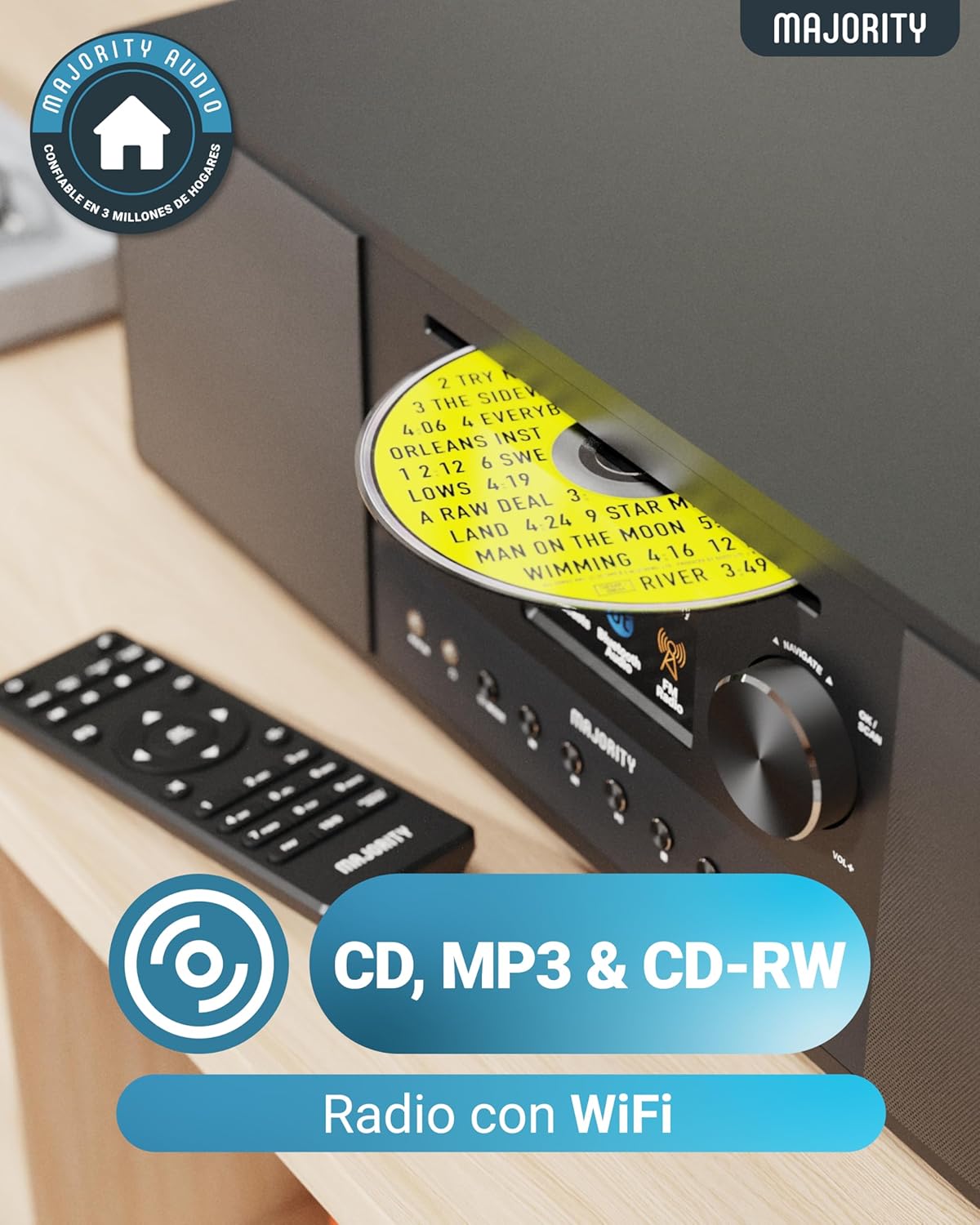
Image: Rear panel with input/output ports and antenna connector.
4.3 Dálkové ovládání
The included remote control allows convenient operation of all functions from a distance.

Image: The remote control unit.
5. Nastavení
5.1 Vybalení a umístění
Remove the unit from its packaging. Place the Quadriga on a stable, flat surface away from direct sunlight, heat sources, and moisture. Ensure there is sufficient space around the unit for proper ventilation.
5.2 Připojení napájení
Connect the power cable to the DC IN port on the rear of the unit, then plug the other end into a wall socket.
5.3 Connecting Antenna
For optimal DAB+ and FM reception, connect the supplied RF antenna to the DAB/FM ANTENNA port on the rear panel. Extend the antenna fully for best signal.
5.4 Počáteční nastavení a síťové připojení
Upon first power-on, the unit will guide you through an initial setup process. This typically includes:
- Výběr jazyka: Choose your preferred language from the on-screen menu.
- Nastavení sítě: The unit will scan for available Wi-Fi networks. Select your network and enter the password using the control knob and buttons. A stable internet connection is required for Internet Radio, Spotify Connect, and podcast features.
- Čas a datum: Set the correct time and date, or allow the unit to synchronize automatically via the internet.
6. Návod k obsluze
6.1 Základní ovládací prvky
- Vypínač: Stiskněte pro zapnutí nebo vypnutí jednotky.
- Ovládací knoflík: Rotate to navigate menus and adjust volume. Press to confirm selections.
- Tlačítko režimu: Press to cycle through available modes (Internet Radio, DAB+, FM, CD, Bluetooth, USB, AUX, Optical, RCA).
- Přednastavená tlačítka: Use to save and recall your favorite radio stations.
6.2 Internetové rádio
Select 'Internet Radio' mode. You can browse stations by location, genre, or search for specific stations. Save your favorite stations to presets for quick access.

Image: The Quadriga unit highlighting its radio capabilities.
6.3 DAB+ rádio
Switch to 'DAB+' mode. The unit will automatically scan for available digital radio stations. Use the control knob to select a station from the list.
6.4 FM rádio
Select 'FM' mode. You can manually tune to frequencies or perform an auto-scan to find available stations.
6.5 Režim Bluetooth
Select 'Bluetooth' mode. The unit will enter pairing mode. On your smartphone or other Bluetooth device, search for 'MAJORITY Quadriga' and connect. Once paired, you can stream audio wirelessly.

Image: The Quadriga unit showcasing Bluetooth and Spotify features.
6.6 Přehrávání CD
Insert a CD into the CD slot on the front panel. The unit will automatically switch to 'CD' mode and begin playback. Supports CD, CD-R, and CD-RW discs.

Image: Close-up of the CD player slot with a disc inserted.
6.7 Přehrávání z USB
Insert a USB drive into the USB port on the rear panel. Select 'USB' mode. The unit will display the contents of the USB drive, allowing you to browse and play audio files.
6.8 AUX, RCA, and Optical Input
Connect external audio devices using the appropriate cables to the AUX IN, RCA IN, or OPTICAL IN ports on the rear panel. Select the corresponding input mode on the Quadriga to play audio from the connected device.
6.9 Spotify Connect
To use Spotify Connect, ensure your Quadriga is connected to the internet and you have a Spotify Premium account. Open the Spotify app on your smartphone or tablet, play music, and select the Quadriga from the 'Devices Available' list. This allows direct streaming over Wi-Fi for superior sound quality.
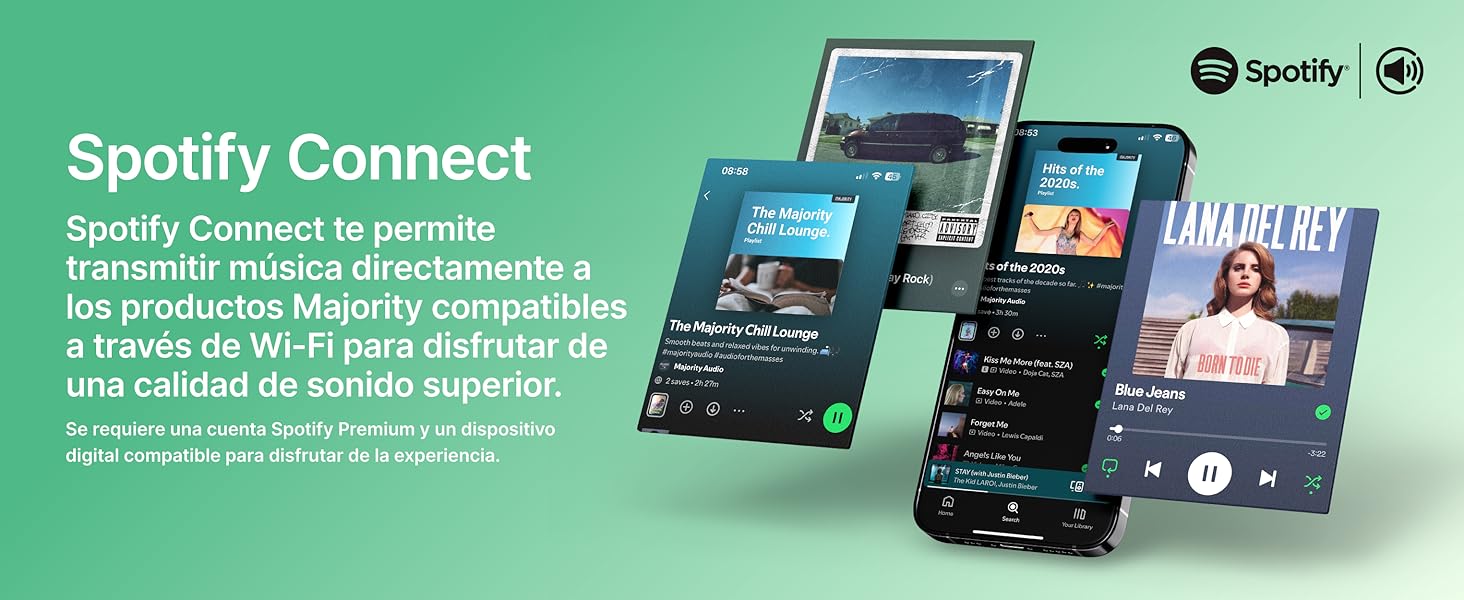
Image: Visual guide to using Spotify Connect with the Quadriga.
6.10 podcastů
In 'Internet Radio' mode, navigate to the 'Podcasts' section. You can browse and listen to a wide variety of podcasts from around the world.
6.11 Ovládání aplikací OKTIV
The OKTIV app allows wireless control of your Majority product via Wi-Fi, enabling you to adjust settings and manage music from anywhere in your home. The app is compatible with iOS and Android devices.
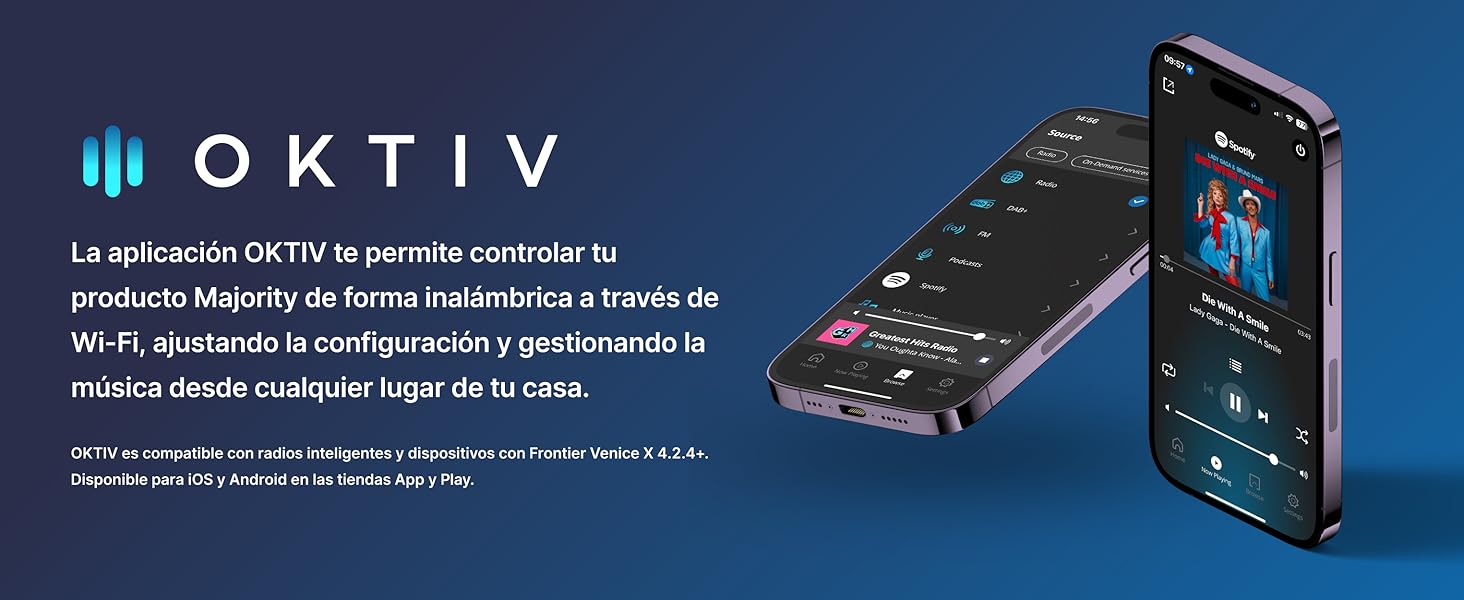
Image: Smartphones displaying the OKTIV app for remote control.
7. Údržba
- Čištění: K čištění jednotky používejte měkký, suchý hadřík. Nepoužívejte abrazivní čisticí prostředky ani rozpouštědla.
- Péče o CD přehrávač: Handle CDs by the edges to avoid fingerprints. If the CD player experiences reading errors, try cleaning the disc with a soft, lint-free cloth.
- Větrání: Ujistěte se, že větrací otvory jsou čisté od prachu a nečistot, aby nedošlo k přehřátí.
8. Řešení problémů
| Problém | Možná příčina | Řešení |
|---|---|---|
| Žádná síla | Power cable not connected; Wall socket faulty | Check power cable connection; Try a different wall socket. |
| Žádný zvuk | Volume too low; Incorrect input mode selected; Mute activated | Increase volume; Select correct input mode; Deactivate mute. |
| Špatný příjem rádia | Antenna not extended; Weak signal; Interference | Extend antenna fully; Reposition the unit; Move away from other electronic devices. |
| Nelze se připojit k Wi-Fi | Nesprávné heslo; Router příliš daleko; Problém se sítí | Verify Wi-Fi password; Move unit closer to router; Restart router. |
| CD se nepřehrává/nečte | Disc dirty/scratched; Disc type not supported | Clean the CD; Ensure it is a supported CD, CD-R, or CD-RW. |
9. Specifikace
- Model: Dvoukolý vůz
- Rozměry (D x Š x V): 43 x 27 x 12.8 cm
- Hmotnost: 5.4 kg
- Zvukový výstupní výkon: 120W (2.1 Stereo with Subwoofer)
- Konektivita: Wi-Fi, Bluetooth, Ethernet
- Rádiový tuner: Internetové rádio, DAB+, FM
- Kompatibilita disků: CD, CD-R, CD-RW
- Vstupy: AUX (3.5mm), RCA, Optical, USB
- Speciální vlastnosti: Spotify Connect, Podcasts
- Zdroj napájení: Wired Electric (240 Volts)
- Typ displeje: LCD
- Materiál: Plast

Obraz: View of the integrated subwoofer and 120W audio output.
10. Záruka
The MAJORITY Quadriga comes with a 3letá prodloužená záruka. Product registration may be required to activate the full warranty period. Please refer to the warranty card included in your package or visit the official MAJORITY website for detailed terms and conditions regarding warranty claims and registration.
11. Podpora
For further assistance, technical support, or to access additional resources, please visit the official MAJORITY website. You can find FAQs, updated manuals, and contact information for customer service there.
Webmísto: www.majority.co.uk