
1. Úvod
Thank you for choosing the Yoidesu 10-inch Car Radio Stereo. This manual provides essential information for the proper installation, operation, and maintenance of your new car multimedia system. Please read this manual thoroughly before use to ensure optimal performance and safety.
Konec produktuview
This car stereo features a 10-inch display, runs on Android 10.1, and includes 2GB RAM with 32GB ROM for smooth operation and ample storage for applications. It supports navigation, Bluetooth connectivity, and mobile phone mirror link functionality.
Kompatibilita
This unit is designed as a replacement for the original car radio stereo in Honda CRV models manufactured between 2012 and 2016.

Image 1.1: The Yoidesu 10-inch Car Radio Stereo with its main interface.
2. Obsah balení
Ověřte prosím, zda jsou ve vašem balení obsaženy všechny níže uvedené položky:
- 1 x Host Unit (Car Stereo)
- 1 x Napájecí kabeláž
- 1 x kabel
- 1x GPS anténa
- 1 x Uživatelská příručka
- 2 x prodlužovací kabely USB
- 1 x Camera Line
- 1 x USB adaptérový kabel
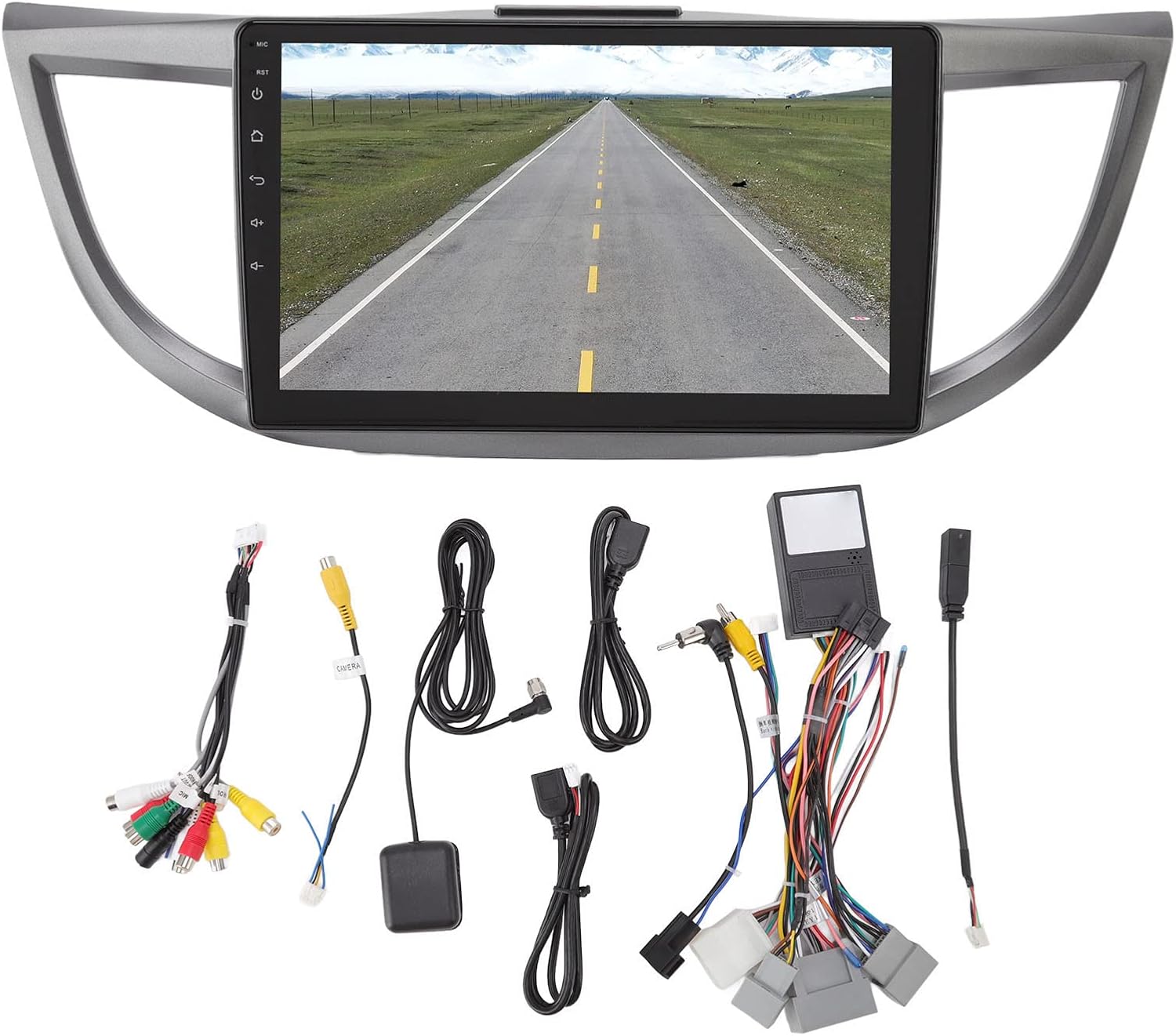
Obrázek 2.1: Konecview of all included accessories and cables.
3. Specifikace
| Funkce | Specifikace |
|---|---|
| Značka | Yoidesu |
| Název modelu | Autorádio Stereo |
| Typ služby vozidla | Auto (Honda CRV 2012-2016) |
| Velikost obrazovky | 10 palce |
| Rezoluce | 1024 x 600 |
| Operační systém | Android 10.1 |
| Paměť (RAM) | 2 GB |
| Úložiště (ROM) | 32 GB |
| Technologie připojení | USB, Wi-Fi, Bluetooth |
| Speciální funkce | Bluetooth, Touchscreen, Navigation, Mirror Link, Steering Wheel Control Support |
| Supported Navigation System | GPS (online/offline mapy) |
| Režim zvukového výstupu | Speaker, Stereo |
| svtage | 12V |
4. Nastavení a instalace
Installation of the Yoidesu Car Radio Stereo involves replacing the existing factory unit. Due to the complexity of automotive electrical systems, professional installation is highly recommended to prevent damage to the unit or your vehicle.
Obecné kroky instalace (poraďte se s odborníkem)
- Příprava: Odpojte baterii vozidla, abyste předešli elektrickému zkratu.
- Odstraňte starou jednotku: Carefully remove the existing car radio stereo and its surrounding trim.
- Připojení kabeláže: Connect the provided power harness, GPS antenna, USB extension cables, and camera line (if applicable) to the new Yoidesu unit. Ensure all connections are secure.
- Test funkčnosti: Before fully reassembling, temporarily connect the battery and test basic functions like power, audio, and display.
- Zabezpečená jednotka: Mount the new unit into the dashboard opening and secure it.
- Znovu sestavit: Reinstall all trim pieces removed earlier.
- Závěrečná kontrola: Znovu připojte baterii a proveďte komplexní test všech funkcí.

Image 4.1: Before and After installation of the Yoidesu Car Radio Stereo.

Obrázek 4.2: Zadní strana view of the main unit with wiring connections.
5. Návod k obsluze
Systém 5.1 Android 10.1
The unit runs on Android 10.1, providing a familiar interface. You can download and install various applications from the app store, similar to a smartphone or tablet. The 2GB RAM and 32GB ROM ensure smooth operation and quick application launches.
5.2 Navigace
The car stereo supports both online and offline navigation applications. It is compatible with popular mapping services like Igo maps and Waze. After connecting to Wi-Fi, you can use online navigation anywhere. The system supports 2D and 3D map displays.
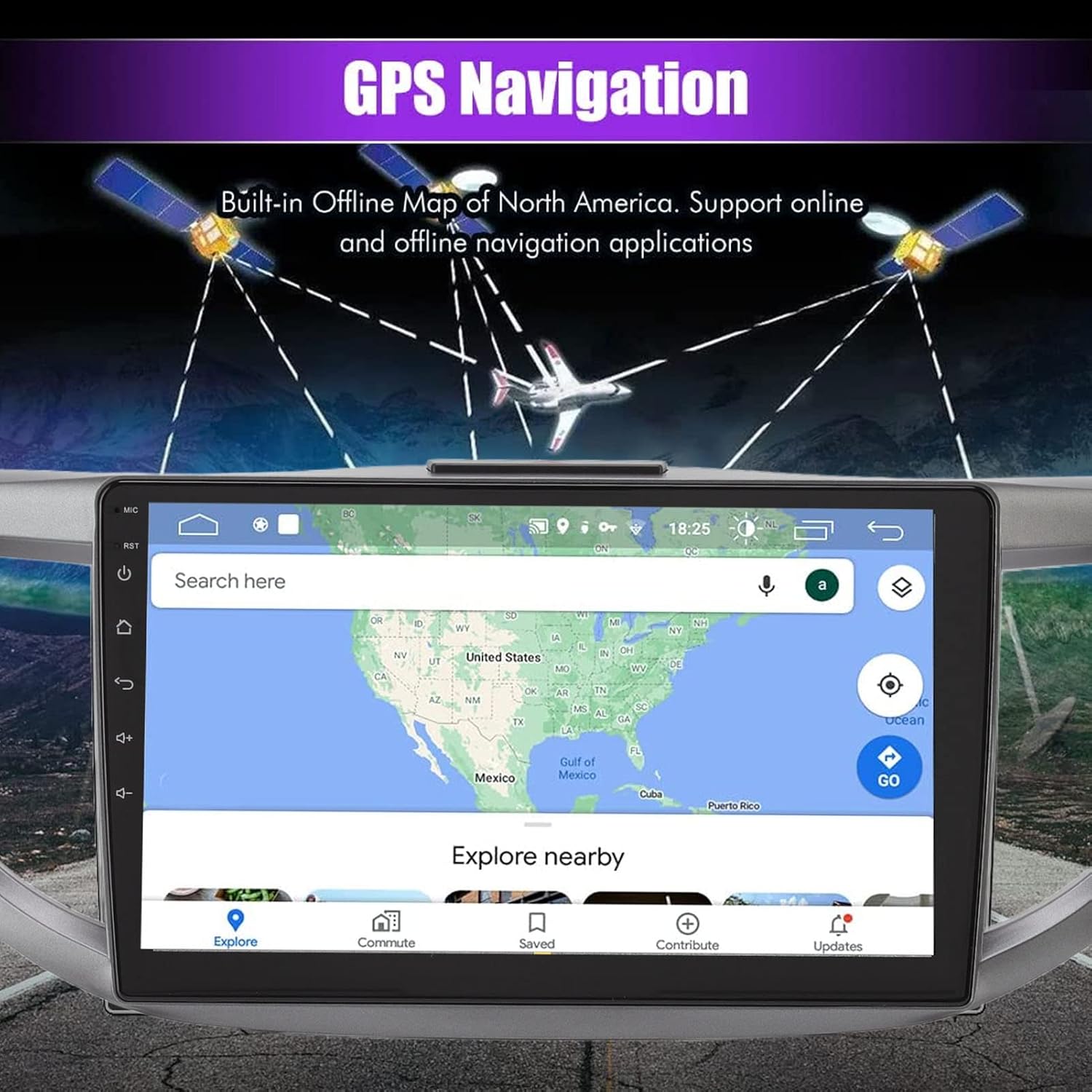
Image 5.1: GPS Navigation interface on the car stereo.
5.3 Připojení Bluetooth
Pair your mobile phone via Bluetooth to enable hands-free calling and audio streaming. The built-in microphone captures your voice, and calls are routed through your car's speakers. To pair, go to the Bluetooth settings on the unit and search for your device.
5.4 Funkce zrcadlového propojení
The mirror link function allows you to synchronize your Android or iOS phone's screen with the car stereo display. This enables you to view maps, videos, and other content from your phone directly on the larger car stereo screen. Follow the on-screen instructions on the unit to establish the mirror link connection.
5.5 Ovládací prvky na volantu
The unit is designed to integrate with your vehicle's existing steering wheel controls. This allows you to manage functions such as switching songs, adjusting volume, and changing channels without taking your hands off the wheel. Configuration may be required in the unit's settings menu.
5.6 Zadní View Vstup fotoaparátu
The system supports high-definition rear view camera input (camera sold separately). When the vehicle is shifted into reverse, the rear view image will automatically display on the screen, assisting with safer parking. The system offers excellent night vision capabilities.
Obrázek 5.2: Zadní strana view displej kamery s parkovacími asistenčními čarami.
5.7 Nastavení zvuku
Access the sound settings to customize your audio experience. The unit provides options for adjusting equalizer settings, balance, and fade to optimize sound output through your car's speakers.
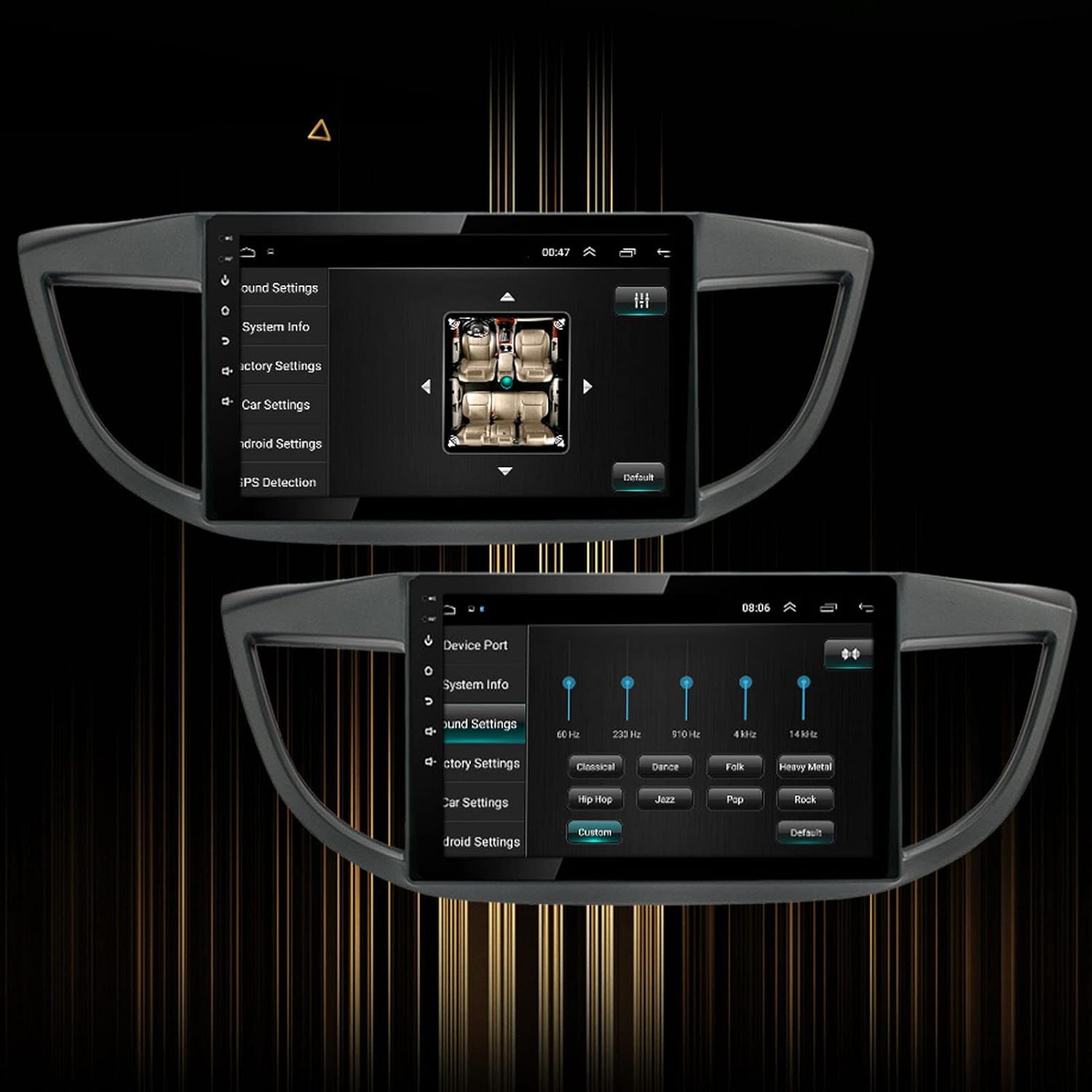
Image 5.3: Sound settings interface with equalizer options.
6. Údržba
To ensure the longevity and optimal performance of your Yoidesu Car Radio Stereo, follow these maintenance guidelines:
- Čištění obrazovky: K jemnému otření obrazovky použijte měkký hadřík, který nepouští vlákna. V případě odolných šmouh lehceampen the cloth with water or a screen-cleaning solution specifically designed for electronics. Avoid harsh chemicals, abrasive materials, or excessive moisture.
- Generální úklid: Keep the unit and surrounding dashboard area free from dust and debris. Use a soft brush or compressed air to clean crevices.
- Aktualizace softwaru: Pravidelně kontrolujte dostupné aktualizace softwaru prostřednictvím nastavení zařízení nebo pokynů výrobce. website. Updates can improve performance, add features, and fix bugs.
- Vyhněte se extrémním teplotám: Nevystavujte přístroj delší dobu extrémnímu horku nebo chladu, mohlo by to ovlivnit jeho elektronické součásti a obrazovku.
7. Řešení problémů
If you encounter issues with your Yoidesu Car Radio Stereo, refer to the following common problems and solutions:
| Problém | Možná příčina | Řešení |
|---|---|---|
| Jednotka se nezapne | Uvolněné připojení napájení, spálená pojistka, problém s autobaterií. | Zkontrolujte všechny napájecí kabely a připojení. Zkontrolujte pojistky vozidla. Ujistěte se, že je baterie vozidla nabitá. |
| Žádný zvukový výstup | Speaker wires disconnected, volume too low, incorrect audio source selected. | Zkontrolujte připojení reproduktorových kabelů. Zvyšte hlasitost. Vyberte správný zdroj zvukového vstupu. |
| Ztráta nebo nepřesnost signálu GPS | Anténa GPS je zablokovaná nebo nesprávně nainstalovaná, jednotka se nachází v oblasti se špatným satelitním příjmem. | Ensure GPS antenna is clear of obstructions and properly connected. Move to an open area for better reception. |
| Problémy s párováním pomocí rozhraní Bluetooth | Bluetooth not enabled on phone/unit, device too far, interference. | Ensure Bluetooth is active on both devices. Keep devices close. Restart both devices. |
| Ovládání na volantu nefunguje | Incorrect wiring, software configuration needed, compatibility issue. | Check wiring for steering wheel control adapter. Configure controls in the unit's settings. Note: Some users have reported potential limitations with steering wheel control functionality on specific CRV models. Ensure full compatibility before installation. |
| Dotykový displej nereaguje | Software glitch, screen protector interference, physical damage. | Restartujte zařízení. Pro vyzkoušení odstraňte veškeré ochranné fólie obrazovky. Pokud problém přetrvává, kontaktujte podporu. |
Pokud tato řešení problém nevyřeší, obraťte se na zákaznickou podporu s žádostí o další pomoc.
8. Záruka a podpora
Informace o záruce
Yoidesu products are manufactured to high-quality standards. For specific warranty terms and conditions, please refer to the warranty card included with your product or contact the seller/manufacturer directly. Keep your purchase receipt as proof of purchase for any warranty claims.
Zákaznická podpora
For technical assistance, installation queries, or any other support needs, please contact your retailer or the Yoidesu customer service team. Contact information can typically be found on the product packaging or the official Yoidesu webmísto.
Online zdroje:
- Navštivte Yoidesu Store on Amazon pro informace o produktech a aktualizace.