
ZIUTY T21
ZIUTY T21 Wireless Earbuds Bluetooth Headphones Instruction Manual
Brand: ZIUTY | Model: T21
Zavedení
Welcome to the ZIUTY T21 Wireless Earbuds user manual. These earbuds are designed to provide a high-quality audio experience with advanced features such as Active Noise Cancellation (ANC), Environmental Noise Cancellation (ENC), and a unique touchscreen charging case. Please read this manual carefully to ensure proper use and to maximize your listening experience.
Co je v krabici
Než začnete, zkontrolujte prosím obsah balení:
- Bezdrátová sluchátka T21
- Nabíjecí pouzdro s dotykovou obrazovkou
- Nabíjecí kabel USB-C
- Špunty do uší (S/M/L)
- Uživatelská příručka

Image: All components included in the ZIUTY T21 Wireless Earbuds package.
Konec produktuview
Smart Touchscreen Charging Case
The charging case features a responsive touchscreen, offering intuitive control over various earbud functions without needing your phone. You can manage music playback, adjust volume, activate noise control modes, and even use remote camera shutter functions directly from the case.

Image: The touchscreen interface of the ZIUTY T21 charging case, showing multiple control options.
Video: Demonstration of the touchscreen functionalities on the ZIUTY T21 charging case, including music control, earbud finding, remote camera, screen lock, and noise reduction settings.
Smart ANC Noise Control & Transparency Mode
The earbuds feature Hybrid Active Noise Cancellation (ANC) to block up to 40dB of ambient noise, providing an immersive listening experience. Transparency Mode allows you to hear your surroundings without removing the earbuds, enhancing awareness and safety.

Image: A user experiencing crystal clear phone calls with 40dB noise reduction.
Studio-Quality Sound & Crystal-Clear Calls
Equipped with large 14.2mm dynamic drivers, these earbuds deliver powerful bass and balanced highs for studio-quality audio. You can fine-tune your sound with 5 EQ presets. Dual-ENC microphones effectively eliminate 98% of background noise for clear calls in any environment.

Image: Visual representation of the 14.2mm dynamic drivers and available EQ modes.
40-Hour Playtime & Fast Charging
Enjoy up to 8 hours of listening on a single charge, extended to a total of 40 hours with the compact charging case. A quick 10-minute charge provides 2 hours of music. The case's display shows the battery percentage, keeping you informed of your power status.
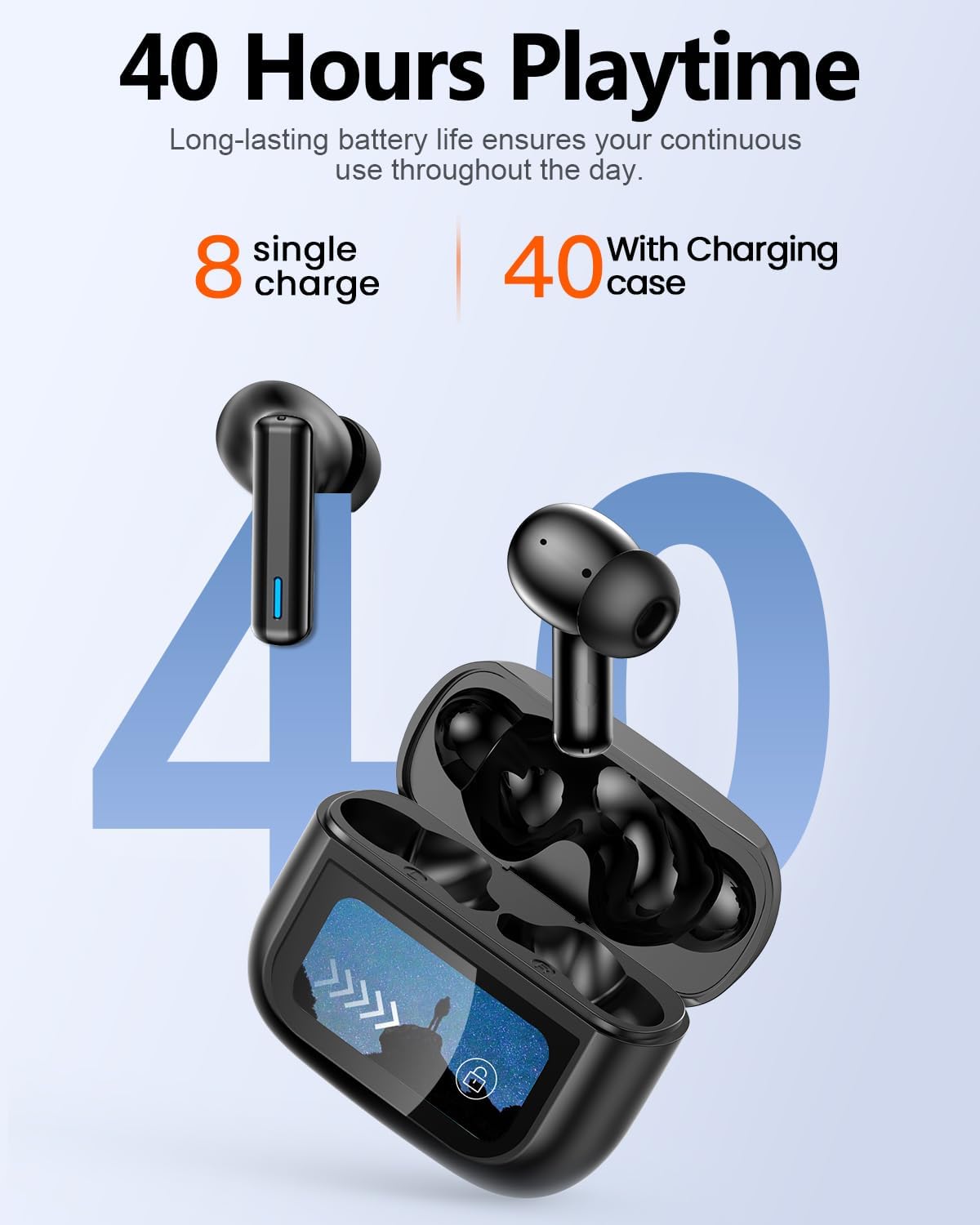
Image: Battery life illustration for the ZIUTY T21 earbuds and charging case.
All-Day Comfort & Stable Bluetooth 5.3 Connection
The ultra-lightweight earbuds are designed for secure and comfortable all-day wear. With an IPX7 waterproof rating, they are suitable for intense workouts. Bluetooth 5.3 ensures a stable wireless connection with ultra-low latency (55 ms), ideal for gaming and calls.

Image: User demonstrating the comfortable and lightweight design of the earbuds.
Průvodce nastavením
1. Nabíjení sluchátek a pouzdra
Before first use, fully charge both the earbuds and the charging case. Connect the provided USB-C cable to the charging port on the case and a power source. The touchscreen will display the charging status.
2. Párování Bluetooth
- Otevřete nabíjecí pouzdro. Sluchátka se automaticky přepnou do režimu párování.
- Na svém zařízení (chytrém telefonu, tabletu atd.) povolte Bluetooth.
- Hledat 'T21' in the list of available devices and select it to connect.
- Once connected, the earbuds will indicate successful pairing, and the case display will show the connection status.
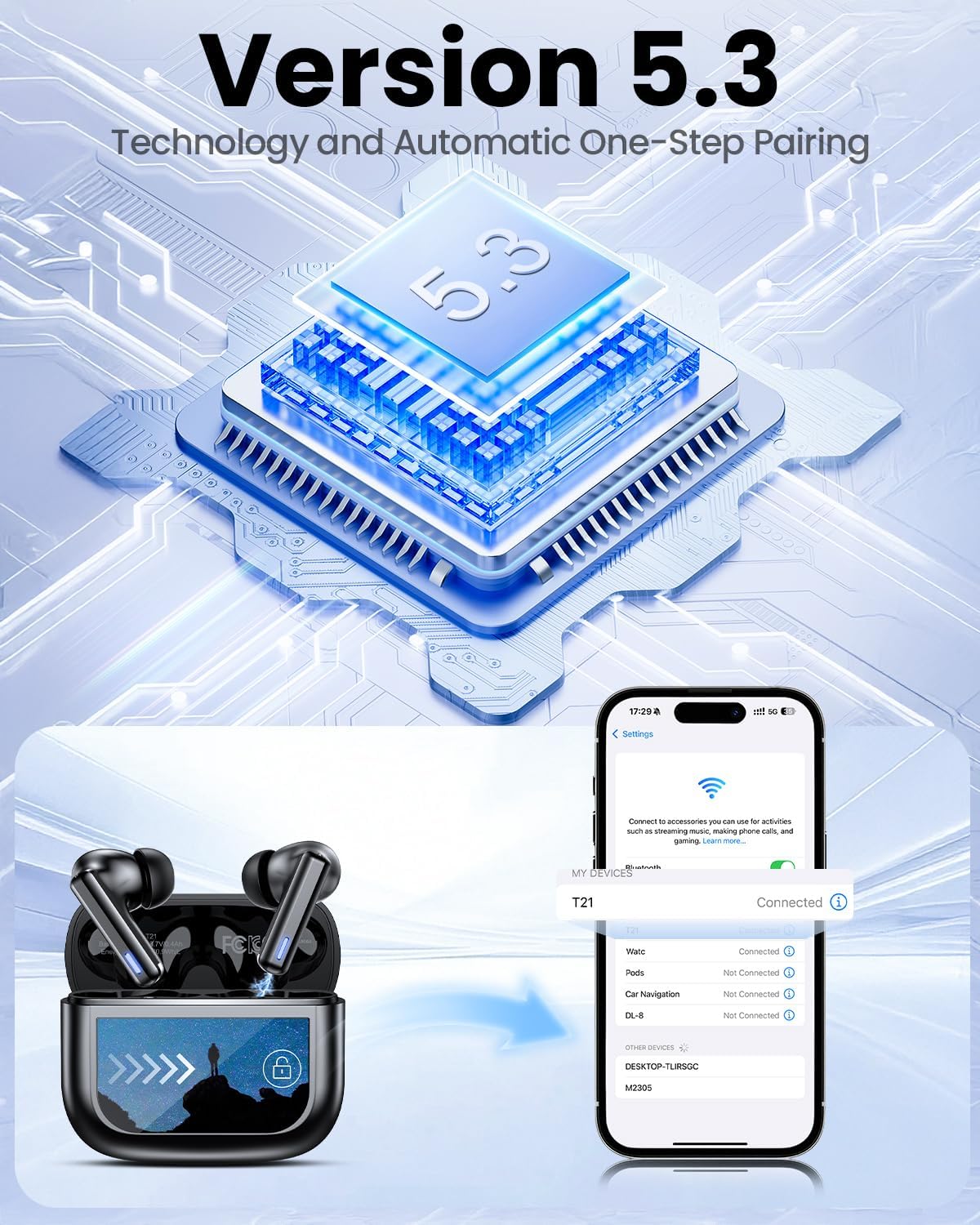
Obrázek: Proces párování Bluetooth 5.3 s chytrým telefonem.
3. Správné přizpůsobení
Select the eartips (S/M/L) that provide the best seal and comfort for your ears. A good seal is crucial for optimal sound quality and noise cancellation performance. Gently insert the earbuds into your ear canal and twist slightly to secure them.

Image: Choosing the correct eartip size for a comfortable and stable fit.
Návod k obsluze
Dotykové ovládání sluchátek
The earbuds feature smart touch controls for easy management of audio and calls:
- Ovládání hlasitosti: Tap and hold (specific earbud for up/down, refer to quick guide).
- Přehrát/pozastavit: Jedno klepnutí.
- Předchozí skladba: Trojité klepnutí na levé sluchátko.
- Další skladba: Trojité klepnutí na pravé sluchátko.
- Hlasový asistent: Dvojí poklepání.
- ANC Mode/Transparency Mode: Dlouhé stisknutí.
- Přijmout/ukončit hovor: Jedno klepnutí.
- Odmítnout hovor: Dlouhé stisknutí.

Obrázek: Overview of earbud touch control gestures.
Charging Case Touchscreen Functions
The touchscreen on the charging case provides access to various settings and controls:
- Přehrávání hudby: Control play, pause, and skip tracks.
- Ovládání hlasitosti: Upravte hlasitost zvuku.
- Redukce šumu: Přepínání mezi režimy ANC, Průhlednost a Normální.
- Ekvalizér: Select from 5 preset EQ modes (Normal, Rock, Classic, Pop, Jazz).
- Najít moje sluchátka: Activate a chirp sound on misplaced earbuds.
- Dálková spoušť: Ovládejte fotoaparát telefonu na dálku.
- Zámek obrazovky: Lock the case screen to prevent accidental touches.
- Přepnutí jazyka: Změňte jazyk zobrazení.
- Úroveň světla: Upravte jas obrazovky.
Funkce Najít moje sluchátka
If you misplace one or both earbuds, use the 'Find My Earphone' function on the charging case touchscreen. Select the earbud (Left or Right) you wish to locate, and it will emit a chirping sound to help you find it.

Image: Using the 'Find My Earphone' feature on the charging case.
Údržba
To ensure optimal performance and longevity of your ZIUTY T21 earbuds, follow these maintenance tips:
- Čištění: Regularly clean the charging contacts on both the earbuds and the case, as well as the ear tips, using a dry, soft cloth or an alcohol pad. This prevents dust, lint, or earwax buildup that can affect charging or sound quality.
- Skladování: Pokud sluchátka nepoužíváte, uložte je do nabíjecího pouzdra, abyste je chránili před prachem a poškozením.
- Vystavení vodě: While the earbuds are IPX7 waterproof, avoid prolonged submersion in water. Ensure they are dry before placing them back in the charging case.

Image: Instructions for cleaning earbuds to maintain volume and charging functionality.
Odstraňování problémů
If you encounter any issues with your ZIUTY T21 earbuds, try the following solutions:
- Žádné problémy se zvukem/připojením:
- Ujistěte se, že jsou sluchátka i nabíjecí pouzdro dostatečně nabité.
- Verify Bluetooth is enabled on your device and 'T21' is selected.
- Zkuste zrušit párování a znovu spárovat sluchátka se zařízením.
- Restartujte zařízení.
- Sluchátka se nenabíjejí:
- Vyčistěte nabíjecí kontakty na sluchátkách a uvnitř pouzdra.
- Ensure the USB-C charging cable is securely connected to both the case and the power source.
- Zkuste jiný kabel USB-C nebo napájecí adaptér.
- Dotykové ovládání nereaguje:
- Při používání dotykového ovládání se ujistěte, že máte čisté a suché prsty.
- Try resetting the earbuds (refer to the full user manual for specific instructions).
- Potlačení hluku není účinné:
- Ensure you have selected the correct eartip size for a tight seal.
- Verify ANC mode is activated via the earbud touch control or case touchscreen.
Specifikace
| Funkce | Specifikace |
|---|---|
| Název modelu | T21 |
| Technologie připojení | Bezdrátové připojení (Bluetooth 5.3) |
| Dosah Bluetooth | 15 metrů |
| Kontrola hluku | Aktivní potlačení hluku (ANC), režim průhlednosti |
| Velikost zvukového ovladače | 14.2 milimetrů |
| Frekvenční odezva | 20 kHz |
| Citlivost | 107 dB |
| Impedance | 32 ohmů |
| Výdrž baterie (sluchátka) | Až 8 hodin |
| Celková doba přehrávání (s pouzdrem) | Až 40 hodin |
| Doba nabíjení | 1.5 hodiny (pro případ) |
| Úroveň odolnosti proti vodě | IPX7 Voděodolný |
| Typ ovládání | Touch Control, Touch Screen (case) |
| Hmotnost položky | 3.17 unce (celkem) |
| Materiál | Akrylonitrilbutadienstyren (ABS) |
Záruka a podpora
ZIUTY products come with a standard manufacturer's warranty. For detailed warranty information, product support, or service inquiries, please refer to the warranty card included in your package or visit the official ZIUTY webwebu. Můžete také kontaktovat přímo prodejce a požádat o pomoc.
For additional support, please visit the ZIUTY Store on Amazon.
Ask a question about this manual
Ask about setup, troubleshooting, compatibility, parts, safety, or missing instructions. Manuals+ will review the question and use this page’s manual context to help answer it.