
Zavedení
Welcome to the user manual for your USHINING G190 Senior Mobile Phone. This device is designed with ease of use in mind, featuring large buttons, a clear display, and essential functions for reliable communication. Please read this manual carefully to ensure proper operation and to get the most out of your new phone.
1. Nastavení
1.1 Obsah balení
Before you begin, please check that all items are present in the package:
- 1 x USHINING G190 Senior Mobile Phone
- 1 x nabíječka s micro USB
- 1 x nabíjecí dok
- 1 x baterie 1800 mAh
- 1 x SIM Card Adapter
- 1 x Uživatelská příručka
1.2 Instalace baterie
- Opatrně sejměte zadní kryt telefonu.
- Insert the 1800 mAh battery into the battery compartment, ensuring the gold contacts align with the phone's terminals.
- Nasaďte zadní kryt zpět, dokud bezpečně nezacvakne na místo.

Image: The USHINING G190 phone with its 1800 mAh battery and charging dock, illustrating how the battery fits into the device.
1.3 Instalace SIM karty
The USHINING G190 supports Dual SIM cards (GSM bands 850/900/1800/1900 MHz).
- Po sejmutí zadního krytu a baterie vyhledejte sloty pro SIM kartu.
- Vložte SIM kartu (karty) do určeného slotu (slotů) zlatými kontakty směrem dolů.
- If necessary, use the provided SIM card adapter.
- Znovu nainstalujte baterii a zadní kryt.
1.4 Nabíjení telefonu
Before first use, fully charge the phone for approximately 7 hours.
- Používání nabíjecího doku: Place the phone into the charging dock. Ensure the charging contacts on the phone align with those on the dock. Connect the Micro-USB charger to the dock and then to a power outlet.
- Přímé nabíjení: Connect the Micro-USB charger directly to the charging port on the phone and then to a power outlet.
Indikátor baterie na obrazovce bude zobrazovat stav nabíjení.
2. Návod k obsluze
2.1 Zapnutí/vypnutí
- To power on, press and hold the Power/End Call button (red button) until the screen lights up.
- To power off, press and hold the Power/End Call button until the "Power off" option appears, then confirm.
2.2 Uskutečňování a přijímání hovorů
- Uskutečnění hovoru: Dial the number using the large keypad buttons and press the Call button (green button).
- Příjem hovoru: Když telefon zvoní, stiskněte tlačítko Volat (zelené tlačítko) pro přijetí hovoru.
- Ukončení hovoru: Press the Power/End Call button (red button) to end a call.

Image: A close-up of the USHINING G190 phone, highlighting its large buttons and clear display designed for ease of use.
2.3 Funkce nouzového volání SOS
The phone features a dedicated SOS emergency button for quick assistance.
- Nastavení čísel SOS: Access the SOS settings in the phone's menu to program up to 5 emergency contact numbers.
- Aktivace SOS: In an emergency, press and hold the SOS button on the back of the phone. The phone will automatically dial the programmed numbers sequentially until one is answered.

Image: The back of the USHINING G190 phone, clearly showing the red SOS emergency button and illustrative icons for emergency contacts.
2.4 Rychlá volba
Assign frequently called numbers to specific keys (2-9) for quick dialing. Refer to the phone's menu for quick dial setup.
2.5 Messaging (SMS)
Compose and read SMS messages using the large keypad and clear fonts. Navigate to the "Messages" menu option.
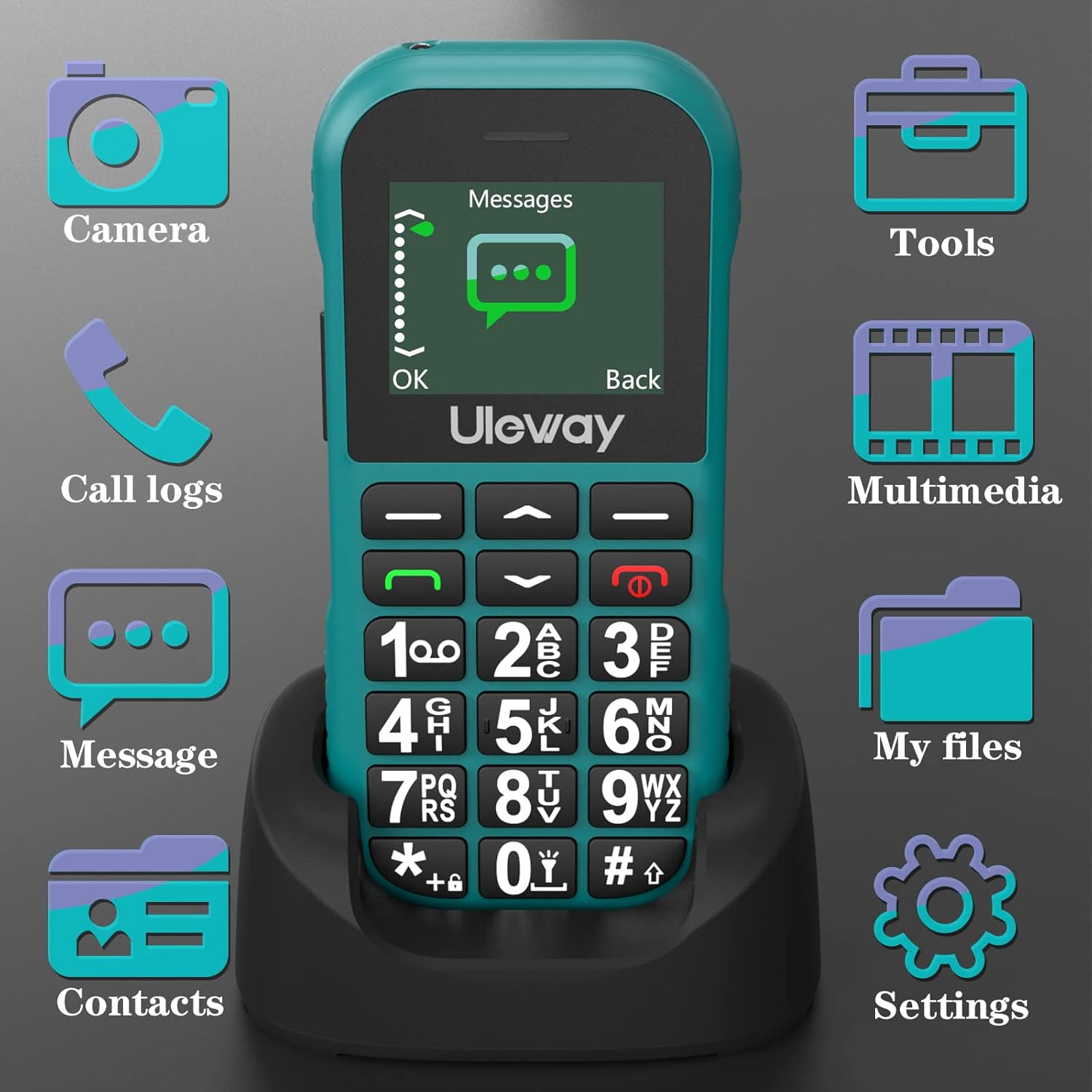
Image: The USHINING G190 phone's screen displaying the "Messages" menu icon, indicating access to text messaging features.
2.6 Svítilna
Activate the built-in flashlight for convenience in low-light conditions. Typically, this function is assigned to a dedicated button or a long press of a specific key (refer to your phone's specific key assignments).
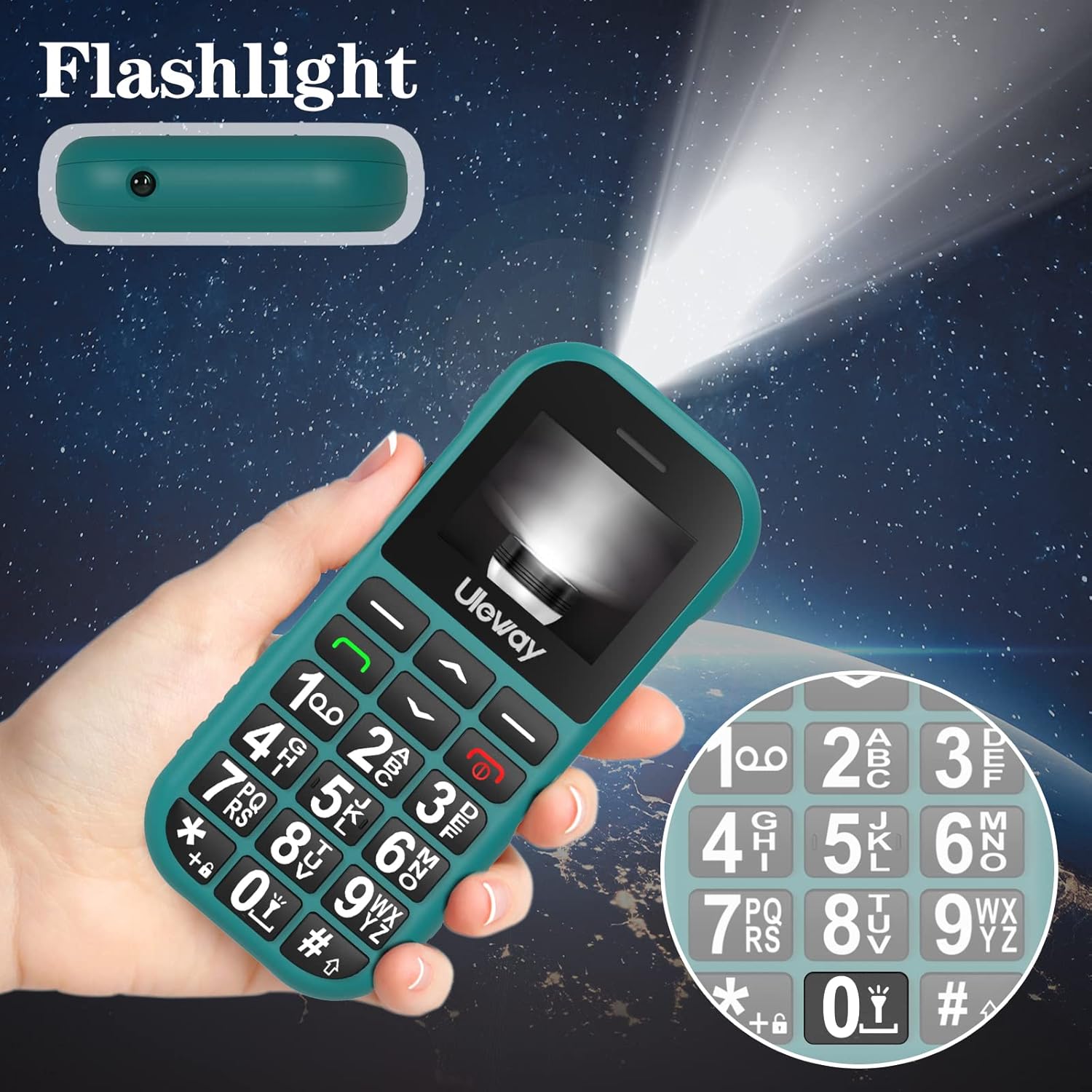
Image: The USHINING G190 phone held in a hand, with its flashlight beam illuminating a dark environment, demonstrating its utility.
2.7 Další funkce
The USHINING G190 includes several useful features:
- FM rádio: Poslouchejte své oblíbené rozhlasové stanice.
- Bluetooth: Connect to compatible Bluetooth devices such as headsets.
- Budík: Nastavte budíky pro připomenutí.
- Kalendář: Sledujte termíny a schůzky.
- Kalkulačka: Proveďte základní výpočty.
- Telefonní seznam: Uložte si až 500 kontaktů.
- jazyky: Supports Spanish, English, French, Italian, and German.
3. Údržba
3.1 Péče o baterii
- Chcete-li maximalizovat výdrž baterie, nevystavujte telefon extrémním teplotám.
- Charge the phone regularly, but avoid overcharging for extended periods.
- The 1800 mAh battery provides 7-9 hours of talk time or 240-320 hours (10-12 days) of standby time.
3.2 Čištění
K čištění obrazovky a těla telefonu používejte měkký, suchý hadřík. Nepoužívejte tekuté čisticí prostředky ani abrazivní materiály.
3.3 Obecná péče
The phone features a durable design with an anti-slip side to protect against bumps, drops, scratches, and other damage. Handle the phone with care to ensure its longevity.
4. Řešení problémů
- Telefon se nezapne: Ujistěte se, že je baterie správně nainstalována a plně nabitá.
- Nelze uskutečňovat/přijímat hovory: Zkontrolujte, zda je SIM karta správně vložena a aktivována. Ověřte sílu signálu sítě.
- Problémy s nabíjením: Ensure the charger and charging dock are correctly connected and the power outlet is functional. Check for any debris in the charging port.
- Tlačítko SOS nefunguje: Ověřte, zda jsou v nastavení SOS správně naprogramována tísňová čísla.
- Špatná kvalita zvuku: Zkontrolujte nastavení hlasitosti. Ujistěte se, že reproduktor není nic blokováno.
Další pomoc naleznete v části záruka a podpora.
5. Specifikace
| Funkce | Detail |
|---|---|
| Značka | USHINING |
| Model | G190 |
| Výrobce | Wemat |
| Velikost displeje | 1.77 palců |
| Podpora SIM | Duální SIM |
| GSM pásma | 850/900/1800/1900 MHz |
| Kapacita baterie | 1800 mAh Lithium-ion |
| Doba hovoru | 7-9 hodin |
| Pohotovostní doba | 240-320 hours (10-12 days) |
| Doba nabíjení | Přibližně 7 hodiny (plné nabití) |
| Kapacita paměti | 32 GB (rozšiřitelná) |
| Operační systém | iOS |
| Speciální funkce | Large Buttons, SOS Emergency Button, Flashlight, FM Radio, Bluetooth, Alarm Clock, Calendar, Calculator, Quick Dial, Durable Body, Anti-slip design |
| Rozměry produktu | 12 x 5 x 2 cm; 260 g |
| Vstupní zařízení | Tlačítka |
| Typ konektoru | USB (Micro-USB) |
| Podporované jazyky | Spanish, English, French, Italian, German |
6. Záruka a podpora
USHINING provides two years of technical service and customer support for this mobile phone. This warranty covers manufacturing defects. Please note that artificial damage is not included under this warranty. For support, please contact your retailer or the manufacturer directly.