
Qcwwy Jabra Elite 75t, Elite Active 75T (Replacement Charging Case)
Qcwwy Wireless Earbuds Charging Case User Manual
Model Compatibility: Jabra Elite 75t, Elite Active 75T
Zavedení
This manual provides detailed instructions for the use and maintenance of your Qcwwy Wireless Earbuds Charging Case, designed as a replacement alternative for Jabra Elite 75t and Elite Active 75T wireless Bluetooth earbuds. Please read this manual carefully before use to ensure proper operation and longevity of your device.

Image: The Qcwwy Wireless Earbuds Charging Case, designed as a replacement for Jabra Elite 75t, shown with earbuds inside.
Obsah balení
- 1 x Qcwwy Wireless Earbuds Charging Case
- 1 x USB nabíjecí kabel
- 1 x Uživatelská příručka (tento dokument)

Image: The charging case and its included USB charging cable.
Nastavení
1. Initial Charging of the Case
Before first use, fully charge the charging case. Connect the provided USB cable to the charging port on the case and the other end to a compatible USB power source (e.g., computer USB port, wall adapter). The charging indicator light (if present, typically an LED) will show charging status and turn off or change color when fully charged.

Image: The charging case connected via USB cable for power.
2. Inserting Earbuds
Carefully place your Jabra Elite 75t or Elite Active 75T earbuds into their respective slots within the charging case. Ensure they are correctly aligned with the charging contacts. The earbuds should magnetically snap into place.
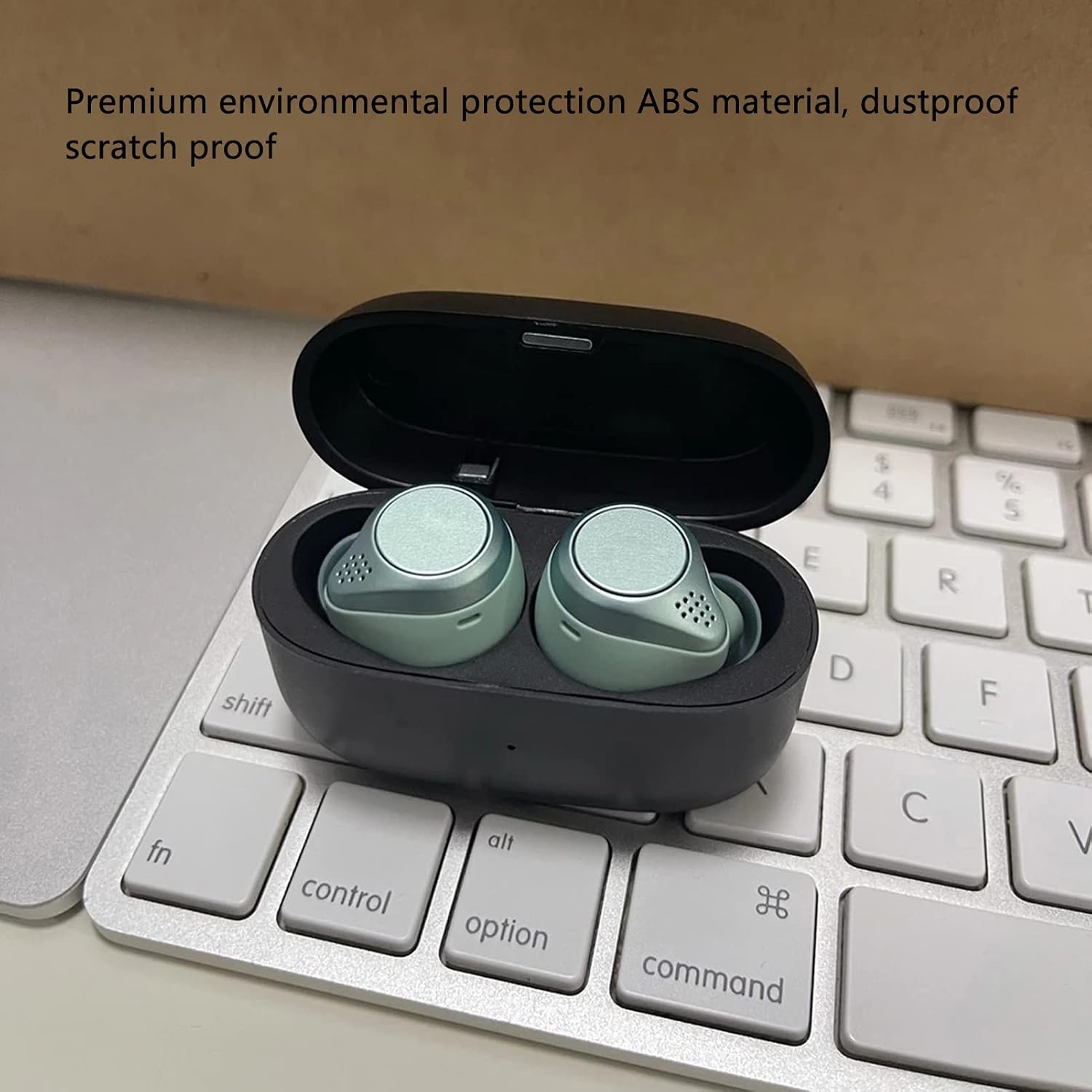
Image: Earbuds correctly placed inside the charging case.
Návod k obsluze
1. Nabíjení sluchátek
Once the earbuds are placed inside the charging case and the lid is closed, they will begin to charge automatically. The case has a built-in 700mAh battery, capable of fully charging the earbuds 3 to 4 times on a single full charge of the case.

Image: The charging case's 700mAh battery capacity allows for multiple earbud charges.
2. Bluetooth Pairing (Sync Button)
This charging case features a Bluetooth sync button. To pair your earbuds with a new device or re-pair them:
- Ensure your earbuds are in the charging case.
- Otevřete víko nabíjecího pouzdra.
- Press and hold the Bluetooth sync button on the case until the indicator light (if any) signals pairing mode.
- On your device (phone, tablet, etc.), go to Bluetooth settings and select the Jabra Elite 75t or Elite Active 75T from the list of available devices.
- Once paired, the earbuds will automatically connect to your device when removed from the case and will reconnect automatically when reused with a previously paired device.

Image: The charging case can be used to facilitate Bluetooth pairing with a smartphone.
Údržba
1. Čištění
To maintain the charging case's condition, wipe it regularly with a soft, dry, lint-free cloth. Avoid using abrasive cleaners, solvents, or harsh chemicals, as these can damage the ABS material and its special coating.
2. Skladování
When not in use for extended periods, store the charging case in a cool, dry place away from direct sunlight and extreme temperatures. It is recommended to charge the case fully before storing it for a long time to preserve battery health.
Odstraňování problémů
| Problém | Možná příčina | Řešení |
|---|---|---|
| Sluchátka se v pouzdře nenabíjejí. |
|
|
| Case not charging. |
|
|
| Earbuds not pairing via case sync button. |
|
|
Specifikace
- Typ položky: Nabíjecí pouzdro na sluchátka
- Materiál: ABS (akrylonitrilbutadienstyren)
- Vestavěná baterie: 3.7V 700mAh lithiová polymerová baterie
- Rozměry produktu: Approximately 60 x 40 x 25 mm / 2.4 x 1.6 x 1.0 inches
- Hrubá hmotnost: 103 g / 3.6 oz
- Kompatibilní modely: For Jabra Elite 75T, For Jabra Elite Active 75T
- Ochranné vlastnosti: svtage protection, Low Temperature Control, Circuit Protection, Over-current Protection, Overpower Protection, Over-voltage Ochrana.

Image: The charging case features multiple protection systems for safe operation.
Záruka a podpora
For any issues or questions regarding your Qcwwy Wireless Earbuds Charging Case, please contact the seller or manufacturer directly through your purchase platform. Keep your purchase receipt as proof of purchase for any warranty claims.
Ask a question about this manual
Ask about setup, troubleshooting, compatibility, parts, safety, or missing instructions. Manuals+ will review the question and use this page’s manual context to help answer it.