
TRIGKEY K-N95
TRIGKEY Mini PC K-N95 User Manual
Model: K-N95
1. Úvod
This manual provides detailed instructions for setting up, operating, maintaining, and troubleshooting your TRIGKEY Mini PC K-N95. Please read this manual thoroughly before using the device to ensure optimal performance and longevity.
The TRIGKEY Mini PC K-N95 is a compact desktop computer designed for home and office use, featuring an Intel N95 processor, 8GB DDR4 RAM, and a 256GB M.2 SSD. It supports dual 4K 60Hz display output and offers versatile connectivity options.
2. Obsah balení
Ověřte, zda jsou všechny níže uvedené položky součástí balení. Pokud některé položky chybí nebo jsou poškozené, kontaktujte zákaznickou podporu.
- TRIGKEY Mini PC K-N95 Unit
- Napájecí adaptér/kabel
- HDMI Cable (1 meter)
- Uživatelská příručka (tento dokument)
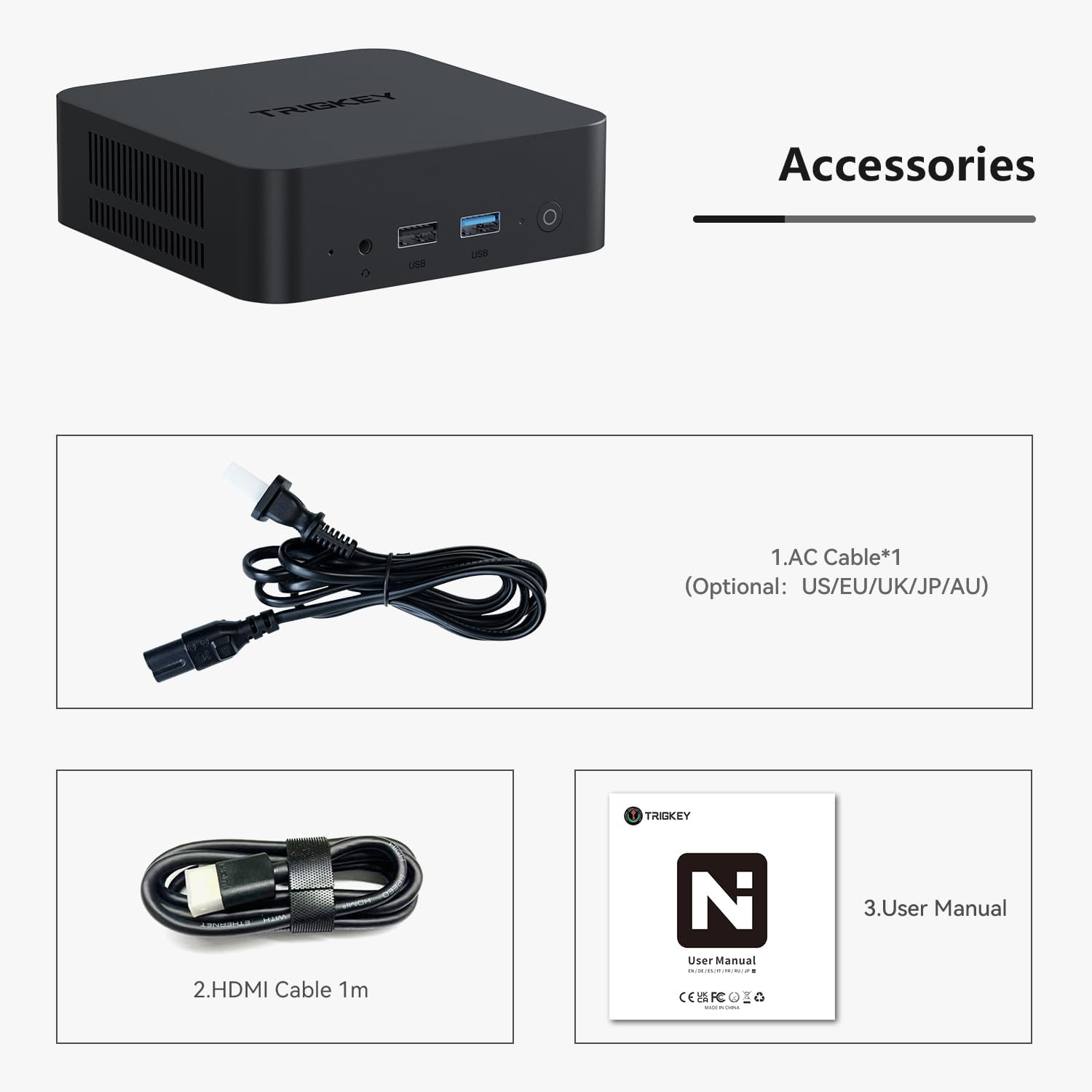
Image 2.1: Included accessories: AC power cable, HDMI cable, and user manual.
3. Konec produktuview
The TRIGKEY Mini PC K-N95 is designed for efficiency and compact integration into any workspace.

Obrázek 3.1: Přední a boční strana view of the TRIGKEY Mini PC K-N95.
3.1 Přední panel

Image 3.2: Front panel ports and power button.
- Vypínač: Stiskněte pro zapnutí/vypnutí zařízení.
- USB porty: 3.2 For connecting high-speed peripherals.
- 3.5mm audio jack: Pro sluchátka nebo externí reproduktory.
3.2 Zadní panel

Image 3.3: Rear panel ports.
- Vstup střídavého proudu: Zde připojte dodaný napájecí adaptér.
- USB porty: 2.0 For connecting standard peripherals.
- LAN Ports (Ethernet): Pro kabelové síťové připojení.
- HDMI porty: Connect to displays for video and audio output. Supports dual 4K 60Hz displays.
4. Počáteční nastavení
Follow these steps to set up your TRIGKEY Mini PC K-N95 for the first time:
- Připojení k displeji: Connect one or two monitors to the HDMI ports on the rear panel using the provided HDMI cable(s).
- Připojení periferií: Connect your USB keyboard and mouse to any available USB ports (USB 3.2 on the front, USB 2.0 on the rear).
- Připojte napájení: Plug the AC power adapter into the AC power input on the rear panel, then plug the adapter into a power outlet.
- Zapnutí: Press the power button on the front panel. The device will boot up, and you should see the operating system on your connected display.
- Počáteční konfigurace: Follow the on-screen instructions to complete the operating system setup (e.g., language, network connection, user account).
5. Návod k obsluze
5.1 Řízení spotřeby
- Zapnutí: Stiskněte jednou tlačítko napájení.
- Vypnout: Use the operating system's shutdown function. Alternatively, press and hold the power button for 5-7 seconds for a forced shutdown (not recommended for regular use).
- Restartovat: Použijte funkci restartu operačního systému.
5.2 Síťové připojení
- Kabelové připojení (Ethernet): Connect an Ethernet cable from your router or modem to one of the LAN ports on the rear panel.
- Bezdrátové připojení (Wi-Fi): The Mini PC supports Wi-Fi 5. Access your operating system's network settings to connect to an available wireless network.

Image 5.1: Built-in wireless module for Wi-Fi 5 and Bluetooth 5.0.
5.3 Připojení Bluetooth
The Mini PC features Bluetooth 5.0 for connecting wireless devices such as keyboards, mice, and headphones. Enable Bluetooth in your operating system settings and pair with your desired devices.
5.4 Nastavení duálního zobrazení
The device supports connecting two displays simultaneously via its two HDMI ports, allowing for an extended desktop experience at up to 4K 60Hz resolution per display. Configure display settings within your operating system.
5.5 Rozšíření úložiště a paměti
The TRIGKEY Mini PC K-N95 comes with 8GB DDR4 RAM and a 256GB M.2 2280 PCIe SSD. Both can be upgraded:
- BERAN: The DDR4 RAM can be upgraded to a maximum of 16GB (3200MHz).
- SSD: The device supports dual M.2 2280 PCIe SSDs, allowing for storage expansion up to 4TB.
Caution: Opening the device for upgrades may void your warranty. Consult professional assistance if you are unsure about performing upgrades.
6. Technické specifikace
| Funkce | Specifikace |
|---|---|
| Procesor | Intel Alder Lake N95 (4 Cores, 4 Threads, up to 3.4GHz, 6MB Cache) |
| BERAN | 8GB DDR4 3200MHz (Upgradable to 16GB) |
| Skladování | 256GB M.2 2280 PCIe SSD (podporuje dva M.2 2280 PCIe SSD disky až do 4 TB) |
| Grafika | Intel UHD Graphics (max 750MHz) |
| Zobrazení výstupu | 2 x HDMI (Supports dual 4K 60Hz displays) |
| Bezdrátové připojení | Wi-Fi 5 (802.11ax), Bluetooth 5.0 |
| Kabelové připojení | 1 x 1000Mbps LAN (Ethernet) |
| USB porty | 3× USB 3.2 (10 Gb/s), 3× USB 2.0 (480 Mb/s) |
| Audio port | 1 x 3.5 mm zvukový konektor |
| Vstup napájení | AC Jack (Built-in 45W PSU) |
| Operační systém | Windows 11 Pro (Pre-installed) |
| Rozměry (DxŠxV) | 4.53 x 4.02 x 1.61 palce |
| Hmotnost | 1.45 libry |

Image 6.1: Internal cooling system with a low-speed fan for efficient heat dissipation.

Image 6.2: Intel Alder Lake N95 processor details.
7. Údržba
Správná údržba zajistí dlouhou životnost a optimální výkon vašeho Mini PC.
- Čištění: Use a soft, dry cloth to wipe the exterior of the device. For dust accumulation in vents, use compressed air. Do not use liquid cleaners directly on the device.
- Větrání: Ensure the ventilation openings are not blocked to allow for proper airflow and cooling. Avoid placing the device in enclosed spaces.
- Teplota: Operate the Mini PC in a well-ventilated area within recommended temperature ranges.
- Aktualizace softwaru: Regularly update your operating system and drivers to maintain security and performance.
8. Řešení problémů
If you encounter issues with your TRIGKEY Mini PC K-N95, refer to the following common problems and solutions:
| Problém | Možné řešení |
|---|---|
| Žádné napájení/Zařízení se nezapne |
|
| Žádné zobrazení na monitoru |
|
| No Wi-Fi or Bluetooth connection |
|
| System freezing or slow performance |
|
| Fan runs constantly/loudly |
|
9. Záruka a zákaznická podpora
TRIGKEY provides a one-year warranty for this product under reasonable circumstances, covering exchange and warranty service. For any questions or issues regarding your Mini PC, please contact our professional after-sales team.
You can typically find contact information for TRIGKEY customer support through the retailer where you purchased the product or on the official TRIGKEY webmísto.

Image 9.1: TRIGKEY customer support team.
Ask a question about this manual
Ask about setup, troubleshooting, compatibility, parts, safety, or missing instructions. Manuals+ will review the question and use this page’s manual context to help answer it.