
Zavedení
The Keychron C2 is a full-size (104-key) wired mechanical keyboard designed for both Mac and Windows operating systems. It features durable Red mechanical switches and retro-colored ABS keycaps, providing a comfortable and responsive typing experience. This manual provides essential information for setting up, operating, maintaining, and troubleshooting your Keychron C2 keyboard.

Image: The Keychron C2 Full Size Wired Mechanical Keyboard connected to a computer setup.
Obsah balení
Ujistěte se, že v balení jsou přítomny všechny položky:
- Keychron C2 Full Size Wired Mechanical Keyboard
- Kabel USB-C na USB-A
- Stahovač klíčů
- Extra klávesy pro operační systémy Mac a Windows
Nastavení
- Připojení klávesnice: Plug the USB-C end of the provided cable into the keyboard's USB-C port and the USB-A end into an available USB port on your computer. The keyboard is a wired-only device and does not require batteries.
- Vyberte režim operačního systému: Locate the operating system switch on the back or side of the keyboard. Slide the switch to the appropriate position for your computer (Mac or Windows). This ensures correct function key mapping.
- Nastavení úhlu klávesnice: The keyboard features 2-level adjustable feet. Flip out the feet on the underside of the keyboard to achieve your preferred typing angle for ergonomic comfort.
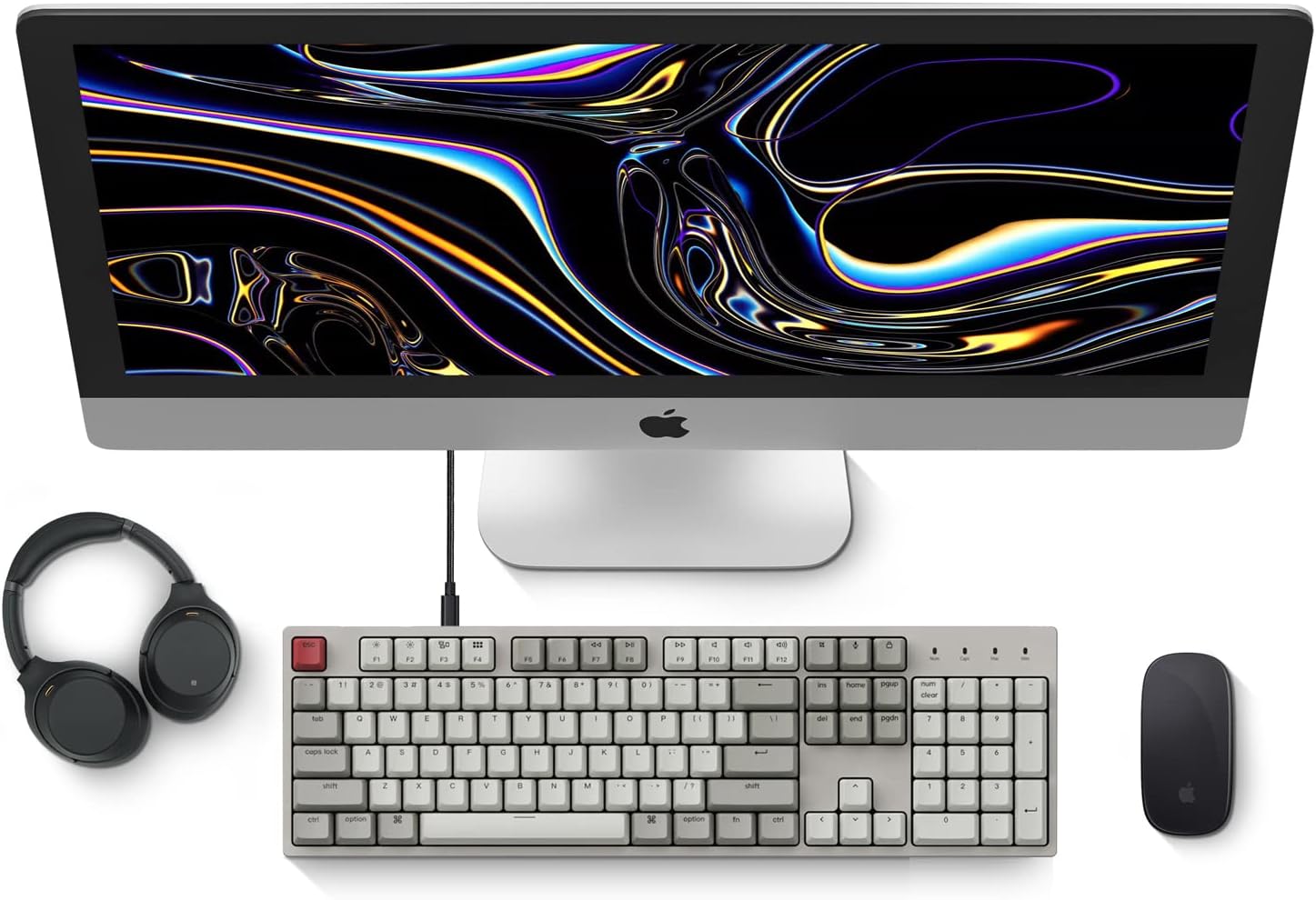
Image: Diagram showing compatibility with Mac and Windows operating systems.

Obrázek: Boční view of the Keychron C2 keyboard illustrating the adjustable feet for angle customization.
Návod k obsluze
Základní funkce
- psaní: The keyboard features a standard 104-key full-size layout.
- Multimediální klávesy: The top row of function keys (F1-F12) includes multimedia controls. These functions are optimized for Mac but are also compatible with Windows.
- Siri/Cortana Key: A dedicated key is provided for activating Siri (on Mac) or Cortana (on Windows).
Výměna kláves
The Keychron C2 comes with extra keycaps for both Mac and Windows layouts. To replace keycaps:
- Use the provided keycap puller to gently remove the desired keycap by hooking it onto the keycap and pulling upwards.
- Zarovnejte novou klávesu s dříkem spínače a pevně ji zatlačte, dokud nezacvakne na místo.

Obrázek: Detail view of the Keychron Red mechanical switches beneath removed keycaps.
Údržba
- Čištění: Pravidelně čistěte klávesnici, abyste zabránili hromadění prachu a nečistot. K odstranění částic mezi klávesami použijte měkký kartáč nebo stlačený vzduch. K čištění povrchu použijte mírně drhnoucí houbičku.amp, lint-free cloth. Avoid harsh chemicals.
- Péče o klávesy: While durable, avoid excessive force when removing or installing keycaps to prevent damage to the keycap stems or switches.
- Správa kabelů: Ensure the USB-C cable is not bent sharply or placed under heavy objects to prolong its lifespan.

Image: Close-up of the ABS keycaps on the Keychron C2 keyboard.
Odstraňování problémů
- Klávesnice nereaguje:
- Check the USB-C cable connection at both the keyboard and the computer. Ensure it is securely plugged in.
- Zkuste připojit klávesnici k jinému USB portu na počítači.
- Verify that the operating system switch on the keyboard is set correctly (Mac/Windows).
- Restartujte počítač.
- Nefunkční konkrétní klávesy:
- Carefully remove the non-functional keycap using the keycap puller. Inspect the mechanical switch for any visible damage or debris.
- Očistěte okolí spínače stlačeným vzduchem.
- Re-seat the keycap firmly.
- Nesprávný výstup klávesy:
- Ensure the operating system switch is set to the correct mode for your computer.
- Check your computer's keyboard settings to ensure the correct layout is selected.
Specifikace
| Funkce | Detail |
|---|---|
| Značka | Keychron |
| Název modelu | Keychron C2 |
| Číslo modelu | HS-C2K1Z |
| Technologie připojení | USB-C (kabelový) |
| Kompatibilní zařízení | Notebook, PC |
| Kompatibilní rodina operačních systémů | MacOS, Windows |
| Počet klíčů | 104 |
| Typ přepínače | Linear (Red Switch) |
| Materiál krytky klíče | ABS (akrylonitrilbutadienstyren) |
| Rozložení klávesnice | QWERTY |
| Speciální funkce | Backlit (Single Color) |
| Hmotnost položky | 5390 gramů |
| Zdroj napájení | Elektrický kabel |
Záruka a podpora
Pro informace o záruce, technickou podporu nebo další pomoc navštivte oficiální stránky Keychron. website or contact Keychron customer service. Details regarding product registration and specific warranty terms can be found through official Keychron channels.