
Zavedení
This manual provides detailed instructions for the Casio WS-1400H-1BVDF Digital Watch. This timepiece is designed for active individuals, featuring a 60-lap memory, an easy-to-read LCD, a front stopwatch button, 100-meter water resistance, an LED light, and a 10-year battery life. Please read this manual carefully to ensure proper use and to fully utilize all functions of your watch.
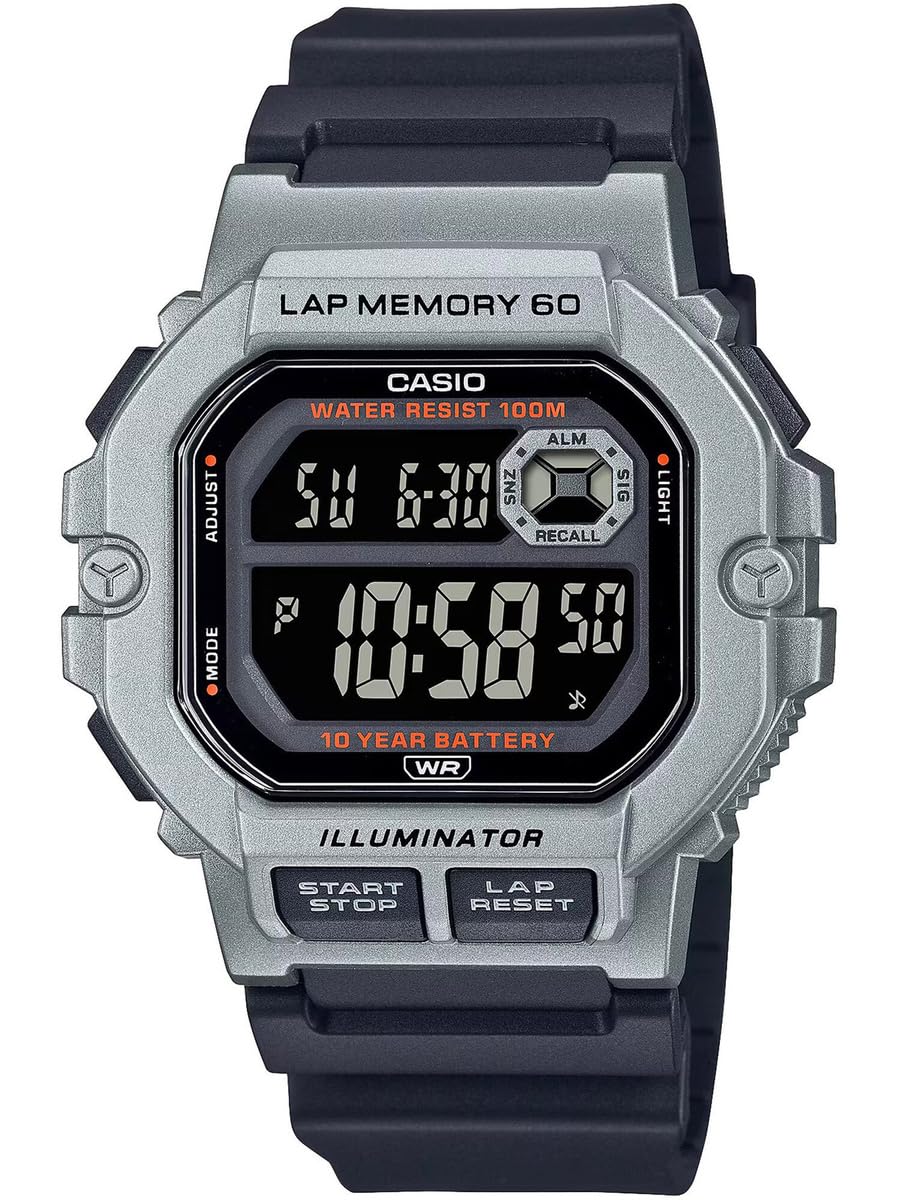
Obrázek 1: Přední strana view of the Casio WS-1400H-1BVDF Digital Watch. This image displays the watch face with its digital display, buttons on the sides, and the black resin band.
Nastavení
Before using your watch, it is recommended to set the current time, date, and any desired alarms.
Funkce tlačítek
- A (ADJUST): Používá se pro vstup a výstup z režimů nastavení a pro potvrzení nastavení.
- B (REŽIM): Cycles through the watch's modes (Timekeeping, Stopwatch, Lap Memory, Timer, Alarm, Dual Time).
- C (LIGHT): Osvětluje displej.
- D (START/STOP): Used to start/stop stopwatch or timer operations, and to change settings during setup.
- E (LAP/RESET): Used to record laps in stopwatch mode, and to reset values during setup.
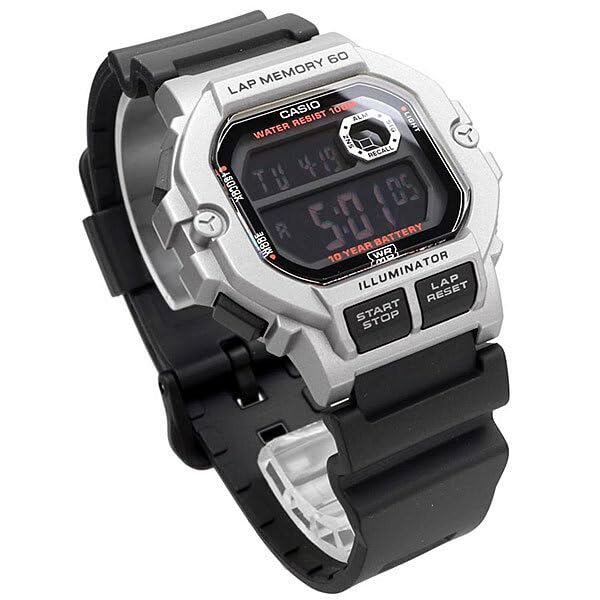
Obrázek 2: Úhlové view of the watch, highlighting the placement of the control buttons on the side of the case. These buttons are used for navigating modes and adjusting settings.
Nastavení času a data
- In Timekeeping Mode, press and hold A until the city code starts flashing. This indicates the setting mode.
- Stiskněte B to cycle through the settings: City Code → DST (Daylight Saving Time) → 12/24-hour format → Seconds → Hour → Minute → Year → Month → Day.
- Použití D a E pro změnu blikající hodnoty. D typically increases the value, and E decreases or resets.
- Po nastavení všech požadovaných hodnot stiskněte A pro ukončení režimu nastavení.
Nastavení alarmu
- V režimu měření času stiskněte B repeatedly until you reach the Alarm Mode (indicated by 'ALM' or a bell icon).
- Stiskněte a podržte A until the alarm hour digits start flashing.
- Použití D upravit hodinu a E pro nastavení minuty.
- Stiskněte A pro potvrzení a ukončení režimu nastavení budíku.
- Stiskněte D in Alarm Mode to toggle the alarm ON/OFF.
Návod k obsluze
Navigace v režimu
Stiskněte tlačítko B (MODE) button to cycle through the watch's various modes in the following order:
Timekeeping Mode → Stopwatch Mode → Lap Memory Mode → Timer Mode → Alarm Mode → Dual Time Mode
Používání stopek
The stopwatch measures elapsed time, split times, and two finishes. It features a 60-lap memory.
- Enter Stopwatch Mode by pressing B. The display will show 'STW' or '00'00"00'.
- Stiskněte D (START/STOP) pro spuštění stopek.
- Stiskněte E (LAP/RESET) to record a lap time while the stopwatch is running. The lap time will be displayed briefly.
- Stiskněte D znovu pro zastavení stopek.
- Stiskněte E pro vynulování stopek.
Lap Memory Recall
Na view recorded lap times:
- Enter Lap Memory Mode by pressing B.
- Použití D a E to scroll through the stored lap records.
Použití časovače
The timer can be set for a countdown from 1 minute up to 24 hours.
- Enter Timer Mode by pressing B. The display will show 'TMR'.
- Stiskněte a podržte A until the timer hour digits start flashing.
- Použití D a E pro nastavení požadované doby odpočítávání.
- Stiskněte A pro potvrzení nastavení.
- Stiskněte D pro spuštění nebo zastavení odpočítávání.
- Když odpočet dosáhne nuly, ozve se alarm. Stisknutím libovolného tlačítka alarm zastavíte.
Použití LED podsvícení
Stiskněte tlačítko C (LIGHT) button to illuminate the display for easy reading in low-light conditions.
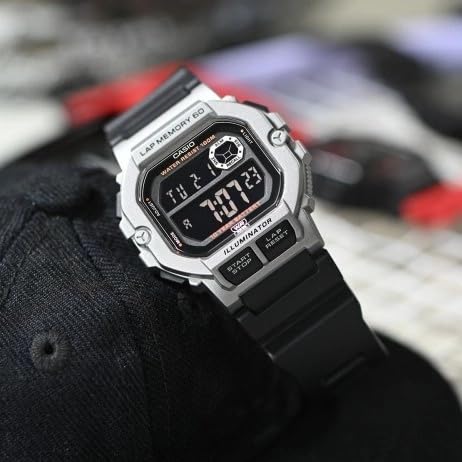
Figure 3: The watch display showing the time and date, with the LED backlight activated for visibility in dark environments.
Údržba
Proper care will ensure the longevity and performance of your Casio WS-1400H-1BVDF watch.
Čištění
- Otřete hodinky měkkým, suchým hadříkem, abyste odstranili nečistoty a vlhkost.
- For resin bands, wash with water and a mild detergent, then rinse thoroughly and dry.
- Avoid using chemical cleaners, as they can damage the watch's materials.
Voděodolnost
This watch is 100-meter water resistant. This means it is suitable for swimming, showering, and snorkeling. However, please observe the following precautions:
- Do ne operate buttons while the watch is wet or submerged in water.
- Avoid exposing the watch to hot water or steam (e.g., hot showers, saunas), as this can compromise the water resistance seals.
- Po kontaktu se slanou vodou opláchněte hodinky sladkou vodou a otřete je dosucha.
Výměna baterie
The watch is equipped with a 10-year battery. When the display becomes dim or functions become erratic, it may be time for a battery replacement. It is highly recommended to have the battery replaced by an authorized Casio service center to ensure proper sealing and maintain water resistance.
Skladování
When not in use for extended periods, store the watch in a dry, cool place away from direct sunlight and extreme temperatures.
Odstraňování problémů
Pokud se s hodinkami setkáte s problémy, podívejte se na následující běžné problémy a jejich řešení:
| Problém | Možná příčina | Řešení |
|---|---|---|
| Displej je prázdný nebo tmavý. | Slabá baterie. | Vyměňte baterii v autorizovaném servisním středisku. |
| Čas je nesprávný. | Čas nebyl správně nastaven nebo byl upraven neúmyslně. | Refer to the "Time and Date Setting" section to reset the time. |
| Tlačítka nereagují. | Hodinky mohou být v uzamčeném režimu nebo mají vnitřní poruchu. | Try pressing all buttons firmly. If unresponsive, allow the watch to sit for a few minutes. If the problem persists, contact support. |
| Voda uvnitř displeje. | Water resistance seals compromised. | Stop using the watch immediately and take it to an authorized service center. Do not attempt to dry it yourself. |
Specifikace
Key technical specifications for the Casio WS-1400H-1BVDF Digital Watch:
- Číslo modelu: WS-1400H-1BVDF
- Typ displeje: Digitální
- Typ pohybu: Křemen
- Materiál pouzdra: Pryskyřice
- Materiál pásku: Pryskyřice
- Průměr pouzdra: 44.5 milimetrů
- Tloušťka pouzdra: 13.4 milimetrů
- Hmotnost položky: 43 gramů
- Hloubka odolnosti proti vodě: 100 Metres (10 ATM)
- Typ baterie: 1 lithium-iontová baterie (součástí balení)
- Životnost baterie: Přibližně 10 let
- Speciální vlastnosti: 60-lap memory, Stopwatch, Timer, Alarm, Dual Time, LED Backlight

Figure 4: The Casio WS-1400H-1BVDF watch worn on a wrist, demonstrating its size and fit.
Záruka a podpora
Informace o záruce
This Casio WS-1400H-1BVDF Digital Watch comes with an Prodloužená záruka. Please refer to the warranty card included with your purchase for specific terms, conditions, and duration of coverage.
Zákaznická podpora
For technical assistance, service, or warranty claims, please contact Casio customer support:
- Výrobce: Casio India Co Pvt Ltd
- Adresa: A-41, 1st Floor, MCIE, Mathura Road, New Delhi-110044, India
- Dovozce: Casio India Co Pvt Ltd
For the most up-to-date contact information and support resources, please visit the official Casio webstránky pro váš region.