
Andoer 2.7K Digital Camera Compact Video Camcorder
Andoer 2.7K Digital Camera 48MP User Manual
Model: 2.7K Digital Camera Compact Video Camcorder
Zavedení
This manual provides essential instructions for the safe and effective operation of your Andoer 2.7K Digital Camera. Please read this manual thoroughly before using the camera and retain it for future reference.
The Andoer 2.7K Digital Camera is a compact device designed for capturing high-resolution photos and videos. It features a 48MP image sensor, 2.7K video recording capabilities, a 2.88-inch IPS screen, 16X digital zoom, and various functions such as anti-shake, face detection, and a built-in LED fill light.
Obsah balení
Ověřte, zda jsou v balení obsaženy všechny níže uvedené položky:
- 1 x Andoer 2.7K Digital Camera
- 2 x Lithium Batteries (3.7V 700mAh)
- 1 x USB nabíjecí kabel
- 1 x řemínek na zápěstí
- 1 x přenosná taška
- 1 x Uživatelská příručka (anglicky)

Figure 1: Contents of the camera package.
Fotoaparát skončilview

Obrázek 2: Přední a zadní část view of the camera with included batteries.
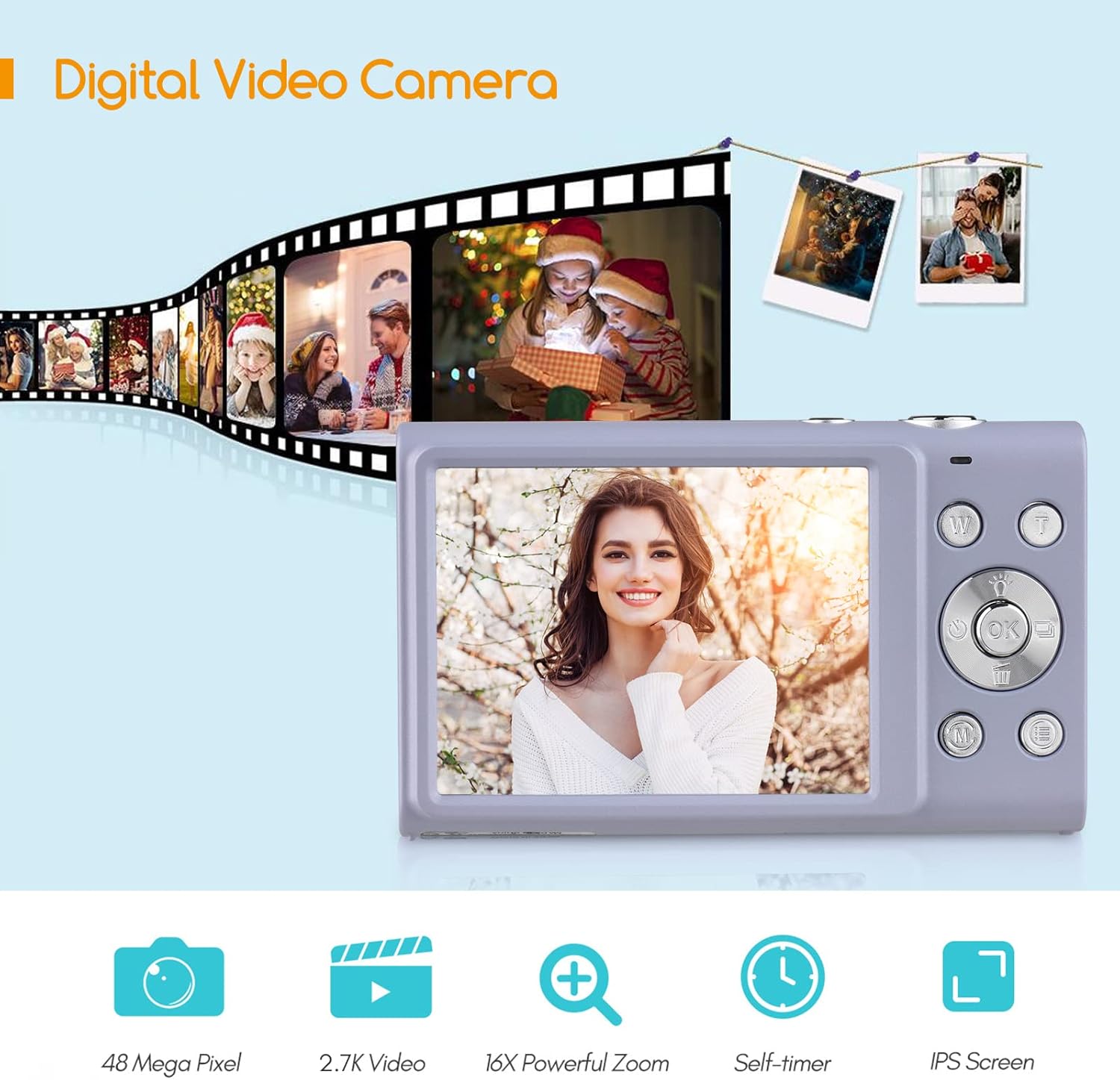
Figure 3: Camera features highlighted.
Nastavení
1. Instalace baterie
- Otevřete kryt přihrádky na baterie, který se nachází na spodní straně fotoaparátu.
- Insert a fully charged lithium battery (3.7V 700mAh) into the compartment, ensuring correct polarity.
- Bezpečně zavřete kryt bateriového prostoru.
2. Nabíjení baterie
- Connect the camera to a power source (e.g., computer USB port or USB wall adapter) using the provided USB charge cable.
- Rozsvítí se kontrolka nabíjení. Po dokončení nabíjení zhasne nebo změní barvu.
- Plné nabití obvykle trvá přibližně 2–3 hodiny.
3. Instalace paměťové karty
The camera requires an external Class-10 memory card (up to 128GB, not included) for storing photos and videos.
- Najděte slot pro paměťovou kartu na boční straně fotoaparátu.
- Insert the memory card with the metal contacts facing the front of the camera until it clicks into place.
- Chcete-li kartu vyjmout, jemně na ni zatlačte, dokud nevyskočí.
4. Připevnění popruhu na zápěstí
Thread the wrist strap through the strap eyelet on the side of the camera to prevent accidental drops.
5. Montáž na stativ
The camera features a universal 1/4" screw hole on the bottom, allowing it to be mounted on a tripod for stable shots.

Figure 4: Universal 1/4" screw hole for tripod attachment.
Návod k obsluze
1. Zapnutí/vypnutí
- Stisknutím a podržením tlačítka napájení (obvykle označeného kruhem a čarou) zapnete nebo vypnete fotoaparát.
- The camera has an auto power-off feature (1min/3min/5min) to conserve battery life. This can be adjusted in the settings.
2. Fotografování
- Turn on the camera. The screen will display the live view.
- Komponujte svůj snímek pomocí 2.88palcového IPS displeje.
- Press the Shutter button (typically on top of the camera) halfway down to focus. The camera features auto-focus.
- Press the Shutter button fully down to capture the photo.
Photo Modes and Features:
- Rezoluce: Supports up to 48MP. Adjust in settings.
- Digitální zoom: Use the W/T (Wide/Telephoto) buttons to zoom in or out (up to 16X digital zoom).
- Anti-Shake: Digital image stabilization helps reduce blur from camera movement.
- Detekce obličeje a zachycení úsměvu: The camera can detect faces and automatically capture a photo when a smile is detected.
- Samospoušť: Options for Off, 2 sec, 5 sec, 10 sec delays.
- Souvislé fotografování: Capture a rapid sequence of photos.
- Vestavěné LED doplňující světlo: Activate for additional illumination in low-light conditions.

Figure 5: Demonstrations of Self-Timer, Continuous Shooting, LED Fill Light, and Face Detection.

Obrázek 6: Přample of 16X Digital Zoom in use.

Figure 7: Face Detection and Smile Capture in action.
3. Nahrávání videí
- Switch the camera to video mode (if applicable, usually via a mode button or menu option).
- Stisknutím tlačítka Nahrávat (často označeného červenou tečkou) spusťte nahrávání.
- Opětovným stisknutím tlačítka Nahrávání nahrávání zastavíte.
Funkce videa:
- Rezoluce: Supports 2.7K (2688x1520), 1080P (1920x1080), 720P (1280x720), VGA (640x480).
- Digitální zoom: Available during video recording.

Figure 8: Camera's 2.7K video and 48MP photo capabilities.
4. Přehrávání
- Press the Playback button (often marked with a triangle icon) to enter playback mode.
- Use the navigation buttons to browse through your photos and videos.
- Press the Playback button again or the Shutter button to exit playback mode.
5. Připojení k počítači
- Vypněte fotoaparát.
- Připojte fotoaparát k počítači pomocí dodaného kabelu USB.
- Fotoaparát se v počítači zobrazí jako vyměnitelná disková jednotka.
- You can then transfer photos and videos to your computer.
- Supported Operating Systems: Windows XP/ Vista/ 7/ 8/ 10, Mac 10.2 and above.
Údržba
- Čištění: Use a soft, dry cloth to clean the camera body. For the lens and screen, use a specialized lens cleaning cloth and solution. Avoid harsh chemicals.
- Péče o baterie: Baterie skladujte na chladném a suchém místě. Nevystavujte je extrémním teplotám. Pokud fotoaparát delší dobu nepoužíváte, vyjměte baterii.
- Skladování: When not in use, store the camera in its carry bag in a dry, dust-free environment.
- Voděodolnost: Tato kamera je ne voděodolné. Zabraňte vystavení vodě nebo vysoké vlhkosti.
Odstraňování problémů
| Problém | Možná příčina | Řešení |
|---|---|---|
| Fotoaparát se nezapne. | Baterie je vybitá nebo nesprávně vložená. | Charge the battery or re-insert it correctly. Ensure the battery compartment is closed. |
| Nelze pořizovat fotografie/videa. | Paměťová karta je plná, není vložena nebo je poškozená. | Vložte paměťovou kartu, smažte nepotřebné filenebo kartu naformátujte (tím se vymažou všechna data). |
| Obrázky jsou rozmazané. | Camera shake, dirty lens, or out of focus. | Hold the camera steady, clean the lens, ensure auto-focus is engaged (half-press shutter). Use anti-shake feature. |
| Blesk nefunguje. | Blesk je vypnutý nebo je baterie vybitá. | Check flash settings. Ensure battery is sufficiently charged. |
| Kamera zamrzne. | Softwarová závada. | Remove and re-insert the battery to reset the camera. |
Specifikace
| Funkce | Detail |
|---|---|
| Obrazový snímač | CMOS snímač |
| Rozlišení obrázku | 48 MP, 44 MP, 36 MP, 24 MP, 20 MP, 16 MP, 12 MP, 10 MP |
| Rozlišení videa | 2.7K (2688x1520), 1080P (1920x1080), 720P (1280x720), VGA (640x480) |
| Zobrazit | 2.88 palcový IPS displej |
| Digitální zoom | 16X |
| Otvor | F/3.2 |
| Ohnisková vzdálenost | f=7.36 mm |
| File Formát | JPG / AVI |
| Vystavení | EV-3 to EV+3 |
| Samospoušť | Vypnuto / 2 s / 5 s / 10 s |
| Automatické vypnutí | 1min / 3min / 5min |
| Speciální funkce | Anti-Shake, Face Detect, Smile Capture, Built-in LED Fill Light, Continuous Photography |
| Skladování | Supports Class-10 external memory card up to 128GB (not included) |
| Napájení | 1 x Lithium battery (3.7V 700mAh) |
| Velikost položky | 9.4 * 5.6 * 1.9 cm / 3.7 * 2.2 * 0.7 palce |
| Hmotnost položky | 115 g / 4.1 oz (s baterií) |
| Požadavek na operační systém | Windows XP/ Vista/ 7/ 8/ 10, Mac 10.2 |
Záruka a podpora
For warranty information, please refer to the documentation provided at the time of purchase or contact your retailer. Andoer products typically come with a standard manufacturer's warranty covering defects in materials and workmanship.
If you encounter any issues not covered in the troubleshooting section, or require further assistance, please contact Andoer customer support through their official webwebu nebo kontaktních informací uvedených u vašeho produktu.
Ask a question about this manual
Ask about setup, troubleshooting, compatibility, parts, safety, or missing instructions. Manuals+ will review the question and use this page’s manual context to help answer it.