
1. Úvod
This manual provides instructions for the setup, operation, maintenance, and troubleshooting of your Muddy Manifest 2.0 Cellular Trail Camera. The Manifest 2.0 is designed to capture images and videos of wildlife, transmitting them via cellular networks. It features a 16MP image sensor, 0.8-second trigger speed, and compatibility with AT&T and Verizon networks.

Obrázek 1: Přední strana view of the Muddy Manifest 2.0 Cellular Trail Camera with its antenna.
Klíčové vlastnosti:
- 16MP Image Capture with selectable resolutions (16MP/8MP/4MP).
- Fast 0.8-second trigger speed.
- Compatible with AT&T and Verizon cellular networks.
- 80-foot detection and infrared (IR) flash range.
- 1-3 photo burst modes.
- Utilizes powerful LED emitters for clear night images.
- Quick Scan QR Code setup via the Stealth Cam Command App.
- Images stamped with time, date, moon phase, and camera name.
- Compact design for easy transport and discreet placement.
2. Nastavení
2.1 Vybalení a komponenty
Ověřte, zda jsou přítomny všechny komponenty:
- Muddy Manifest 2.0 Camera
- Popruh na strom
- Memory Card (up to 32GB, included)
2.2 Instalace baterie
- Otevřete kryt kamery.
- Vložte 8 baterií typu AA do určené přihrádky na baterie a dbejte na správnou polaritu.
- Bezpečně uzavřete přihrádku na baterie.
Note: For optimal performance, use high-quality alkaline or lithium batteries. An external power jack is available for an optional solar battery pack (not included).
2.3 Vložení paměťové karty
- Najděte slot pro paměťovou kartu.
- Insert the provided SD card (up to 32GB) into the slot until it clicks into place.
2.4 Network Activation and App Setup
The Muddy Manifest 2.0 operates on AT&T and Verizon networks. To activate cellular functions and manage your camera, download the Stealth Cam Command App.
- Download the "Stealth Cam Command" app from your device's app store.
- Vytvořte si účet nebo se přihlaste.
- Use the Quick Scan QR Code feature within the app to register your camera. The QR code is typically located inside the camera housing or on the packaging.
- Follow the in-app instructions to select a data plan and complete the activation process.
2.5 Montáž fotoaparátu

Figure 2: The Muddy Manifest 2.0 camera securely mounted to a tree using the provided strap.
Use the included tree strap to secure the camera to a tree or post. Ensure the camera is stable and pointed towards the desired detection area. The camera also features an integrated Python lock latch for added security (lock sold separately).
3. Provoz
3.1 Zapnutí/vypnutí
Locate the power switch inside the camera housing. Toggle it to the "ON" position to power on the camera. Toggle to "OFF" to power off.
3.2 Režimy a nastavení fotoaparátu
All camera settings, including image resolution, burst mode, and upload resolution, are managed through the Stealth Cam Command App. Refer to the app's interface for detailed options.
- Rozlišení obrázku: Select from 16MP, 8MP, or 4MP. Higher resolution images consume more storage and data.
- Burst režim: Nakonfigurujte kameru tak, aby pořídila 1 až 3 snímků na jednu spouštěcí událost.
- Upload Resolution: Choose between Low and High upload resolutions for cellular transmission. Low resolution saves data, while High resolution provides more detail.
- Rozsah detekce: The camera has an 80-foot detection range. Position the camera to optimize this range for your monitoring area.
- Infračervený blesk: The 80-foot infrared flash range ensures clear images in low-light conditions without startling wildlife.
3.3 Zachycení obrazu a videa
When motion is detected within the 80-foot range, the camera will trigger and capture images or videos according to your configured settings. The trigger speed is approximately 0.8 seconds.
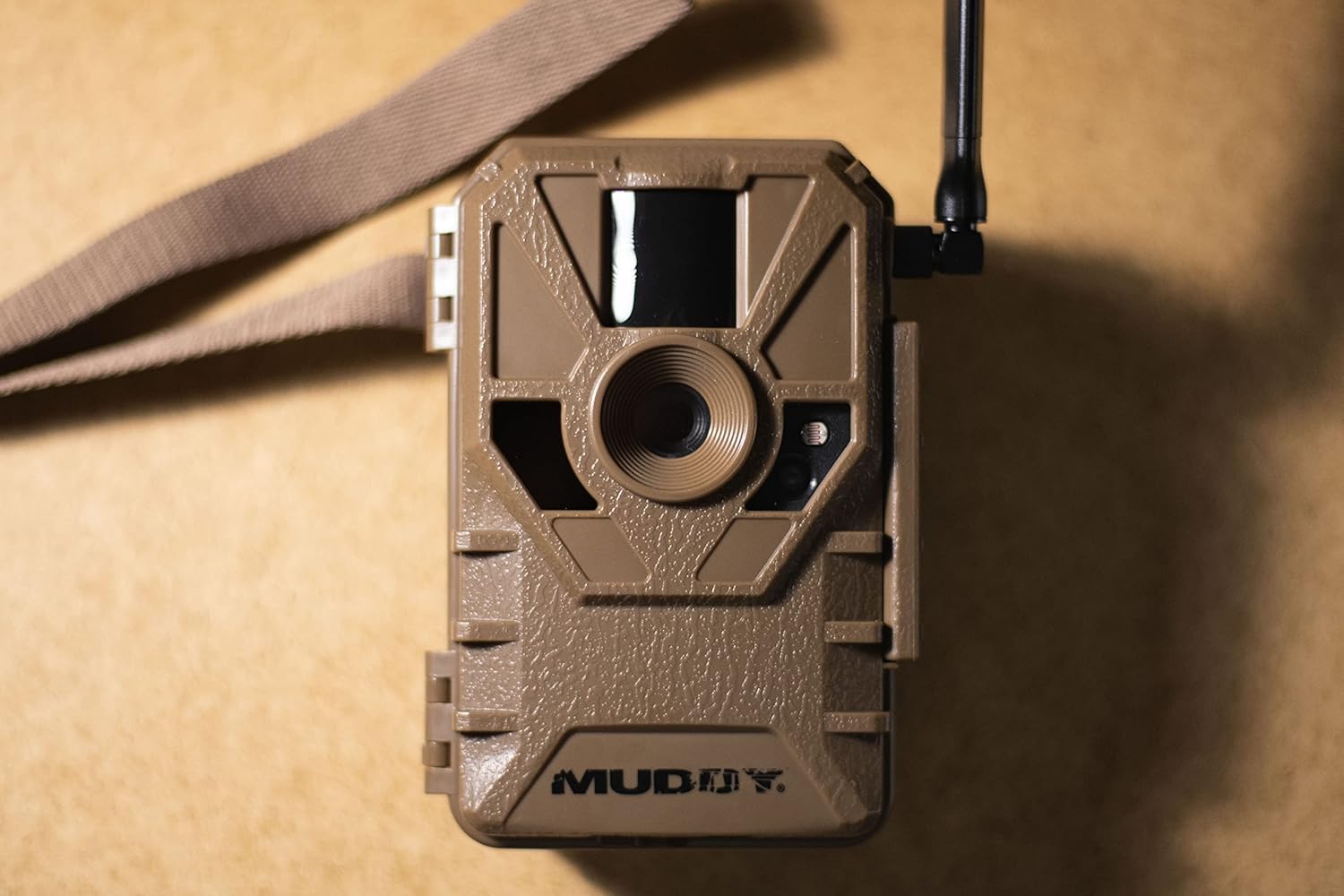
Obrázek 3: Detailní view of the camera's front, highlighting the lens, PIR sensor, and LED emitters.
3.4 Přenos dat
Captured images and videos are transmitted to your Stealth Cam Command App account via the cellular network. Ensure your camera has sufficient signal strength and an active data plan for reliable transmission.
4. Údržba
4.1 Výměna baterie
Regularly check battery levels via the Stealth Cam Command App. Replace all 8 AA batteries when they are low to ensure continuous operation. Always use fresh batteries of the same type.
4.2 Správa paměťových karet
While images are transmitted, the camera also stores them on the SD card. Periodically check the memory card capacity. Format the card or replace it if it becomes full or if you experience performance issues. Always back up important images before formatting.
4.3 Čištění
Keep the camera lens, PIR sensor, and LED emitters clean and free from dirt, dust, and debris. Use a soft, dry cloth for cleaning. Avoid abrasive materials or harsh chemicals that could damage the camera's components.
4.4 aktualizací firmwaru
Check the Stealth Cam Command App periodically for any available firmware updates. Keeping your camera's firmware up-to-date ensures optimal performance and access to new features.
5. Řešení problémů
| Problém | Možná příčina | Řešení |
|---|---|---|
| Camera not sending pictures to app. |
|
|
| Špatná kvalita obrazu. |
|
|
| Fotoaparát se nespouští. |
|
|
6. Specifikace
| Funkce | Detail |
|---|---|
| Název modelu | Manifest 2.0 Cellular Trail Camera |
| Číslo modelu položky | MUD-VRZT |
| Rozlišení obrazu | 16MP / 8MP / 4MP |
| Rychlost spouštění | 0.8 sekund |
| Rozsah detekce | 80 stop |
| Rozsah IR blesku | 80 stop |
| Mobilní připojení | AT&T and Verizon Networks |
| Zdroj napájení | 8 AA Batteries (external power jack for solar battery pack) |
| Podpora paměťových karet | Up to 32GB (SD card included) |
| Rozměry produktu | 5.51 x 3.03 x 7.48 palce |
| Hmotnost | 1.06 libry |
| Výrobce | GSM Venkovní |
7. Záruka a podpora
7.1 Informace o záruce
The Muddy Manifest 2.0 Cellular Trail Camera is manufactured by GSM Outdoors. For detailed warranty information, including terms, conditions, and duration, please refer to the official GSM Outdoors webwebu nebo záruční kartu dodanou s vaším produktem. Uschovejte si doklad o koupi pro případ reklamace.
7.2 Zákaznická podpora
If you encounter issues not covered in the troubleshooting section or require further assistance, please contact GSM Outdoors customer support. Contact information can typically be found on their official website or within the Stealth Cam Command App.
For app-related inquiries, refer to the help section within the Stealth Cam Command App.