
Zavedení
Děkuji za nákupasing the Hiseeu 5MP Wireless Security Camera System. This manual provides detailed instructions for the installation, operation, and maintenance of your new surveillance system. Please read this manual thoroughly before use and keep it for future reference.
Bezpečnostní informace
- Abyste předešli úrazu elektrickým proudem, ujistěte se, že všechna napájecí připojení jsou bezpečná a správná.
- Do not expose the cameras or NVR to extreme temperatures, humidity, or direct sunlight beyond their specified operating conditions.
- Neumisťujte NVR do prostor se špatným větráním.
- Use only the provided power adapters for the NVR and cameras. The NVR requires a 12V 2A power supply.
- Chraňte systém před silnými magnetickými poli.
- Nepokoušejte se jednotku rozebírat ani opravovat sami. Pro pomoc kontaktujte zákaznickou podporu.
1. Průvodce nastavením
1.1 Obsah balení
Before starting, verify that all components are present in your package:
- NVR Main Unit (with 10.1-inch LCD monitor and 1TB HDD)
- 5MP IP66 Waterproof Cameras (4 units)
- NVR Power Adapter (12V 2A)
- Camera Power Adapters (4 units, PSE standard)
- USB myš
- HDMI kabel
- LAN kabel
- Návod k použití
- Bezpečnostní samolepky
- Montážní šrouby

1.2 Počáteční nastavení a připojení
The system features wireless connectivity and automatic code matching, simplifying installation. No complex wiring is required between the cameras and the NVR.
- Power On the NVR: Connect the provided 12V 2A power adapter to the NVR and plug it into a power outlet.
- Power On the Cameras: Připojte každou kameru k příslušnému napájecímu adaptéru a zapojte je do elektrických zásuvek.
- Automatické párování: The cameras and NVR are pre-paired at the factory. Once powered on, the cameras will automatically connect to the NVR, and live video feeds will appear on the NVR's 10.1-inch monitor.

1.3 Remote Monitoring Setup (Optional)
Na dálku viewing via a smartphone app or PC software, the NVR must be connected to your home router using the provided LAN cable.
- Connect one end of the LAN cable to the Ethernet port on the back of the NVR.
- Connect the other end of the LAN cable to an available LAN port on your home router.
- Download the 'EseeCloud' app from the App Store (iOS) or Google Play (Android) for smartphone access, or the 'EseeCloud' software for PC.
- Follow the in-app/software instructions to add your NVR device using its unique ID.

1.4 Instalace kamery
The cameras are IP66 rated, making them suitable for both indoor and outdoor use. They are resistant to dust and water, allowing reliable operation in various weather conditions.
- Vyberte místo pro montáž, které poskytuje jasný výhled view oblasti, kterou chcete monitorovat.
- Ensure the camera is within range of a power outlet for its power adapter.
- Use the provided mounting screws to securely attach the camera to a wall or ceiling.
- Adjust the camera angle (180° horizontal, 360° vertical) for optimal coverage.


2. Návod k obsluze
2.1 Režimy nahrávání
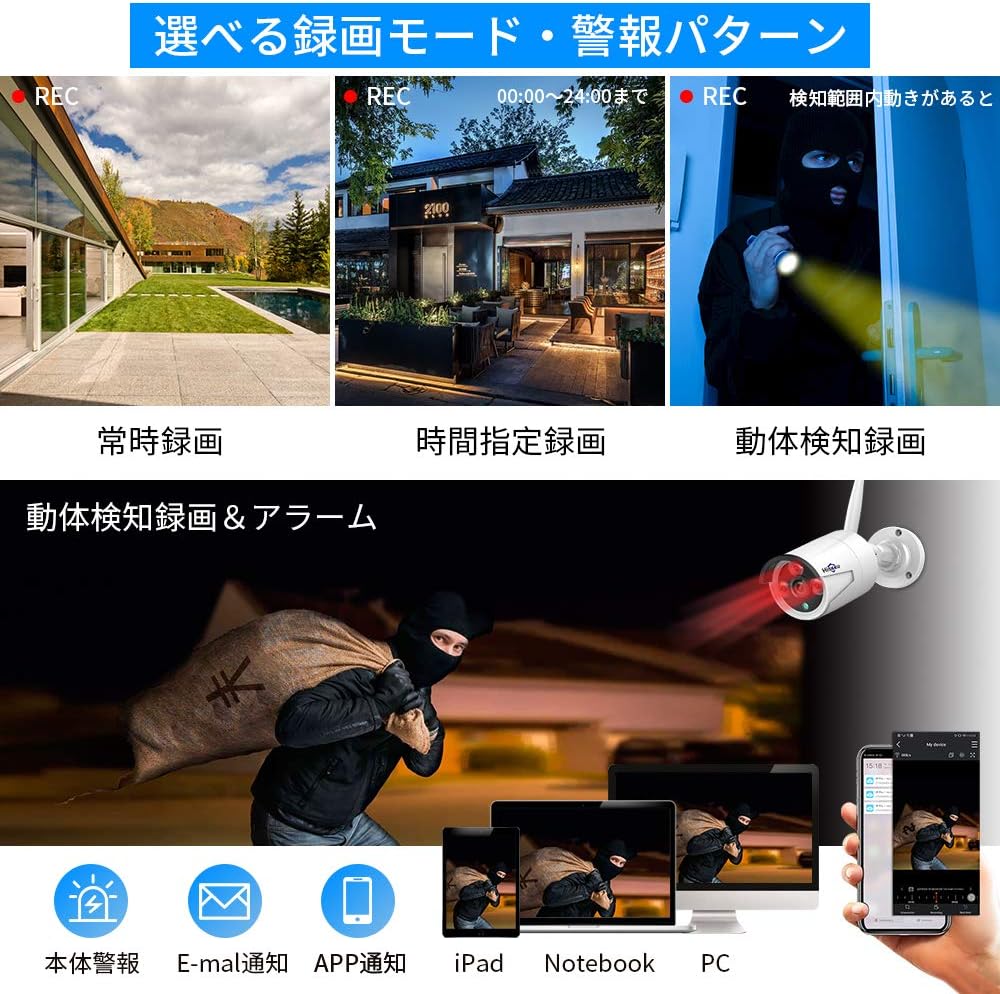
The system offers various recording options to suit your needs:
- Nepřetržité nahrávání: Records 24/7. The 1TB HDD can store approximately 30 days of continuous footage from 4 cameras using H.265+ compression. Older data is automatically overwritten when the disk is full.
- Plánované nahrávání: Nastavte si konkrétní časy pro nahrávání.
- Záznam detekce pohybu: Records only when motion is detected, saving storage space and making event review easier. The system supports AI human detection for optimized recording.

2.2 Živě View a přehrávání
- On NVR Monitor: View live feeds directly on the integrated 10.1-inch LCD monitor. Use the included USB mouse to navigate the NVR interface for playback, settings, and other functions.
- Externí displej: Connect the NVR to a larger TV or PC monitor via the HDMI output for a clearer, higher-resolution view.
- Vzdálený přístup: Use the EseeCloud app or software to view živé přenosy a přehrávání nahraného jídlatage odkudkoli s připojením k internetu.
2.3 Zvukové funkce
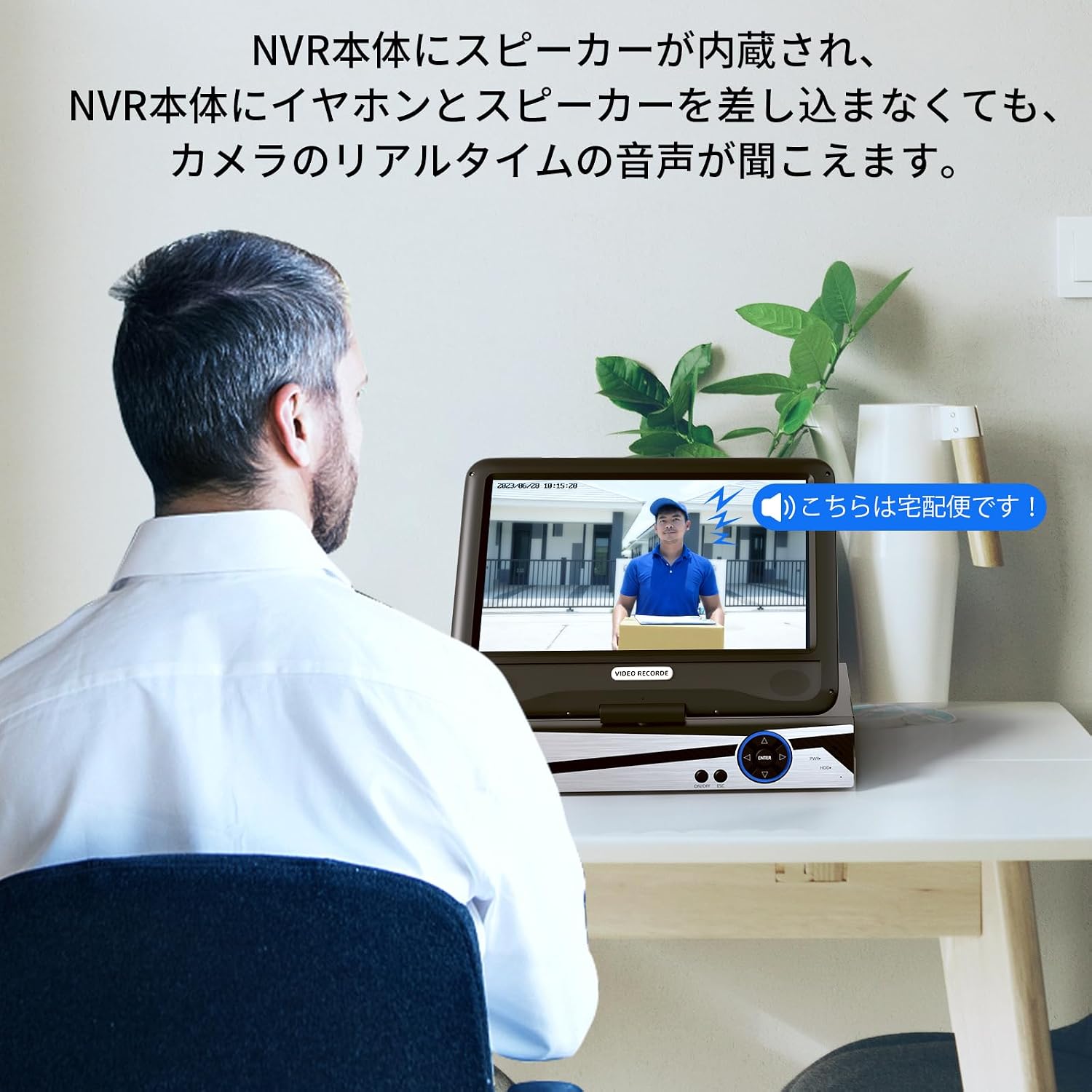
The NVR has a built-in speaker, allowing you to hear real-time audio from the cameras without needing external speakers or headphones.
3. Údržba
- Čištění: Regularly wipe the camera lenses and NVR screen with a soft, dry cloth. For stubborn dirt, use a slightly damp hadříkem a poté důkladně osušte. Nepoužívejte agresivní chemikálie ani abrazivní čisticí prostředky.
- Aktualizace firmwaru: Check the Hiseeu official website or EseeCloud app for any available firmware updates to ensure optimal performance and security.
- Kontrola kabelů: Periodically inspect all cables for any signs of wear or damage. Replace damaged cables immediately.
- Skladování: If storing the system for an extended period, disconnect power, clean all components, and store them in a dry, cool place.
4. Řešení problémů
- No Image on NVR Monitor:
- Ujistěte se, že je NVR zapnutý a napájecí adaptér je bezpečně připojen.
- Check if the cameras are powered on.
- If using an external monitor, ensure the HDMI cable is properly connected and the monitor is set to the correct input source.
- Cameras Not Connecting to NVR:
- Verify that both the NVR and cameras are powered on.
- Ensure cameras are within the wireless range of the NVR. Obstacles like thick walls can reduce signal strength.
- If issues persist, try re-pairing the cameras manually (refer to the NVR's on-screen menu for pairing instructions).
- Vzdálený ViewNefunguje:
- Confirm the NVR is connected to your home router via a LAN cable and has internet access.
- Check your smartphone or PC's internet connection.
- Ensure the EseeCloud app/software is updated to the latest version.
- Verify that the NVR device ID is correctly entered in the app/software.
- Problémy s nahráváním:
- Check the NVR's storage status to ensure the 1TB HDD is functioning and not full (though it overwrites automatically).
- Review recording settings (continuous, scheduled, motion detection) to ensure they are configured as desired.
- NVR Hard Drive Noise:
- A slight humming or clicking sound from the HDD is normal during operation. If the noise is excessive or unusual, contact customer support.
5. Specifikace produktu
| Funkce | Specifikace |
|---|---|
| Značka | Hiseeu |
| Číslo modelu | WK-10V-4HB613-1T |
| Technologie připojení | Bezdrátový |
| Rozlišení záznamu videa | 1920p (5 Megapixels) |
| Speciální funkce | Vodotěsný (IP66) |
| Počet kanálů | 10 (NVR supports up to 10 cameras) |
| Komunikační rozhraní | Bezdrátový |
| Maximální kapacita paměti | 1 TB HDD (built-in) |
| Typ napájení | Napájecí kabel |
| Kompatibilní zařízení | TV, PC |
| Camera Lens Type | 3.6mm Wide-angle |
| Noční vidění | Ano (infračervené LED diody) |
| Formát signálu | Digitální |
| Product Body Size (NVR) | 38.5 x 17 x 29.5 cm |
6. Informace o záruce
Hiseeu products come with a standard manufacturer's warranty. Please refer to the warranty card included in your package or visit the official Hiseeu webPodrobné záruční podmínky naleznete na webových stránkách. Uschovejte si doklad o koupi pro případ reklamace.
7. Zákaznická podpora
If you encounter any issues or have questions regarding your Hiseeu Wireless Security Camera System, please contact our customer support team:
- Online podpora: Visit the Hiseeu official webweb s nejčastějšími dotazy, průvodci řešením problémů a kontaktními formuláři.
- E-mailová podpora: Refer to your warranty card or the Hiseeu webweb pro e-mailovou adresu zákaznického servisu.
Our mission is to provide you with peace of mind and satisfaction. We are committed to continuously improving our products and services.