
1. Úvod
This manual provides comprehensive instructions for the proper use, setup, and maintenance of your boAt Immortal IM 300 Over-Ear Wired Gaming Headphones. Please read this manual thoroughly before using the product to ensure optimal performance and longevity.

Image 1.1: The boAt Immortal IM 300 Over-Ear Wired Gaming Headphones, showcasinjeho design a RGB osvětlení.
2. Obsah balení
Ověřte, zda jsou v balení produktu přítomny všechny níže uvedené položky:
- boAt Immortal IM-300 Gaming Headphones
- Kabel typu C na typ A
- Kabel typu C na typ C
- Uživatelská příručka (tento dokument)
- Záruční list
3. Konec produktuview
The boAt Immortal IM 300 headphones are designed for an immersive audio experience, featuring advanced drivers, dual microphone options, and customizable settings.
3.1. Klíčové vlastnosti
- 50mm měniče: Engineered for a powerful and immersive auditory experience.
- Režimy duálního ekvalizéru: Switch between 3D Spatial Sound for gaming and boAt Signature Sound for music and movies.
- LED diody RGB: Integrated RGB lighting for visual customization.
- Duální mikrofony: Includes a detachable boom mic for clear communication and a passive mic for general use.
- Přizpůsobení: Audio and mic driver settings can be adjusted via boAt Plugin Labz software.
- Pohodlný design: Lightweight, over-ear design with soft earmuffs for extended wear.
- Kabelové připojení: USB Type-C connection for reliable audio transmission.
- Kompatibilita s více platformami: Designed for use with PCs, laptops, smartphones, and gaming consoles.

Obrázek 3.1: Rozložený view illustrating the 50mm audio drivers within the headphone earcups.
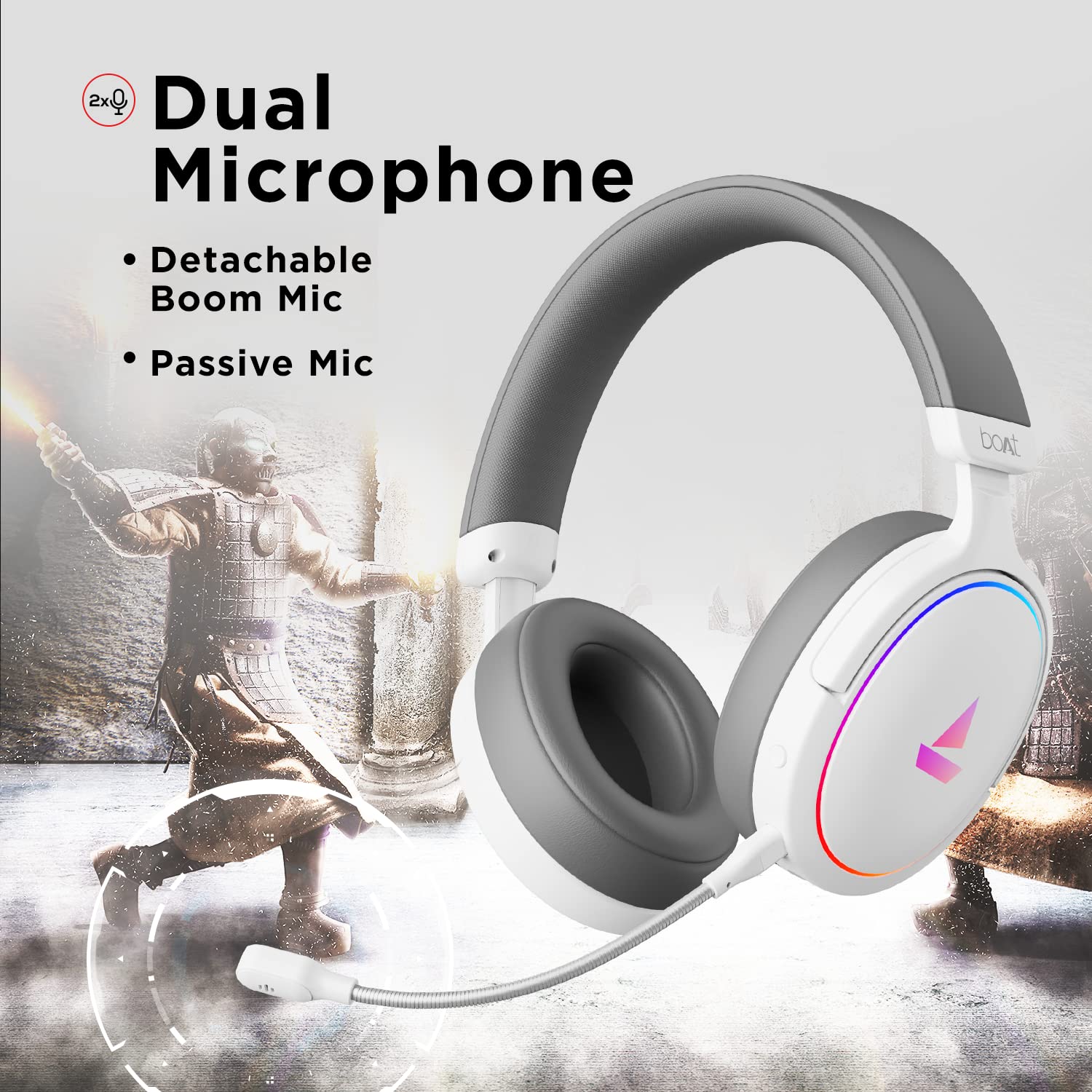
Image 3.2: The headphones featuring the detachable boom microphone, highlighting the dual microphone system.
4. Nastavení
4.1. Připojení k vašemu zařízení
The Immortal IM 300 headphones connect via USB. Use the appropriate cable for your device:
- Pro PC/laptop: Use the provided Type-C to Type-A cable. Connect the Type-C end to the headphone and the Type-A end to an available USB port on your computer.
- For Smartphones/Other Type-C Devices: Use the provided Type-C to Type-C cable. Connect one end to the headphone and the other to your device's Type-C port.
Once connected, your device should automatically detect the headphones. You may need to select the "Immortal IM-300" as the audio output and input device in your system's sound settings.
4.2. Připevnění ramenového mikrofonu
The boom microphone is detachable. To attach it, align the microphone's connector with the port on the left earcup and gently push until it clicks into place. Ensure it is securely connected for optimal voice pickup.
Chcete-li mikrofon odpojit, opatrně jej vytáhněte přímo z portu.
5. Návod k obsluze
5.1. Audio Modes (Dual EQ)
The headphones feature two distinct audio equalization (EQ) modes:
- 3D Spatial Sound Mode: Optimized for gaming, providing enhanced directional audio cues.
- Music Mode (boAt Signature Sound): Vyvážený zvukový profesionálfile suitable for listening to music and watching movies.
Refer to the inline remote control or the boAt Plugin Labz software for instructions on switching between these modes.

Image 5.1: Illustration of the Dual EQ Modes, highlighting the 3D Spatial Audio and Music Mode functionalities.
5.2. RGB LED Control
The headphones are equipped with RGB LEDs. These lights can be customized or turned off. Specific controls for RGB lighting are typically located on the inline remote or accessible through the boAt Plugin Labz software.

Image 5.2: The headphones showcasing their RGB lighting, indicating customization options via boAt Plugin Labz.
5.3. Použití mikrofonu
The Immortal IM 300 offers two microphone options:
- Výložníkový mikrofon: For clear and focused voice communication, especially during gaming. Ensure it is positioned correctly near your mouth.
- Passive Microphone: An integrated microphone for casual use when the boom mic is detached.
Use the inline remote to mute/unmute the microphone as needed.
6. Customization via boAt Plugin Labz
For advanced audio and microphone settings, download and install the boAt Plugin Labz software. This application allows you to fine-tune your listening experience and microphone performance.
Please visit the official boAt website for download instructions and compatibility information for the Plugin Labz software.
7. Údržba
7.1. Čištění
- Sluchátka otřete měkkým, suchým hadříkem.
- Nepoužívejte agresivní chemikálie, čisticí rozpouštědla ani silné čisticí prostředky.
- Keep the earcups clean to prevent debris buildup.
7.2. Skladování
- Sluchátka skladujte na chladném a suchém místě mimo dosah přímého slunečního záření a extrémních teplot.
- Nepokládejte na sluchátka těžké předměty.
- When not in use, consider storing them in a protective case to prevent damage.
8. Řešení problémů
| Problém | Možná příčina | Řešení |
|---|---|---|
| Ze sluchátek není slyšet žádný zvuk. |
|
|
| Mikrofon nefunguje. |
|
|
| RGB LEDs are not lighting up. |
|
|
9. Specifikace
| Funkce | Detail |
|---|---|
| Název modelu | Immortal IM-300 |
| Technologie připojení | Kabelové (USB Type-C) |
| Velikost zvukového ovladače | 50 mm |
| Tvar sluchátka | Náušníky |
| Formát mikrofonu | Boom (detachable) & Passive |
| Kontrola hluku | Pasivní potlačení hluku |
| Frekvenční rozsah | 50-10 kHz |
| Hmotnost položky | 260 gramů |
| Rozměry produktu (DxŠxV) | 20 x 18 x 8 cm |
| Kompatibilní zařízení | Chytré telefony, notebooky, stolní počítače, herní konzole |
| Materiál | Plast |
| Kontrolní metoda | Vzdálený |

Obrázek 9.1: Konecview of key features including multi-platform compatibility, lightweight construction, wired connection, and passive noise isolation.
10. Záruka a podpora
Your boAt Immortal IM 300 headphones come with a 1-letá záruka od data nákupu. Uschovejte si prosím doklad o koupi pro případ reklamace.
For technical support, warranty claims, or further assistance, please contact boAt customer service through their official webstránky nebo kontaktní informace uvedené na vaší záruční kartě.
Pro více informací navštivte oficiální Obchod boAt.