
1. Konec produktuview
The Lexar Professional CFexpress Type A / SD USB 3.2 Gen 2 Reader is designed to facilitate high-speed data transfer from CFexpress Type A and SD UHS-II memory cards to your computer. It supports USB 10Gbps (USB 3.2 Gen 2) transfer rates, optimizing workflow for content creators handling high-resolution photos and video content.

Image 1: Lexar Professional CFexpress Type A / SD USB 3.2 Gen 2 Reader. This image displays the compact design of the card reader, highlighting its dual-slot capability for both CFexpress Type A and SD cards.
2. Obsah balení
- Lexar Professional CFexpress Type A / SD USB 3.2 Gen 2 Reader
- 2-in-1 USB Type-C to Type-A cable
- Kabel USB Type-C na Type-C
3. Nastavení a připojení
Follow these steps to connect your card reader and begin data transfer:
- Connect the Reader to Your Computer: Use the provided USB Type-C to Type-A cable or USB Type-C to Type-C cable to connect the reader to an available USB port on your computer. Ensure your computer's USB port supports USB 3.2 Gen 2 for optimal performance.
- Vložte paměťovou kartu:
- Pro CFexpress typ A cards, gently insert the card into the designated CFexpress Type A slot until it clicks into place.
- Pro SD UHS-II cards, gently insert the card into the designated SD slot until it clicks into place.
- Ověřit připojení: A small LED indicator on the reader will illuminate when properly connected and a card is inserted, indicating readiness for data transfer.

Image 2: The card reader connected to a laptop via its USB-C cable, demonstrating its integration into a digital workflow.
4. Provoz
The Lexar Professional CFexpress Type A / SD USB 3.2 Gen 2 Reader supports simultaneous high-speed transfers from both CFexpress Type A and SD UHS-II cards.
- Přenos dat: Once connected and cards are inserted, your computer will recognize the cards as removable storage devices. You can then drag and drop files, or use your preferred file software pro správu pro přenos dat.
- Vysokorychlostní výkon: Expect CFexpress Type A memory card transfer speeds up to 900MB/s and UHS-II SD memory card transfer speeds up to 312MB/s, depending on your card's capabilities and system configuration.
- Současný přístup: The dual-slot design allows for reading and writing to both card types concurrently, enhancing efficiency.

Obrázek 3: Detail view of the card reader with a CFexpress Type A card and an SD card partially inserted, illustrating the dual-slot functionality.
5. Kompatibilita
The reader is compatible with various operating systems:
- Mac OS 10.8+
- Windows 11/10/8/7/Vista/XP
- Requires a USB 2.0+ port (USB 3.2 Gen 2 recommended for full speed)
6. Údržba a péče
To ensure the longevity and optimal performance of your Lexar card reader:
- Zacházejte opatrně: Avoid dropping the reader or subjecting it to excessive force.
- Udržujte v čistotě: K čištění vnějšího povrchu používejte měkký, suchý hadřík. Nepoužívejte tekuté čisticí prostředky ani rozpouštědla.
- Protect Slots: Keep the card slots free from dust and debris. Avoid inserting foreign objects.
- Bezpečné odstranění: Always safely eject the card reader from your computer's operating system before physically disconnecting it to prevent data corruption.
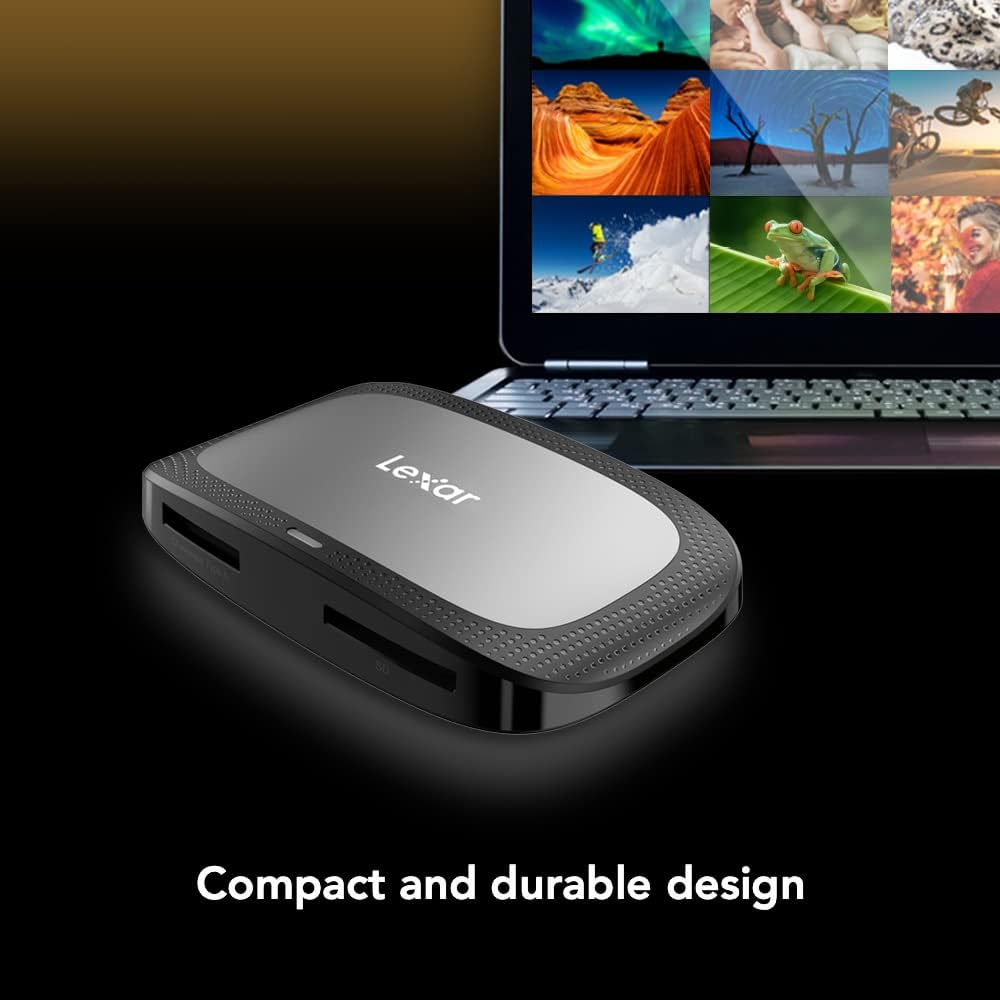
Image 4: The compact and durable design of the card reader, emphasizing its portability and robust build.
7. Řešení problémů
- Zařízení nebylo rozpoznáno: If the reader is not recognized by your computer, ensure you are using the included high-speed USB cable. Older or standard USB cables may not support the required data transfer rates or power delivery, preventing the device from being detected. Try a different USB port or cable.
- Pomalé přenosové rychlosti: Verify that your computer's USB port supports USB 3.2 Gen 2. If connected to a slower USB port (e.g., USB 2.0), transfer speeds will be limited. Also, ensure your memory cards are high-speed CFexpress Type A or SD UHS-II cards.
- Poškození dat: Always safely eject the memory cards and the reader from your operating system before physical removal. Abrupt disconnection can lead to data corruption.
- Ohnuté kolíky: Exercise caution when inserting CFexpress cards. Bent pins can occur if cards are not inserted correctly. Always align the card properly before pushing it into the slot.
8. Specifikace
| Funkce | Detail |
|---|---|
| Značka | Lexar |
| Série | Professional CFexpress Type A / SD USB 3.2 Gen 2 Reader |
| Číslo modelu | LRW530U-RNBNG |
| Typ média | CFexpress Type A, SD UHS-II |
| Technologie připojení | USB Type C (USB 3.2 Gen 2) |
| CFexpress Type A Transfer Speed | Up to 900MB/s (Read) |
| SD UHS-II Transfer Speed | Up to 312MB/s (Read) |
| Kompatibilita operačního systému | Mac OS 10.8+, Windows 11/10/8/7/Vista/XP |
| Hmotnost položky | 2.72 unce |
| Rozměry produktu | 11.34 x 5.91 x 4.53 palce |
| Barva | Černý |
9. Informace o záruce
The Lexar Professional CFexpress Type A / SD USB 3.2 Gen 2 Reader comes with a Dvouletá omezená záruka. For detailed warranty terms and conditions, please refer to the official Lexar website or contact Lexar customer support.
10. Podpora
For further assistance, technical support, or to download the latest drivers, please visit the official Lexar support webweb. Najdete tam také často kladené otázky a další zdroje.